
1. Introduction
Thank you for choosing the MGSTN HD Action Camera FHHJ. This compact and versatile camera is designed to capture your adventures in stunning 4K resolution. Please read this manual carefully to understand the camera's features and ensure proper operation. Keep this manual for future reference.
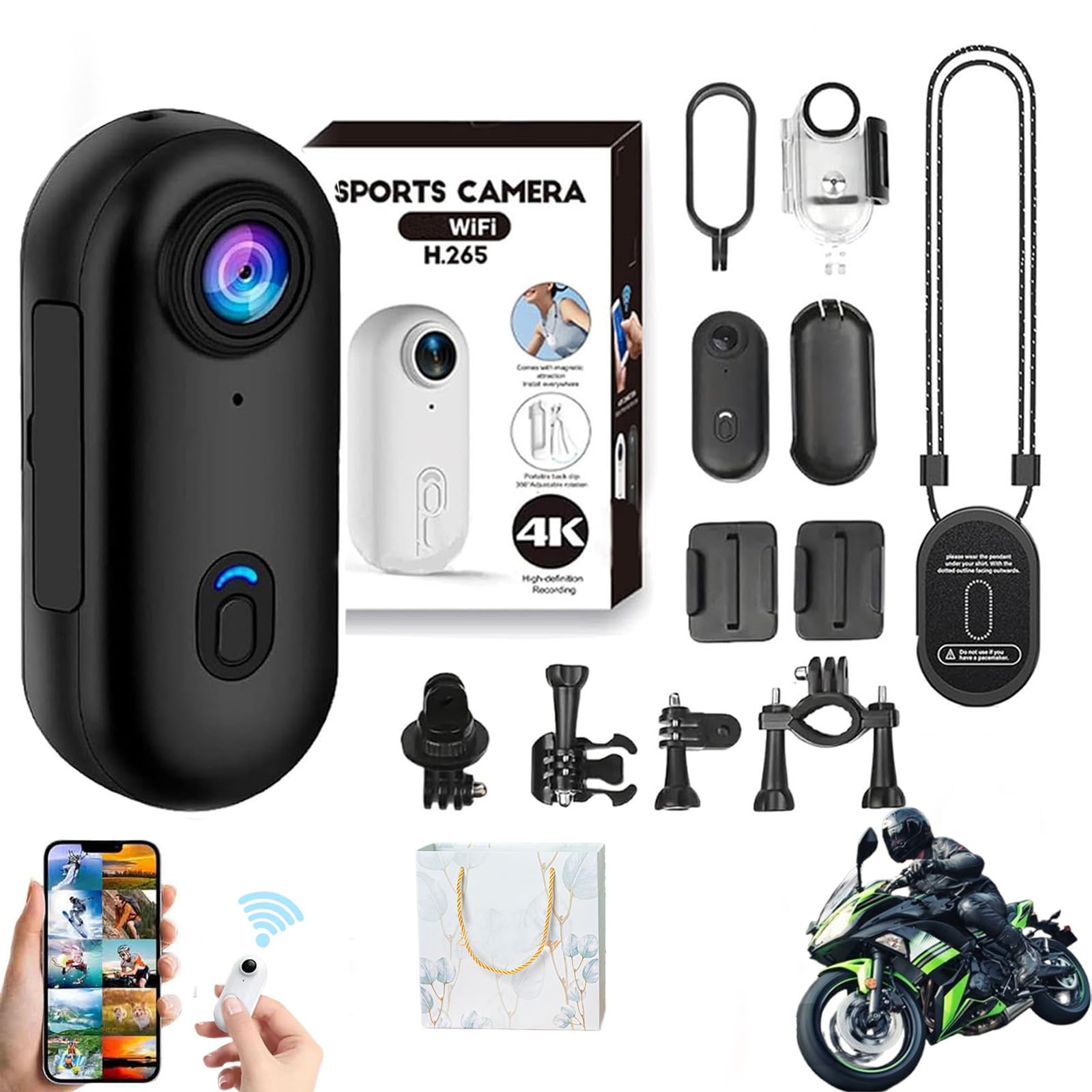
Image 1.1: MGSTN HD Action Camera FHHJ
2. Product Overview
2.1 Key Features
- 4K HD Video Recording: Capture vibrant 4K videos and clear photos.
- Long Battery Life: Up to 90 minutes of 4K recording or 150 minutes in 1080P. Supports recording while charging.
- 30M Waterproof with Case: Withstands depths of up to 30 meters (98 feet) with the included waterproof case. (Note: Camera is not waterproof without the case.)
- Flexible Mounting: Easily mount on helmets, dashboards, handlebars, or pet collars using optional accessories.
- Ultra-Compact & Lightweight: Smaller than a thumb, weighing just 1.25 oz for hands-free shooting.
- Wireless Connectivity: Built-in Wi-Fi and Bluetooth for effortless footage transfer to your smartphone.
- Loop Recording: Automatic overwrite function, supports up to 128GB storage.
2.2 Camera Components and Dimensions

Image 2.1: Front view of the camera highlighting the 120° wide-angle lens.

Image 2.2: Camera dimensions: 64.5mm (2.54in) length, 28mm (1.1in) width, 20mm (0.787in) thickness.
3. Setup
3.1 Initial Charging
Before first use, fully charge the camera. Connect the camera to a USB power source using the provided USB cable. The LED indicator will show charging status and turn off when fully charged.
3.2 Inserting a Micro SD Card
The camera requires a Micro SD card (Class 10 or higher, up to 128GB) for recording. Insert the Micro SD card into the designated slot until it clicks into place. Ensure the camera is powered off before inserting or removing the card.
3.3 Mounting Options
The camera offers various mounting options for different scenarios:
- Magnetic Pendant: Use the magnetic lanyard for hands-free recording around your neck.
- Easy Clip: Clip the camera onto clothing, backpacks, or pet collars.
- Helmet/Handlebar Mounts: Utilize included or optional accessories to attach the camera to helmets or bicycle handlebars.
- Waterproof Case: For underwater activities, place the camera securely inside the waterproof case.

Image 3.1: Illustration of camera controls (Power/Record, Wi-Fi) and various mounting methods including magnetic pendant and clip.

Image 3.2: Example of the camera being worn as a body cam using its clip-on design.
3.4 Wi-Fi Connectivity
To connect the camera to your smartphone via Wi-Fi:
- Power on the camera by long-pressing the button.
- Double-click the button to enter Wi-Fi mode. The blue-green LED will flash.
- On your smartphone, go to Wi-Fi settings and connect to the camera's hotspot (SSID usually starts with 'MGSTN' or similar).
- Open the dedicated app (refer to packaging or product page for app name) to view live footage, download files, and adjust settings.

Image 3.3: Visual guide for connecting the camera to a smartphone via Wi-Fi for easy file transfer.
4. Operating Instructions
4.1 Power On/Off
- Power On: Long-press the main button until the indicator light turns on.
- Power Off: Long-press the main button again until the indicator light turns off.
4.2 Recording Video
- Once powered on, press the main button once to start recording. The indicator light will change to indicate recording is in progress.
- Press the main button again to stop recording. The indicator light will return to standby mode.
- The camera supports 4K and 1080P video resolutions. Settings can be adjusted via the smartphone app.
- Loop Recording: The camera features loop recording, automatically overwriting the oldest files when the memory card is full.
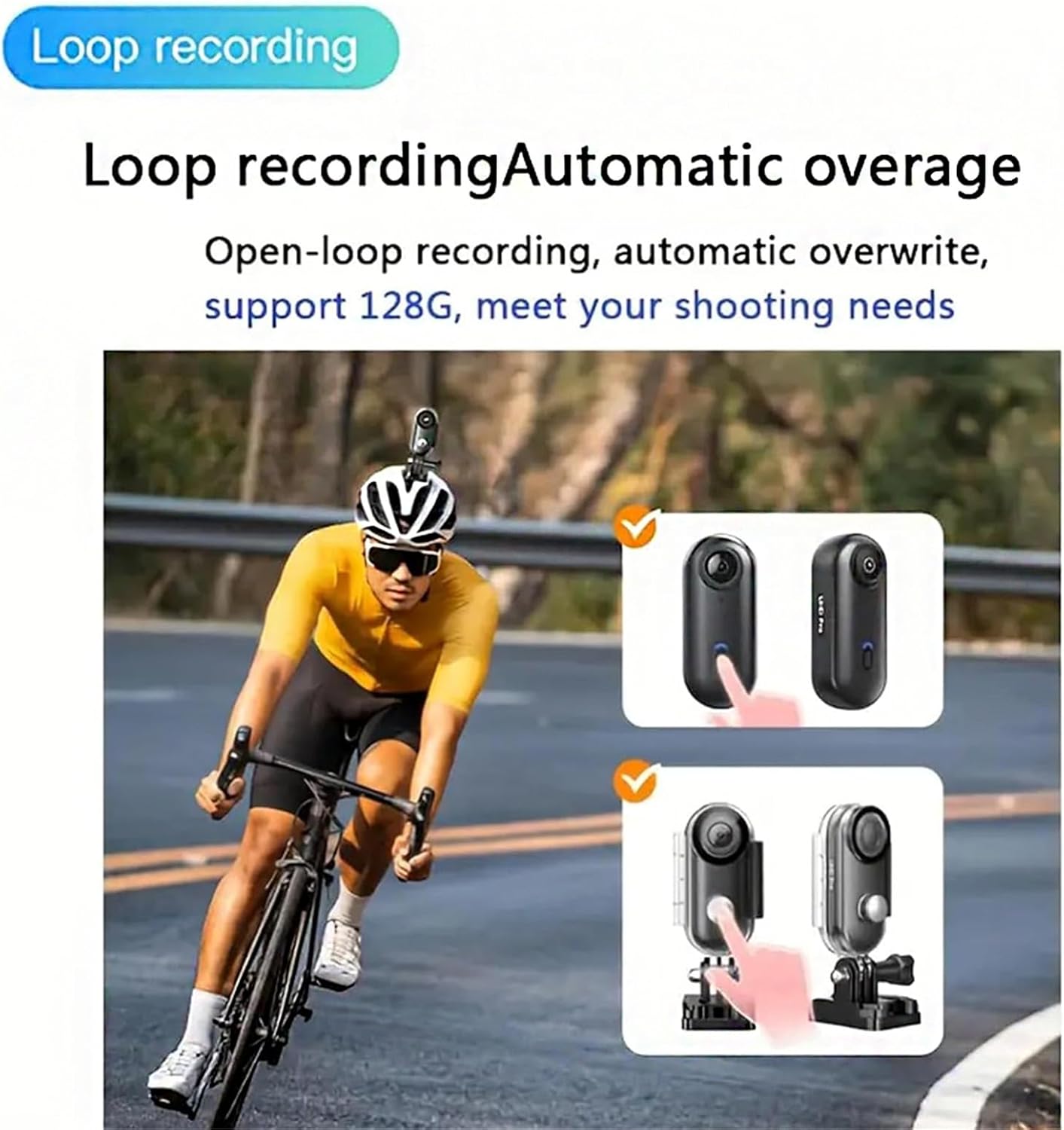
Image 4.1: Explanation of the loop recording function, which automatically overwrites old footage.
4.3 Taking Photos
Specific instructions for photo mode may vary. Typically, a short press of a dedicated button or a mode switch via the app is required. Refer to the app interface for detailed photo capture options.

Image 4.2: Icons indicating the camera's ability to capture photos, videos, and audio recordings.
4.4 Night Vision
The camera is equipped with night vision technology to ensure clear footage even in low light conditions.

Image 4.3: Depiction of the camera's night vision capability for recording in low-light environments.
4.5 Recording While Charging
The camera supports continuous recording while connected to a power source via USB, making it suitable for extended use as a dashcam or for long time-lapse projects.
4.6 Official Product Video
Video 4.1: Official product video demonstrating the MGSTN HD Action Camera's features and use cases.
5. Maintenance
- Cleaning the Lens: Use a soft, lint-free cloth specifically designed for camera lenses to gently clean the lens. Avoid abrasive materials or harsh chemicals.
- Waterproof Case Care: After using the waterproof case in saltwater, rinse it with fresh water and allow it to air dry. Regularly check the O-ring seal for any debris or damage.
- Storage: Store the camera in a cool, dry place away from direct sunlight and extreme temperatures. Remove the Micro SD card if storing for extended periods.
- Battery Care: For optimal battery life, avoid fully discharging the battery frequently. Charge the camera regularly, even if not in use, to maintain battery health.
6. Troubleshooting
| Problem | Possible Cause | Solution |
|---|---|---|
| Camera does not turn on. | Low battery; camera frozen. | Charge the camera fully. If frozen, press and hold the power button for 10-15 seconds to reset. |
| Cannot connect to Wi-Fi. | Incorrect Wi-Fi mode; app issue; signal interference. | Ensure camera is in Wi-Fi mode (double-click button). Restart camera and phone. Check app permissions. Try connecting in a different location. |
| Recording stops unexpectedly. | SD card full; low battery; faulty SD card. | Check SD card storage or replace with a new one. Ensure battery is charged. Format the SD card (backup data first). |
| Poor video quality. | Dirty lens; low light; incorrect settings. | Clean the lens. Ensure adequate lighting. Check video resolution settings in the app. |
| Battery life is shorter than expected. | Continuous 4K recording; Wi-Fi active; cold environment. | 4K recording consumes more power. Turn off Wi-Fi when not in use. Battery performance decreases in cold temperatures. |
7. Specifications
| Feature | Detail |
|---|---|
| Brand | MGSTN |
| Model Number | FHHJ |
| Video Capture Resolution | 4K UHD |
| Flash Memory Type | SD (supports up to 128GB, Class 10) |
| Video Capture Format | MP4 |
| Supported Audio Format | AAC |
| Connectivity Technology | USB, Wi-Fi, Bluetooth |
| Color | Black |
| Special Feature | 360 Degree Capture (Wide Angle Lens) |
| Water Resistance Level | Waterproof (with case) |
| Image Stabilization | Digital |
| Form Factor | Ultra Compact |
| Battery Average Life | 90 minutes (4K), 150 minutes (1080P) |
| Lens Type | Wide Angle |
| Focus Type | Fixed Focus |
| Shooting Modes | 4K, 1080P, Time Lapse, Loop Recording |
| Supported Image Format | JPEG |
8. Warranty Information
The manufacturer's warranty for this product is NO. Please refer to your retailer's return policy for details on returns or exchanges.
9. Support
For further assistance or inquiries not covered in this manual, please contact the retailer or refer to the official MGSTN website for updated information and support resources.