Product Overview
The AODK Display Case with LED Lights is a versatile 5-tier storage solution designed for showcasing collectibles, video games, consoles, action figures, and other treasured items. It features a hybrid design combining clear tempered glass shelves with durable carbon fiber panels, offering both strength and enhanced light reflection. Integrated RGB LED strips provide customizable lighting with app control, dynamic effects, and music sync capabilities to create an engaging display.

Image: The AODK Display Case filled with various collectibles, illuminated by colorful LED lights, creating an attractive visual display.
1. Setup and Assembly
Assembly of the AODK Display Case is designed to be straightforward. For ease and safety, it is recommended that two people participate in the assembly process. The entire assembly is estimated to take approximately 40 minutes. Please ensure all parts are accounted for and in good condition before beginning.
Assembly Video Guide
Video: A detailed installation guide for the AODK Display Cabinet, demonstrating each step of the assembly process.
Key Assembly Tips:
- Two-Person Assembly: For optimal safety and efficiency, assemble with another person.
- Part Verification: Before starting, unpack all components and verify against the parts list to ensure everything is present and undamaged.
- Toolset Provided: The display shelf includes a complete toolset for hassle-free setup.
- Anti-Tip Kit: An anti-tip kit is included to secure the cabinet to the wall, enhancing stability and safety. Follow the instructions carefully for proper installation.
2. Operating the LED Lights
The AODK Display Case features vivid RGB LED lighting with convenient app control, allowing for extensive customization of your display's ambiance.
Powering the Lights:
Please note that this display shelf does not include a power adapter. A DC 5V/2A power adapter or a USB-enabled outlet is required to power the LED lights. Connect the USB cable from the LED strips to a compatible power source.
App Control Features:
- 6,000 Vibrant Colors: Choose from a wide spectrum of colors to match your mood or decor.
- Dynamic Effects: Select from various pre-set dynamic lighting modes.
- Music Sync Mode: The lights can pulse and change in rhythm with your favorite music, creating an immersive experience.
- Timing Function: Set schedules for the lights to turn on or off automatically.

Image: The display case highlighting the various RGB LED color options and the mobile app interface for controlling the lights.
LED Light Demonstration
Video: A demonstration of the LED lights changing colors and effects within the AODK Display Case, showcasing the customizable ambiance.
3. Maintenance
To ensure the longevity and appearance of your AODK Display Case, follow these simple maintenance guidelines:
- Cleaning Glass Surfaces: Use a soft, lint-free cloth and a glass cleaner to wipe down the tempered glass shelves. Avoid abrasive cleaners that may scratch the surface.
- Cleaning Metal and Carbon Fiber Panels: Wipe the metal frame and carbon fiber panels with a soft, damp cloth. For stubborn marks, a mild soap solution can be used, followed by drying with a clean cloth.
- Dusting: Regularly dust all surfaces with a dry, soft cloth to prevent buildup.
- LED Strip Care: Avoid direct contact with the LED strips when cleaning. If necessary, gently wipe with a dry, soft cloth. Ensure the power is disconnected before cleaning any electrical components.
4. Troubleshooting
If you encounter any issues with your AODK Display Case, refer to the following common troubleshooting steps:
- LED Lights Not Turning On:
- Ensure the USB cable is securely connected to both the LED strips and a compatible DC 5V/2A power adapter or USB-enabled outlet.
- Verify that the power adapter or USB outlet is functioning correctly.
- Check the app or remote control for proper function and battery life.
- Lights Not Responding to App/Remote:
- Ensure the app is correctly paired with the LED lights.
- Check the remote control's battery and ensure there are no obstructions between the remote and the receiver.
- Cabinet Instability:
- Ensure all screws and connections from the assembly process are fully tightened.
- Verify that the adjustable foot pads are properly leveled on an even surface.
- Confirm the anti-tip kit is securely installed to the wall as per instructions.
5. Specifications
| Feature | Detail |
|---|
| Brand | AODK |
| Model | B0FLPR2XNC |
| Color | Black |
| Product Dimensions | 11"D x 27.6"W x 63.0"H |
| Material | Glass, Wood, Steel |
| Number of Levels | 5 |
| Special Feature | Glass Shelves, RGB LED Lights with App Control |
| Mounting Type | Floor Mount |
| Assembly Required | Yes |
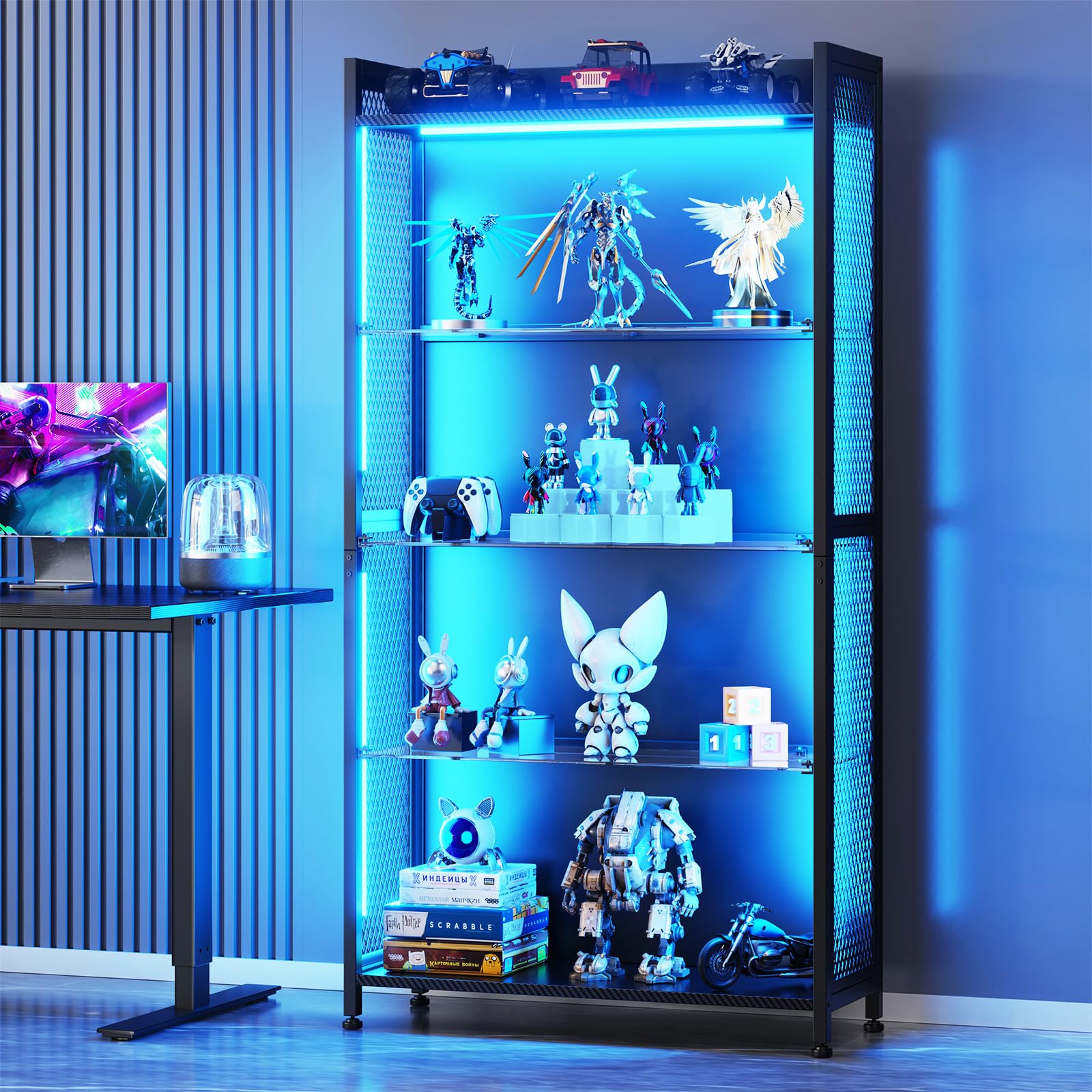
Image: The AODK Display Case with its key dimensions (depth, width, height) clearly indicated.
6. Warranty and Support
AODK is committed to providing reliable support for its products. While specific warranty details are not provided in this manual, our friendly customer service team is available to provide prompt assistance for any questions or concerns you may have regarding your display case.
For support, please refer to the contact information provided with your purchase or visit the official AODK website.
