
1. Introduction
The EF ECOFLOW Trail 300 DC Portable Power Station is an ultra-compact and lightweight power solution designed for outdoor camping, travel, and emergency power needs. It features a massive 288Wh LiFePO4 battery capacity, delivering 300W of pure DC output (up to 140W per port).
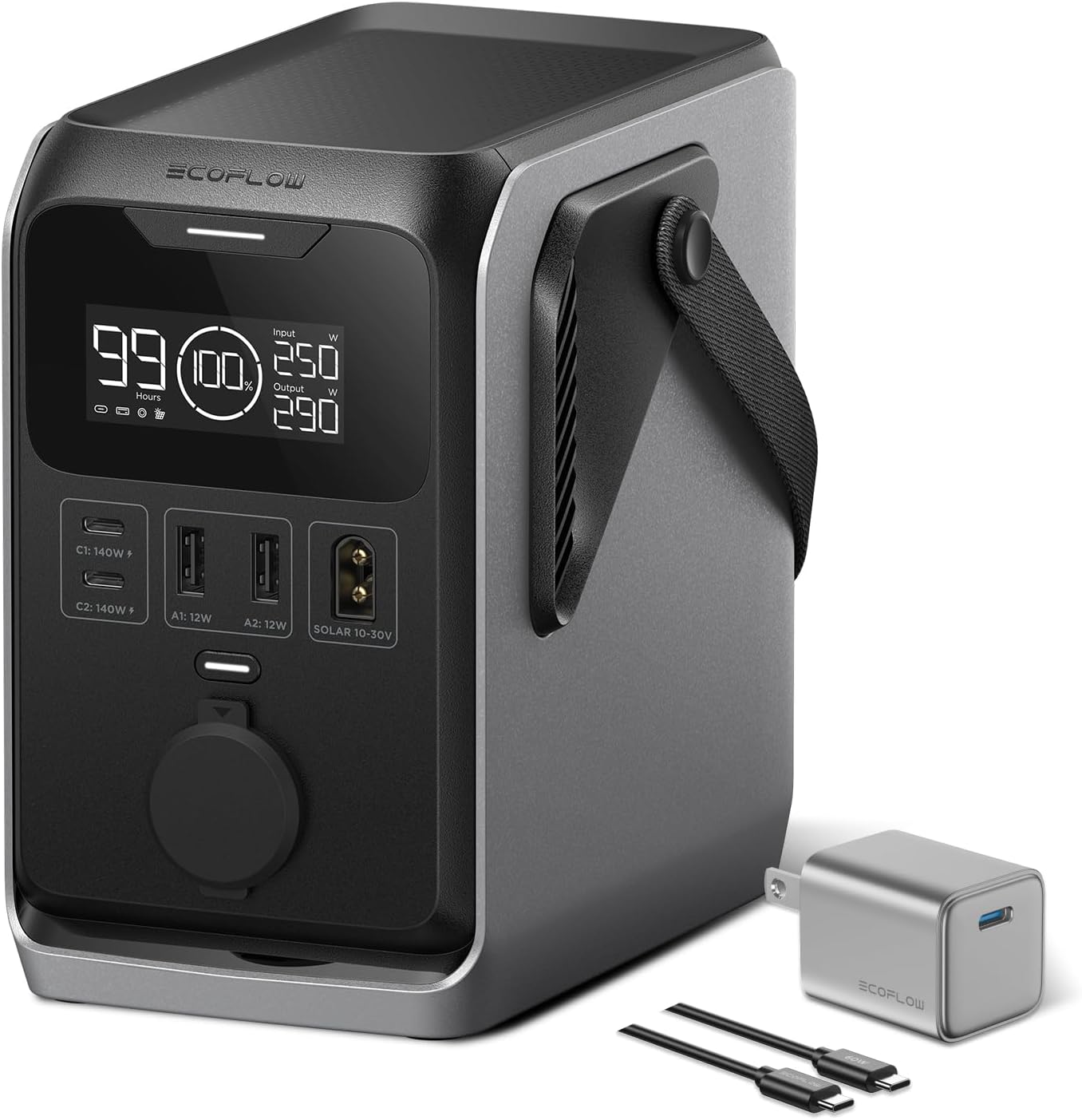
Image: The EF ECOFLOW Trail 300 portable power station shown with its included USB-C charger and cables, highlighting its compact design.
2. What's in the Box
- EF ECOFLOW Trail 300 Portable Power Station
- USB-C Charger (30W)
- Necessary charging cables
3. Key Features
- Small Size, Big Power: 288Wh LiFePO4 battery capacity, equivalent to 9 standard power banks. Delivers 300W pure DC output (up to 140W per port).
- More Ports, More Sharing: Features 5 DC output ports: 2 USB-A (12W), 2 USB-C PD3.1 (140W in/out), and 1 12V car port (10A).
- Ultra-Compact & Lightweight: 48% smaller and 27% lighter than comparable portable power stations, weighing approximately 5.95 lbs.
- 90% Gear Compatibility: Powers 90% of essential outdoor gear, including 12V electric coolers.
- Built Tough & Reliable: Five layers of protection and a premium LiFePO4 battery ensure durability and safety, designed to withstand drops and bumps.
- Rapid, Flexible Recharging: Supports car charging (110W max), solar charging (110W max), and dual USB-C fast charging (2 x 140W, 0–80% in 85 minutes).

Image: The power station displayed in an outdoor setting, emphasizing its 288Wh massive capacity.
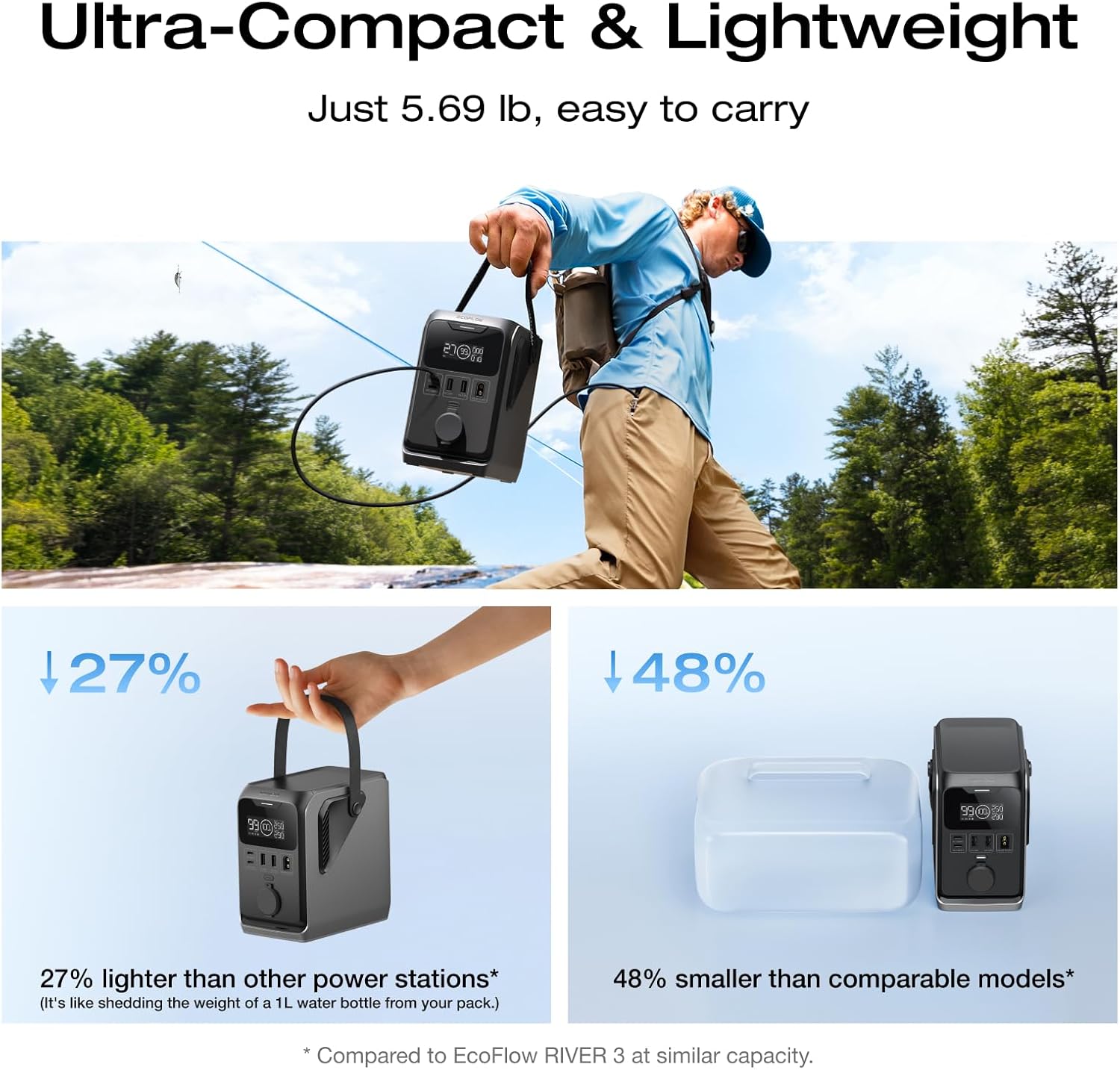
Image: A visual comparison demonstrating the compact and lightweight nature of the Trail 300 compared to other power stations.
4. Setup
- Unpack: Carefully remove the power station and all accessories from the packaging.
- Initial Charge: Before first use, fully charge the power station using one of the available charging methods (USB-C, car, or solar). This ensures optimal battery performance.
- Familiarize: Locate all input and output ports, the display screen, and control buttons.
5. Operating Instructions
5.1 Charging the Power Station
The Trail 300 offers multiple charging options:
- USB-C Charging: Connect one or two USB-C PD3.1 (140W) chargers to the USB-C input/output ports. Dual 140W charging can achieve 0-80% in approximately 85 minutes.
- Car Charging: Use a compatible DC car charger (110W max) to charge the unit from your vehicle's 12V outlet.
- Solar Charging: Connect a solar panel (up to 110W max, sold separately) to the dedicated solar input port. Ensure the solar panel is positioned for maximum sunlight exposure.
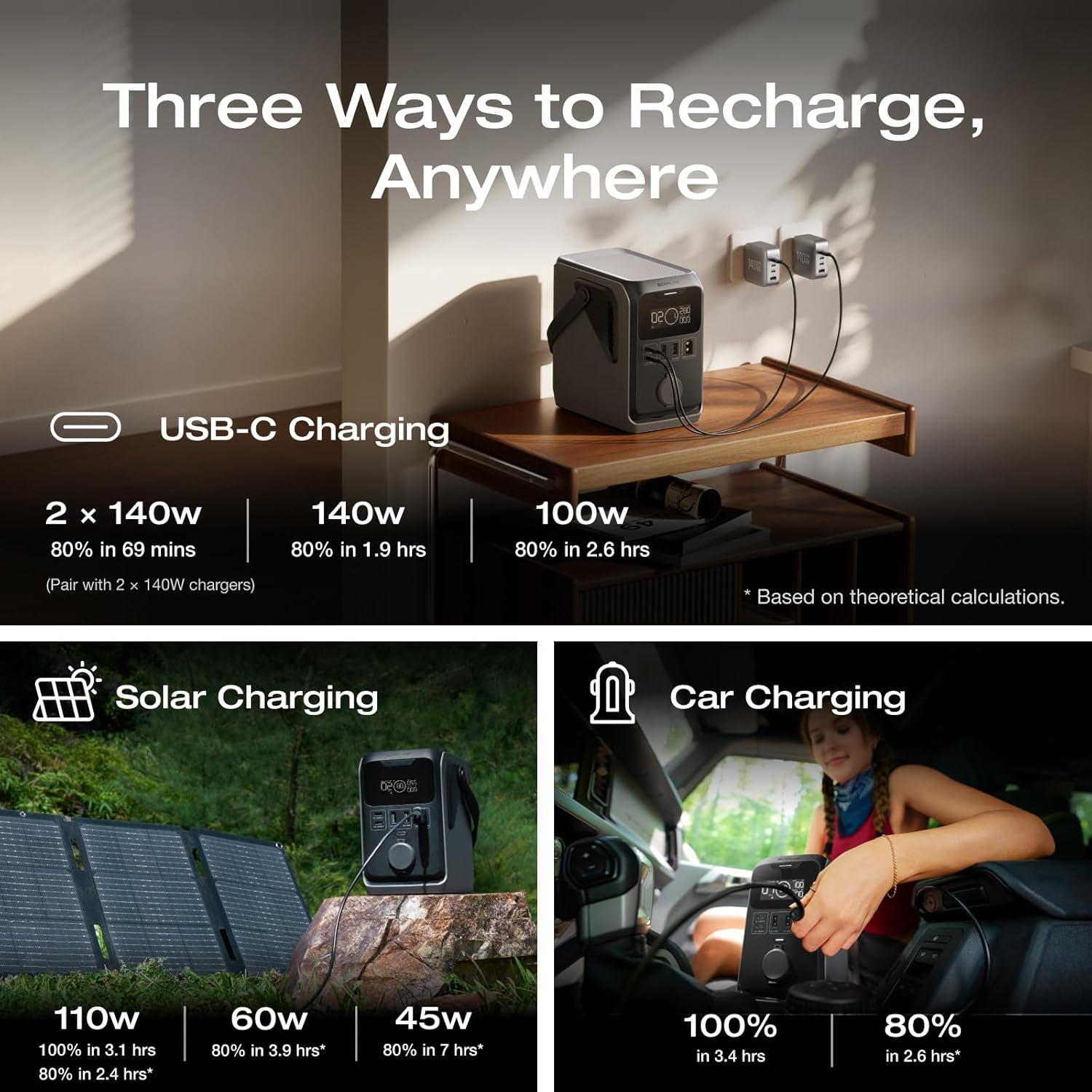
Image: A graphic illustrating the three primary charging methods: USB-C, solar, and car charging.
5.2 Discharging Devices
To power your devices, simply plug them into the appropriate output port:
- USB-A Ports: For standard USB devices (12W).
- USB-C PD3.1 Ports: For fast charging compatible laptops, smartphones, and other USB-C devices (up to 140W).
- 12V Car Port: For devices that use a car-style plug, such as portable refrigerators or air pumps (10A).
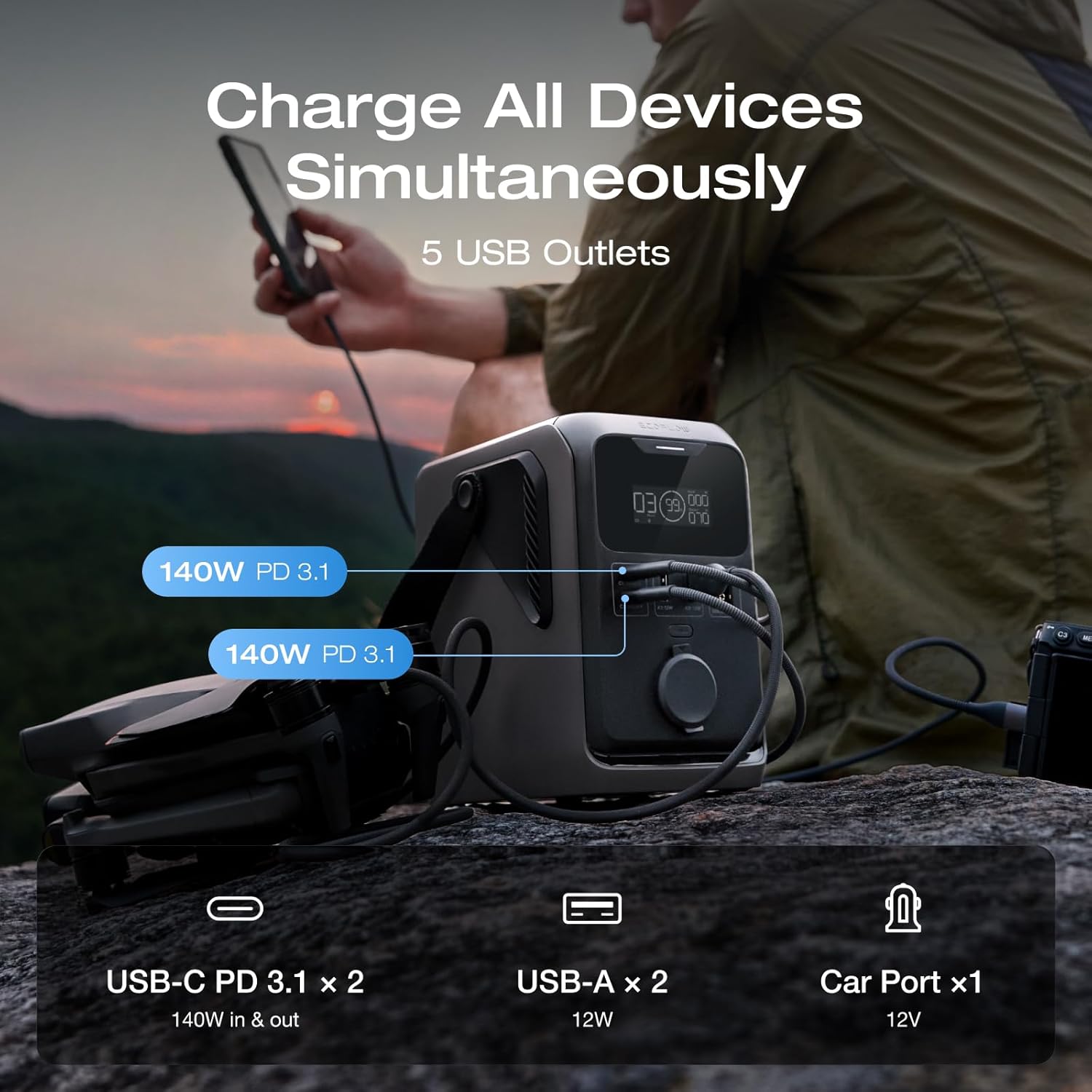
Image: The front panel of the power station, detailing the various output ports available for charging multiple devices simultaneously.
The display screen will show the current battery level, input wattage, and output wattage. The fanless design ensures silent operation.
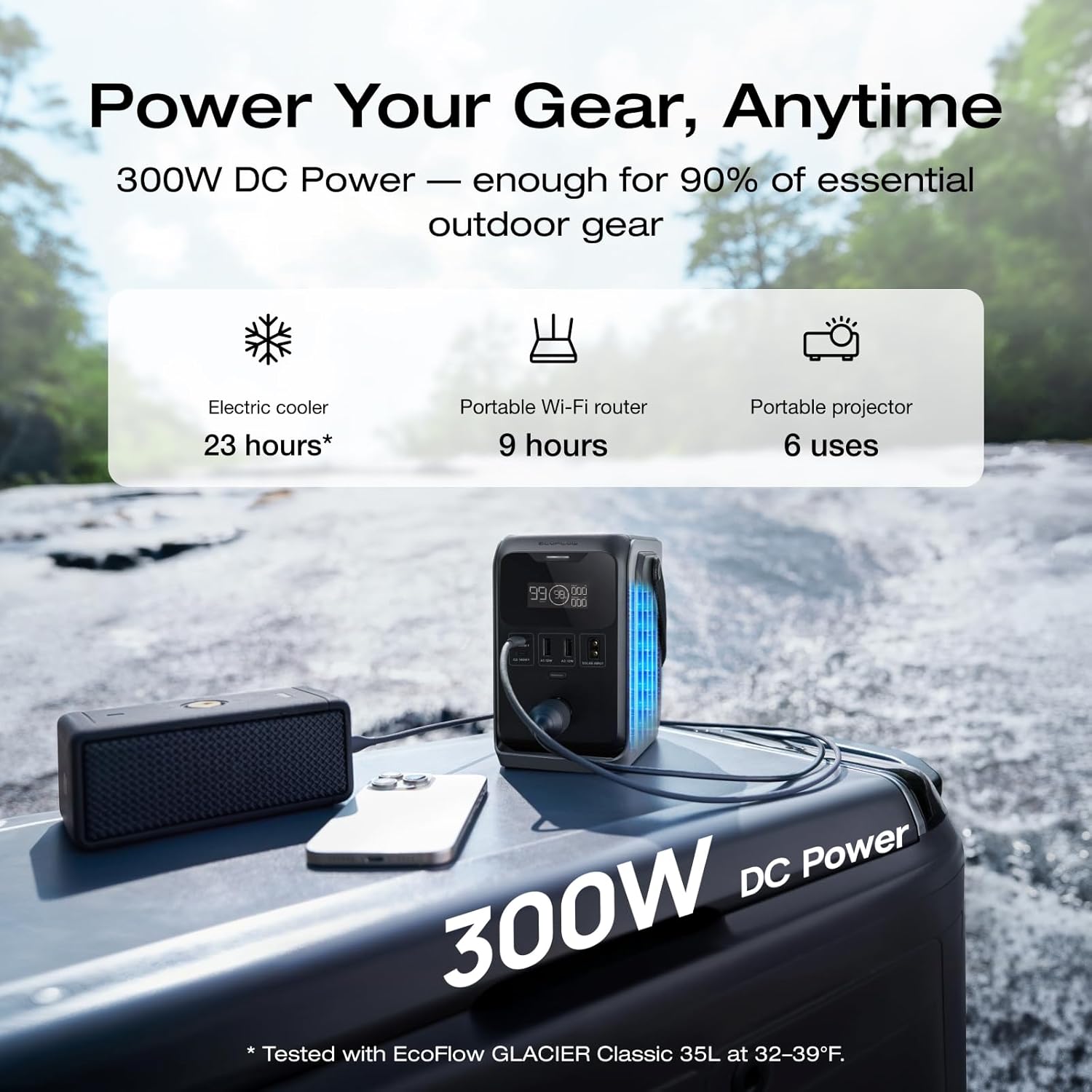
Image: The power station in use, powering an electric cooler, portable Wi-Fi router, and portable projector, demonstrating its versatility for outdoor gear.
6. Maintenance
- Storage: Store the power station in a cool, dry place away from direct sunlight and extreme temperatures.
- Battery Care: For optimal battery longevity, fully charge the unit every 3-6 months, even if not in use. Avoid completely draining the battery for extended periods.
- Cleaning: Use a dry, soft cloth to clean the exterior. Do not use liquid cleaners or immerse the unit in water.
- Durability: The unit is built with 5-layer protection to withstand bumps and jolts, but avoid intentional drops or severe impacts.

Image: The power station placed on rough terrain, illustrating its robust and durable construction designed for outdoor use.
7. Troubleshooting
| Problem | Possible Cause | Solution |
|---|---|---|
| Unit not turning on | Low battery; Power button not pressed correctly | Charge the unit; Press and hold the power button for 3 seconds. |
| Device not charging | Cable issue; Device power requirement exceeds output; Port not activated | Try a different cable/port; Check device wattage; Ensure the specific output port is enabled (if applicable). |
| Slow charging | Using low-wattage charger; Environmental factors (solar) | Use higher wattage USB-C PD charger; Optimize solar panel angle/sunlight. |
8. Specifications
- Brand: EF ECOFLOW
- Model Name: EF-TX-288
- Capacity: 288 Watt-hours (Wh)
- Output Wattage: 300W (DC)
- Power Source: Solar Powered (also USB-C, Car)
- Product Dimensions: 5.95"L x 6.47"W x 3.72"H
- Item Weight: 5.95 pounds
- Color: Black&Grey
- Battery Type: LiFePO4
- Ports: 2x USB-A (12W), 2x USB-C PD3.1 (140W in/out), 1x 12V Car Port (10A)
9. Warranty and Support
The EF ECOFLOW Trail 300 DC Portable Power Station comes with an 8-Year Warranty, ensuring long-term reliability and peace of mind.
For technical support, troubleshooting assistance, or warranty claims, please contact EF ECOFLOW customer service directly. Refer to the official EF ECOFLOW website or the product packaging for the most up-to-date contact information.
Manufacturer: ECOFLOW


