
Important Safety Information
Please read all instructions and safety warnings before operating your Gel Blaster Surge XL 2. Failure to follow these instructions may result in injury or damage to the product.
- Age Recommendation: This product is intended for users aged 14 and older.
- Eye Protection: Always wear the included safety glasses or other approved eye protection when operating or near an operating Gel Blaster.
- Gellet Safety: Gellets are non-toxic and biodegradable, but are not for consumption. Keep out of reach of small children and pets.
- Do Not Modify: Do not modify the Gel Blaster Surge XL 2 in any way. Unauthorized modifications can compromise safety and performance.
- Target Responsibly: Never aim at people's faces or eyes. Always ensure your target area is clear of bystanders and fragile objects.
What's in the Box
Your Gel Blaster Surge XL 2 package includes the following components:
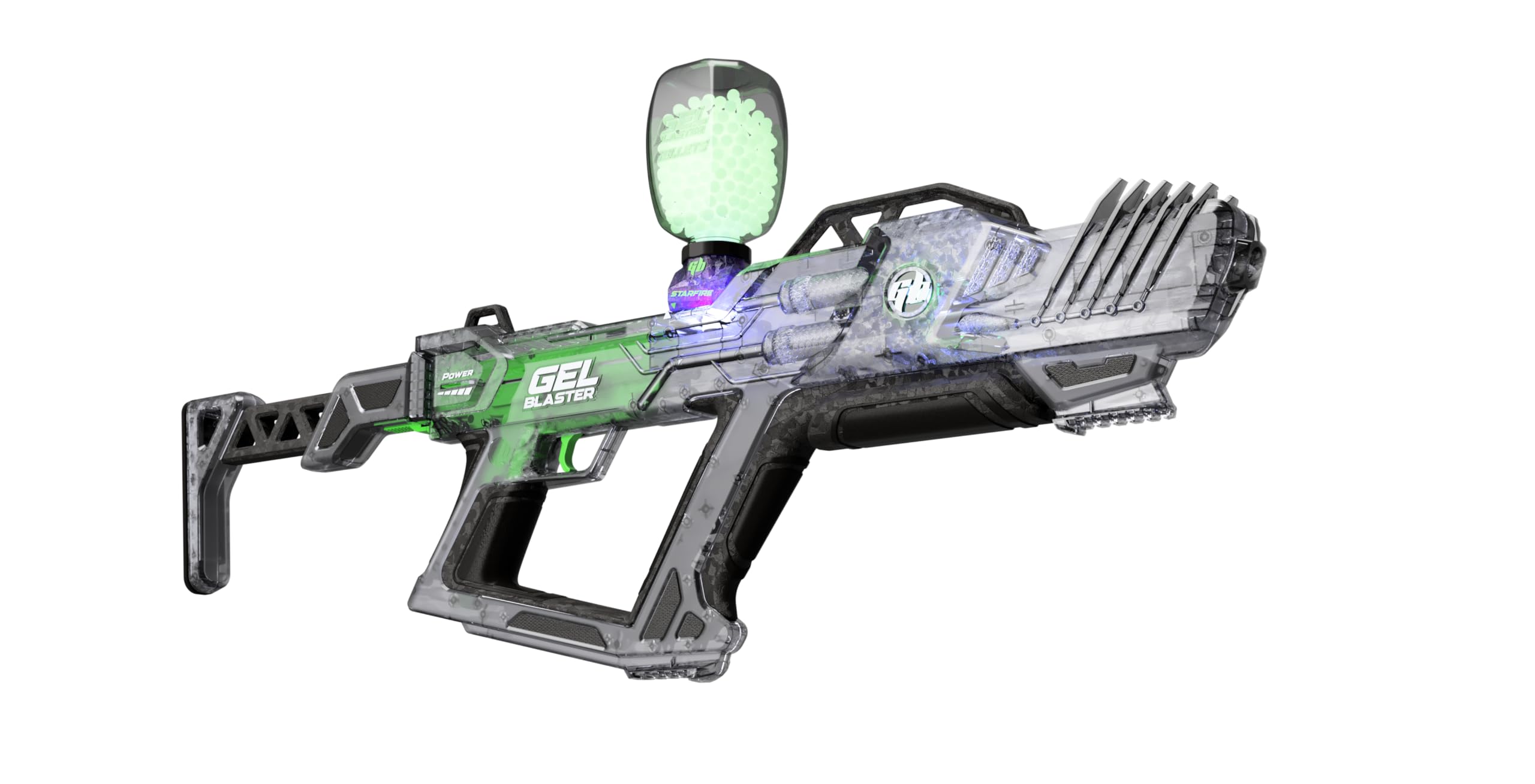
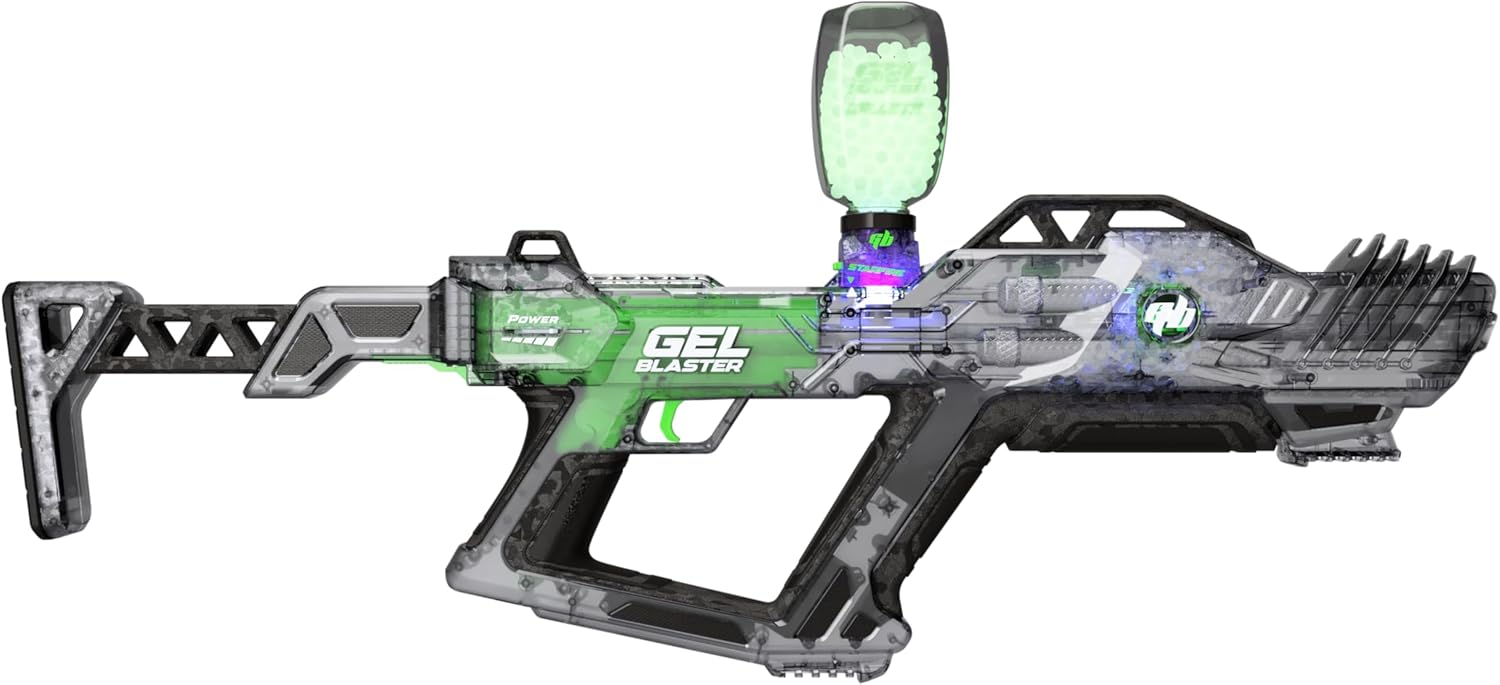
- Gel Blaster Surge XL 2.0
- Charging Cord (USB-C)
- Safety Glasses
- Gellets (initial supply)
- Instruction Manual (this document)
Setup
1. Gellet Preparation
Gellets require hydration before use. Submerge the dry gellets in water for at least 2-4 hours, or until they expand to approximately 7-8mm in diameter. Use a large container as gellets will expand significantly. Drain any excess water before loading.
2. Charging the Blaster
The Gel Blaster Surge XL 2 features a built-in rechargeable battery. Use the provided USB-C charging cord to connect the blaster to a compatible USB power source (e.g., wall adapter, computer USB port). A full charge takes approximately 45 minutes and provides up to 4 hours of play. The blaster has a low battery indicator to signal when recharging is needed.

3. Loading Gellets
Once gellets are fully hydrated, open the hopper lid located on top of the blaster. Carefully pour the prepared gellets into the hopper. Close the lid securely to prevent gellets from spilling during use.
4. Attaching Safety Glasses
Always wear the provided safety glasses before operating the Gel Blaster. Ensure they fit snugly and cover your eyes completely.
Operating Your Gel Blaster Surge XL 2
1. Power On/Off
Locate the power switch on the blaster. Slide the switch to the 'ON' position to activate the blaster. Slide it to the 'OFF' position when not in use to conserve battery.
2. Firing Modes
The Surge XL 2 offers multiple firing modes:
- Fully Automatic: Hold down the trigger for continuous firing.
- 3-Shot Burst: Press and release the trigger quickly for a three-gellet burst.
- Semi-Automatic: Press and release the trigger for a single gellet shot.

3. Adjustable Velocity (FPS)
The Surge XL 2 features an adjustable velocity setting. Refer to the blaster's controls to fine-tune the Feet Per Second (FPS) output to match your preferred play style or environment. Always adjust responsibly and adhere to local regulations.
4. Starfire Glow Activator
The built-in Starfire Glow Activator charges glow-in-the-dark gellets as they pass through the blaster, enabling illuminated play in low-light conditions. Ensure you are using glow-in-the-dark gellets for this feature to function.
Maintenance
1. Cleaning
After each use, ensure the blaster is powered off. Wipe down the exterior with a damp cloth. Do not submerge the blaster in water. Clear any remaining gellets from the hopper and barrel to prevent blockages.
2. Storage
Store the Gel Blaster Surge XL 2 in a cool, dry place away from direct sunlight. Ensure the battery is partially charged (not fully depleted or fully charged) for long-term storage. Store hydrated gellets in an airtight container, submerged in water, to prevent them from shrinking. Dry gellets should be stored in a sealed bag or container.
Troubleshooting
- Blaster Not Firing:
- Ensure the blaster is powered on.
- Check battery level and recharge if necessary.
- Verify that gellets are properly loaded and fully hydrated.
- Ensure the hopper lid is securely closed.
- Low Power/Weak Shots:
- Recharge the battery.
- Check the adjustable velocity setting; it might be set to a lower FPS.
- Ensure gellets are fully hydrated and not too small or too large.
- Gellets Not Feeding:
- Ensure gellets are properly hydrated and free-flowing.
- Gently shake the blaster to dislodge any stuck gellets.
- Clear any obstructions from the hopper or feed mechanism.
Specifications
| Model Number | GBXL2009 |
| UPC | 850057134193 |
| Age Range | 14+ |
| Power Source | Rechargeable Battery (USB-C) |
| Battery Life | Up to 4 hours of play |
| Charge Time | Approx. 45 minutes |
| Firing Modes | Full Automatic, 3-Shot Burst, Semi-Automatic |
| Special Features | Built-in Starfire Glow Activator, Adjustable Velocity (FPS) |
| Material | Plastic |
| Dimensions (L x W x H) | 22.83 x 3.15 x 11.81 inches |
Warranty Information
Warranty details for the Gel Blaster Surge XL 2 are typically provided with the product packaging or can be found on the official Gel Blaster website. Please retain your proof of purchase for any warranty claims.
Customer Support
For further assistance, troubleshooting, or to purchase additional accessories and gellets, please visit the official Gel Blaster website or contact their customer support directly. Contact information can usually be found on the product packaging or the brand's website.