
1. Introduction
This manual provides detailed instructions for the proper use and care of CAKRNPS Blood Glucose Test Strips and Lancets. These components are designed exclusively for use with compatible CAKRNPS Glucose Monitors (Model G-425-3 and other compatible models, sold separately). Accurate blood glucose monitoring is crucial for effective diabetes management. Please read this manual thoroughly before use and consult your healthcare professional for guidance on managing your blood glucose levels.
2. What's in the Box
Your CAKRNPS Blood Glucose Test Strips Kit includes the following items:
- 25 Counts Blood Glucose Test Strips
- 25 Counts Blood Lancets
Note: The CAKRNPS Glucose Monitor and Lancing Device are not included in this kit and must be purchased separately.
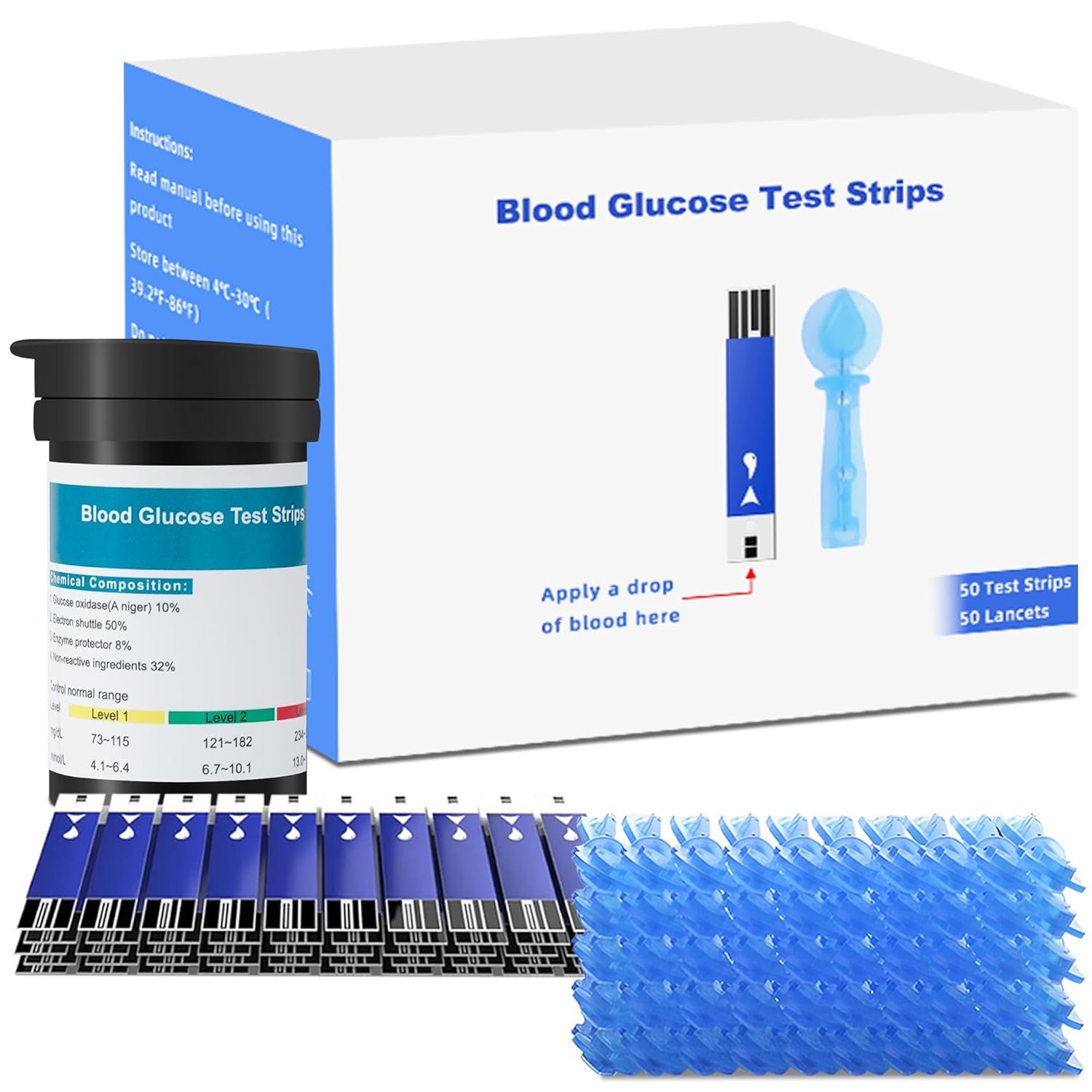
Image: Overview of the CAKRNPS Blood Glucose Test Strips Kit contents.
3. Setup
3.1 Setting up the Lancing Device
- Remove the Cap: Twist and pull off the lancing device cap.
- Insert a Lancet: Firmly insert a new, sterile lancet into the lancet holder. Ensure it is fully seated.
- Twist off Lancet Cap: Carefully twist off the protective cap from the lancet and save it for safe disposal later.
- Replace the Cap: Place the lancing device cap back on.
- Adjust Puncture Depth: Rotate the adjustable dial on the lancing device to select the desired puncture depth. Start with a shallower setting (e.g., 2 or 3) and adjust as needed to obtain a sufficient blood sample.
- Prime the Device: Pull back the cocking barrel until it clicks, indicating the device is ready to use.

Image: Detailed view of the lancing device and lancet insertion.
3.2 Inserting a Test Strip
- Open Vial: Remove one test strip from its vial. Immediately close the vial cap tightly to protect remaining strips from moisture.
- Insert Strip: Insert the test strip into the test strip port of your CAKRNPS Glucose Monitor. The monitor will automatically turn on and display a flashing blood drop symbol, indicating it is ready for a blood sample.
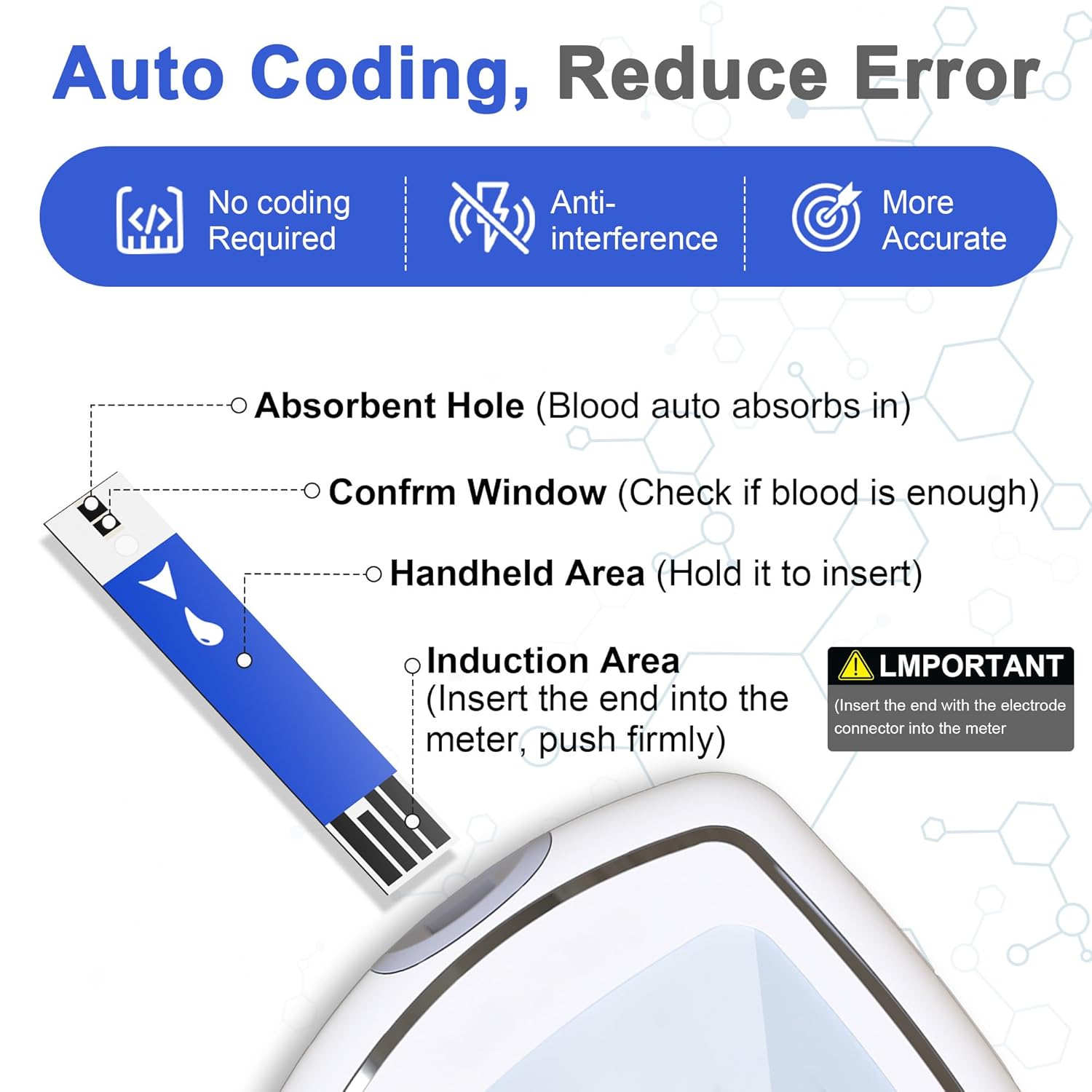
Image: Anatomy of a CAKRNPS test strip, highlighting key areas for proper use.
4. Operating Instructions: Performing a Blood Glucose Test
- Wash Hands: Wash your hands thoroughly with soap and warm water. Dry completely.
- Prepare Finger: Choose a clean, dry fingertip. You may gently massage the finger to increase blood flow.
- Obtain Blood Sample: Place the lancing device firmly against the side of your fingertip and press the release button. A small drop of blood will form.
- Apply Blood to Strip: Gently touch the tip of the test strip to the blood drop. The blood will be automatically drawn into the strip. Do not smear or press the strip against the skin. The monitor will begin a countdown once sufficient blood is detected.
- Read Results: Your blood glucose result will appear on the monitor's screen within 5 seconds.
- Record Results: Note your result in a logbook or your monitor's memory.
- Dispose of Used Materials: Carefully remove the used test strip from the monitor and dispose of it, along with the used lancet, in a puncture-resistant container (sharps container).
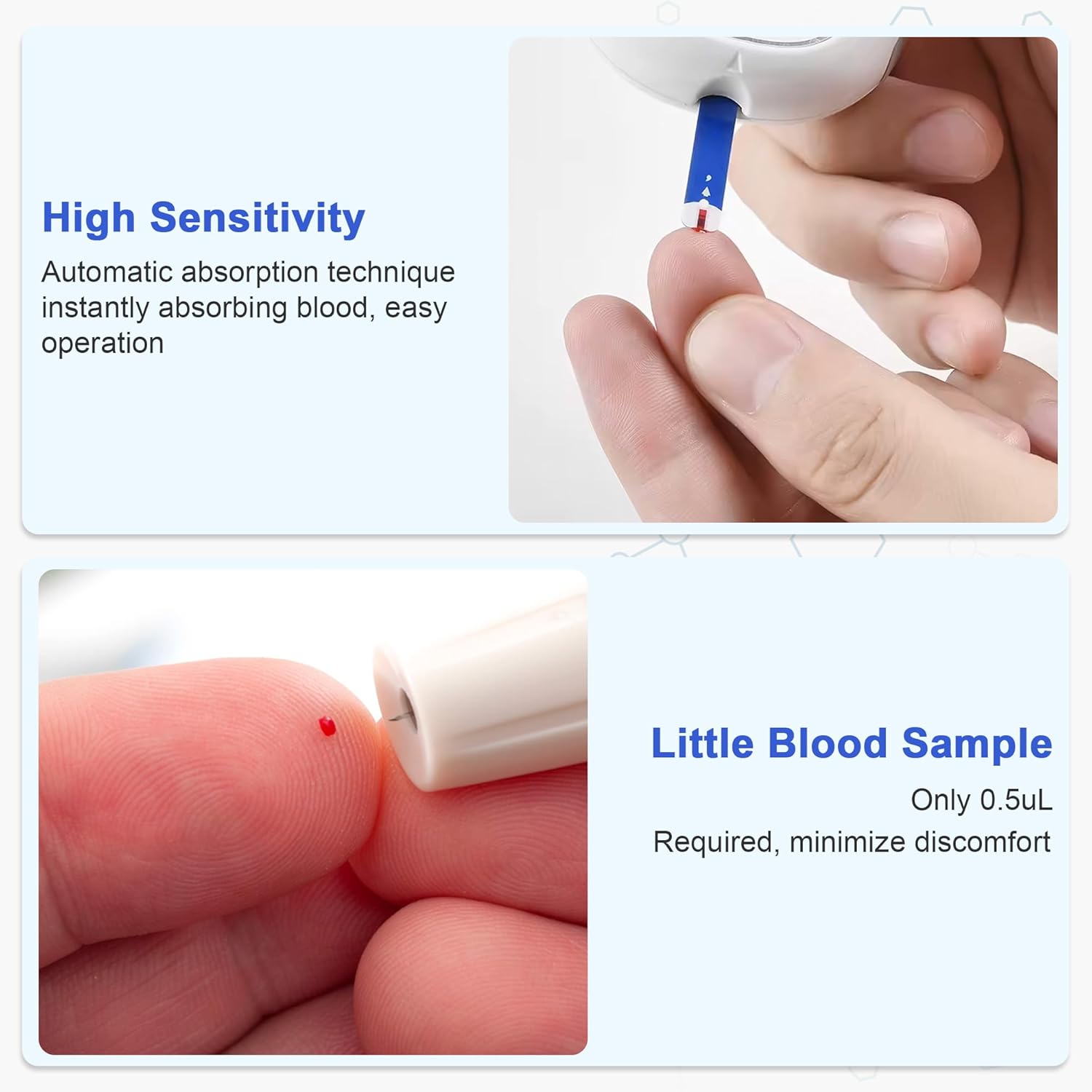
Image: Steps for obtaining a blood sample and applying it to the test strip.
5. Understanding Results
Your CAKRNPS Glucose Monitor displays results in mg/dL. Consult your healthcare professional to determine your target blood glucose range and what your results mean for your individual health management plan. The monitor stores up to 500 readings, allowing you to track trends over time.
Always follow your healthcare provider's advice regarding your blood glucose levels.
6. Maintenance and Storage
6.1 Test Strips and Lancets Storage
- Store test strips and lancets in their original, tightly closed vials/packaging at room temperature (between 4°C-30°C / 39.2°F-86°F).
- Do not store in direct sunlight or in areas of high humidity.
- Do not use expired test strips or lancets. Check the expiration date on the packaging.
6.2 Cleaning and Disposal
- Always dispose of used lancets and test strips in a designated sharps container to prevent accidental needle sticks.
- Wipe the glucose monitor with a soft, damp cloth as needed. Do not immerse the monitor in water or use harsh cleaning agents.
7. Troubleshooting
If you encounter any issues, refer to the following table. For problems not listed or if issues persist, contact customer support or your healthcare professional.
| Message | What It Means | Troubleshooting Procedure |
|---|---|---|
| Lo | Blood glucose level is lower than 20mg/dL. | The message indicates very low blood sugar. You should consult with your healthcare professional. |
| Hi | Blood glucose level is higher than 600mg/dL. | This indicates severe hyperglycemia (high blood glucose). You should seek immediate medical assistance. |
| - - - | Meter is ready to test control solution under the CTL state. | Please place a drop of control solution onto the test well of test strip. |
| E-b | Battery power is low. | Please change the battery. |
| E-U | Use a used test strip. | Please use a new strip and re-test. |
| E-F | Error message indicates that you may remove the strip after applying blood to the absorbent hole. | Try again with a new test strip. |
| E-E | Problem with the meter. | Re-test with a new test strip. If the problem is still unsolved, please call the customer care line for help. |
| E-t | Environmental temperature is lower than 50°F~104°F. | Please test at an environmental temperature within 50°F~104°F operation range. |
8. Specifications
- Item Model Number: 25 Test Strips Kit
- Included Components: 25 Counts Test Strips for Diabetes + 25 Counts Blood Lancets, Strips
- Special Feature: 5-Second Accurate Results, High Accuracy Blood Sugar Testing Strips, No Coding Glucose Meter, Painless Testing with 33G Lancets
- UPC: 730789306757
- Manufacturer: CAKRNPS
- First Available Date: July 28, 2025
- Package Dimensions: 5.94 x 5.63 x 1.85 inches; 1.45 ounces