1. Introduction
This manual provides detailed instructions for the installation, operation, and maintenance of your AOSU 4K Wireless Outdoor Security Camera System. This system is designed to provide comprehensive home surveillance with advanced AI features, 4K video resolution, and reliable solar power. Please read this manual thoroughly before using the product to ensure proper setup and functionality.
2. Package Contents
Verify that all items listed below are present in your package. If any items are missing or damaged, please contact customer support.
- 1 × AOSU SolarCam Max System 2-Cam Kit
- 1 × HomeCortex (with Power Adapter and Ethernet Cable)
- 2 × Solar Panel (external)
- 2 × Mounting Kit & Screw Packs
- 1 × User Guide

Image: Overview of the AOSU 4K Wireless Outdoor Security Camera System components.
3. Setup
3.1 Initial Preparation
- Charge Cameras: Fully charge the camera batteries using a USB-C cable before installation.
- Download App: Download the AOSU app from your device's app store.
- Power HomeCortex: Connect the HomeCortex base station to power and your router via the Ethernet cable. Wait for the indicator light to show it's ready.
3.2 Camera Installation
The cameras are designed for outdoor use and can be wall-mounted. Choose a location that provides optimal surveillance coverage and receives at least 2 hours of direct sunlight daily for the integrated solar panel. If direct sunlight is limited, utilize the external solar panel for enhanced charging.
- Select Mounting Location: Identify a suitable location for each camera, ensuring a clear field of view and good Wi-Fi signal strength from the HomeCortex.
- Drill Pilot Holes: Use the provided mounting template to mark and drill pilot holes.
- Secure Mount: Attach the camera mount to the wall using the screws and wall anchors.
- Attach Camera: Securely attach the camera to the mount. Adjust the angle for desired coverage.
- Install External Solar Panel (Optional): If using the external solar panel, mount it in a location that maximizes sun exposure and connect it to the camera.

Image: Quick and easy setup of the wireless camera system.
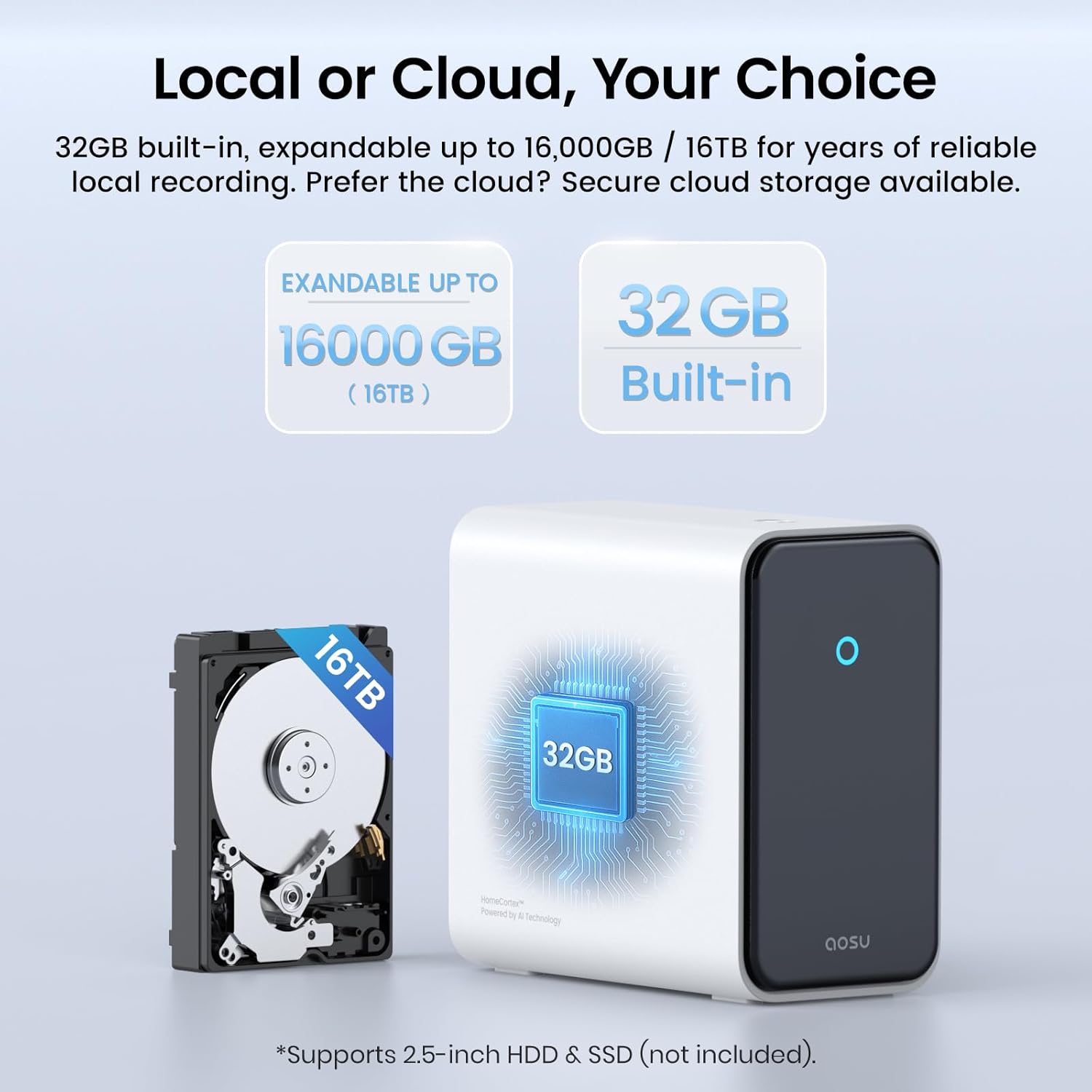
Image: Dual solar power setup with camera and external solar panel.
3.3 App Configuration
- Create Account: Open the AOSU app and create a new account or log in.
- Add HomeCortex: Follow the in-app instructions to add your HomeCortex base station. This typically involves scanning a QR code or selecting the device from a list.
- Pair Cameras: Once the HomeCortex is added, follow the prompts to pair each camera with the base station.
- Customize Settings: Configure motion detection zones, notification preferences, and other settings for each camera.
4. Operating Instructions
4.1 HomeCortex AI Features
The HomeCortex AI provides advanced intelligence for your security system:
- Face Recognition: Identifies familiar individuals and alerts you to strangers.
- Behavior Detection: Analyzes activities to detect suspicious behavior, such as loitering or attempts to open doors/vehicles.
- Vehicle Recognition: Identifies familiar vehicles and alerts you to unfamiliar ones, including color, model, and license plate.
- Wildlife Alerts: Detects and identifies common wildlife, providing alerts if they enter monitored areas.
- Smart Search: Allows quick searching of recorded footage using natural language commands (e.g., "Sophia came home").
- Daily Security Summaries: Provides a concise overview of daily events and potential threats.
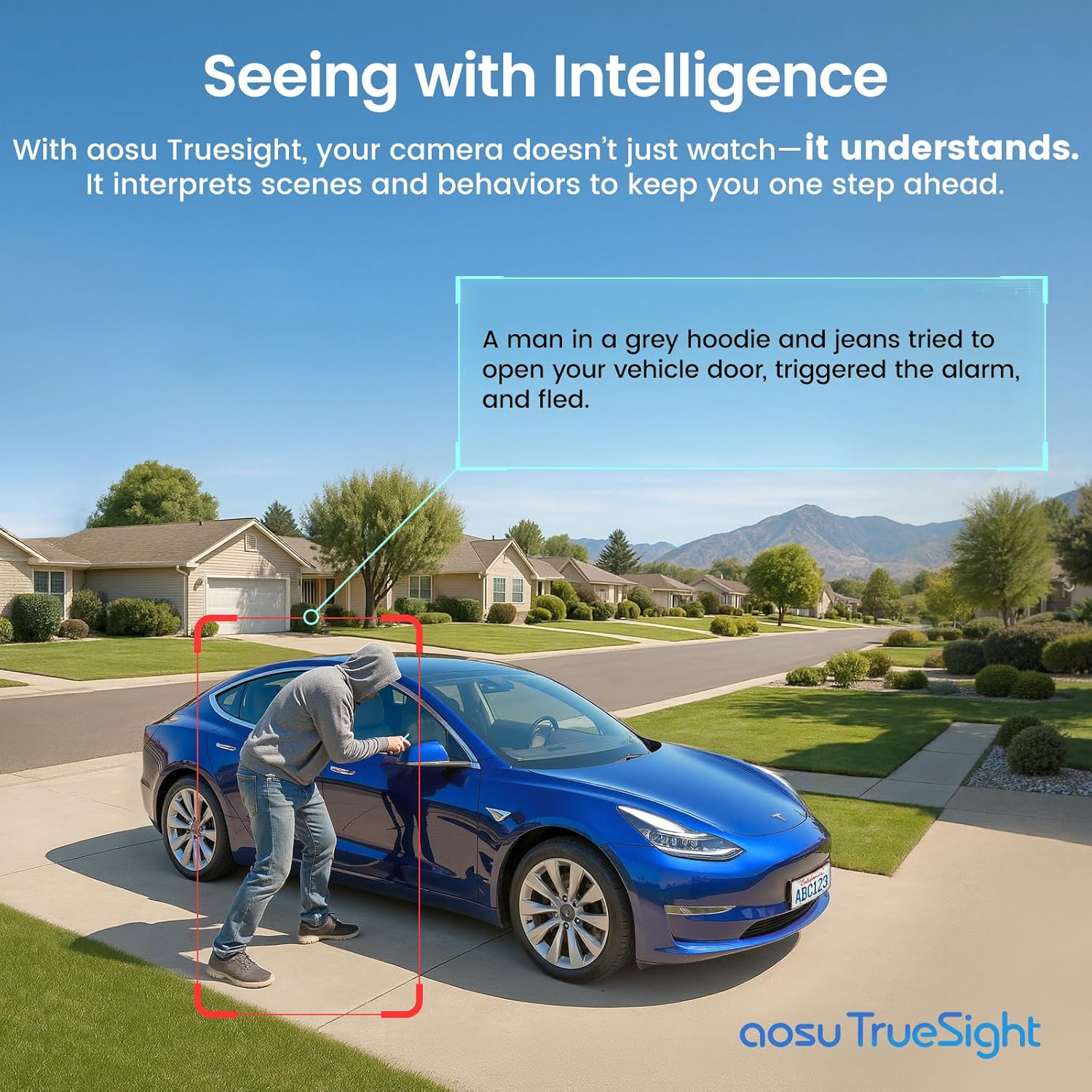
Image: AI interpreting suspicious behavior around a vehicle.
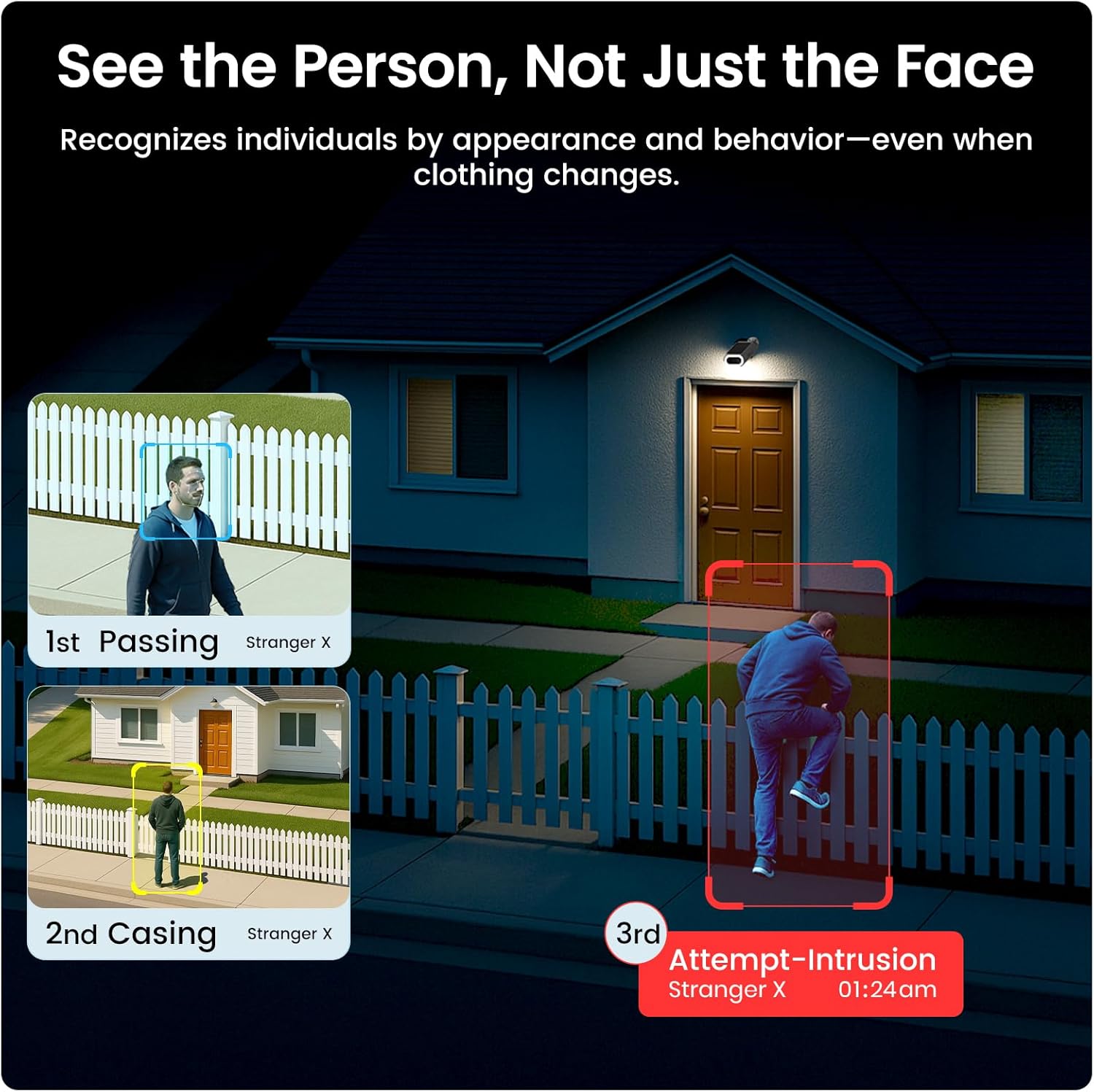
Image: AI recognizing individuals and detecting behavioral patterns over time.

Image: Quick search functionality within the AOSU app.
4.2 Video Recording and Storage
- 4K Ultra HD: Cameras capture video in 4K resolution, providing clear and detailed footage.
- Full-Color Night Vision: The f/1.6 aperture lens and surrounding light band enable clear, full-color video recording even in low-light conditions.
- Local Storage: The HomeCortex includes 32GB of built-in storage. This can be expanded up to 16TB by adding a 2.5-inch HDD or SSD (not included) for extended recording capacity without monthly fees.

Image: Example of 4K Ultra HD video clarity.

Image: Local storage options with the HomeCortex.
4.3 Power Management
The cameras are equipped with dual solar panels, allowing them to capture more energy and maintain charge with as little as 2 hours of sunlight per day. This ensures continuous operation year-round.

Image: Cameras maintaining charge in various light conditions.
4.4 Alerts and Deterrence
- Motion-Activated Alarm: When motion is detected, the built-in light and 105dB siren activate to deter intruders.
- Two-Way Talk: Communicate with visitors or deter unwanted guests using the integrated two-way audio feature. The voice-changing function adds an extra layer of security.

Image: Motion-activated alarm and spotlight deterring an unwelcome visitor.

Image: Two-way talk functionality with a delivery person.
4.5 App Usage and Smart Home Integration
- Real-Time Notifications: Receive instant snapshots and alerts on your smartphone.
- Multi-Camera View: Monitor up to 4 cameras simultaneously within the AOSU app. The system supports up to 6 cameras for full property coverage.
- Camera-to-Camera Tracking: Events across multiple cameras are tracked and synced for a comprehensive video record.
- Family Sharing: Easily share access to your security system with trusted family members.
- Smart Home Ready: Connects with Amazon Alexa and Google Assistant for voice control and integration into your smart home ecosystem.

Image: System coverage for an entire property with up to 6 cameras.

Image: Camera-to-camera track and sync feature.

Image: Smart home integration with Alexa and Google Assistant.
5. Maintenance
- Camera Cleaning: Periodically wipe the camera lens and body with a soft, damp cloth to remove dust and debris. Ensure the solar panels are clean for optimal charging efficiency.
- Firmware Updates: Regularly check the AOSU app for firmware updates to ensure your system has the latest features and security enhancements.
- Storage Management: If using expandable storage, periodically review and manage your recorded footage. Ensure the HDD/SSD is functioning correctly.
- Battery Health: While solar-powered, monitor battery levels in the app, especially during prolonged periods of low sunlight.
6. Troubleshooting
- No Power/Charging: Ensure solar panels are clean and receiving adequate sunlight. Verify USB-C charging if applicable. Check HomeCortex power connection.
- Connectivity Issues: Ensure HomeCortex is connected to your router and powered on. Check Wi-Fi signal strength at camera locations. Restart HomeCortex and cameras if necessary.
- Motion Detection Not Working: Verify motion detection settings in the app. Adjust sensitivity and detection zones. Ensure no obstructions are blocking the camera's view.
- Poor Video Quality: Clean the camera lens. Check network connection speed. Ensure cameras are within optimal range of the HomeCortex.
- App Issues: Ensure the AOSU app is updated to the latest version. Restart the app or your smartphone.
For further assistance, refer to the in-app help section or contact AOSU customer support.
7. Specifications
| Feature | Specification |
|---|---|
| Model Number | C8S2EA11 |
| Indoor/Outdoor Usage | Outdoor |
| Video Capture Resolution | 4K |
| Power Source | Solar Powered, Battery Powered |
| Connectivity Protocol | Wi-Fi |
| Controller Type | Amazon Alexa, Google Assistant |
| Mounting Type | Wall Mount |
| Viewing Angle | 130 Degrees |
| Frame Rate | 15 frames per second |
| Local Storage | 32GB built-in, expandable up to 16TB (2.5-inch HDD/SSD) |
| International Protection Rating | IP65 |
| Alert Type | Motion Only |
| Zoom Ratio | 6x Digital Zoom |
| Item Dimensions (L x W x H) | 13.66 x 8.86 x 6.26 inches |
| Item Weight | 5.72 pounds |
8. Warranty and Support
AOSU products are covered by a limited warranty. Please refer to the warranty information provided with your purchase or visit the official AOSU website for details regarding warranty terms, conditions, and registration.
For technical support, product inquiries, or warranty claims, please contact AOSU customer service through the contact information provided on the official AOSU website or within the AOSU app.


