
Product Overview
The FELEMAN Dual Portable DVD Player system provides entertainment for car travel with two 12-inch Full HD 1080P screens. It supports various media formats, offers multiple power options, and includes features like HDMI input and last memory function.
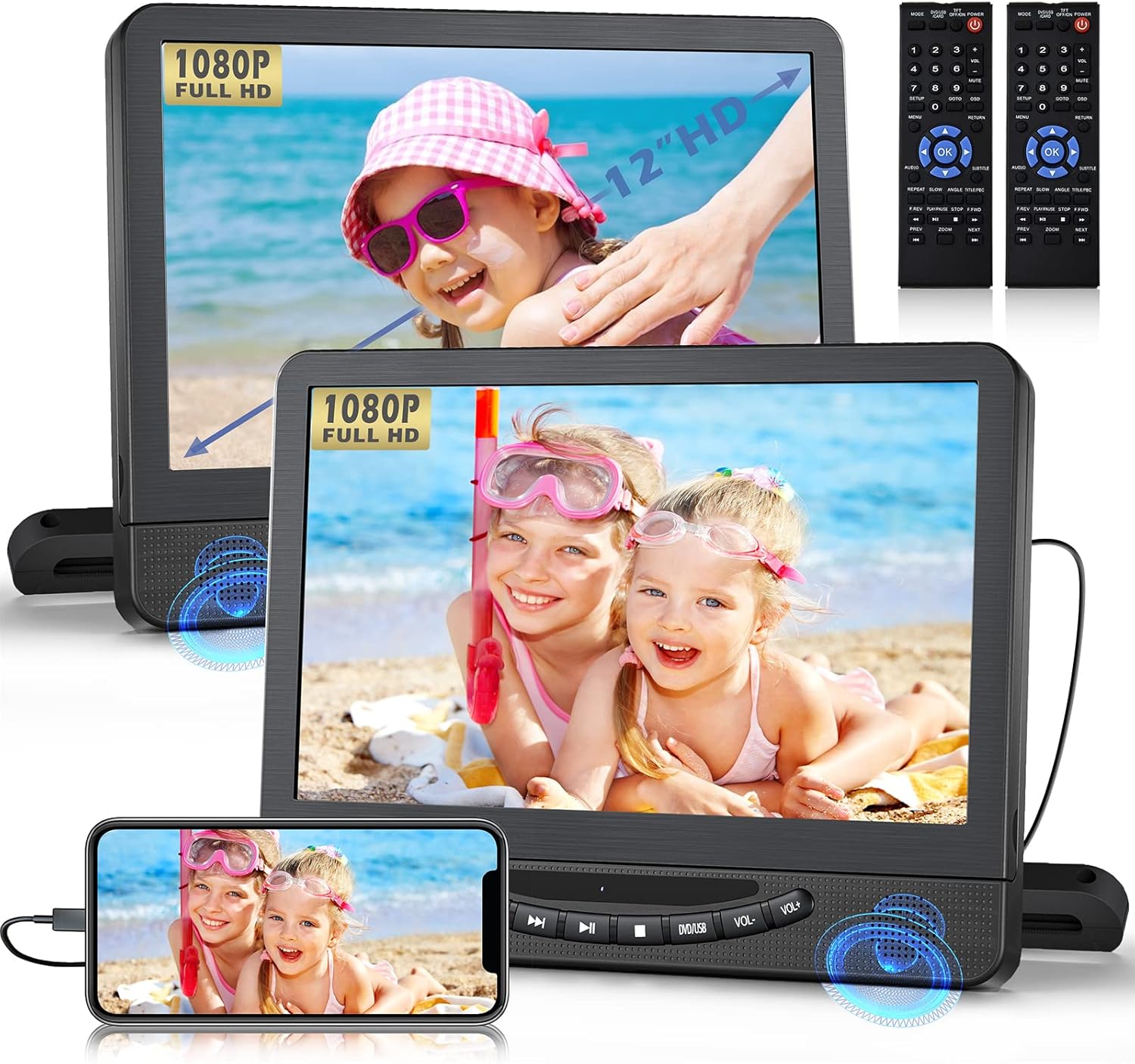
Image: The FELEMAN Dual Portable DVD Player system, showing both 12-inch screens displaying content and two remote controls.
Package Contents
- 2 x DVD Players (Main and Slave units)
- 1 x AV Cable
- 1 x Car Charger
- 1 x AC Adapter
- 1 x RCA Cable
- 1 x AUX Cable
- 2 x Remote Controls
- 2 x Mounting Brackets
- 6 x Headrest Straps
- 1 x User Manual
- 1 x Quick Start Guide
- 1 x Screwdriver

Image: A visual representation of all items included in the product package, such as the two DVD players, various cables, remote controls, mounting hardware, and documentation.
Setup
Installation in a Vehicle
The dual DVD players can be installed using either the provided mounting brackets or headrest straps.
- Install the Base: Secure the mounting base to the headrest posts.
- Align and Tighten: Align the hole and tighten the screw to firmly attach the base.
- Insert Player: Slide the DVD player onto the installed base.
- Adjust Screen Angle: Loosen the screw to adjust the screen angle up to 135 degrees for optimal viewing.

Image: A four-panel diagram illustrating the quick and easy installation process of the DVD player onto a car headrest, including securing the base, tightening, inserting the player, and adjusting the screen angle.
Powering the Device
The FELEMAN Dual Portable DVD Player offers three power options:
- Built-in Battery: Each player has a high-capacity rechargeable battery, providing approximately 5 hours of playback.
- AC Adapter: For home use, connect the AC adapter to a standard wall outlet.
- Car Charger: For in-car use, connect the car charger to your vehicle's 12V power outlet.

Image: An illustration highlighting the three available charging methods: built-in 5-hour battery, AC adapter, and car charger.
Operating Instructions
Basic Playback
Insert a DVD or CD into the main player. The player will automatically begin playback. For USB or SD card content, insert the storage device into the designated slot. Use the remote control or on-device buttons for playback control (Play, Pause, Stop, Next, Previous, Volume).
Supported Formats:
- DVD Formats: DVD, CD, VCD, SVCD, CD-R/+R, CD-RW/+RW, DVD-R/+R, DVD-RW/+RW (Blu-ray discs are not supported).
- Video Formats (USB/SD): VOB, AVI, FLV, DAT, DIVX, XVID, MPEG1, MPEG2 (max 32GB FAT32, 720*576 pixel).
- Audio Formats: MP3, WMA.
- Image Formats: JPG/JPEG.

Image: An infographic detailing the various video, DVD, audio, and image formats supported by the player, alongside a visual explanation of the last memory function.
Dual Screen Modes
The system supports two modes for dual screen viewing:
- Watch Two Different Movies: Each screen can play independent content from its own disc or USB/SD source.
- Share The Same Movie: Connect the main player to the slave player using the provided AV cable to mirror the content on both screens.
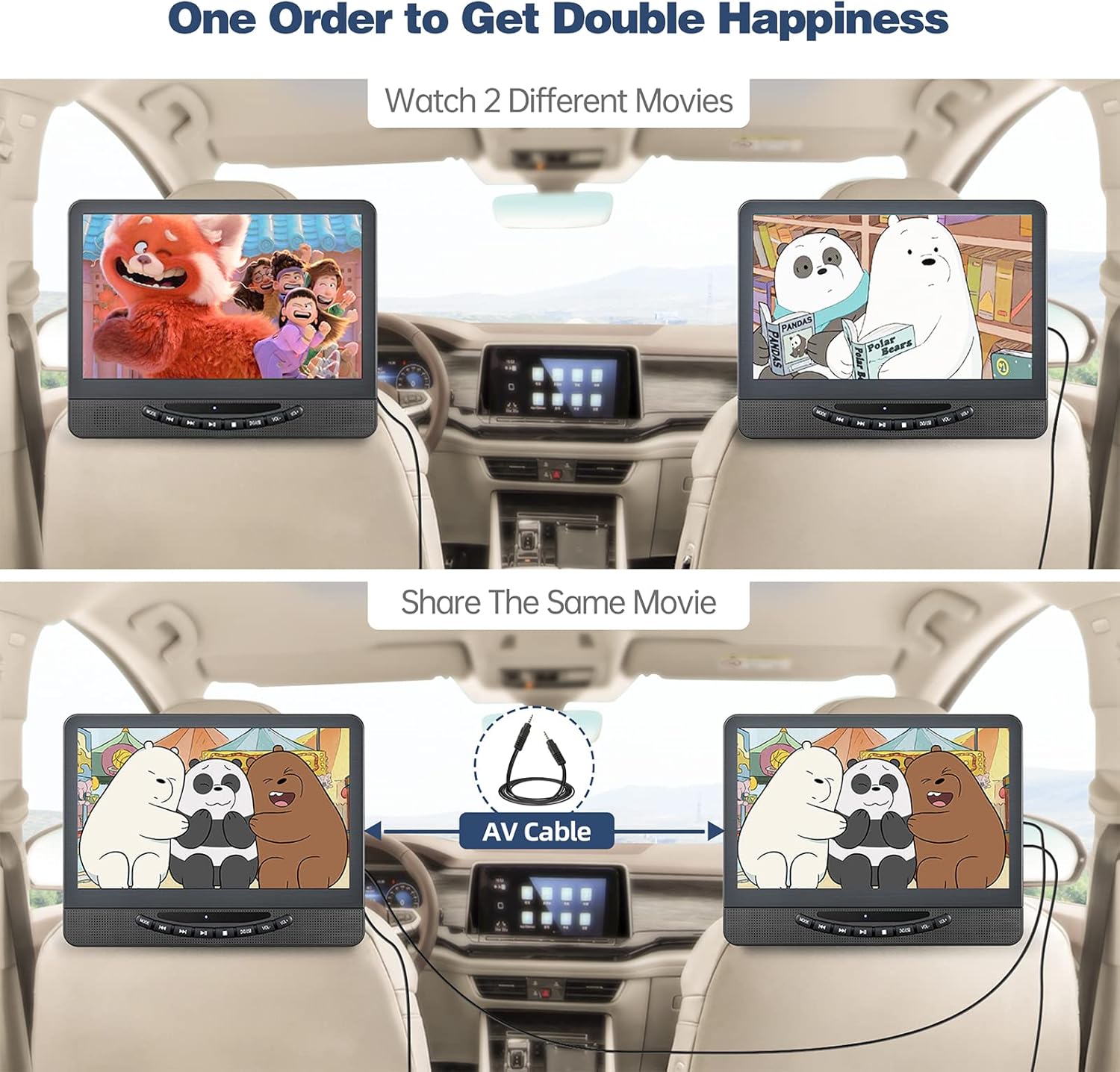
Image: A visual demonstration of the dual screen functionality, showing how two different movies can be watched simultaneously or the same movie can be shared across both screens using an AV cable.
HDMI Input (Screen Mirroring)
The main player features an HDMI input, allowing you to sync up to 1080P video and audio from external devices such as phones, computers, Raspberry Pi, Xbox, PlayStation, Switch, or Kindle Fire. Note: An HDMI cable (not included) and a device with HDMI output are required. The player supports HDMI input only, not output.

Image: The DVD player connected via HDMI to a smartphone, mirroring content. Icons of compatible devices like Raspberry Pi, Xbox, PlayStation, Switch, Computer, Kindle Fire, and TV Stick are shown.
AV Output (Sync to TV)
Utilize the AV In/Out function to connect the DVD player to a larger screen, such as a television, using the included RCA cable. This allows for enjoying movies on a bigger display.
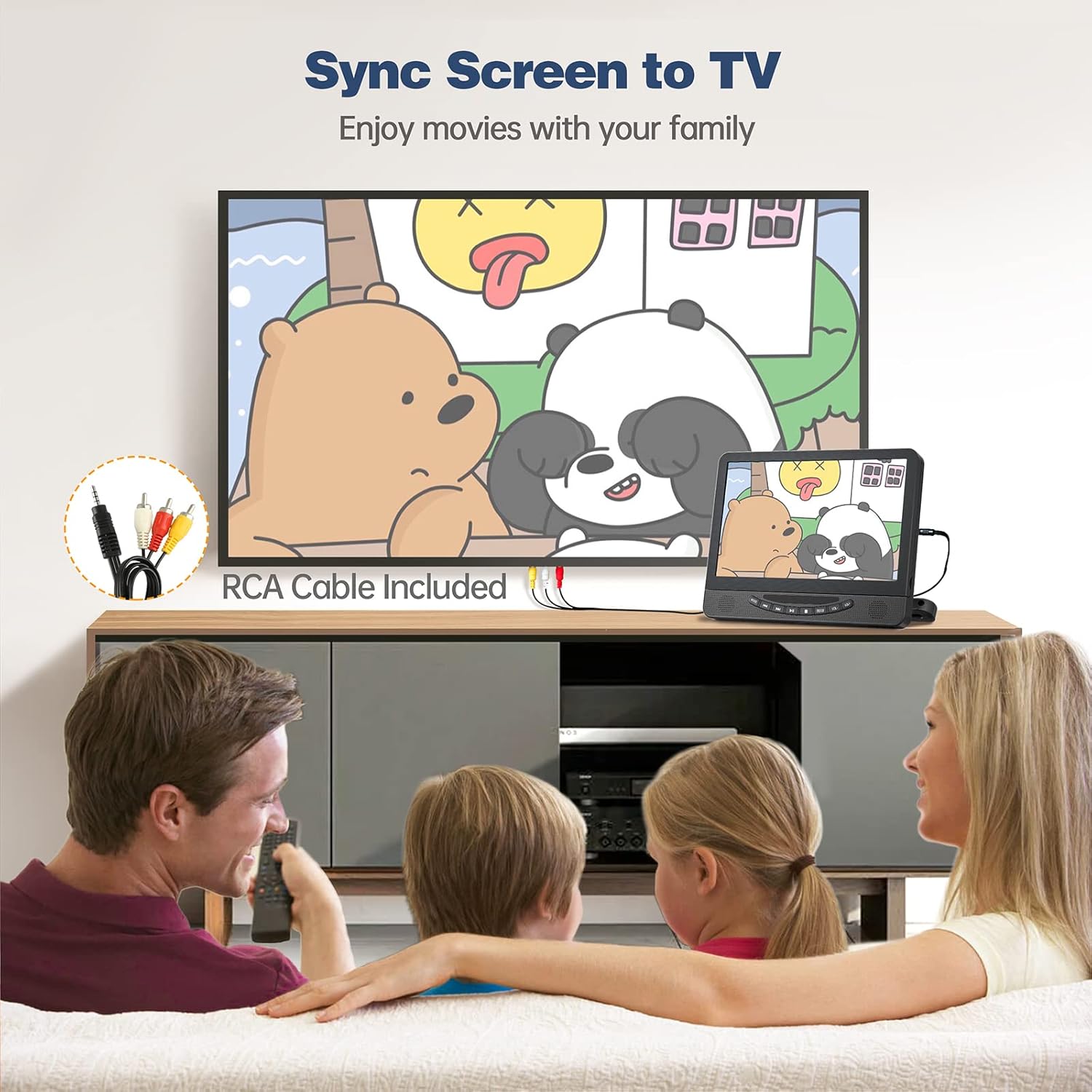
Image: A family watching content on a large television, which is connected to the portable DVD player via an RCA cable, demonstrating the AV output feature.
Last Memory Function
The built-in last memory function ensures that the DVD player resumes playback from where it was last stopped, even after being powered off. This feature is convenient for uninterrupted viewing.
Video: This video demonstrates the FELEMAN dual screen car DVD player's features, including dual screen playback, HDMI input, power options, and the last memory function. It highlights the product's versatility and ease of use.
Audio and Screen Adjustment
- Loud Speakers: Each player is equipped with dual front stereo speakers for clear audio.
- Headphone Jacks: Both headrest DVD players include headphone jacks for private listening.
- Adjustable Screen: The screen angle can be adjusted to provide the most comfortable viewing position.
Maintenance
To ensure the longevity and optimal performance of your FELEMAN Dual Portable DVD Player, follow these maintenance guidelines:
- Cleaning: Use a soft, dry cloth to clean the screens and exterior surfaces. Avoid abrasive cleaners or solvents.
- Disc Care: Handle discs by their edges to prevent fingerprints and scratches. Store discs in their cases when not in use.
- Battery Care: For optimal battery life, avoid fully discharging the battery frequently. If storing the device for an extended period, charge it to about 50% every few months.
- Storage: Store the players in a cool, dry place away from direct sunlight and extreme temperatures.
Troubleshooting
If you encounter issues with your FELEMAN Dual Portable DVD Player, refer to the following common solutions:
- No Power: Ensure the power adapter or car charger is securely connected and the power source is active. Check the built-in battery charge level.
- No Picture/Sound: Verify all cables (AV, HDMI) are correctly connected. Check the volume settings and ensure the correct input source is selected.
- Disc Not Playing: Ensure the disc is clean and free of scratches. Confirm the disc format is supported (Blu-ray discs are not supported). Try a different disc.
- USB/SD Not Reading: Ensure the USB drive or SD card is formatted to FAT32 and the files are within the supported resolution (720*576 pixel) and format.
- Remote Control Not Working: Check the battery in the remote control. Ensure there are no obstructions between the remote and the player's IR sensor.
Specifications
| Brand | FELEMAN |
| Model | B0FLK1ZXZF |
| Screen Size | 12 Inches |
| Display Type | LED |
| Resolution | 1080P Full HD |
| Connectivity Technology | HDMI (Input only) |
| Media Type | CD-R, DVD, USB, SD Card |
| Battery Type | 2 Lithium Ion batteries (included) |
| Item Weight | 6.56 pounds |
| Package Dimensions | 17.44 x 10.24 x 5.51 inches |
Warranty and Support
For warranty information, technical support, or any product-related inquiries, please refer to the contact details provided in your product packaging or visit the official FELEMAN website. Keep your purchase receipt for warranty claims.