
1. Introduction
Thank you for choosing TooPower 16-Channel Digital Rechargeable Hearing Aids. This manual provides essential information for the proper use, care, and maintenance of your device. Please read it thoroughly before using your hearing aids to ensure optimal performance and longevity.
2. Package Contents
Verify that all items are present in your package:
- OTC Hearing Aids (2 units)
- Digital Display Magnetic Charging Box (1 unit)
- USB Cable (1 unit)
- Cleaning Brush (1 unit)
- Charger (1 unit)
- EarTips (8 pairs, various sizes)
- Cerumen Cap (8 units)
- User Manual (1 unit)
3. Product Overview
The TooPower TM-1122 hearing aids are designed with advanced 16-channel digital sound processing for clear sound and intelligent noise reduction. They feature a semi-in-ear design for comfortable wear and include multiple modes for various listening environments.
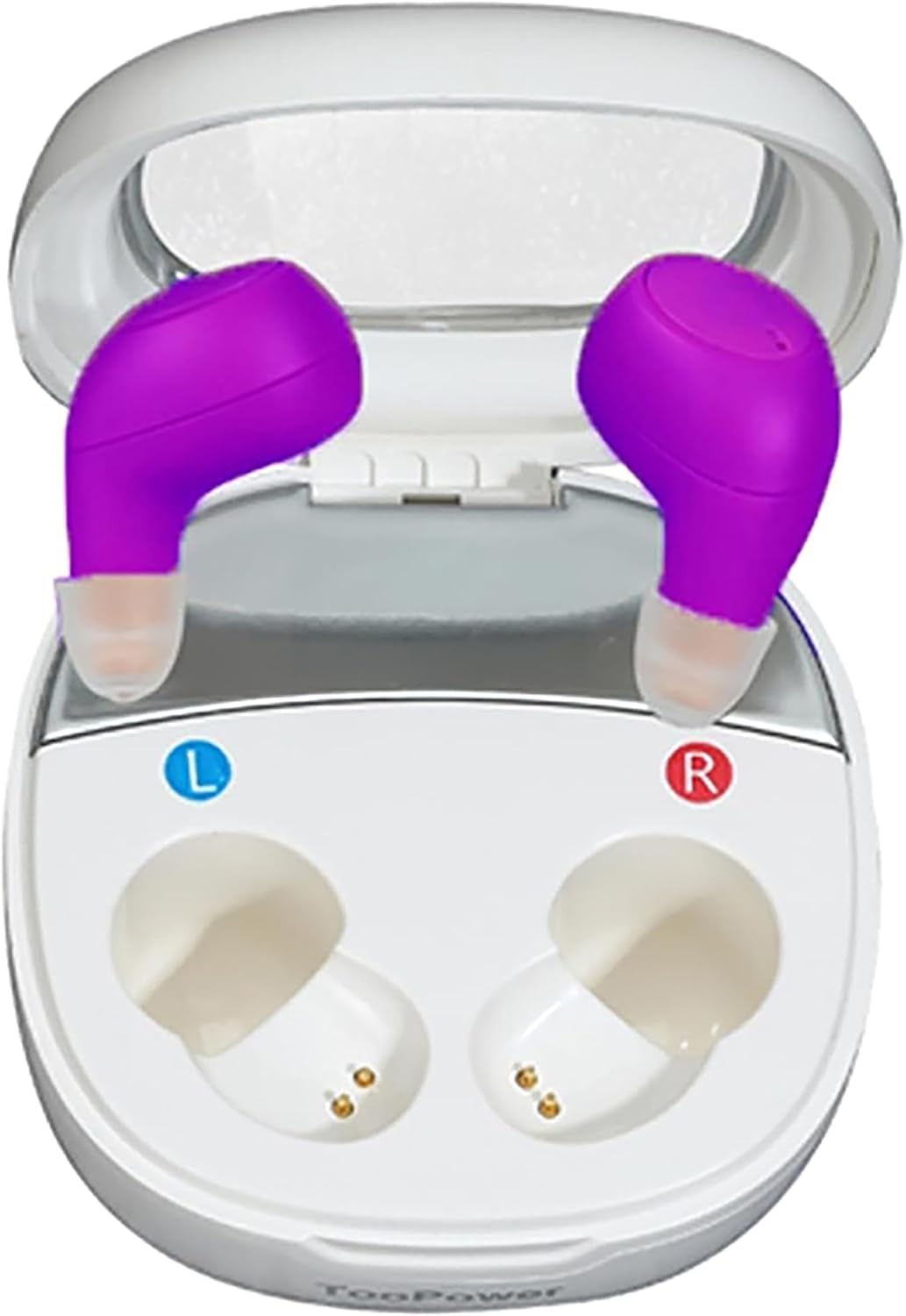
Image 1: TooPower TM-1122 Hearing Aids stored in their digital display magnetic charging case.
4. Setup
4.1. Charging the Hearing Aids
- Place the hearing aids into the charging case. Ensure they are correctly seated in their respective left (L) and right (R) slots.
- Connect the USB cable to the charging case and then to the provided charger or a compatible USB power source.
- The digital display on the charging case will indicate the charging status. A full charge typically takes approximately 2-3 hours.
- Once fully charged, disconnect the charging cable. The hearing aids are ready for use.
4.2. Fitting the Hearing Aids
- Select the Correct Ear Dome Size: The package includes multiple sizes of soft ear domes. Choose the size that provides a snug and comfortable fit in your ear canal. An incorrect dome size can lead to whistling (feedback noise).
- Insert the Hearing Aid: Gently insert the hearing aid into your ear canal. The semi-in-ear design should fit securely without causing discomfort.
- Anti-Whistle Function: The device features an anti-whistle function with in-ear detection. For the first three seconds after insertion, a buffering period is active to prevent whistling.

Image 2: A user wearing the TooPower TM-1122 hearing aid, demonstrating its discreet fit and the automatic noise reduction capability.
5. Operating Instructions
5.1. Power On/Off
The hearing aids typically power on automatically when removed from the charging case and power off when placed back into the case.
5.2. Volume Adjustment
To adjust the volume, press the control button on the hearing aid once. Each press will cycle through 5 levels of volume adjustment. The hearing aid will announce the current volume setting.
5.3. Mode Selection
To switch between listening modes, press and hold the control button for three seconds. The hearing aid offers three professional modes:
- General Mode: Suitable for everyday listening environments.
- Noisy Environment Mode: Optimized for reducing background noise in loud settings.
- Tinnitus Mode: Designed to provide relief for individuals experiencing tinnitus.
The hearing aid will announce the selected mode. The device remembers your last settings, so readjustment is not required each time it is turned on.
6. Maintenance
6.1. Cleaning
Regular cleaning is crucial for optimal performance and hygiene:
- Use the provided cleaning brush to gently remove any earwax or debris from the ear domes and sound output ports.
- Wipe the body of the hearing aids with a soft, dry cloth. Do not use water or cleaning solutions directly on the hearing aids.
- Replace ear domes and cerumen caps as needed to maintain sound quality and prevent blockages.
6.2. Storage
When not in use, store the hearing aids in their charging case. This protects them from dust, moisture, and physical damage, and ensures they remain charged.
7. Troubleshooting
If you encounter issues with your TooPower hearing aids, refer to the table below for common problems and solutions:
| Problem | Possible Cause | Solution |
|---|---|---|
| No sound or very low sound | Battery depleted; Ear dome blocked by earwax; Volume too low; Hearing aid not powered on. | Charge the hearing aids; Clean the ear dome and sound port; Increase volume; Ensure hearing aid is properly seated in ear or removed from charging case. |
| Whistling or feedback noise | Improperly fitted ear dome; Ear dome too small; Hearing aid not inserted correctly. | Ensure ear dome is snug; Try a larger ear dome size; Reinsert the hearing aid firmly into the ear canal. |
| Battery not charging | Charging cable or adapter faulty; Hearing aids not correctly placed in charging case; Charging case battery depleted. | Check cable and adapter; Ensure hearing aids make proper contact in case; Charge the charging case. |
| Sound is distorted or unclear | Ear dome or sound port blocked; Low battery. | Clean the hearing aid thoroughly; Charge the hearing aids. |
8. Specifications
- Model Name: TM-1122
- Brand: TooPower
- Item Weight: 0.352 ounces (per hearing aid)
- Package Dimensions: 3.9 x 1.38 x 0.79 inches
- Material: Acrylonitrile Butadiene Styrene (ABS)
- Channels: 16-Channel Digital Processing
- Volume Levels: 5
- Modes: General, Noisy Environment, Tinnitus
9. Warranty and Support
TooPower products are manufactured to high-quality standards. For information regarding warranty coverage and customer support, please refer to the documentation included with your purchase or contact TooPower customer service through the retailer where the product was purchased.