
1. Introduction
This manual provides essential information for the safe and efficient use of your LG 32-inch Smart TV (2025) LR600 Series. Please read this manual thoroughly before operating your TV and retain it for future reference. The LG LR600 TV offers a high-definition picture and integrates LG's webOS smart platform, suitable for various living spaces.
2. Safety Information
Always follow basic safety precautions when using this product to reduce the risk of fire, electric shock, or injury.
- Do not expose the TV to rain or moisture.
- Do not block ventilation openings.
- Ensure the power cord is not walked on or pinched.
- Unplug the TV during lightning storms or when unused for long periods.
- Refer all servicing to qualified service personnel.
3. What's in the Box
Verify that all components are present upon unpacking.
- LG 32-inch Smart TV
- Remote Control
- Power Cable
- Quick Start Guide
- Wall Mount Kit
- TV Stand (if not wall-mounted)
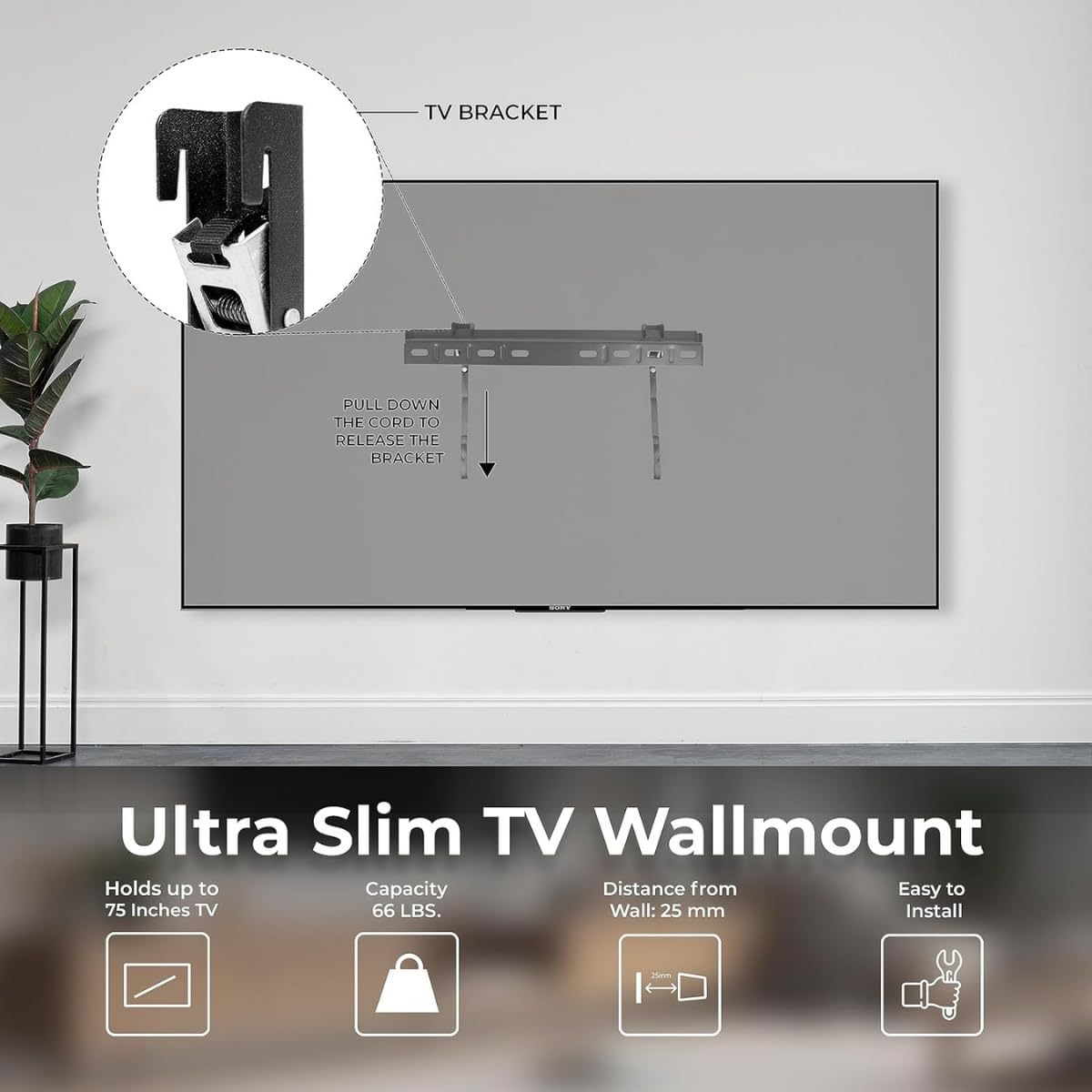
Figure 3.1: Included components and TV dimensions. This image displays the LG 32-inch Smart TV alongside its remote, power cable, and a wall mount kit, with key dimensions highlighted.
4. Setup
4.1 Unpacking
Carefully remove the TV and all accessories from the packaging. Retain the packaging for potential future transport or service.
4.2 Stand Installation (Optional)
If you choose not to wall-mount your TV, attach the included stand:
- Place the TV face down on a soft, flat surface to prevent screen damage.
- Align the stand bases with the corresponding slots on the bottom of the TV.
- Secure the stands using the provided screws.
4.3 Wall Mount Installation (Optional)
The LG LR600 Series supports VESA-compatible wall mounts. A wall mount kit is included. Follow the instructions provided with your specific wall mount for safe installation.
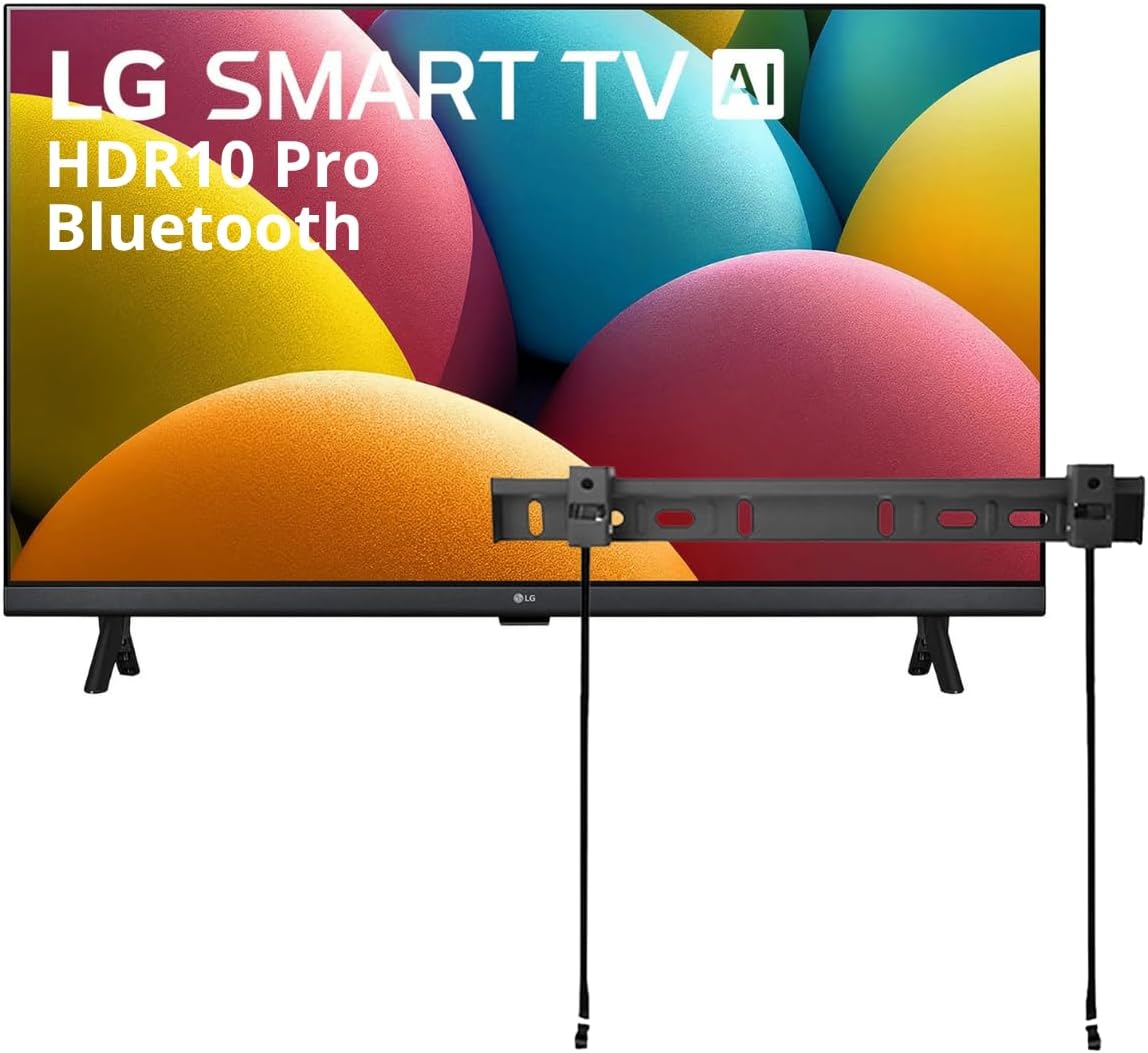
Figure 4.1: LG 32-inch Smart TV with an attached wall mount bracket. This image shows the television from the front, with a wall mount bracket positioned above it, indicating its compatibility with wall mounting.

Figure 4.2: Details of the Ultra Slim TV Wallmount. This image illustrates the design and features of the wall mount, including its slim profile and release mechanism.
4.4 Connecting Peripherals
Connect your devices to the TV's ports:
- Power: Connect the power cable to the TV and a wall outlet.
- HDMI: Use HDMI ports for high-definition video and audio devices like Blu-ray players, game consoles, or set-top boxes. One HDMI port supports eARC for soundbar connectivity.
- USB: Connect USB drives to play photos and videos.
- Antenna/Cable: Connect your antenna or cable TV input.

Figure 4.3: Rear view of the LG 32-inch Smart TV, displaying various input ports including HDMI, USB, and antenna connections.
5. Operating Your TV
5.1 Initial Setup
After connecting power, turn on the TV. Follow the on-screen prompts to select your language, connect to a Wi-Fi network (Wi-Fi 5 supported), and complete the initial setup of webOS 23.
5.2 webOS 23 Smart Features
Your LG Smart TV runs on webOS 23, providing access to a full web browser, AI chatbot, Home Hub, and compatibility with Apple AirPlay and Apple Home. Navigate through apps and content using the intuitive interface.

Figure 5.1: Screenshot of the webOS 23 interface, showing various streaming applications and smart features.
5.3 Picture Settings: HDR10 Pro
The TV supports Active HDR, compatible with HDR10 and HLG formats. HDR10 Pro enhances color and adjusts brightness on a scene-by-scene basis, revealing greater detail in both dark and bright areas of the image for a more dynamic visual experience.

Figure 5.2: Visual comparison demonstrating the enhanced color and contrast provided by HDR10 Pro compared to standard dynamic range (SDR).
5.4 Sound Settings: AI Sound and Bluetooth Surround Ready
The TV features AI Sound, which analyzes audio content and optimizes it for dialogue, music, or sports. Additionally, Bluetooth 5.0 allows you to wirelessly connect two compatible Bluetooth speakers to create a surround sound effect without cables.

Figure 5.3: Illustration depicting the immersive virtual 5.1 Up-mix experience provided by AI Sound for Spatial Symphony.
5.5 Gaming Features: Game Dashboard & Optimiser
For gamers, the Game Dashboard & Optimiser provides a centralized location to adjust settings for optimal gameplay. Quickly change game genre settings, manage FPS, AI Sound, Black Stabilizer, and Low Latency options.

Figure 5.4: Screenshot of the Game Dashboard & Optimiser interface during gameplay, showing various adjustable settings.
5.6 Voice Assistants
The TV integrates with LG ThinQ AI, Google Assistant, and Amazon Alexa, allowing for voice control of your TV and compatible smart home devices.
6. Maintenance
6.1 Cleaning the TV
To clean the screen, gently wipe with a soft, dry, lint-free cloth. For the TV frame, use a soft cloth dampened with a mild cleaning solution. Avoid using harsh chemicals or abrasive materials.
6.2 Software Updates
Ensure your TV's software is up-to-date for optimal performance and security. You can check for updates through the TV's settings menu under 'General' > 'About This TV' > 'Check for Updates'.
7. Troubleshooting
If you encounter issues with your TV, refer to the following common solutions:
- No Power: Check if the power cable is securely connected to both the TV and the wall outlet. Try a different outlet.
- No Picture/Sound: Ensure the correct input source is selected. Check all cable connections (HDMI, antenna).
- Network Connection Issues: Verify your Wi-Fi password. Restart your router and the TV.
- Remote Control Not Working: Replace the batteries. Ensure there are no obstructions between the remote and the TV.
8. Specifications
Key technical specifications for the LG 32-inch Smart TV (2025) LR600 Series:
| Feature | Specification |
|---|---|
| Brand | LG |
| Model | LR600 |
| Screen Size | 32 Inches (82 cm diagonal) |
| Display Technology | LED |
| Resolution | 1080p (HD) |
| Refresh Rate | 60 Hz |
| Processor | α5 Gen 8 AI Processor |
| HDR Support | HDR10, HLG (Active HDR) |
| Operating System | webOS 23 |
| Connectivity | Wi-Fi 5, Bluetooth 5.0 |
| Ports | 2 HDMI (1 with eARC), 1 USB |
| Voice Assistants | LG ThinQ AI, Google Assistant, Amazon Alexa |
| Dimensions (W x H x D) | 29" x 17.2" x 3.3" (without stand) |
| Item Weight | 13.12 pounds |

Figure 8.1: Illustration of the α5 AI Processor Gen6, the core component responsible for optimizing picture and sound.
9. Warranty and Support
For warranty information and technical support, please refer to the warranty card included with your product or visit the official LG support website. Keep your purchase receipt as proof of purchase.
For further assistance, you may visit the LG support page: www.lg.com/us/support


