
1. Introduction
Thank you for purchasing the ICEE Pro Slushie Machine. This appliance is designed to create a variety of frozen beverages and desserts, including slushies, milkshakes, frappés, chilled juices, and ice cream. Please read this manual thoroughly before initial use to ensure safe and optimal operation.
Important Safety Information
- Always unplug the machine from the power outlet before cleaning or when not in use.
- Do not immerse the main unit, cord, or plug in water or other liquids.
- Keep hands and utensils out of the mixing chamber during operation to prevent injury.
- Ensure the machine is placed on a stable, level surface away from heat sources.
- This appliance is not intended for use by persons with reduced physical, sensory, or mental capabilities, or lack of experience and knowledge, unless they have been given supervision or instruction concerning use of the appliance by a person responsible for their safety.
- Children should be supervised to ensure they do not play with the appliance.
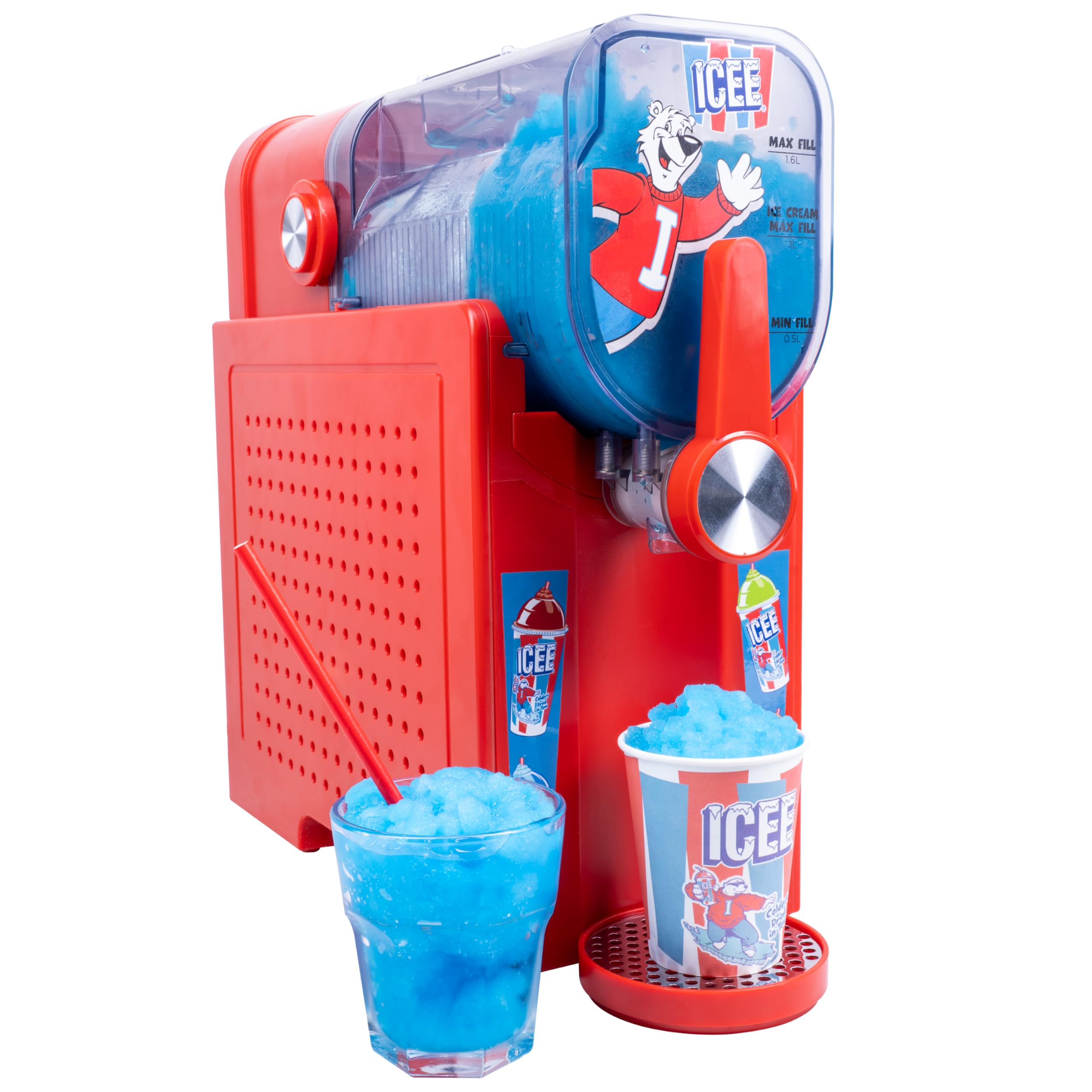
Figure 1: The ICEE Pro Slushie Machine with a selection of prepared frozen beverages.

Figure 2: Key features of the ICEE Pro Slushie Machine.
2. Product Components
Familiarize yourself with the parts of your ICEE Pro Slushie Machine:
- Main Unit: Houses the motor and control panel.
- Mixing Chamber/Reservoir: Transparent container where ingredients are processed. Features MAX FILL (54 fl oz) and ICE CREAM MAX FILL (34 fl oz) lines, and a MIN FILL (17 fl oz) line.
- Lid with Easy-Fill Port: Covers the mixing chamber and allows for easy addition of liquids.
- Dispensing Lever: Used to release the prepared beverage.
- Drip Tray with Mesh: Collects any drips from the dispensing spout.
- Control Panel: Touch-sensitive panel for selecting modes and adjusting settings.
- Auger & Evaporator: Internal components responsible for mixing and freezing.

Figure 3: Key components of the ICEE Pro Slushie Machine.

Figure 4: Mixing chamber with clearly marked fill levels for different preparations.

Figure 5: The intuitive one-touch control panel.

Figure 6: Removable drip tray for easy cleaning.
3. Setup
- Unpack: Carefully remove all components from the packaging. Retain packaging for future storage or transport.
- Initial Cleaning: Before first use, wash the mixing chamber, lid, and drip tray with warm, soapy water. Rinse thoroughly and dry completely. Wipe the main unit with a damp cloth.
- Placement: Place the ICEE Pro on a clean, dry, stable, and level countertop. Ensure there is adequate ventilation around the machine.
- Assemble: Place the clean mixing chamber onto the main unit, ensuring it is securely seated. Attach the lid. Position the drip tray under the dispensing spout.
- Power Connection: Plug the power cord into a grounded electrical outlet. The control panel will illuminate.
4. Operating Instructions
Preparing Your Ingredients
For optimal results, ensure your liquid ingredients are chilled before adding them to the machine. The ICEE Pro does not require ice cubes.

Figure 7: Pouring liquid into the mixing chamber.
Sugar Content Guidelines
Sufficient sugar content is crucial for proper freezing. Liquids with too little sugar will not freeze correctly. All inputs must contain at least 4% sugar (0.17 oz per 3.38 fl oz).

Figure 8: Recommended minimum sugar amounts for various drink types.
Using the Control Panel and Presets
The ICEE Pro features six one-touch presets for various frozen treats:
- Fill the Mixing Chamber: Pour your prepared liquid into the mixing chamber. Do not exceed the MAX FILL line (54 fl oz for most drinks, 34 fl oz for ice cream). Ensure the MIN FILL line (17 fl oz) is met.
- Select a Mode: Press the "MENU" button on the control panel to cycle through the available modes:
- ICEE: For classic slushie consistency.
- Milkshake: For thick, creamy milkshakes.
- Frappe: For blended coffee or similar drinks.
- Chilled Juice: For perfectly cooled, smooth juice.
- Ice Cream: For scoopable ice cream.
- Quick Freeze: Activates an instant chill mode for faster preparation.
- Adjust Temperature/Thickness (Optional): Use the "+" and "-" buttons to fine-tune the freezing temperature, allowing for thicker frozen desserts or smoother, sippable drinks.
- Start Operation: Once a mode is selected, the machine will begin the freezing process. The display will show the remaining time.
- Dispense: When the cycle is complete, place a cup under the dispensing spout and pull the dispensing lever forward to serve.
The ICEE Pro is designed to keep drinks frozen for up to 12 hours without dilution after the cycle is complete.
Video 1: This video demonstrates the pouring of liquid into the ICEE Pro and the dispensing of a slushie, showcasing the machine's operation and various modes.
5. Maintenance and Cleaning
Regular cleaning ensures the longevity and hygienic operation of your ICEE Pro Slushie Machine.
Clean Cycle
- After use, empty any remaining contents from the mixing chamber.
- Fill the mixing chamber with clean water up to the MIN FILL line.
- Press the "RINSE" button on the control panel. The machine will run a short cleaning cycle.
- Once the cycle is complete, dispense the water into a sink.
Manual Cleaning
- Always unplug the machine before disassembling for cleaning.
- Remove the mixing chamber, lid, and drip tray. These BPA-free parts are safe for hand-washing with warm, soapy water. Rinse thoroughly and allow to air dry completely before reassembly.
- Wipe the exterior of the main unit with a damp cloth. Do not use abrasive cleaners or scourers.
- Ensure all parts are dry before storing or next use.
6. Troubleshooting
If you encounter issues with your ICEE Pro, please refer to the following common problems and solutions:
| Problem | Possible Cause | Solution |
|---|---|---|
| Machine does not turn on. | Not plugged in; power outlet issue. | Ensure the power cord is securely plugged into a working electrical outlet. |
| Liquid is not freezing or is too watery. | Insufficient sugar content; liquid not pre-chilled; incorrect mode selected. | Verify liquid has at least 4% sugar. Pre-chill ingredients. Select the appropriate freezing mode (e.g., ICEE, Ice Cream). |
| Liquid is too thick or solid. | Temperature setting too low; left in machine too long. | Adjust the temperature setting using the "+" button to a warmer setting. Dispense promptly after the cycle completes. |
| Machine is noisy during operation. | Normal operation sound; machine not on a level surface. | Some operational noise is normal. Ensure the machine is on a stable, level surface. |
| Dispensing lever is stuck or difficult to move. | Frozen residue in the spout. | Unplug the machine. Allow any frozen residue to melt slightly, then clean the dispensing area. |
7. Specifications
| Feature | Detail |
|---|---|
| Model Number | 300196 |
| Capacity | 54 fl oz (1.6 L) |
| Ice Cream Max Fill | 34 fl oz (1 L) |
| Minimum Fill | 17 fl oz (0.5 L) |
| Dimensions (H x W x D) | 14.9 x 6.2 x 14.5 inches (approximate) |
| Item Weight | 26.1 pounds |
| Material | BPA-free parts |
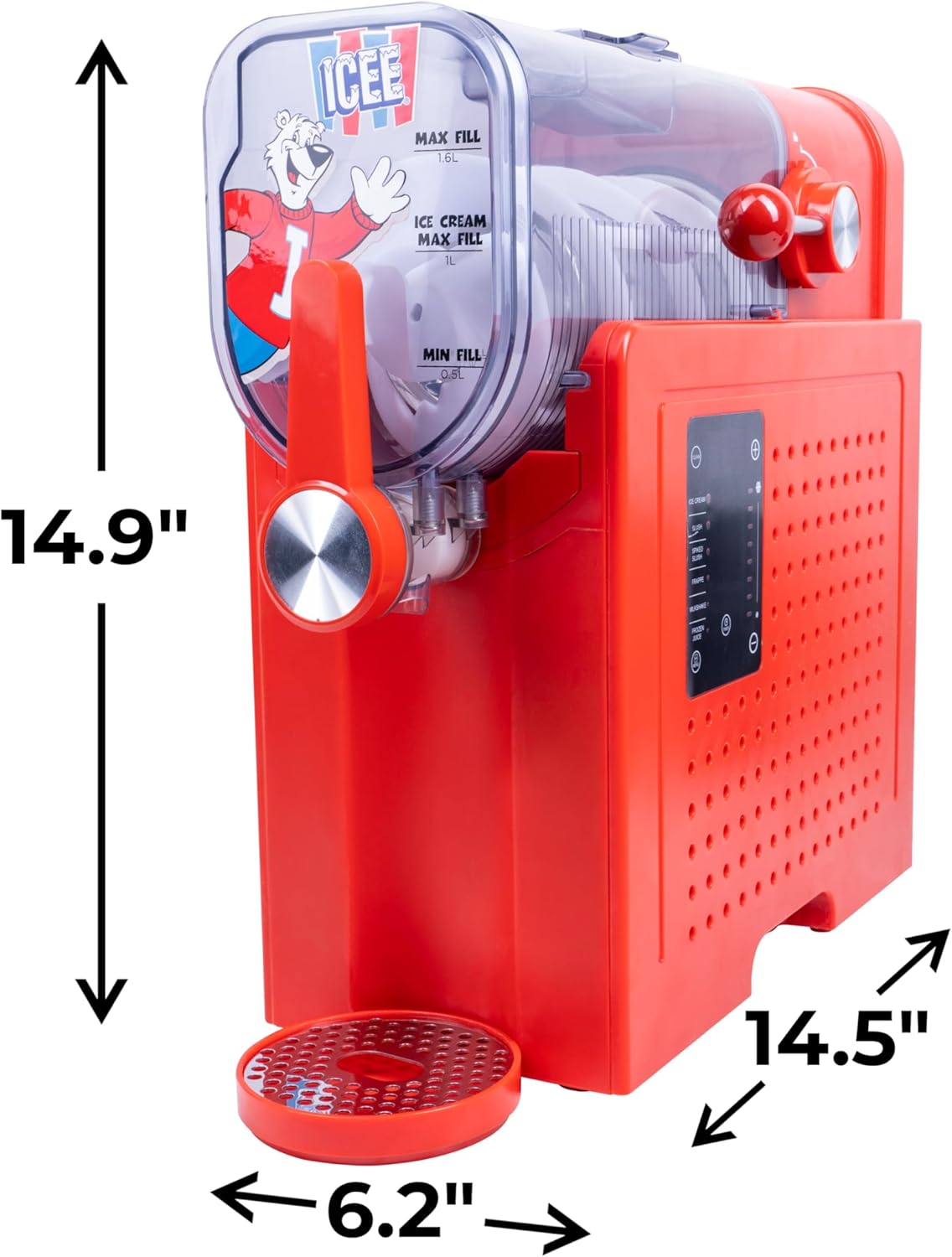
Figure 9: Approximate dimensions of the ICEE Pro Slushie Machine.
8. Warranty and Support
For warranty information or technical support, please contact Fizz Creations customer service. Refer to the product packaging or the official Fizz Creations website for contact details.