
Introduction
This manual provides detailed instructions for the Dpofirs Mini Keychain Camera, a compact 1080P HD digital camera designed for portable video recording and photography. Please read this manual thoroughly before using the device to ensure proper operation and to maximize its features.
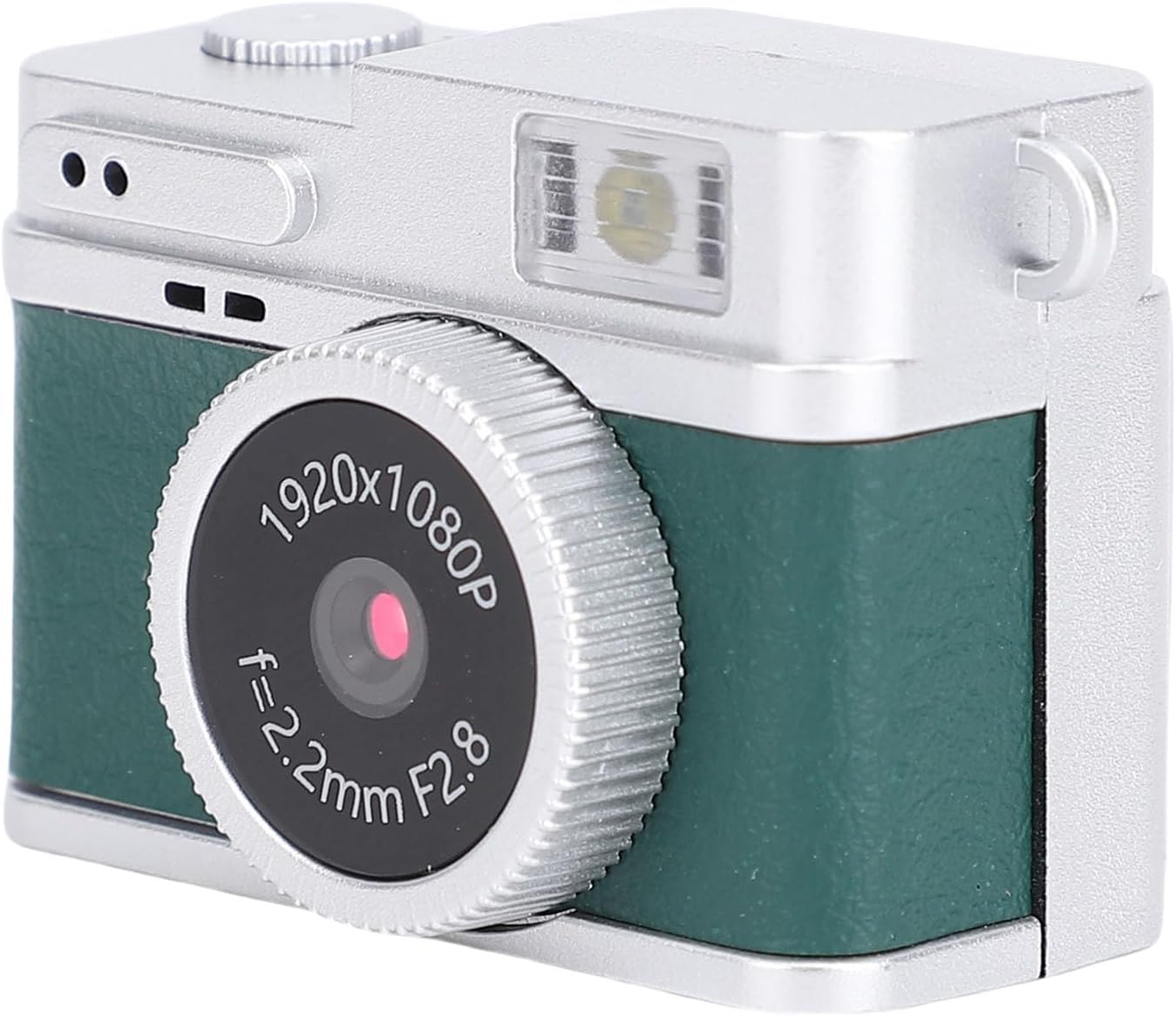
Image: Front view of the Dpofirs Mini Keychain Camera, showcasing its retro design with a green body and silver accents. The lens is prominent, indicating 1920x1080P resolution.
Package Contents
Upon unboxing, please verify that all items listed below are included:
- 1 x Dpofirs Mini Keychain Camera
- 1 x Chain Necklace
- 1 x Keychain
- 1 x Instruction Manual (this document)
Setup
1. Inserting a Memory Card
The camera requires a memory card (not included) for storing photos and videos. It supports up to a 128GB memory card.
- Locate the memory card slot on the side of the camera.
- Gently insert the memory card into the slot until it clicks into place. Ensure the card is oriented correctly.

Image: Side view of the camera, highlighting the memory card slot and the Type-C charging port.
2. Charging the Battery
The camera has a built-in 180mAh high-capacity lithium battery. Use the Type-C interface for charging.
- Connect the camera to a power source using a Type-C USB cable (not included).
- The camera can record while charging.
Operating Instructions
1. Power On/Off
- To power on: Press and hold the top key.
- To power off: Press and hold the top key again.
2. Navigating Menus and Modes
The camera features a colorful screen for real-time monitoring and easy navigation with three keys.
- After turning on, click the up key to select the menu.
- You can choose from photo, video, or gallery modes.

Image: Angled back view of the camera, displaying the screen and the control buttons on the side.
3. Taking Photos and Recording Videos
- To start taking photos or recording videos: Press the shutter key.
- To mute: Press and hold the up key.
- To switch photography effects: Press the down key.
- To turn on the flash: Long press the down key. The camera is equipped with a flash light for low light conditions.

Image: The Dpofirs Mini Keychain Camera shown alongside text highlighting its 1080P high-definition capabilities, premium lenses for vivid colors, and its suitability for recording daily life, celebrations, and study sessions.
4. Portability and Anti-Loss Features
The camera is designed for easy portability and includes accessories to prevent loss.
- Use the included chain necklace to wear the camera around your neck.
- Attach the camera securely to a keychain using the provided accessory.

Image: Back view of the camera, emphasizing its anti-loss features and showing the attachment points for a chain or keychain.

Image: A person wearing the Dpofirs Mini Keychain Camera as a necklace, demonstrating its portability.

Image: The Dpofirs Mini Keychain Camera attached to a set of keys, illustrating its use as a keychain accessory.
Maintenance
- Keep the camera clean by wiping it with a soft, dry cloth.
- Avoid exposing the camera to extreme temperatures, moisture, or direct sunlight for prolonged periods.
- Ensure the memory card slot and Type-C port are free from dust and debris.
- Store the camera in a safe place when not in use to prevent damage.
Troubleshooting
| Problem | Possible Cause | Solution |
|---|---|---|
| Camera does not power on. | Low battery or no charge. | Charge the camera using a Type-C cable. Ensure the cable and power source are functional. |
| Cannot record photos/videos. | No memory card inserted or card is full/corrupted. | Insert a compatible memory card (up to 128GB). Check if the card is full and delete unnecessary files, or try a different card. |
| Poor image/video quality. | Insufficient lighting, dirty lens, or incorrect settings. | Ensure adequate lighting. Clean the lens gently with a soft cloth. Check if flash is enabled in low light. |
| Camera freezes or becomes unresponsive. | Software glitch or temporary error. | Press and hold the power button to force a shutdown, then restart the camera. |
If you encounter issues not listed here or if the suggested solutions do not resolve the problem, please contact Dpofirs customer support.
Specifications
| Item Type | Keychain Digital Camera |
| Material | ABS |
| Pixel | 2 MP |
| Lens Angle | 70° |
| Video Compression Format | AVI |
| Video Resolution | 1920x1080P (Maximum) |
| Aspect Ratio | 4:3 |
| Image Format | JPG |
| Battery Type | Built-in high capacity Li battery |
| Battery Capacity | 180mAh |
| Operating Time | Approximately 100 minutes |
| Storage Support | Up to 128GB Memory Card (Not included) |
| Interface Type | Type-C |
| Support Systems | Windows, OS X, Linux |
| Playback Software | System built-in or mainstream media player |
| Zoom Support | No |

Image: Diagram showing the dimensions of the Dpofirs Mini Keychain Camera: 38mm (1.5 inches) in width and 27mm (1.06 inches) in height.
Warranty Information
This Dpofirs Mini Keychain Camera comes with a manufacturer's warranty for 90 days from the date of purchase. Please retain your proof of purchase for warranty claims. The warranty covers manufacturing defects but does not cover damage caused by misuse, accidents, or unauthorized modifications.
Customer Support
For further assistance, technical support, or warranty inquiries, please contact Dpofirs customer service. You can also visit the official Dpofirs store for more information and products: