
Important Safety Information
Please read and understand all instructions before beginning assembly and use. Failure to follow these instructions may result in injury or damage to the product.
- Weight Capacity: Do not exceed the maximum weight capacity of 800 lbs for this bed frame. Overloading can cause structural failure and injury.
- Assembly: Ensure all components are securely fastened before use. Periodically check and tighten all bolts and screws.
- Children: Do not allow children to climb or play on the bed frame.
- Placement: Place the bed frame on a level surface to prevent instability.
- Electrical Safety: When using the charging station, ensure all devices and cables are in good condition and used according to their manufacturer's guidelines. Do not overload the charging ports.
Setup and Assembly
This bed frame is designed for straightforward assembly. It is recommended that two people participate in the assembly process for ease and safety.
1. Unpacking and Preparation
- Carefully unpack all components and verify against the parts list provided in your packaging.
- Ensure all built-in installation tools are present.
- Clear a spacious area for assembly.
2. Assembly Steps
Follow the clear instructions provided in the packaging for step-by-step assembly. The "Plug In Construction" design facilitates easier installation of the frame components.
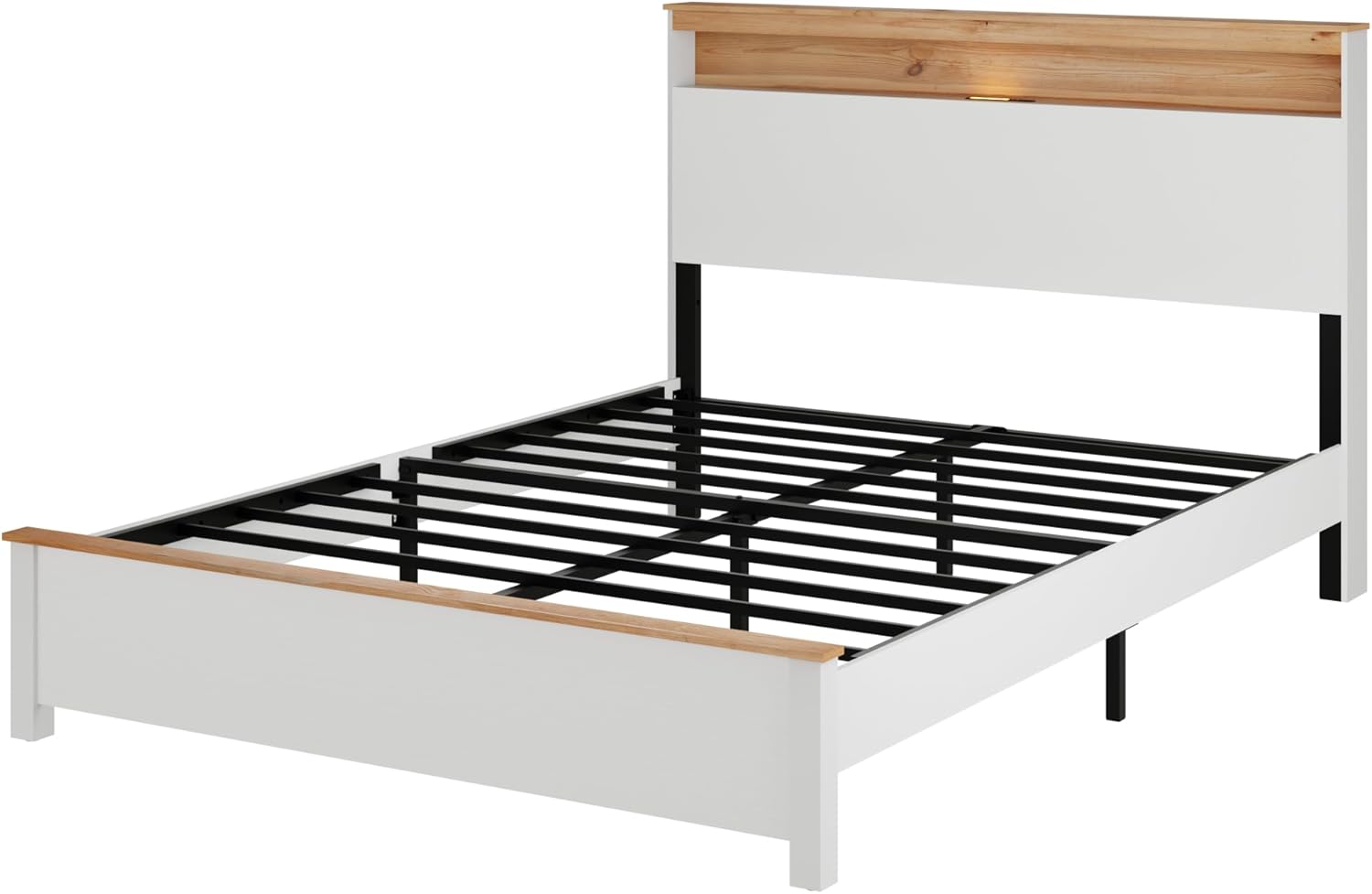
Image: Overview of the bed frame components before assembly. This image shows the main structural parts of the bed frame, including the headboard, footboard, side rails, and support slats, ready for assembly.
3. Key Features for Assembly
- Plug In Construction: This feature simplifies the connection of frame parts, ensuring a secure and stable structure with ease of installation.
- Protective Foot Pads: The bed frame includes protective foot pads designed to prevent scratches and damage to your flooring. Ensure these are properly attached to the bottom of the bed legs.

Image: Detailed view highlighting the "Plug In Construction" for easy assembly, the "EVA Mute Bar" for noise reduction, and "Protective Foot pads" to prevent floor scratches.
Operating Instructions
1. Using the Built-in Charging Station
The headboard features an integrated charging station for your convenience. It includes:
- USB Interface: One 5V/2A USB port for charging compatible devices.
- Type-C Interface: One 5V/2A Type-C port for charging compatible devices.
Simply connect your mobile phone, tablet, e-reader, or other USB/Type-C powered devices to the respective ports. Ensure the bed frame's power cord (if applicable, usually for the charging station/LED) is plugged into a functional wall outlet.

Image: Detailed view of the headboard's built-in charging station, showing the USB and Type-C ports, and the integrated touch light.
2. Controlling the LED Lighting
The headboard is equipped with LED lighting for convenient night illumination. The LED lights are touch-sensitive, allowing for easy control of brightness. Locate the touch sensor on the headboard to turn the lights on/off and adjust their intensity.
3. Utilizing the Storage Headboard and Under-bed Space
- Storage Headboard: The integrated storage cabinet in the headboard provides a convenient space for small items such as books, glasses, or decorative pieces.
- Under-bed Storage: The design of the bed frame offers space underneath for storing items, contributing to a tidy and organized bedroom. The clearance height is approximately 6.7 inches.

Image: Illustration of the available under-bed storage space, demonstrating how items like baskets or luggage can be stored beneath the frame.
Maintenance
Regular maintenance will help prolong the life and appearance of your bed frame.
- Cleaning: Wipe the wood and metal surfaces with a soft, damp cloth. Avoid harsh chemicals or abrasive cleaners that could damage the finish.
- Fasteners: Periodically check all bolts, screws, and connections to ensure they are tight. Re-tighten as necessary to maintain stability.
- EVA Mute Bar: The integrated EVA Mute Bar is designed to reduce noise. No specific maintenance is required for this component, but ensure it remains in place.
- Foot Pads: Verify that the protective foot pads are securely attached to prevent floor scratches.
Troubleshooting
| Problem | Possible Cause | Solution |
|---|---|---|
| Bed frame is wobbly or noisy. | Loose fasteners; uneven floor; missing EVA mute bar. | Check and tighten all bolts and screws. Ensure the bed is on a level surface. Verify EVA mute bars are correctly installed. |
| Charging station not working. | Power cord unplugged; faulty device cable; overloaded port. | Ensure the bed frame's power cord is securely plugged into a working outlet. Try a different device cable. Avoid connecting too many high-power devices simultaneously. |
| LED light not turning on or dim. | Power cord unplugged; touch sensor malfunction. | Verify the power cord is connected. Gently tap the touch sensor multiple times. If issues persist, contact customer support. |
Specifications
| Feature | Detail |
|---|---|
| Model Number | DFBERE |
| Size | Full |
| Color | Antique White |
| Material | Wood and Metal |
| Product Dimensions (L x W x H) | 81.1"L x 55.35"W x 44.09"H |
| Item Weight | 75.64 lbs |
| Maximum Weight Recommendation | 800 lbs |
| Special Features | Built-in Charging Station (1x USB, 1x Type-C), LED Lighting, Storage Headboard |
| Under-bed Clearance | Approx. 6.7 inches |
| Assembly Required | Yes |

Image: Diagram illustrating the key dimensions of the Full Size bed frame, including length, width, height, and under-bed clearance.
Warranty Information
This SOFTSEA bed frame comes with a 6-month manufacturer's warranty from the date of purchase. This warranty covers manufacturing defects under normal use. It does not cover damage resulting from improper assembly, misuse, accidents, or normal wear and tear.
Please retain your proof of purchase for any warranty claims.
Customer Support
If you have any questions regarding the assembly, operation, or maintenance of your SOFTSEA bed frame, or if you encounter any issues not covered in the troubleshooting section, please contact our customer support team for assistance.
For support, please refer to the contact information provided in your product packaging or visit the official SOFTSEA store on Amazon: SOFTSEA Store.