
Introduction
Thank you for choosing the Leuceira Fitness Health/CalorieTracker Smart Bracelet B3. This manual provides essential information for setting up, operating, and maintaining your new smart bracelet. Please read it carefully to ensure optimal performance and longevity of your device.
Important Note: This device is not a medical instrument and should not be used for medical diagnosis or treatment. The data provided is for reference only.
Package Contents
- 1 x Smart Bracelet Body (Model B3)
- 2 x Bands (Black Steel + Black Silicone)
- 1 x User Manual
- 1 x Magnetic Charging Cable
- 1 x Customized Packaging Box
Setup
1. Charging the Device
Before first use, fully charge the smart bracelet. Connect the magnetic charging cable to the charging contacts on the back of the bracelet and plug the USB end into a 1A or less USB power adapter (not included).
Charging time is approximately 2 hours. A full charge provides up to 5 days of working time. If the bracelet is out of power after a long delivery process, charge it for 2-3 hours.
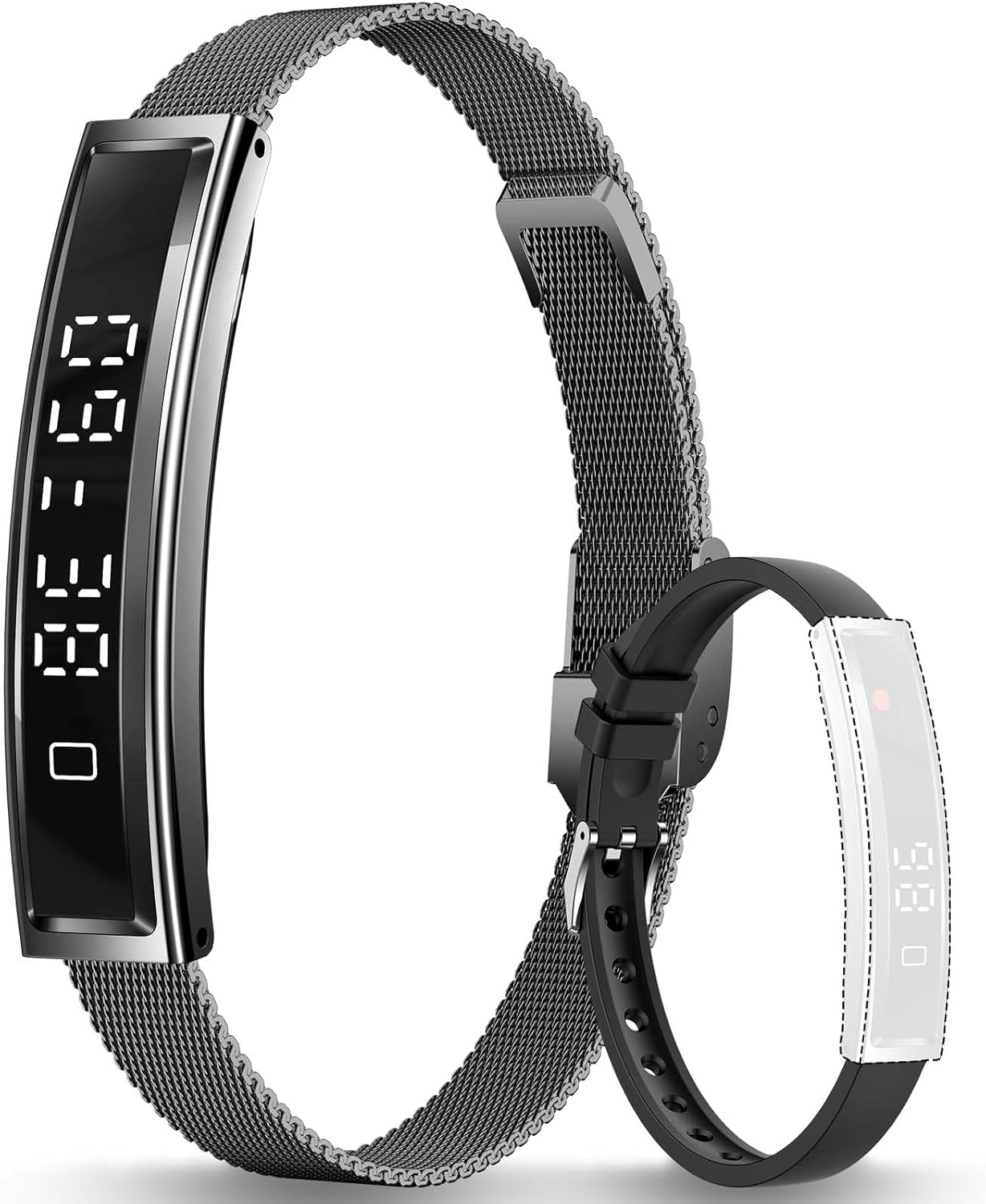
Image: The Leuceira Smart Bracelet B3 shown with both the black steel and black silicone bands, illustrating the product's appearance and included accessories.
2. App Installation and Pairing
- Download the "Nx Wear" app from your smartphone's app store (compatible with Android 6.0+ and iOS 11.0+).
- Ensure Bluetooth is enabled on your smartphone.
- Open the "Nx Wear" app and follow the on-screen instructions to create an account or log in.
- Search for your device within the app and select "B3" to pair.
- Grant all necessary permissions to the app for full functionality.
3. Band Installation
The Leuceira B3 comes with two interchangeable bands: a black steel mesh band and a black silicone band. To attach or detach a band, locate the quick-release pins on the underside of the bracelet body. Slide the pin to release the band, then align the new band and slide the pin back into place until it clicks securely.
Operating Instructions
1. Basic Navigation
The bracelet features a touch-sensitive screen and a single button for navigation. Tap the screen to wake it up or cycle through different displays. Press and hold the button for specific functions as indicated on the screen or in the app.
2. Health Monitoring
The B3 smart bracelet provides 24-hour real-time monitoring of various health metrics:
- Heart Rate: Continuously monitors your heart rate, helping you understand stress levels and heart rate variability.
- Pressure Detection: Provides insights into your body's pressure levels.
- Physiological Cycle Reminder: For female users, the bracelet can record and remind you of your physiological cycle, helping to identify patterns.

Image: The Leuceira Smart Bracelet B3's health monitoring system, showing icons for heart rate, pressure detection, and female physiological cycle, with a person running on a treadmill in the background.
3. Sleep Tracking
The advanced all-day sleep tracking function monitors your sleep patterns, including deep sleep, light sleep, and awake times. Access detailed sleep analysis in the "Nx Wear" app to understand and improve your sleep quality.

Image: The Leuceira Smart Bracelet B3 on a wrist, with a smartphone displaying the "Nx Wear" app's sleep analysis interface, indicating deep sleep, light sleep, and awake periods.
4. Activity Tracking
The bracelet accurately records your daily activities, including steps taken (pedometer) and calories burned. This function helps you monitor your vitality levels and manage your exercise and rest times effectively.

Image: The Leuceira Smart Bracelet B3 on a wrist, with a person running outdoors and other images depicting various activities like yoga and checking the watch, highlighting its all-day activity tracking capability.
5. Multiple Sports Modes
The B3 supports various sports modes, allowing you to track specific activities like cycling, tennis, skiing, and more. Select the appropriate mode in the app or on the bracelet to record relevant sports data.
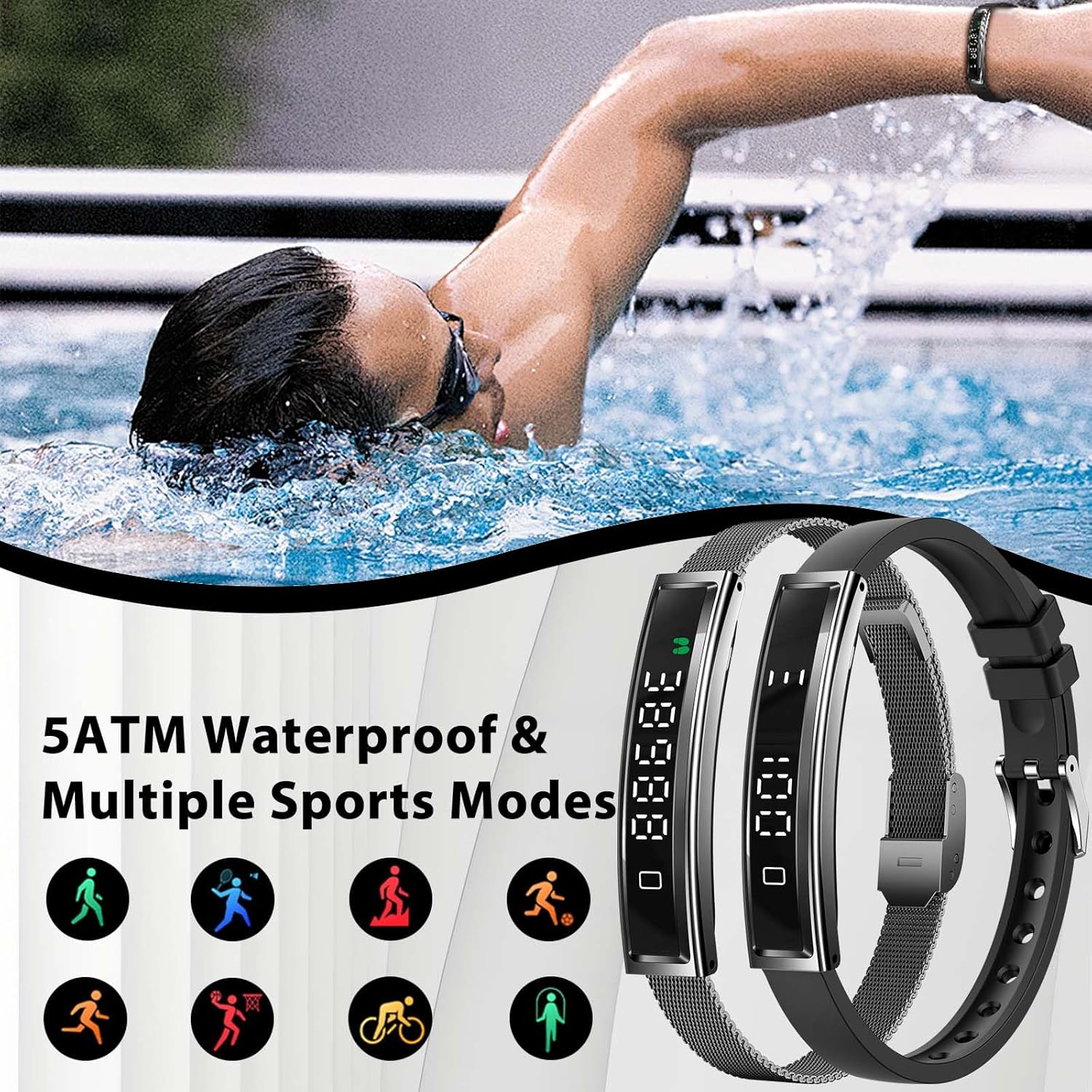
Image: The Leuceira Smart Bracelet B3 displaying icons for various sports modes (walking, running, swimming, cycling, etc.), with a person swimming in the background, emphasizing its 5ATM waterproof rating and multi-sport functionality.
6. Water Resistance
The bracelet has a 5ATM water resistance rating, meaning it can withstand pressures equivalent to a depth of 50 meters. It is suitable for swimming and showering, but not for diving or high-pressure water activities.
7. Remote Camera Control
Use the smart bracelet as a remote shutter for your smartphone camera. Pair your device with the "Nx Wear" app, navigate to the camera control feature, and tap the bracelet screen to take photos or record videos remotely.
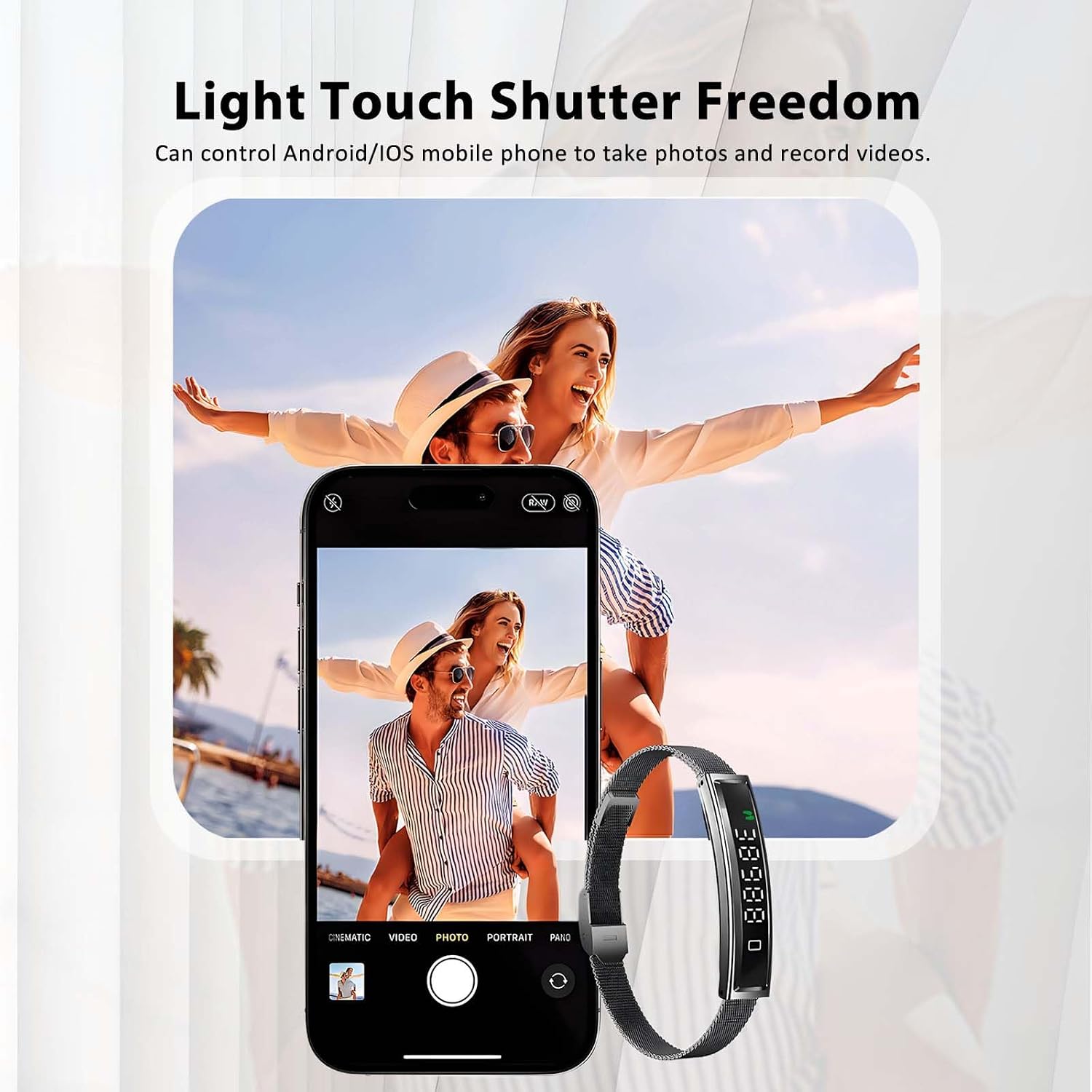
Image: The Leuceira Smart Bracelet B3 on a wrist, with a smartphone displaying a camera interface and a couple posing for a photo, illustrating the remote camera control feature.
Maintenance
1. Cleaning
Regularly clean your smart bracelet and bands with a soft, damp cloth. Avoid using harsh chemicals or abrasive materials, as these can damage the device. Ensure the charging contacts are clean and dry before charging.
2. Battery Care
To prolong battery life, avoid fully discharging the device frequently. Charge it when the battery level is low. Store the device in a cool, dry place when not in use for extended periods.
Troubleshooting
- Device not turning on: Ensure the device is fully charged. Connect it to the charger for at least 30 minutes.
- Cannot pair with smartphone:
- Ensure Bluetooth is enabled on your phone.
- Make sure the bracelet is charged and within range of your phone.
- Restart both the bracelet and your phone.
- Ensure the "Nx Wear" app has all necessary permissions.
- Inaccurate readings (Heart Rate, Steps, Sleep):
- Ensure the bracelet is worn snugly on your wrist, about one finger's width above the wrist bone.
- Clean the sensor on the back of the bracelet.
- Ensure your personal information (height, weight, age) is correctly entered in the "Nx Wear" app.
- Short battery life:
- Check if background apps or continuous monitoring features are excessively active.
- Reduce screen brightness or screen-on time.
- Ensure the device is fully charged using the provided cable and a 1A or less adapter.
- "LCD off" message or unresponsive screen: This might indicate a power-saving mode or a temporary software issue. Try pressing the button to wake the screen. If unresponsive, try restarting the device (refer to app for specific restart instructions if available, or let battery drain and recharge).
Specifications
| Feature | Detail |
|---|---|
| Model Name | B3 (HT-DWTB3) |
| Display Type | Digital |
| Screen Size | 44.5 mm |
| Battery Capacity | 18 mAh (Lithium Ion) |
| Charging Time | Approx. 2 hours |
| Working Time | Up to 5 days |
| Water Resistance | 5ATM (50 meters) |
| Connectivity | Bluetooth BLE 5.3 |
| Compatible Systems | Android 6.0+ / iOS 11.0+ |
| App Name | Nx Wear |
| Memory Storage | 128 MB |
| Metrics Measured | Heart Rate, Sleep Duration, Calories Burned |
| Band Material | Steel, Silicone |
| Item Dimensions | 10D x 9W x 4H centimetres |
| Item Weight | 85 g (Parcel Weight) / 16.5g (Net Weight) |
| GPS | No GPS |

Image: The Leuceira Smart Bracelet B3 showing its dimensions (44.5mm screen, 10.5mm thickness, 225mm band length) and how it fits comfortably on a user's wrist while cycling.
Warranty and Support
Leuceira provides a 12-month warranty, offering money-back or a free replacement for eligible issues. For technical support, warranty claims, or any questions regarding your Leuceira Smart Bracelet B3, please contact Leuceira customer service through the contact information provided in your purchase documentation or on the official Leuceira website.