
Important Safety Information
Please read these instructions carefully before assembling and using the chair. Pay particular attention to the safety guidelines for the massage function and LED lighting.
- Ensure all components are securely fastened before use.
- Do not exceed the maximum recommended load capacity of 150 kg.
- Keep children and pets away during assembly.
- Use only the provided power adapter for the LED and massage functions.
- Avoid exposing the chair to direct sunlight or extreme temperatures.
Product Overview
The JUMMICO Gaming Chair is designed for comfort and an immersive gaming experience, featuring ergonomic adjustments, LED lighting, and a massage function.
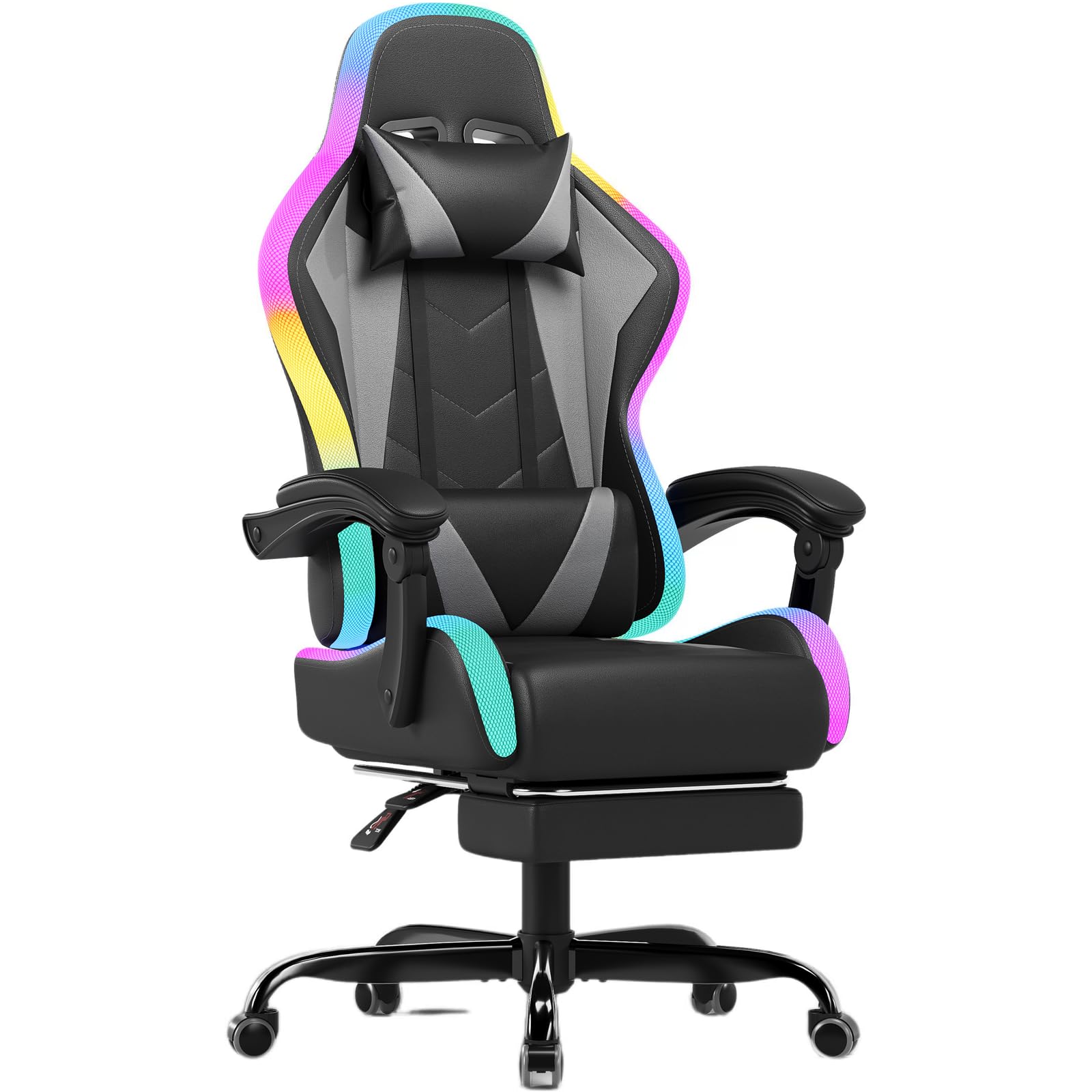
Image: The JUMMICO Gaming Chair with its integrated LED lighting, positioned within a modern gaming environment.
Key Features:
- LED Lighting: Integrated RGB lighting with 366 preset modes, controllable via remote for an immersive experience.
- Massage Function: Adjustable lumbar support with vibration massage (over 20,000 vibrations/minute) to relieve fatigue.
- Ergonomic Design: Adjustable recline (90° to 135°), retractable footrest, 360° swivel, and height adjustment for optimal posture.
- Durable Construction: Features a 1.8mm thick metal frame, robust 5-star metal base, and SGS-certified gas lift for stability and longevity.
- High-Quality Materials: Constructed with breathable PU leather and high-density foam for comfort.

Image: An illustration highlighting the ergonomic design of the chair, showing support for the neck, shoulders, back, and lumbar region.
Setup and Assembly
Your JUMMICO Gaming Chair requires assembly. Please follow the detailed instructions provided in the separate assembly manual included in the packaging. Ensure all parts are present before beginning assembly.
General Assembly Steps:
- Unpack all components and verify against the parts list in the assembly manual.
- Attach the wheels to the 5-star base.
- Insert the gas lift into the center of the base.
- Assemble the seat and backrest according to the manual's diagrams.
- Attach the assembled seat to the gas lift.
- Connect the LED and massage cables as instructed.
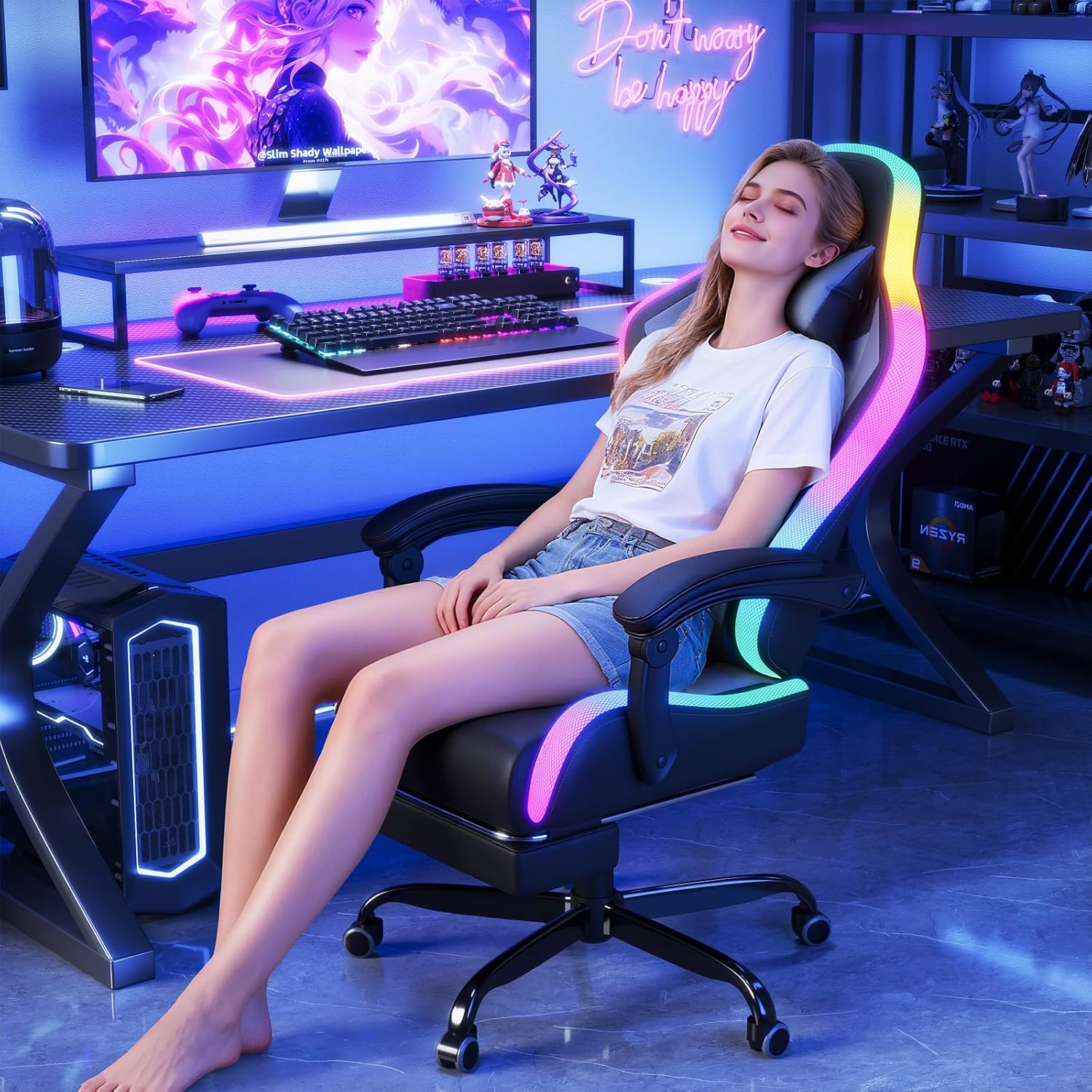
Image: An exploded view showing all individual components of the gaming chair, useful for identifying parts during assembly.

Image: A diagram illustrating the safety-focused design of the chair's base, highlighting the robust chassis, certified gas lift, steel plate, and anti-slip PU wheels.
Operating Instructions
Chair Adjustments:
- Height Adjustment: Pull the lever located under the seat upwards to adjust the chair height. Release the lever at the desired height.
- Recline Function: Pull the recline lever (typically on the right side of the seat) to adjust the backrest angle between 90° and 135°. Release the lever to lock the position.
- Retractable Footrest: Pull the footrest out from under the seat when desired, and push it back in when not in use.
- 360° Swivel: The chair is designed to swivel freely for ease of movement.
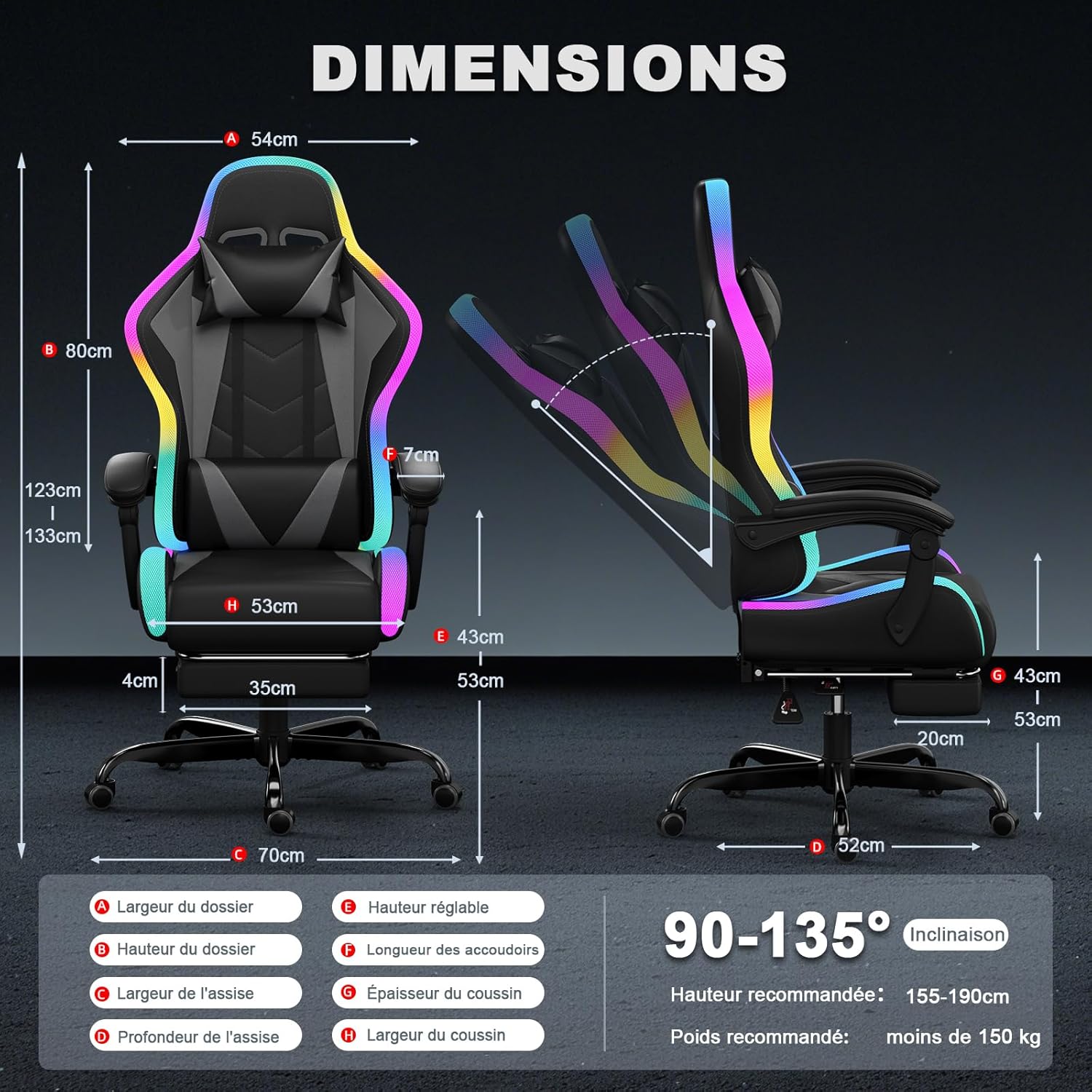
Image: A detailed diagram illustrating the various dimensions of the chair and its recline capability from 90 to 135 degrees.
LED Lighting Control:
The LED lighting is controlled via the included remote control.
- Power On/Off: Press the power button on the remote.
- Mode Selection: Use the mode buttons to cycle through 366 preset RGB lighting modes.
- Color Adjustment: Select specific colors or color patterns.
- Speed Adjustment: Increase or decrease the speed of dynamic lighting effects.
- Brightness Adjustment: Adjust the intensity of the LED lights.
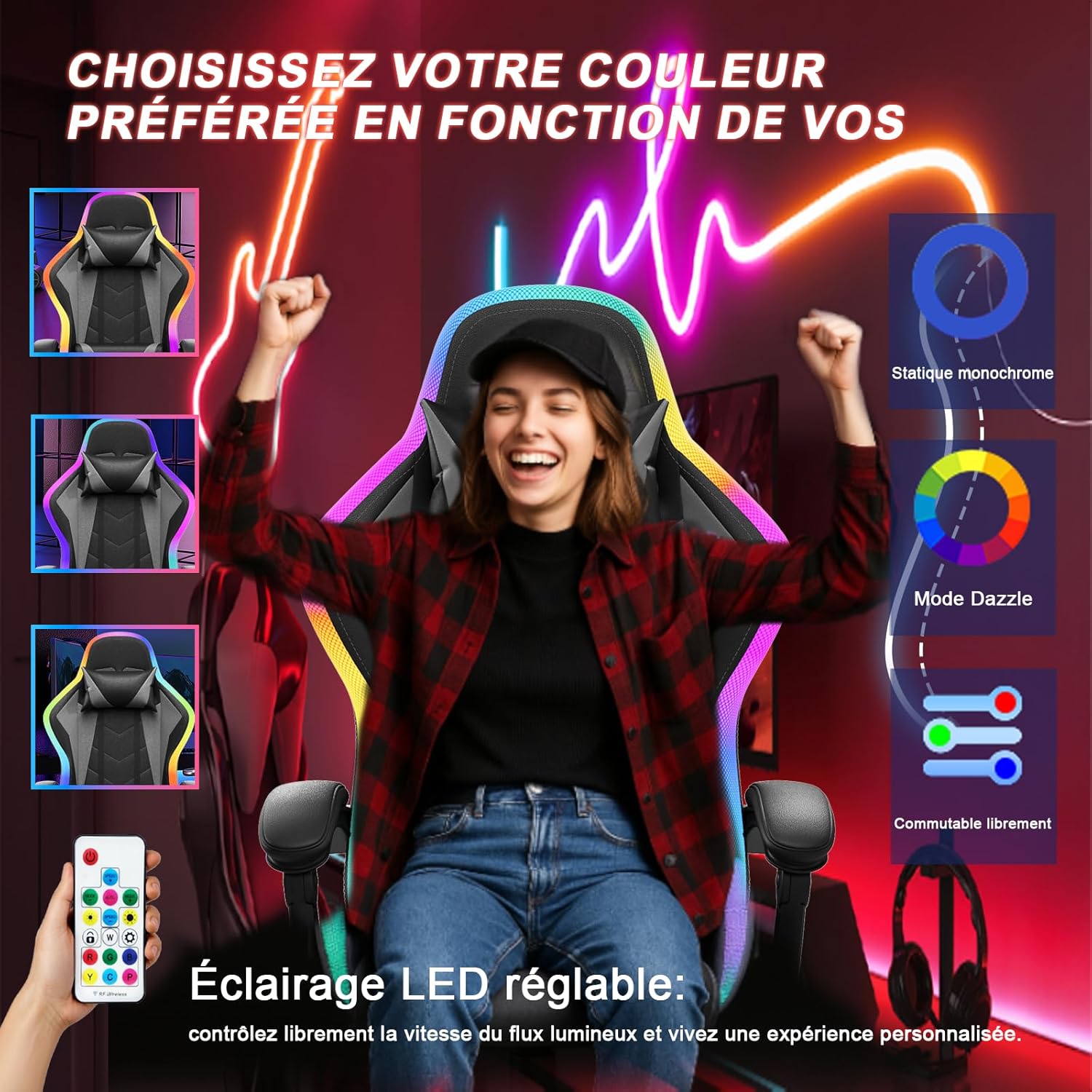
Image: A user demonstrating the control of the chair's LED lighting using the provided remote control, showcasing various color options.
Massage Function:
The lumbar support features a vibration massage function.
- Connect the USB cable from the lumbar cushion to a power source (e.g., USB port on a computer or a USB wall adapter).
- Activate the massage function using the control on the lumbar cushion or as indicated in the specific massage unit instructions.
- Adjust intensity or mode if available.
Maintenance
Regular maintenance will help prolong the life and appearance of your JUMMICO Gaming Chair.
- Cleaning: Wipe the PU leather surfaces with a soft, damp cloth. For stubborn stains, use a mild soap solution and dry immediately. Avoid harsh chemicals or abrasive cleaners.
- Frame and Base: Periodically check all screws and bolts to ensure they are tight. Retighten if necessary.
- Wheels: Clean any dust or debris from the wheels to ensure smooth movement.
- Electrical Components: Ensure the LED and massage cables are not pinched or damaged. Disconnect power when cleaning or not in use for extended periods.
Troubleshooting
If you encounter any issues with your JUMMICO Gaming Chair, refer to the following common solutions:
| Problem | Possible Cause | Solution |
|---|---|---|
| Chair does not recline or adjust height. | Lever not engaged, gas lift issue, or mechanism obstruction. | Ensure the lever is fully pulled/pushed. Check for obstructions under the seat. If issues persist, contact support. |
| LED lights are not working. | Power connection loose, remote battery dead, or LED strip damage. | Check all cable connections. Replace remote control batteries. Ensure the power adapter is functioning. |
| Massage function is not working. | USB cable disconnected, power source issue, or internal fault. | Verify the USB cable is securely connected to a working power source. Try a different USB port or adapter. |
| Chair squeaks or wobbles. | Loose bolts or components. | Inspect and tighten all assembly bolts and screws, especially those connecting the seat to the mechanism and the base. |
Specifications
| Feature | Detail |
|---|---|
| Brand | JUMMICO |
| Model Number | gaming stuhl led |
| Color | Grey |
| Material | Foam, Cast Iron, PU Leather |
| Product Dimensions (L x W x H) | 52 x 53 x 128 cm |
| Item Weight | 20 Kilograms |
| Maximum Load Capacity | 150 Kilograms |
| Recline Angle | 90° to 135° |
| Gas Lift Certification | SGS Certified, Class 3 |
| UPC | 788418914934 |
Warranty and Support
JUMMICO is committed to providing high-quality products and customer satisfaction.
If you have any questions, concerns, or require assistance with your JUMMICO Gaming Chair, please do not hesitate to contact us directly via Amazon. Our customer service team aims to provide a satisfactory response within 24 hours.
Please retain your proof of purchase for any warranty claims.
