
1. Introduction
This manual provides essential information for the safe and efficient operation, assembly, and maintenance of your EILLEO Adults Electric Scooter with Seat, model US11-1213. Please read this manual thoroughly before using the scooter to ensure proper function and to prevent injury or damage.

Figure 1: EILLEO Adults Electric Scooter with Seat (Black)
2. Safety Information
Operating an electric scooter requires caution and adherence to safety guidelines. Always prioritize your safety and the safety of others.
- Wear a Helmet: Always wear an approved helmet and other protective gear (knee pads, elbow pads) when riding.
- Observe Traffic Laws: Follow all local traffic laws and regulations.
- Weight Limit: Do not exceed the maximum weight limit of 265 lbs (120 kg).
- Age Range: This scooter is designed for adult use. Supervise children if they are passengers on the designated child seats.
- Braking: The scooter is equipped with dual brakes. Familiarize yourself with their operation before riding.
- Night Riding: Utilize the bright front light and rear taillights for visibility during night riding. Ensure lights are functional before operating in low-light conditions.
- Weather Conditions: Avoid riding in heavy rain, snow, or icy conditions.
3. Package Contents
Upon unpacking, verify that all components are present and undamaged:
- EILLEO Electric Scooter with Seats (Main Unit)
- Battery Charger
- User Manual
- Assembly Tools (if required)
Note: The basket is sold separately and may not be included in the standard package.
4. Setup and Assembly
The EILLEO electric scooter features a quick-folding design for convenience. Follow these steps for initial setup:
- Unfolding the Handlebar: Carefully unfold the handlebar until it locks securely into place. Ensure all locking mechanisms are engaged.
- Adjusting the Seat: The main seat is height-adjustable. Loosen the quick-release lever or bolt, adjust the seat to a comfortable riding height, and then securely tighten.
- Child Seats and Footrests: The front child seat is removable for additional cargo space. The rear seat can also be removed to install a basket (sold separately). Ensure all seats and foldable footrests are properly positioned and secured before use.
- Initial Charge: Before first use, fully charge the scooter's battery. Refer to the 'Charging the Battery' section for detailed instructions.
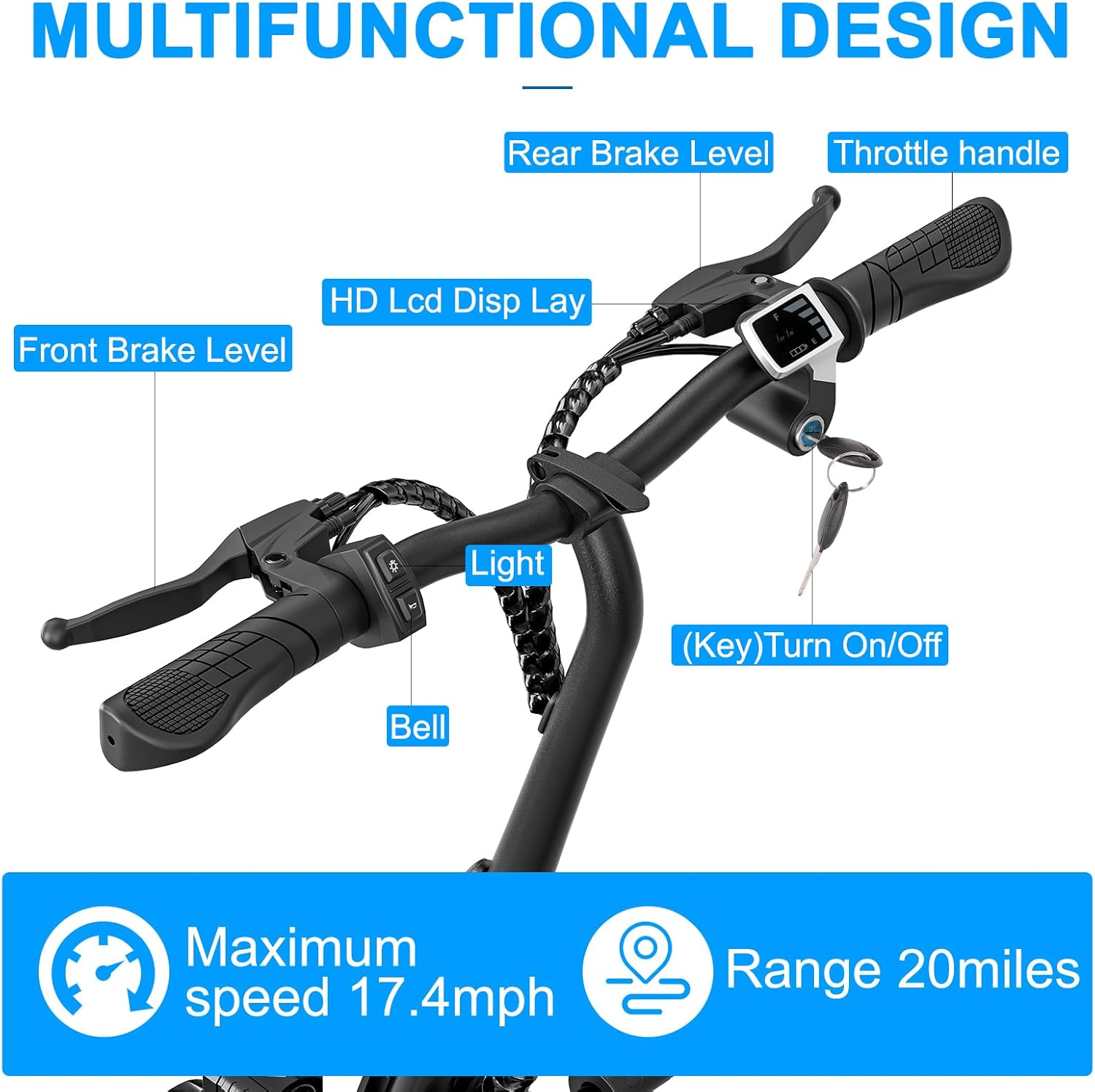
Figure 2: Handlebar Controls and Display
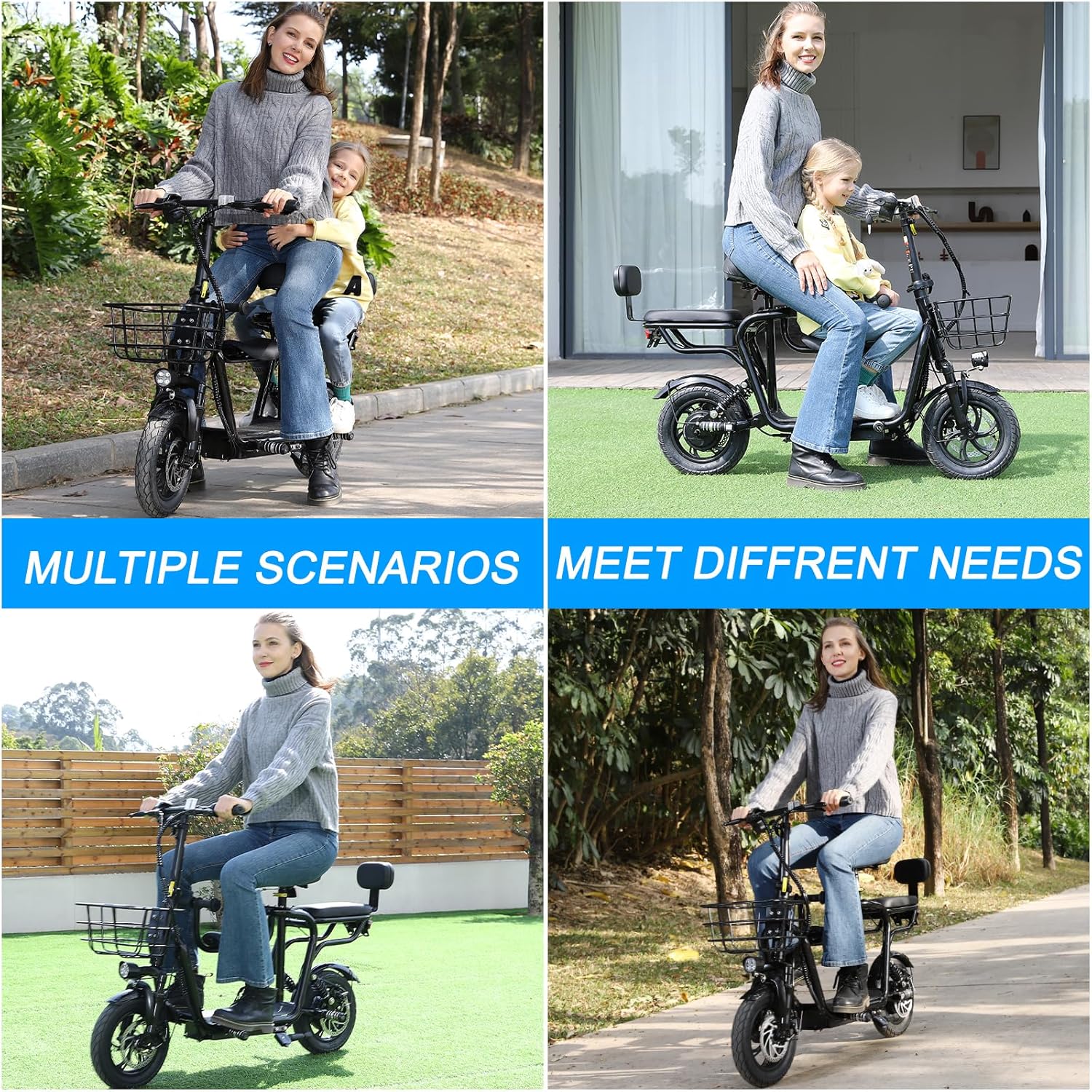
Figure 3: Foldable Footrest and Wide Pedal
5. Operating Instructions
Familiarize yourself with the scooter's controls and functions before riding.
5.1 Powering On/Off
- Insert the key into the ignition and turn it to the 'ON' position to power on the scooter.
- The LED Dashboard will illuminate, displaying current battery information.
- Turn the key to the 'OFF' position to power off the scooter.
5.2 Riding
- Throttle: Gently twist the throttle handle to accelerate. The scooter features infinitely variable speed regulation for smooth acceleration.
- Braking: Use the front and rear brake levers on the handlebar to slow down or stop. Apply both brakes simultaneously for optimal stopping power.
- Lights: Press the light button on the handlebar to activate the front headlight and rear taillights.
- Bell: Use the bell to alert pedestrians or other riders of your presence.
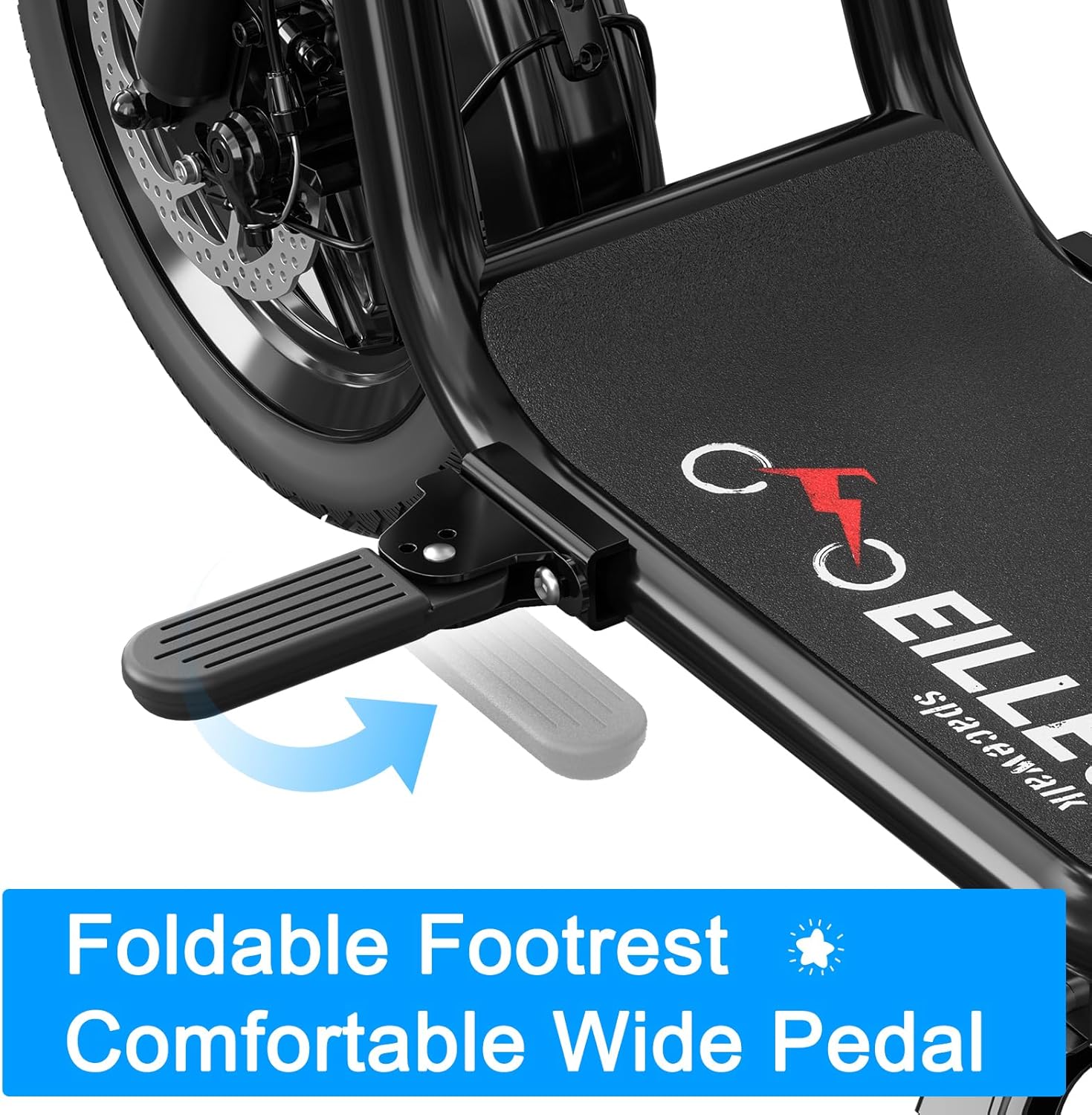
Figure 4: Scooter Features: Bright Light, Removable Seats

Figure 5: Safe Riding at Night with Headlight and Taillight
5.3 Charging the Battery
- Locate the charging port on the scooter.
- Connect the charger to the scooter's charging port, then plug the charger into a standard electrical outlet.
- The charging indicator on the charger will show the charging status.
- A full charge typically takes approximately 4 hours. Do not overcharge the battery.
6. Maintenance
Regular maintenance ensures the longevity and safe operation of your scooter.
- Battery Care: Store the scooter in a cool, dry place. If storing for extended periods, charge the battery to approximately 50-70% every 1-2 months.
- Tire Maintenance: The 14-inch pneumatic tires require proper inflation. Check tire pressure regularly and inflate to the recommended PSI (refer to tire sidewall for details).
- Cleaning: Clean the scooter with a damp cloth. Avoid using high-pressure water jets or harsh chemicals, which can damage electrical components.
- Brake Inspection: Periodically check the front and rear disc brakes for wear and proper function. Adjust or replace brake pads as needed.
- General Inspection: Regularly check all bolts, nuts, and fasteners for tightness. Ensure the folding mechanism is secure.
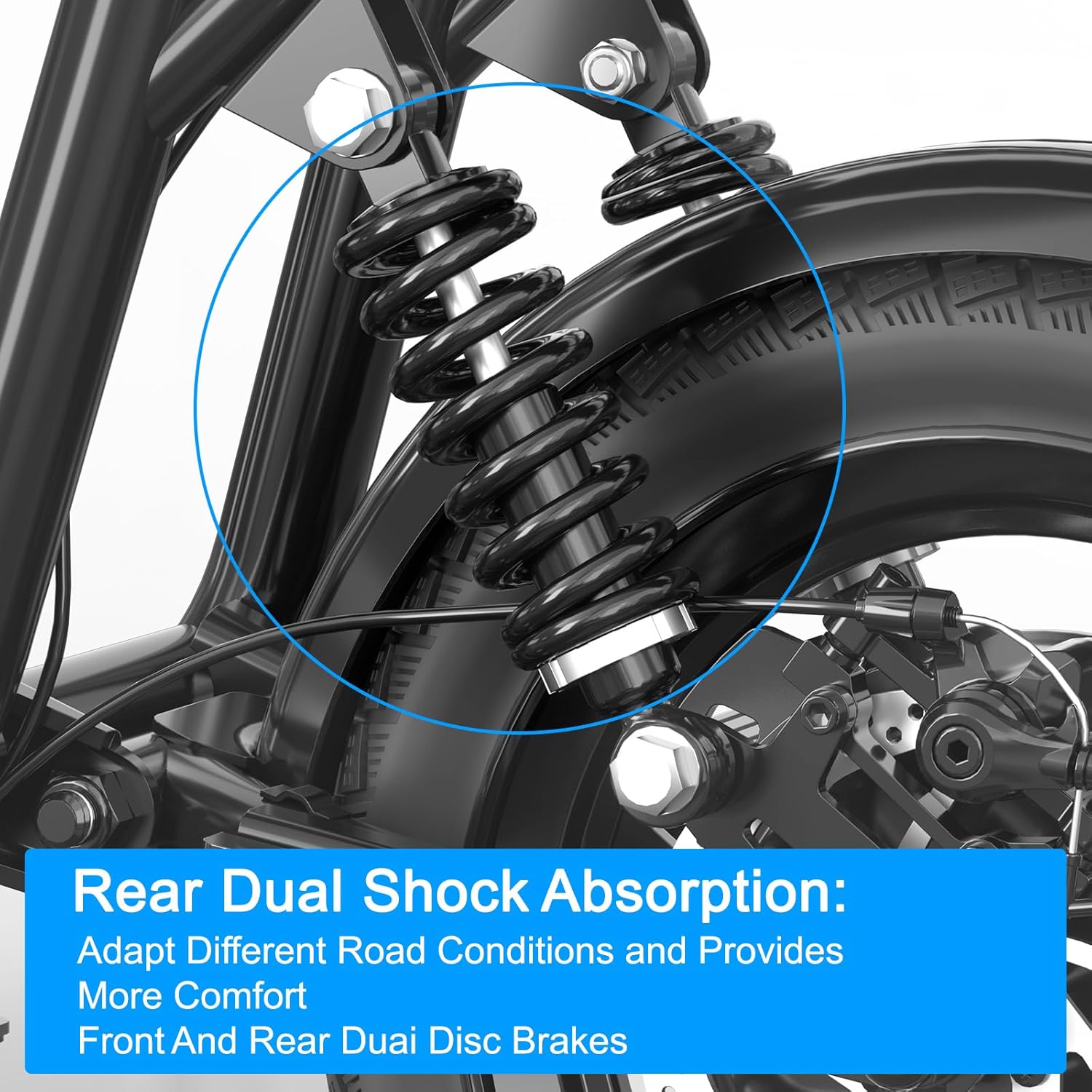
Figure 6: Rear Dual Shock Absorption and Disc Brakes

Figure 7: 14-inch Pneumatic Tires
7. Troubleshooting
This section addresses common issues you might encounter with your scooter.
- Scooter Not Turning On: Ensure the key is fully inserted and turned to the 'ON' position. Check battery charge level.
- Reduced Range/Power: This could indicate a low battery charge. Ensure the battery is fully charged. Extreme temperatures can also affect battery performance.
- Brakes Not Responsive: Inspect brake cables and pads for wear or damage. Adjust as necessary or seek professional assistance.
- Unusual Noises: Stop riding immediately and inspect the scooter for loose parts, damaged components, or foreign objects.
If you experience persistent issues not covered here, please contact customer support.
8. Specifications
Detailed technical specifications for the EILLEO Adults Electric Scooter with Seat.
| Feature | Specification |
|---|---|
| Brand | EILLEO |
| Model Name | US11-1213 |
| Color | Black |
| Motor Power | 350W (500W Peak Power) |
| Battery | 36V 13Ah |
| Max Speed | 17.4 mph (28 km/h) |
| Max Range | Up to 20 miles (32 km) |
| Weight Limit | 265 Pounds (120 kg) |
| Product Dimensions | 50"L x 22.83"W x 44.09"H (127cm L x 58cm W x 112cm H) |
| Item Weight | 29.5 Kilograms (65 lbs) |
| Wheel Size | 14 Inches |
| Wheel Type | Pneumatic |
| Brake Style | Front Braking, Rear Braking (Disc Brakes) |
| Suspension Type | Rear Suspension |
| Charging Time | 4 Hours |
| Special Features | Adjustable Handlebar Height, Cruise Control, Digital Display, Dual Braking System, Seat |
| Material | Alloy Steel |
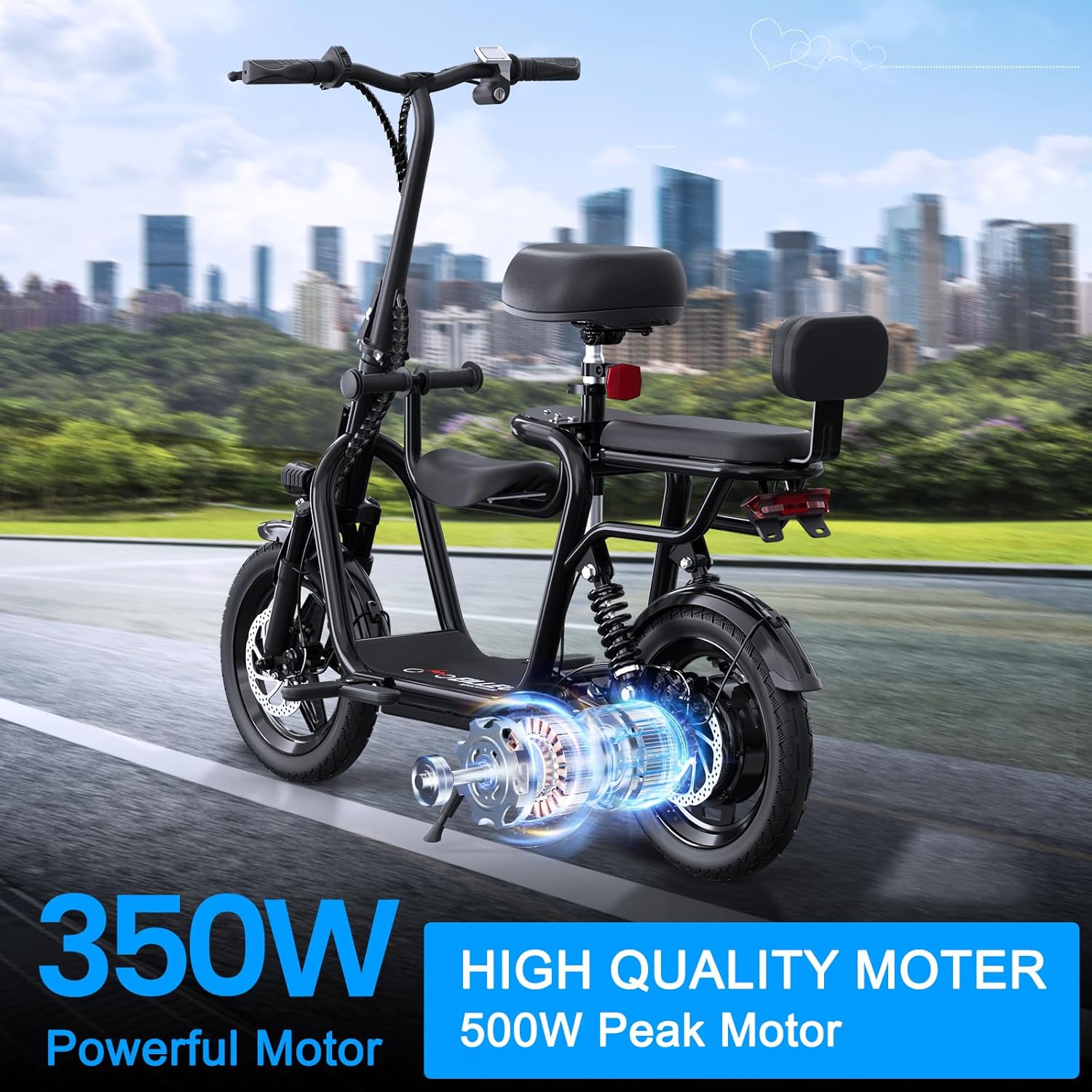
Figure 8: Powerful 350W Motor (500W Peak)

Figure 9: Product Dimensions Overview
9. Warranty
The EILLEO Adults Electric Scooter with Seat comes with a 1-Year Warranty from the date of purchase. This warranty covers manufacturing defects under normal use. It does not cover damage caused by misuse, accidents, unauthorized modifications, or normal wear and tear. Please retain your proof of purchase for warranty claims.
10. Customer Support
For any questions, technical assistance, or warranty claims, please contact EILLEO Official-US customer support. Refer to your purchase documentation or the EILLEO brand store on Amazon for contact details.
We are committed to providing excellent service and support for your product.


