
Introduction
Thank you for choosing the HOMVILLA Digital Alarm Clock, Model 8813. This alarm clock features a large, colorful LED display, adjustable volume and brightness, dual alarms, and a convenient USB charging port. This manual provides detailed instructions for setup, operation, maintenance, and troubleshooting to ensure optimal performance and a seamless user experience.

Overview of the HOMVILLA Digital Alarm Clock's key features, including adjustable dimmer, volume, snooze, dual alarms, 12/24-hour format, 8 alarm melodies, memory function, USB charging, DST, and a large display.
Setup
1. Unpacking and Initial Preparation
- Carefully remove the alarm clock from its packaging.
- Peel off any protective film from the LED display.
2. Power Connection
The HOMVILLA Digital Alarm Clock is powered by a corded electric connection. A USB cable and power adapter are included for your convenience.
- Connect the USB cable to the DC Port on the back of the alarm clock.
- Plug the USB cable into the provided power adapter.
- Insert the power adapter into a standard electrical outlet. The display will illuminate.
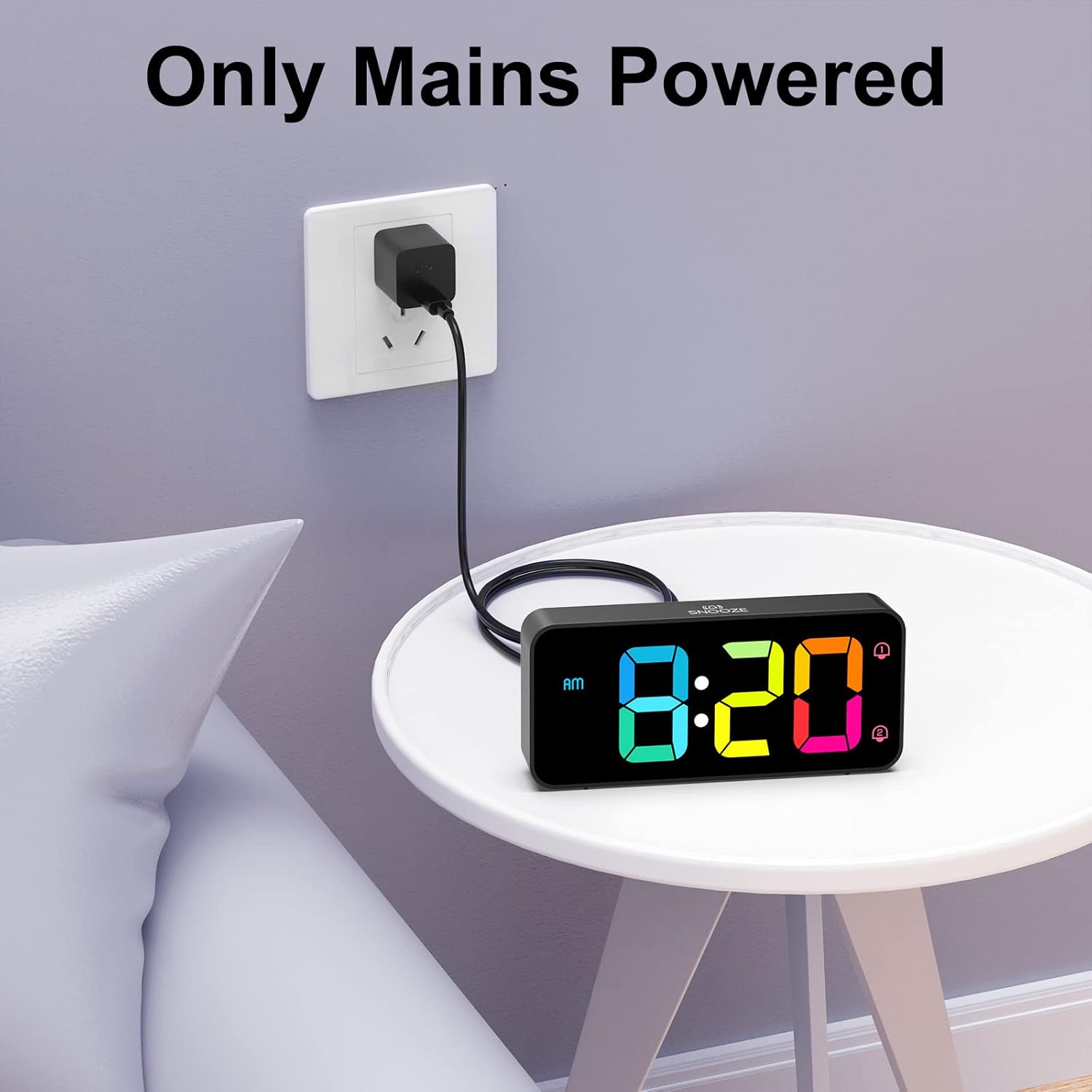
The alarm clock requires continuous mains power for operation. Connect the USB cable to the clock and the adapter to a wall outlet.
3. Battery Backup (Memory Function)
While the clock requires mains power to operate, you can install backup batteries to retain time and alarm settings during a power outage.
- Locate the battery compartment on the underside of the alarm clock.
- Insert 2 AAA batteries (not included), ensuring correct polarity (+/-).
- Close the battery compartment.
Note: The backup batteries only support the memory function; the display will not be active without mains power.

Installing 2 AAA batteries enables the memory function, preserving your time and alarm settings during power interruptions.
Operation
Familiarize yourself with the control buttons and wheels located on the back and top of the alarm clock.

Detailed view of the alarm clock's controls, including the volume wheel, dimmer wheel, time setting buttons, alarm setting buttons, and the snooze button.
1. Setting the Time
- Press and hold the TIME SET button on the back of the clock. The hour digits will begin to flash.
- Use the UP and DOWN buttons to adjust the hour. Pay attention to the AM/PM indicator if using 12-hour format.
- Press TIME SET again to move to minute adjustment. Use UP and DOWN to set the minutes.
- Press TIME SET a third time to confirm and exit time setting mode.
- To switch between 12-hour and 24-hour format, briefly press the UP button during normal time display.
2. Setting Dual Alarms
The clock supports two independent alarms (Alarm 1 and Alarm 2).
- Press and hold the ALARM SET button. The Alarm 1 icon and hour digits will flash.
- Use the UP and DOWN buttons to set the desired hour for Alarm 1.
- Press ALARM SET again to set the minutes for Alarm 1. Use UP and DOWN.
- Press ALARM SET a third time to set Alarm 2. Repeat the hour and minute setting process.
- Press ALARM SET a fourth time to confirm and exit alarm setting mode.
- To activate/deactivate an alarm, briefly press the ON/OFF button. The corresponding alarm icon (1 or 2) will appear/disappear on the display.

The clock supports dual alarms for different schedules and features a convenient snooze function.
3. Adjusting Alarm Volume
The alarm volume can be adjusted from 90 dB to 120 dB using the volume scroll wheel.
- Locate the VOLUME scroll wheel on the left side of the back panel.
- Gently slide the wheel up or down to increase or decrease the alarm volume to your preferred level.
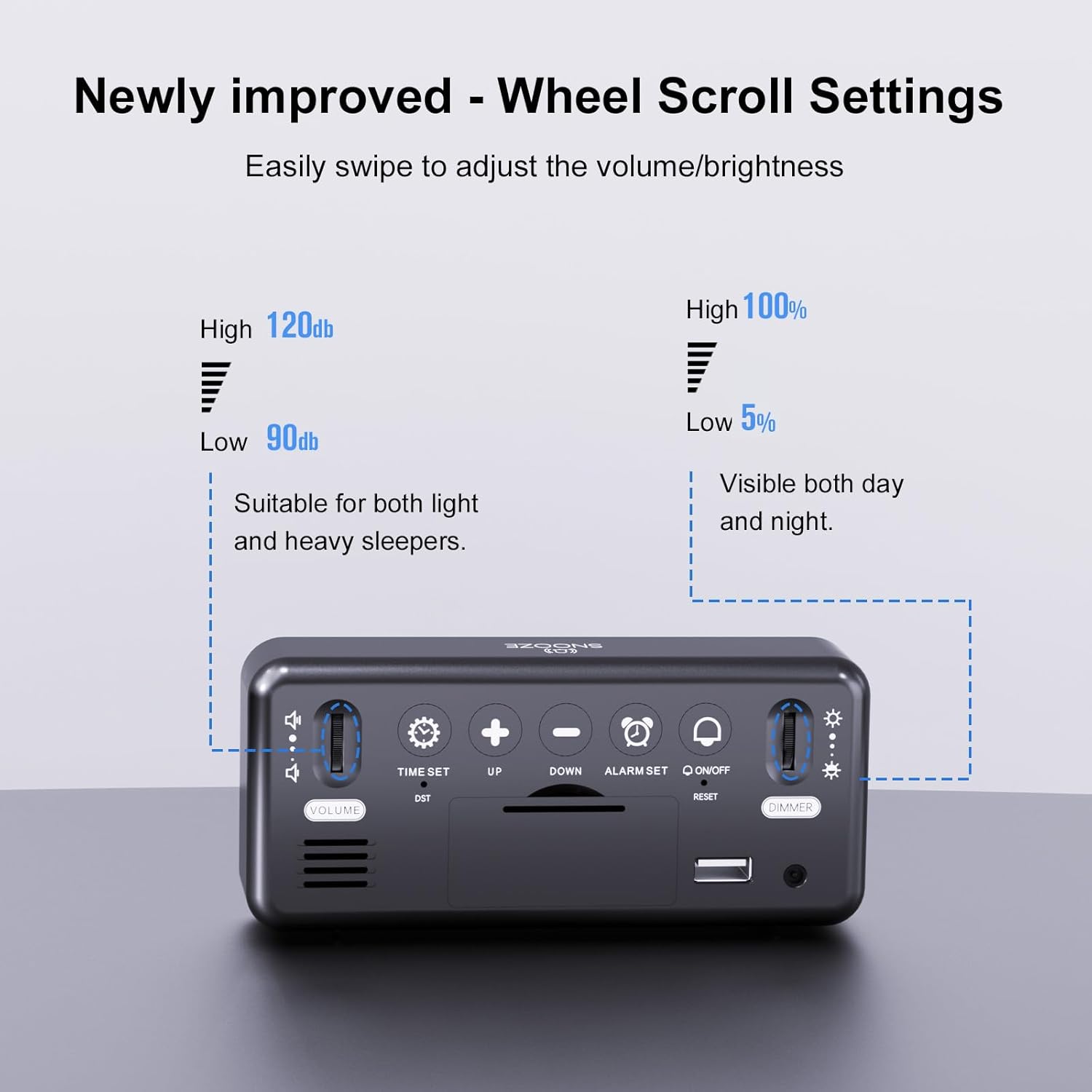
Adjust the alarm volume from 90dB to 120dB using the dedicated scroll wheel on the back.
4. Selecting Alarm Melodies
The alarm clock offers eight different melodies.
- While in alarm setting mode (after setting the time for an alarm), press the UP or DOWN button to cycle through the available melodies.
- Press ALARM SET to confirm your selection.

Choose from 8 distinct alarm sounds, including classic ringtones, nature sounds, and musical options.
5. Snooze Function
When an alarm sounds, press the large SNOOZE button on the top of the clock to temporarily silence the alarm for 5 minutes.
6. Turning Off the Alarm
To turn off a sounding alarm for the day, press any of the five buttons on the back panel (TIME SET, UP, DOWN, ALARM SET, ON/OFF). The alarm will reset for the next day.
7. Adjusting Display Brightness
The display brightness is continuously adjustable from 5% to 100%.
- Locate the DIMMER scroll wheel on the right side of the back panel.
- Gently slide the wheel up or down to increase or decrease the display brightness to your desired level.
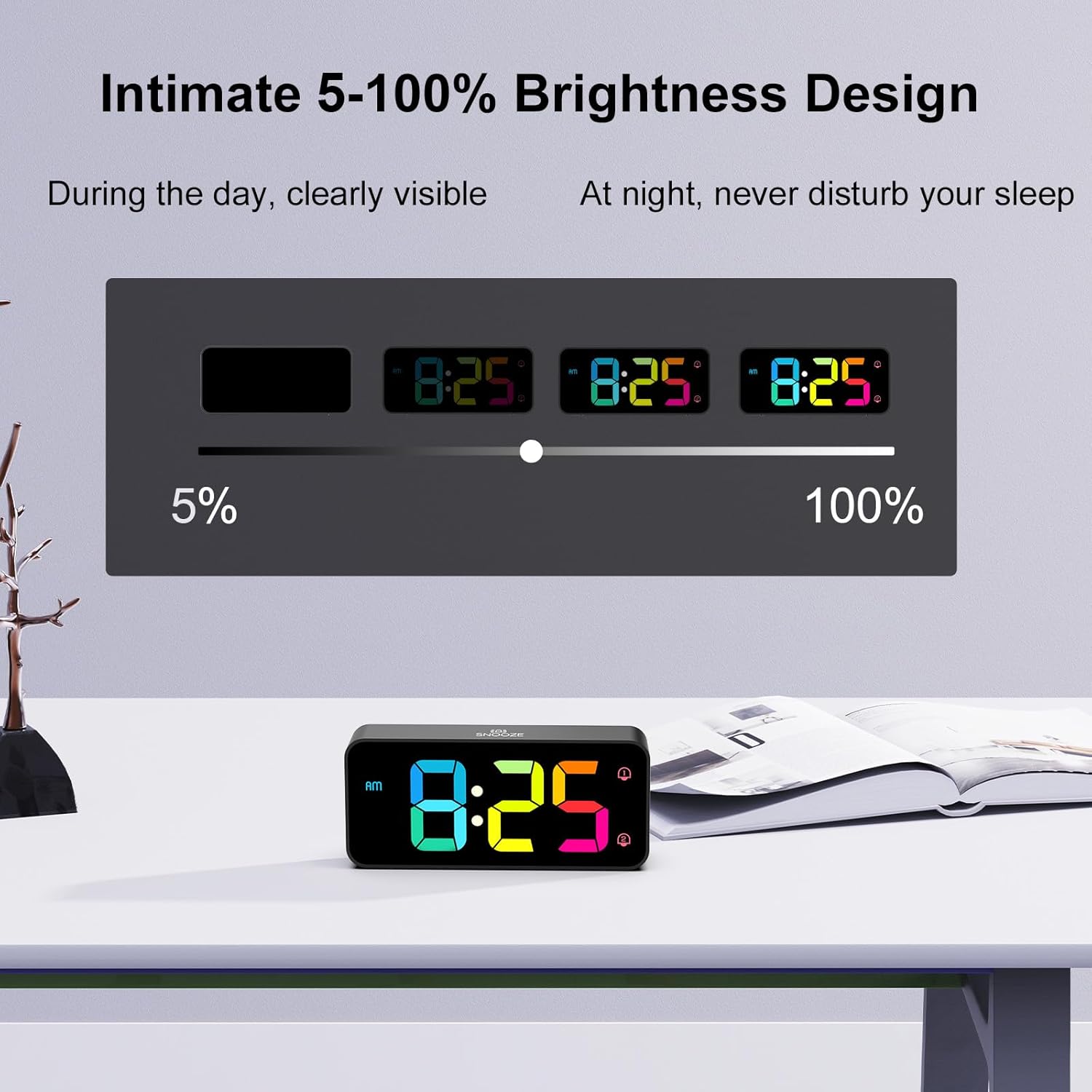
The display brightness can be adjusted from 5% to 100% for comfortable viewing in any lighting condition.
8. Daylight Saving Time (DST)
To activate or deactivate Daylight Saving Time, briefly press the DST button on the back panel. The time will adjust by one hour, and the DST indicator will appear/disappear.
9. USB Charging Port
A USB port is located on the back panel for convenient charging of mobile phones or other small electronic devices.
- Connect your device's USB charging cable to the USB Port on the back of the alarm clock.
- Ensure the alarm clock is connected to mains power for the charging function to work.
Maintenance
To ensure the longevity and proper functioning of your HOMVILLA Digital Alarm Clock, follow these simple maintenance guidelines:
- Cleaning: Gently wipe the display and exterior surfaces with a soft, dry, or slightly damp cloth. Avoid using abrasive cleaners, solvents, or chemical sprays, as these can damage the finish.
- Placement: Place the alarm clock on a stable, flat surface away from direct sunlight, excessive heat, moisture, or strong magnetic fields.
- Power: Always ensure the clock is connected to a stable power source. If storing for an extended period, disconnect from power and remove backup batteries.
Troubleshooting
If you encounter any issues with your alarm clock, please refer to the following common problems and solutions:
| Problem | Possible Cause | Solution |
|---|---|---|
| Display is off or flickering. | No mains power; loose connection; power adapter issue. | Ensure USB cable and adapter are securely connected and plugged into a working outlet. Check if the outlet has power. |
| Alarm does not sound. | Alarm not activated; volume too low; incorrect alarm time set. | Verify the alarm icon (1 or 2) is displayed. Adjust the volume wheel. Recheck alarm time settings. |
| Time/settings reset after power outage. | No backup batteries installed or batteries are depleted. | Install 2 new AAA batteries for the memory function. |
| USB charging port not working. | Clock not connected to mains power. | Ensure the alarm clock is powered by the included USB cable and adapter from a wall outlet. |
| Buttons are unresponsive. | Temporary software glitch. | Unplug the power adapter, remove backup batteries (if installed), wait 30 seconds, then reconnect power. This performs a soft reset. |
Specifications
| Feature | Detail |
|---|---|
| Model Number | 8813 |
| Product Dimensions (L x W x H) | 14.4 x 3.81 x 6.3 cm (5.7 x 1.5 x 2.5 inches) |
| Item Weight | 200 Grams |
| Brand | HOMVILLA |
| Color | Black - Colorful Display |
| Display Type | Digital LED |
| Special Features | LED Display, Dual Alarms, Adjustable Brightness (5-100%), Adjustable Volume (90-120dB), Snooze, DST, USB Charging Port |
| Power Source | Corded Electric (USB cable and adapter included) |
| Backup Battery | 2 x AAA (not included, for memory function only) |
| Material | Plastic |
| Mounting Type | Tabletop |
| Connectivity Technology | USB |
Warranty Information
HOMVILLA offers a lifetime warranty for this product. For details regarding warranty claims or service, please refer to the contact information provided in the support section.
Support
For further assistance, technical support, or warranty inquiries, please contact HOMVILLA customer service through the retailer's platform or the official HOMVILLA website. Please have your product model number (8813) and purchase details ready when contacting support.

