
Introduction
This manual provides essential information for the safe and efficient operation of your Cecotec Bolero DressCode Dry 10505 Inverter Steel Heat Pump Dryer. Please read these instructions carefully before installation, use, and maintenance. Keep this manual for future reference.
Safety Instructions
Always follow basic safety precautions when using electrical appliances to reduce the risk of fire, electric shock, and injury to persons. This appliance is intended for household use only.
- Ensure the appliance is properly grounded.
- Do not allow children to play with or operate the dryer.
- Do not dry unwashed items in the tumble dryer.
- Items soiled with substances such as cooking oil, acetone, alcohol, petrol, kerosene, spot removers, turpentine, waxes, and wax removers should be washed in hot water with an extra amount of detergent before being dried in the tumble dryer.
- Remove all objects from pockets such as lighters and matches.
- Clean the lint filter after every drying cycle.
- Do not install the dryer in an area where it may be exposed to water or moisture.
Setup and Installation
Before operating the dryer, ensure it is correctly installed and leveled. The dryer comes with a user manual for detailed installation steps.
Unpacking
Carefully remove all packaging materials. Inspect the dryer for any damage during transit. The package includes the dryer unit and this instruction manual.
Placement and Dimensions
Place the dryer on a firm, level surface. Ensure adequate ventilation around the appliance. The dryer is a front-loading model with a right-opening door.
- Dimensions (Depth x Width x Height): 66 cm x 60 cm x 85 cm
- Weight: 47.5 kg
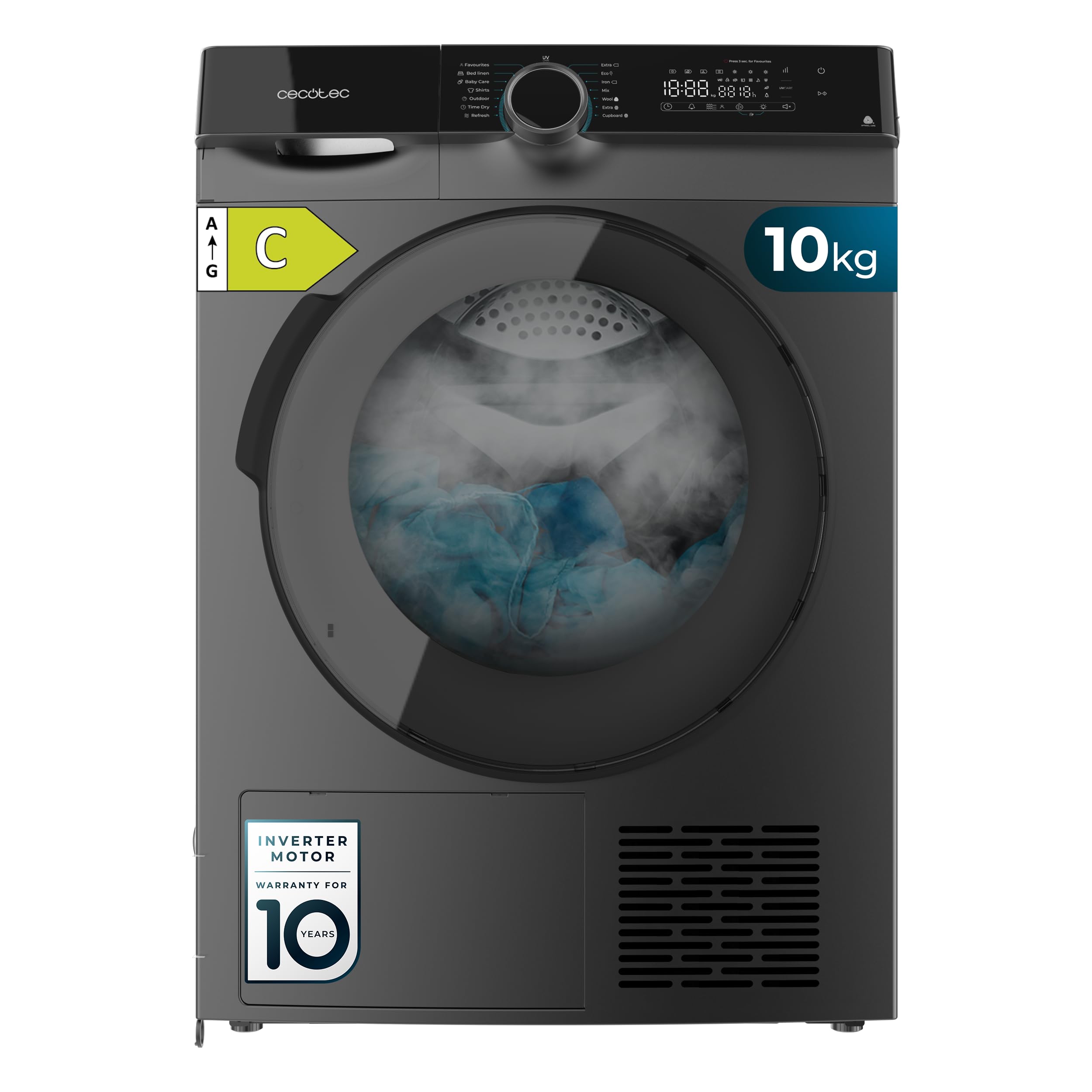
Image: Front-side view of the Cecotec Bolero DressCode Dry 10505 Inverter Steel Heat Pump Dryer, showing its overall dimensions of 85 cm height, 60 cm width, and 68 cm depth.
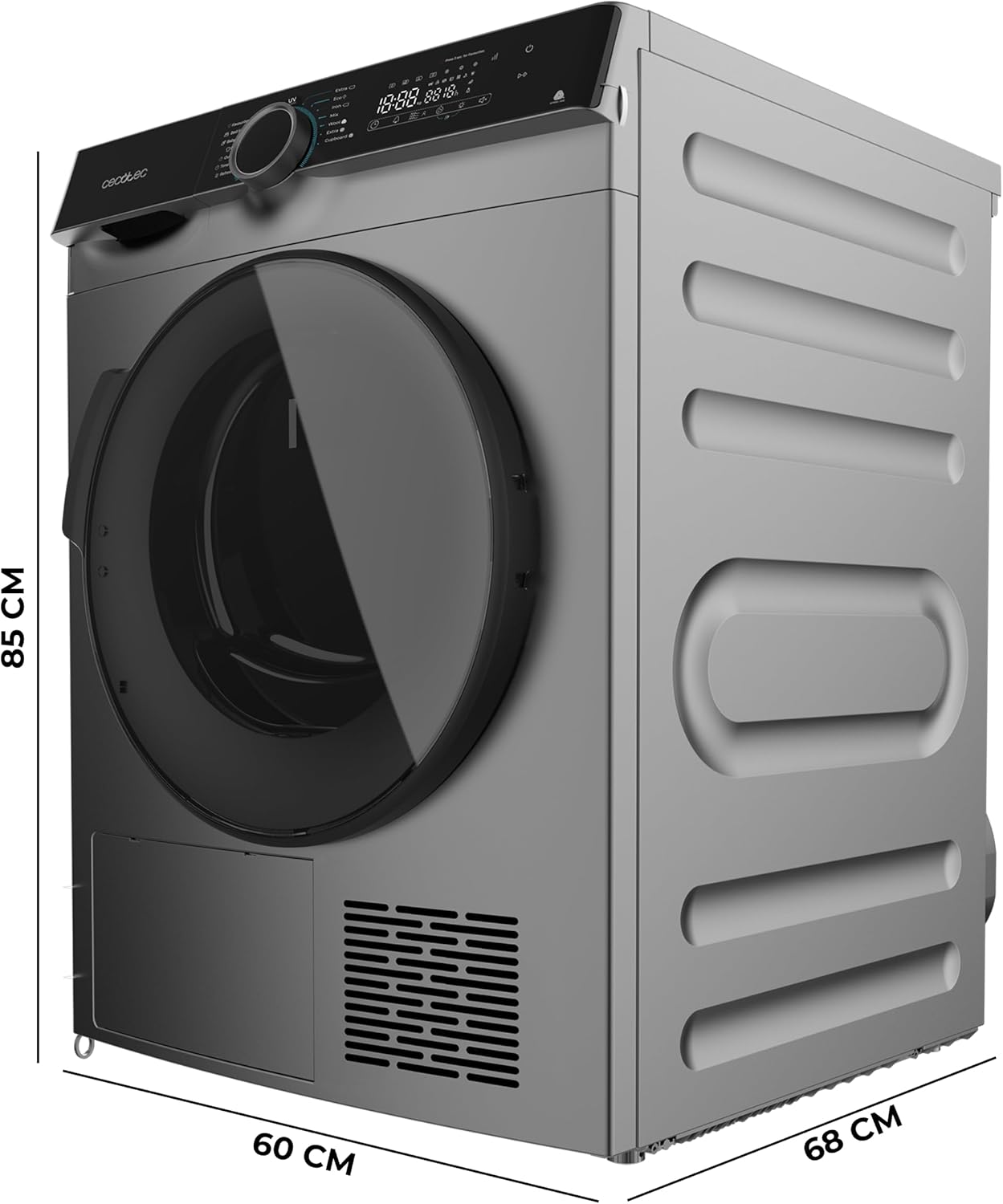
Image: Front view of the Cecotec Bolero DressCode Dry 10505 Inverter Steel Heat Pump Dryer, showcasing the control panel and the large front-loading door.

Image: Side view of the Cecotec Bolero DressCode Dry 10505 Inverter Steel Heat Pump Dryer, highlighting its sleek design.

Image: Rear view of the Cecotec Bolero DressCode Dry 10505 Inverter Steel Heat Pump Dryer, showing the back panel and connections.
Operating Instructions
Your Cecotec dryer is equipped with advanced features for efficient and gentle drying. It has a 10 kg capacity and an Inverter Plus motor for quiet and durable operation.
Loading Laundry
Open the dryer door and load your laundry. Do not overload the dryer; ensure there is enough space for clothes to tumble freely. The maximum capacity is 10 kg.

Image: A person loading clothes into the open drum of the dryer, demonstrating the loading process.

Image: A person loading a large blanket into the dryer, illustrating its 10 kg capacity for bulky items.
Selecting a Program
Turn the program selector knob to choose one of the 14 available drying programs. The control panel will display the selected program and estimated drying time.

Image: A hand adjusting the program selection knob on the dryer's control panel, showing various program options.
Special Functions
- UV Care: This function uses ultraviolet light to sterilize clothes during drying, ensuring deep cleaning and disinfection.
- Easy Iron: Reduces wrinkles significantly, simplifying the ironing process.
- Woolmark Certification: Guarantees gentle treatment for wool garments, keeping them soft and in perfect condition.
- Delayed Start: Program the drying cycle to start at a later time, convenient for your schedule.
- Favorites: Save your preferred drying program for quick access and repeated use.
- KidLock: Child lock function to prevent accidental program changes.
- Comfort Mode: Adjusts the drying cycle for ultra-quiet operation, suitable for nighttime use.

Image: A close-up of the dryer drum with a teddy bear inside, overlaid with an icon representing the UV Care function for sterilization.

Image: A person interacting with the dryer's control panel, with a 'Favorites' icon highlighted, indicating the use of the custom program saving feature.

Image: A sleeping dog in a bed next to the dryer, illustrating the quiet operation of the appliance, likely due to Comfort Mode or Inverter Plus motor.
Maintenance
Regular maintenance ensures optimal performance and extends the lifespan of your dryer.
Cleaning the Lint Filter
The lint filter should be cleaned after every drying cycle to maintain drying efficiency and prevent fire hazards. Refer to the detailed instructions in the included manual for filter location and cleaning procedure.
Emptying the Water Tank
As a heat pump dryer, water extracted from clothes is collected in a tank. This tank must be emptied after each cycle. Consult your manual for the exact location and removal process of the water tank.
Cleaning the Condenser
Periodically clean the condenser unit to ensure efficient operation. Frequency depends on usage. Detailed instructions are provided in the full user manual.
Troubleshooting
If you encounter issues with your dryer, refer to the following common troubleshooting tips. For more complex problems, consult the comprehensive manual or contact customer support.
- Dryer not starting: Check if the power cord is securely plugged in, the door is fully closed, and the child lock (KidLock) is deactivated.
- Clothes not drying properly: Ensure the lint filter is clean, the water tank is empty, and the selected program is appropriate for the load type and size. Avoid overloading.
- Unusual noise: Check for foreign objects in the drum. Ensure the dryer is level.
- Error codes: If an error code appears on the display, consult the full user manual for its meaning and recommended solutions.
Specifications
| Feature | Specification |
|---|---|
| Brand | Cecotec |
| Model Name | Bolero DressCode Dry 10505 Inverter Steel |
| Capacity | 10 kg |
| Color | Stainless Steel (Inox) |
| Form Factor | Front Load |
| Dimensions (D x W x H) | 66 cm x 60 cm x 85 cm |
| Weight | 47.5 kg |
| Material | Stainless Steel |
| Door Opening Direction | Right |
| Energy Class (New Regulation) | C (Equivalent to old A+++) |
| Noise Emission | 65 dB |
| Annual Energy Consumption | 114 kWh/100 cycles |
| Number of Programs | 14 |
| Motor Type | Inverter Plus |
| Special Features | UV Care, Easy Iron, Woolmark Certification, Delayed Start, Favorites, KidLock, Comfort Mode |
| Country of Origin | Spain |
| EU Spare Parts Availability | 10 Years |
| ASIN | B0FLDDLPHY |
Energy Label and Product Fiche
For detailed energy information and product specifications, you can refer to the official EU energy label and product fiche:
View EU Energy Label and Product Fiche

Image: Cecotec brand story hero image, showcasing a modern kitchen setting with Cecotec appliances.
Warranty Information
This Cecotec dryer comes with a 3-year warranty. Please retain your proof of purchase for warranty claims. The warranty covers manufacturing defects under normal household use. For full terms and conditions, refer to the warranty card included with your product or contact Cecotec customer support.
Customer Support
The CecoCare team is dedicated to assisting you with any questions or issues regarding your product. Do not hesitate to contact us.
- Website: www.cecotec.es
- Telephone: +34 963 21 07 28
- Address: Av. Reyes Católicos 60, 46910 Aldaia, Valencia, Spain

Image: CecoCare logo with the message "We care about service" and text indicating the CecoCare team is available to help.


