
1. Introduction
This manual provides comprehensive instructions for the ALLIMITY YAY1FF replacement remote control. This remote is designed to be compatible with various GREE Air Conditioner models, offering a direct replacement without the need for complex programming.
Compatible GREE Air Conditioner Models:
- YAY1F2
- YAY1F2F
- YAY1F1
- YAY1F1F
2. Setup
2.1 Battery Installation
The remote control requires two AAA 1.5V batteries (not included) for operation. Please follow these steps for proper installation:
- Locate the battery compartment cover on the back of the remote control.
- Slide the cover downwards to open the compartment.
- Insert two AAA batteries, ensuring that the positive (+) and negative (-) terminals match the markings inside the compartment.
- Slide the battery compartment cover back into place until it clicks securely.
Important: Do not mix new and old batteries, or different types of batteries. Remove batteries if the remote will not be used for an extended period to prevent leakage.

Figure 2.1: Back view of the remote control with the battery compartment open, illustrating where to insert two AAA batteries.
3. Operating Instructions
This replacement remote control operates directly with compatible GREE Air Conditioners without any programming or pairing. Simply insert the batteries, and it is ready for use.
Note: Ensure there are no obstructions between the remote control and the air conditioner's infrared receiver for optimal performance.
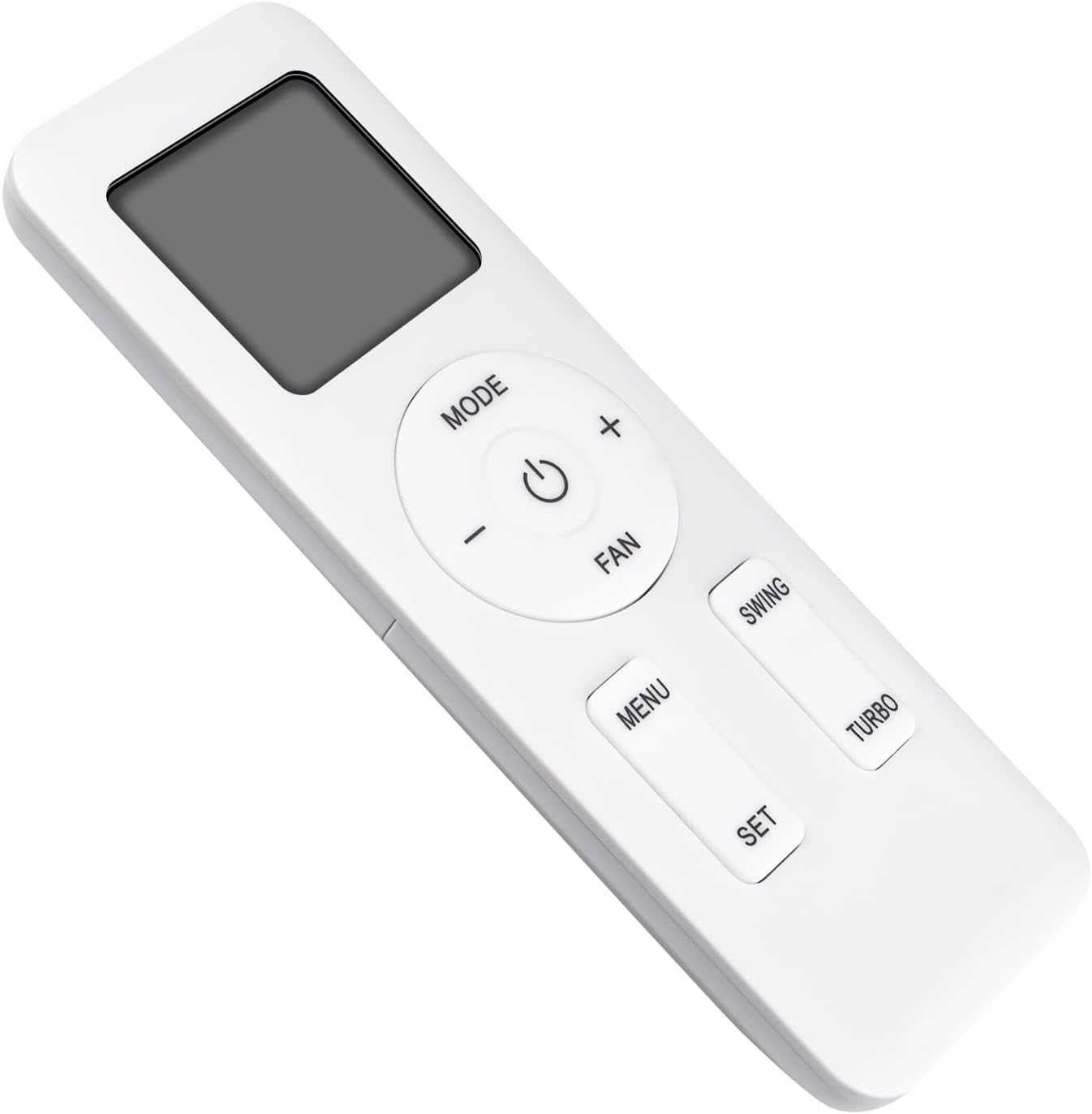
Figure 3.1: Front view of the remote control, displaying the screen and button layout.
3.1 Basic Functions
- Power Button (⏻): Press to turn the air conditioner ON or OFF.
- MODE Button: Cycles through available operating modes (e.g., Cool, Heat, Fan, Dry, Auto).
- FAN Button: Adjusts the fan speed (e.g., Low, Medium, High, Auto).
- Temperature Adjustment (+/- Buttons): Increases or decreases the desired temperature setting.
3.2 Advanced Functions
- SWING Button: Controls the vertical louver movement for air distribution.
- TURBO Button: Activates rapid cooling or heating for quick temperature changes.
- MENU Button: Accesses additional settings or functions specific to your GREE AC model.
- SET Button: Confirms selected settings or options within the menu.
- Lock/Unlock Function: Press the '+' and '-' buttons simultaneously to lock or unlock the remote control, preventing accidental changes.
4. Maintenance
To ensure the longevity and proper functioning of your remote control, please observe the following maintenance guidelines:
- Clean the remote control regularly with a soft, dry cloth. Do not use liquid cleaners or abrasive materials.
- Avoid exposing the remote to direct sunlight, high temperatures, or high humidity.
- Do not drop the remote control or subject it to strong impacts.
- If the remote control will not be used for an extended period (e.g., several months), remove the batteries to prevent potential leakage and damage.
5. Troubleshooting
If you encounter issues with your remote control, please refer to the following common troubleshooting steps:
- Remote not responding:
- Check if the batteries are inserted correctly with the correct polarity (+/-).
- Replace the batteries with new AAA alkaline batteries.
- Ensure there are no physical obstructions between the remote control and the air conditioner's infrared receiver.
- Confirm that the remote is within the effective operating range (up to 33 feet).
- Air conditioner not responding to commands:
- Verify that the air conditioner unit itself is powered on and functioning.
- Check the air conditioner's display for any error codes or indicators.
- Ensure the remote control's signal is not being blocked by furniture, curtains, or other objects.
If the problem persists after trying these steps, please consult the air conditioner's original manual or contact the seller for further assistance.
6. Specifications
| Model | YAY1FF |
| Brand | ALLIMITY |
| Compatible AC Models | GREE YAY1F2, YAY1F2F, YAY1F1, YAY1F1F |
| Connectivity Technology | Infrared |
| Battery Type | 2 x AAA 1.5V (not included) |
| Maximum Range | 33 Feet (10 meters) |
| Dimensions (L x W x H) | 5"L x 1"W x 0.5"H (approximately 13.6 cm L x 4.5 cm W) |
| Item Weight | 62 Grams |
| Special Feature | Ergonomic design |

Figure 6.1: Remote control dimensions.
7. Warranty and Support
Specific warranty details for this replacement remote control are not provided in this manual. For information regarding warranty coverage, returns, or technical support, please refer to the seller's policies or contact the point of purchase directly.