Introduction
The CORBOBO Aula WIN60 HE is a 60% mechanical gaming keyboard designed for high-performance and precise control. It features advanced magnetic switches, an 8000Hz polling rate, and customizable RGB lighting, making it suitable for competitive gaming and efficient typing. This manual provides detailed instructions for setting up, operating, and maintaining your keyboard.

Image: The Aula WIN60 HE keyboard showcasing its compact design and RGB backlighting.
Package Contents
Ensure all items are present in the package:
- Aula WIN60 HE Keyboard (1 unit)
- USB-C Cable (1 unit)
- Keycap Puller (1 unit)
Setup
- Connect the Keyboard: Connect the provided USB-C cable to the USB-C port on the keyboard and the other end to an available USB port on your computer (PC or Laptop running Windows or macOS).
- Driver Installation: The keyboard utilizes a web-based driver. No software downloads are required. Access the driver directly through your web browser to customize settings.
- Initial Power-On: The keyboard should light up upon successful connection. If not, ensure the cable is securely connected and try a different USB port.
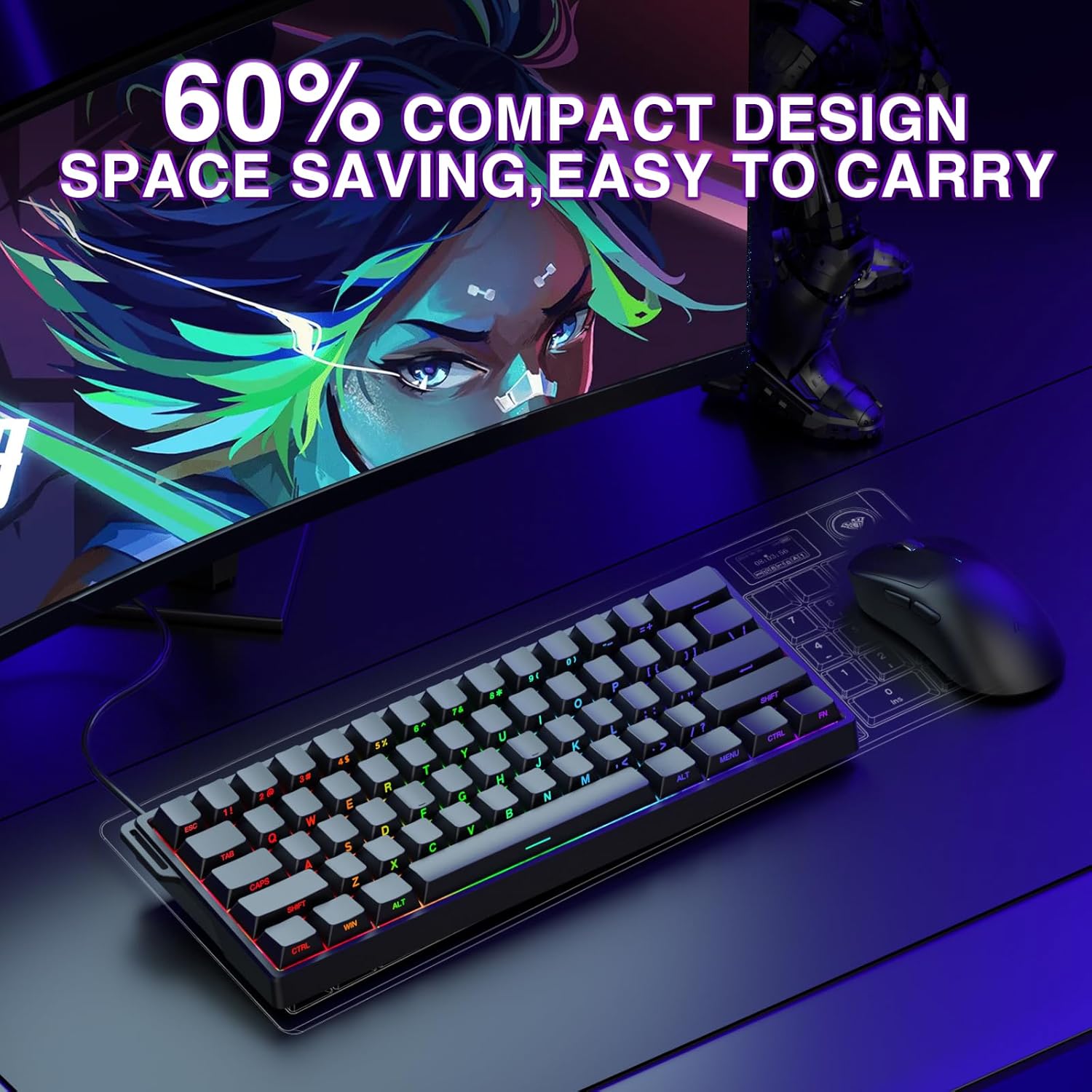
Image: The Aula WIN60 HE keyboard in a compact setup, connected via its USB-C cable.
Operating Instructions
Key Features and Functions
- High-Performance Magnetic Switches: The keyboard is equipped with self-developed magnetic switches, offering ultra-fast response times and a polling rate of up to 8000Hz. This ensures precise and reliable performance in competitive scenarios.
- Rapid Trigger Mode & Adjustable Actuation: Featuring an ultra-low Rapid Trigger (RT) step distance of 0.02mm, this mode allows for lightning-fast key presses and releases. Actuation points are adjustable from 0.02mm to 3.44mm, enabling fine-tuning for different gaming styles. This is particularly beneficial for FPS games, allowing for faster peeking and quick-stop shooting.
- 60% Compact Design: The keyboard's compact layout saves desk space without sacrificing essential functionality, making it portable and suitable for various environments.
- Dynamic RGB Lighting: Customize your keyboard's aesthetics with 16.8 million RGB colors and 14 backlight effects. The lower light position design illuminates side-printed PBT keycaps for a vibrant display.
- Full-Key Hot-Swappable PBT Double Shot Keycaps: The keyboard supports hot-swappable magnetic switches, allowing for easy replacement and customization. PBT keycaps offer high wear resistance and a frosted hand feeling.
- Web-Based Driver for Customization: Access the powerful and user-friendly web-based driver from any device with an internet connection. This allows for effortless key remapping, macro creation, and RGB lighting customization without bulky software downloads.

Image: A close-up view of a magnetic switch, highlighting the adjustable actuation range from 0.02mm to 3.44mm.

Image: Visual representation of the 14 RGB backlight effects and key combinations (Fn + keys) to control lighting speed, brightness, and modes.

Image: The Aula WIN60 HE keyboard with keycaps and switches detached, illustrating the hot-swappable design.

Image: The web-based driver interface, demonstrating options for dynamic keystrokes, macro recording, switch triggering, and real-time magnetic switch travel visualization.
Maintenance
- Cleaning: Regularly clean the keyboard with a soft, dry cloth. For deeper cleaning, use a keycap puller to remove keycaps and clean underneath with compressed air or a small brush. Avoid using harsh chemicals or abrasive materials.
- Cable Care: Avoid bending or twisting the USB-C cable excessively to prevent damage.
- Storage: When not in use, store the keyboard in a clean, dry place away from direct sunlight and extreme temperatures.
Troubleshooting
- Keyboard Not Responding:
- Ensure the USB-C cable is securely connected to both the keyboard and the computer.
- Try connecting the keyboard to a different USB port on your computer.
- Restart your computer.
- Input Lag or Inaccurate Input:
- Ensure your computer's operating system and drivers are up to date.
- Access the web-based driver to recalibrate or adjust actuation settings.
- If experiencing issues after initial setup, try restarting your PC.
- RGB Lighting Issues:
- Use the Fn key combinations (as shown in the operating instructions) to adjust lighting modes, speed, and brightness.
- Check the web-based driver for advanced RGB customization options.
- Key Not Registering:
- Due to the hot-swappable design, ensure the switch is properly seated in its socket. Gently press down on the keycap to ensure full contact.
- If the issue persists, consider replacing the switch using the provided keycap puller.
Specifications
| Feature | Detail |
|---|---|
| Product Dimensions | 11 x 5 x 1 inches (11"L x 5"W x 1"H) |
| Item Weight | 2.16 pounds |
| Manufacturer | AULA |
| Item Model Number | WIN60 HE |
| Brand | CORBOBO |
| Compatible Devices | Laptop, PC Windows |
| Connectivity Technology | USB-C |
| Keyboard Description | Hall Effect Keyboard, Rapid Trigger Magnetic Switch Mechanical Gaming Keyboard Graywood V3 Switch |
| Recommended Uses | Business, Everyday Use, Gaming, Multimedia, Personal, Programming, Student, Video Editing |
| Special Features | Backlit, Customizable Display Keys, Hot-Swappable, Portable, Quiet |
| Keyboard Backlighting Color Support | RGB |
| Style | Contemporary |
Warranty and Support
For warranty information and technical support, please refer to the official CORBOBO website or contact their customer service. Keep your purchase receipt as proof of purchase for any warranty claims.

