
1. Product Overview
The SNOW DEER Upgraded Rechargeable Electric Heated Socks are designed to provide warmth and comfort in cold weather conditions. Featuring 7.4V 2200mAh lithium-polymer batteries and far-infrared heating elements, these socks are suitable for various outdoor activities such as skiing, hiking, camping, and motorcycling. The heating elements cover the entire toe area, including the top and bottom of the foot, to promote blood circulation and prevent frostbite.
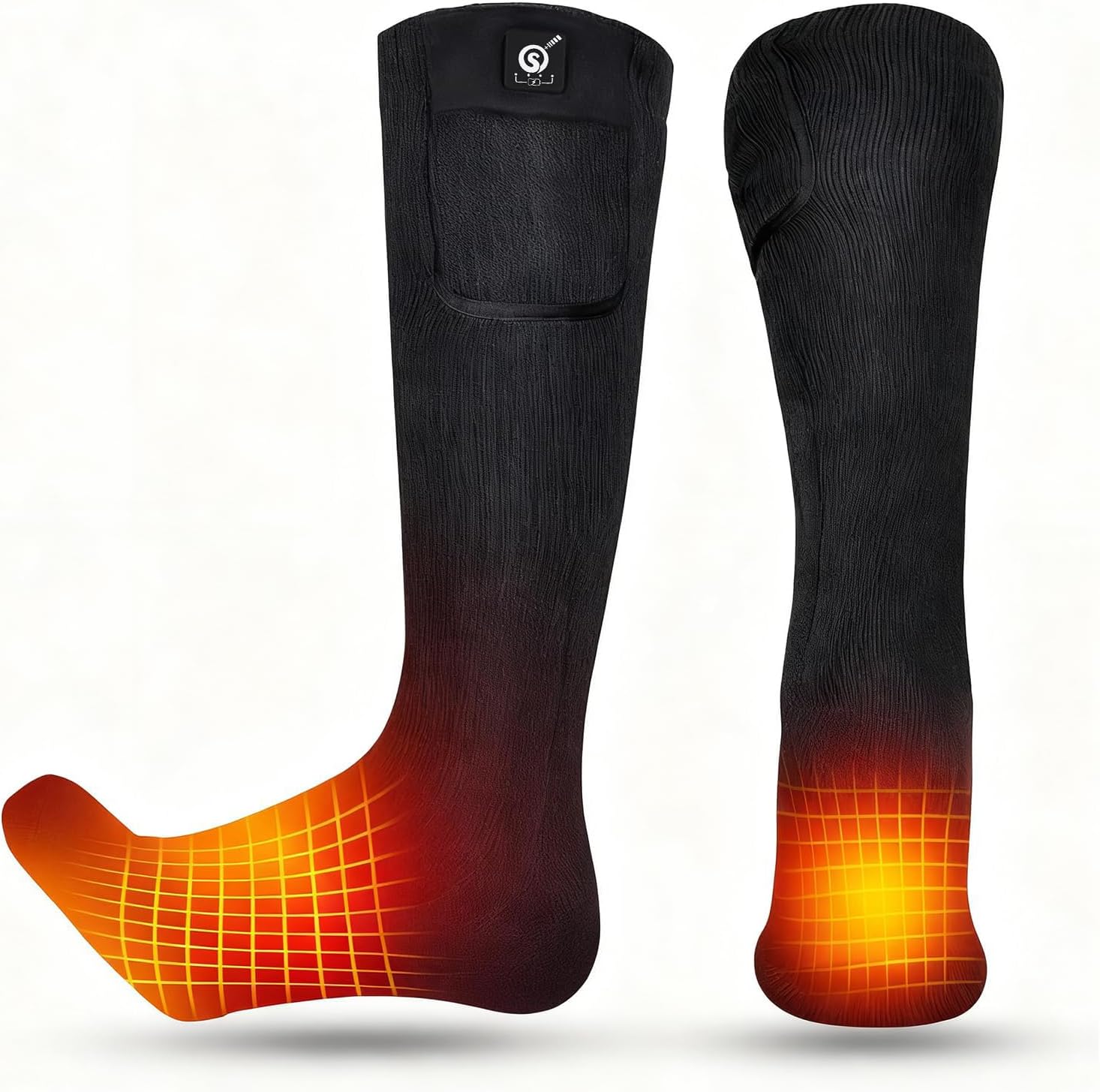
Image: Illustration of SNOW DEER heated socks highlighting the heated areas in the toe and forefoot.

Image: Detailed view of sock features: warm lining, elastic, material composition, battery pocket, and reinforced heel/toe.
2. Package Contents
Upon opening your SNOW DEER Heated Socks package, you should find the following items:
- 1 Pair of Heated Socks
- 1 Pair of 7.4V 2200mAh Rechargeable Lithium-Polymer Batteries
- 1 Dual Battery Charger
- 1 Instruction Manual

Image: All items included in the SNOW DEER heated socks package.
3. Setup Instructions
3.1 Charging the Batteries
- Connect the dual battery charger to a power outlet.
- Insert both 7.4V 2200mAh lithium-polymer batteries into the charger.
- Allow approximately 4 hours for a full charge. The indicator lights on the charger will change to show charging status.
3.2 Inserting Batteries into Socks
- Locate the battery pocket on the upper cuff of each sock.
- Connect the battery cable from the sock to a fully charged battery.
- Carefully place the battery into the pocket and secure the flap.
Video: Demonstrates how to connect and insert the battery into the sock's pocket.
4. Operating Instructions
4.1 Power On/Off and Heat Settings
The socks feature an upgraded one-touch smart controller with a power indicator, allowing easy adjustment of heat settings and monitoring of battery life.
- Power On: Press and hold the power button on the battery pack or the integrated button on the sock cuff for 3 seconds until the indicator light illuminates.
- Adjust Heat Level: Short press the power button to cycle through the three heat settings:
- High (Red Light): Approximately 140-150°F (60-65°C) for 2-2.5 hours.
- Medium (White Light): Approximately 122-131°F (50-55°C) for 3-3.5 hours.
- Low (Blue Light): Approximately 100-113°F (38-45°C) for 6-6.5 hours.
- Power Off: Press and hold the power button for 3 seconds until the indicator light turns off.

Image: Smart controller with battery and heat level indicators.

Image: Comparison of SNOW DEER's integrated controller design.
4.2 App Control (if applicable)
Some models may support app control via Bluetooth. Refer to the user manual for specific instructions on connecting your socks to the companion app for remote temperature adjustment and timer functions.
Video: Demonstrates app control for adjusting heat settings and monitoring battery life.
5. Maintenance
5.1 Washing Instructions
Proper care will extend the life of your heated socks. Always remove batteries before washing.
- Hand Wash: Gently hand wash the socks in cold water with mild detergent.
- Machine Wash: For machine washing, place socks in a laundry bag and use a gentle cycle with cold water.
- Drying: Do not tumble dry. Air dry thoroughly before reinserting batteries.

Image: Washing instructions for heated socks.
6. Troubleshooting
If you encounter any issues with your SNOW DEER Heated Socks, please refer to the following common solutions:
- Socks not heating: Ensure batteries are fully charged and correctly inserted into the pockets. Check that the power button on the battery or sock is pressed and held to turn on.
- Short heating duration: Battery life varies with heat setting. Higher settings consume more power. Ensure batteries are fully charged before use. Consider purchasing additional battery packs for extended use.
- App connectivity issues: Ensure Bluetooth is enabled on your device and the socks are powered on. Try restarting the app and your device.
For further assistance, please contact customer support.
7. Specifications
| Feature | Detail |
|---|---|
| Model Number | SS02B |
| Material | 55% CoolMax, 25% Elastic, 20% Spandex |
| Battery Type | 7.4V 2200mAh Lithium-Polymer |
| Charging Time | Approximately 4 hours |
| Heat Settings & Duration | High: 140-150°F (2-2.5 hrs) Medium: 122-131°F (3-3.5 hrs) Low: 100-113°F (6-6.5 hrs) |
| Heating Elements | Far Infrared Carbon Fiber (covers whole toe area) |
| Color | Black |
| Sizes Available | Small, Medium, Large, X-Large |

Image: Detailed size chart for SNOW DEER heated socks.
8. Warranty and Support
SNOW DEER products are covered by a one-year warranty from the date of purchase. This warranty covers manufacturing defects and ensures the quality and performance of your heated socks.
For any warranty claims, technical support, or product inquiries, please contact SNOW DEER customer service. Contact information can be found on the official SNOW DEER website or through your retailer.
