
Introduction
Thank you for choosing the Fachixy FC-200 Wireless Gaming Headset. This manual provides detailed instructions for setup, operation, maintenance, and troubleshooting to ensure optimal performance and longevity of your device. Please read this manual thoroughly before using the headset.
Package Contents
Verify that all items are present in your package:
- 1 x Fachixy FC-200 Wireless Gaming Headset
- 1 x USB Charging Cable
- 1 x 2.4G USB Dongle
- 1 x User Manual (this document)
Product Overview
The Fachixy FC-200 is a versatile wireless gaming headset designed for various platforms, offering both 2.4GHz wireless and Bluetooth 5.4 connectivity. It features 50mm high-density dual neodymium audio drivers for stereo surround sound, a foldable and ergonomic design for comfort, and a long-lasting battery.
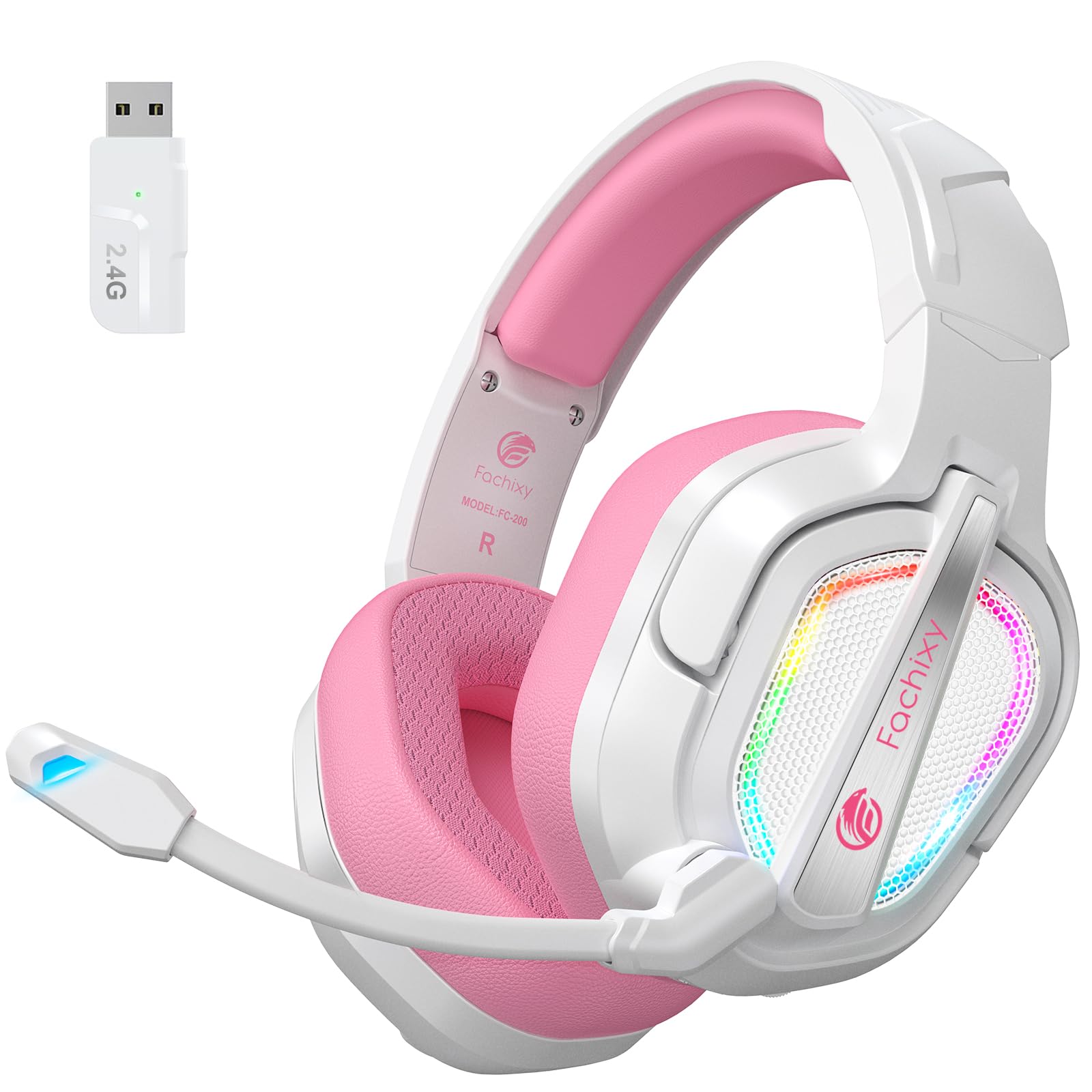
Image: The Fachixy FC-200 Wireless Gaming Headset, showcasing its design and color.
Setup
Charging the Headset
Before first use, fully charge the headset. A full charge takes approximately 2.5 hours and provides up to 50 hours of battery life (with RGB lighting off).
- Connect the supplied USB Charging Cable to the headset's charging port.
- Connect the other end of the USB Charging Cable to a USB power source (e.g., computer, USB wall adapter).
- The charging indicator light will show charging status (refer to LED indicator section for details).

Image: Close-up of the headset's charging port and an illustration of its 50-hour battery life.
Connecting via 2.4GHz Wireless (for PC, PS4, PS5, Laptop, Mac)
The 2.4GHz wireless connection offers ultra-low latency for a seamless gaming experience.
- Insert the 2.4G USB Dongle into an available USB port on your device (PC, PS4, PS5, Laptop, Mac).
- Power on the headset by pressing and holding the Power button.
- The headset will automatically connect to the dongle. A voice prompt or LED indicator will confirm the connection.

Image: The 2.4GHz USB dongle for wireless connectivity, shown next to the headset.
Note: 2.4G mode is not compatible with Xbox devices.
Connecting via Bluetooth 5.4 (for Switch, Mobile Devices, PC, Mac, Tablets)
Bluetooth mode allows for versatile connectivity with various mobile and portable devices.
- Ensure the headset is powered on.
- Long press the Mic button for 2 seconds to switch to Bluetooth mode. The LED indicator will flash to indicate pairing mode.
- On your device (Switch, smartphone, tablet, PC, Mac), go to Bluetooth settings and search for "FC-200".
- Select "FC-200" to pair. A voice prompt or LED indicator will confirm successful pairing.
Note 1: Bluetooth mode is not compatible with PS4 or PS5 consoles.
Note 2: The microphone is not supported when connected to Nintendo Switch via Bluetooth.
Note 3: Both 2.4G and Bluetooth modes are NOT compatible with Xbox all Series.
Operating Instructions
Controls Overview

Image: Close-up of the headset's control buttons and their functions.
| Button/Control | Function |
|---|---|
| Power Button | Press and hold for 3 seconds to turn on/off. |
| Mic Button | Long press for 2 seconds to switch between Bluetooth and 2.4G modes. Short press to mute/unmute microphone. |
| RGB Light Button | Press for 3 seconds to turn RGB lighting on/off. |
| Volume Wheel | Scroll up/down to adjust volume. |
| Play/Pause Button | Press for 3 seconds to play/pause audio. Also used to answer/end calls. |
Microphone Usage
The headset features a flexible microphone for clear communication. To use the microphone, ensure it is not muted (refer to Mic Button function above). The microphone can be adjusted for optimal positioning.

Image: A user wearing the Fachixy FC-200 headset, demonstrating the microphone's position.
Audio Experience
The 50mm neodymium drivers provide stereo surround sound. For an optimal experience, ensure your device's audio settings are configured correctly for headset output.

Image: An internal view of the headset's 50mm audio drivers, emphasizing sound quality.
Maintenance
Proper maintenance ensures the longevity and performance of your headset.
- Cleaning: Use a soft, dry cloth to clean the headset. Do not use abrasive cleaners or solvents.
- Storage: Store the headset in a cool, dry place away from direct sunlight and extreme temperatures. The foldable design allows for compact storage.
- Battery Care: To prolong battery life, avoid fully discharging the headset frequently. Charge it regularly, even if not in use for extended periods.
- Water Resistance: The headset is not water-resistant. Avoid exposure to liquids.

Image: The Fachixy FC-200 headset in its folded configuration, highlighting its portability and ease of storage.
Troubleshooting
| Problem | Possible Cause | Solution |
|---|---|---|
| No Sound | Headset not powered on, not connected, or volume too low. | Ensure headset is on and connected. Check device volume and headset volume wheel. |
| Microphone Not Working | Microphone muted, incorrect device settings, or not supported on current connection (e.g., Switch Bluetooth). | Unmute microphone. Check device audio input settings. Confirm microphone compatibility for your connection mode. |
| Connection Issues (2.4GHz) | Dongle not properly inserted, interference, or out of range. | Re-insert dongle. Move closer to the dongle. Avoid strong interference sources. |
| Connection Issues (Bluetooth) | Headset not in pairing mode, device Bluetooth off, or previously paired device interfering. | Ensure headset is in Bluetooth pairing mode. Turn device Bluetooth off/on. Forget previous pairings and re-pair. |
| Short Battery Life | RGB lighting on, frequent full discharge, or aging battery. | Turn off RGB lighting. Charge regularly. If battery life significantly degrades, contact support. |
Specifications
| Feature | Detail |
|---|---|
| Model Name | FC-200 |
| Connectivity Technology | Wireless (2.4GHz, Bluetooth 5.4) |
| Wireless Communication | 2.4GHz Wireless, Bluetooth 5.4 |
| Audio Driver Type | Dynamic Driver (50mm Neodymium) |
| Battery Life | Up to 50 Hours (RGB off) |
| Charging Time | Approx. 2.5 Hours |
| Noise Control | Passive Noise Cancellation / Isolation |
| Earpiece Shape | Over Ear |
| Material | Acrylonitrile Butadiene Styrene (ABS), Leather, Polycarbonate (PC) |
| Special Features | Foldable, Lightweight, Microphone Included, Volume Control, RGB Lighting |
| Item Weight | 13.7 ounces |
| Compatible Devices | PC, PS4, PS5, Laptop, Mac, Nintendo Switch (audio only via BT), Mobile Devices |
| Incompatible Devices | Xbox All Series |

Image: A detailed compatibility table showing which features (audio, mic) are supported on different gaming devices for both 2.4GHz and Bluetooth modes.
Warranty and Support
For warranty information and technical support, please refer to the contact details provided on the product packaging or visit the official Fachixy website. Keep your purchase receipt for warranty claims.
Official Product Videos
Video: An official product video from Fachixy showcasing the low-latency wireless gaming headset, highlighting its features and design. This video is provided by the seller, Orange Re Technology Co., Limited.

