
1. Introduction
This manual provides essential information for setting up, operating, maintaining, and troubleshooting your DUNHOO Y10 PRO 16-inch laptop. Please read this manual thoroughly before using your device to ensure proper function and longevity.
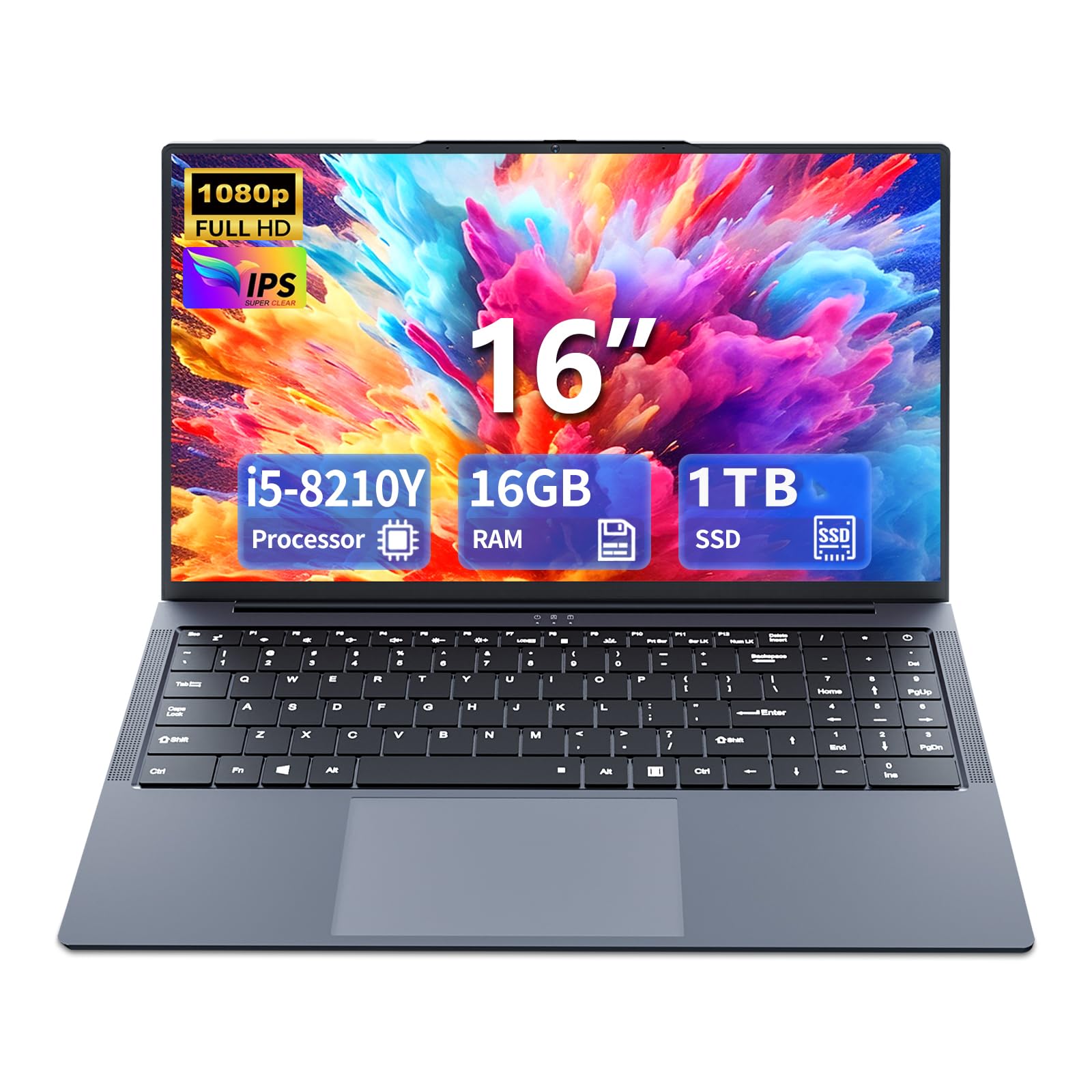
Image 1.1: The DUNHOO Y10 PRO 16-inch laptop.
2. Package Contents
Verify that all items listed below are included in your package:
- 16.0 Inch Laptop (DUNHOO Y10 PRO)
- AC Adapter
- Instructions Manual (this document)
3. Setup
3.1 Initial Power-On and Charging
Before first use, connect the AC adapter to the laptop's charging port and a power outlet. Allow the laptop to charge for at least 30 minutes before powering it on. The charging indicator light will illuminate when connected properly.
3.2 Operating System Setup
Upon initial power-on, the laptop will guide you through the Windows 11 Pro setup process. Follow the on-screen instructions to configure language, region, network connection, and user accounts.
3.3 Connecting to Wi-Fi
During the Windows setup or anytime thereafter, you can connect to a Wi-Fi network. Click the Wi-Fi icon in the taskbar, select your desired network, enter the password if prompted, and click 'Connect'. The laptop supports dual-band Wi-Fi 5 (802.11a/b/g/n/ac).
4. Operating Instructions
4.1 Display Features
The DUNHOO Y10 PRO features a 16.0-inch Full HD (1920x1200) IPS display. The screen can open up to 180 degrees, offering flexibility for various viewing angles and collaboration. The display provides clear visuals with a matte finish to reduce glare.

Image 4.1: The 16-inch Full HD IPS display with 1920x1200 resolution.

Image 4.2: The laptop display demonstrating its 180-degree opening capability.
4.2 Keyboard and Touchpad
The laptop is equipped with a full-size keyboard including a numeric keypad for efficient data entry. The keyboard is backlit, allowing for comfortable typing in low-light conditions. The integrated touchpad supports multi-touch gestures for navigation.

Image 4.3: Overview of the laptop's keyboard, highlighting the numeric keypad and backlit feature.
4.3 Performance
The DUNHOO Y10 PRO is powered by an Intel Core i5-8210Y processor with dual cores and four threads, operating at a base frequency of 1.6 GHz and a turbo frequency of up to 3.6 GHz. This processor is designed to handle everyday computing tasks and provide stable performance for various applications.

Image 4.4: Visual representation of the Intel Core i5-8210Y processor with its specifications.
4.4 Memory and Storage
The laptop is equipped with 16GB of LPDDR3 RAM and a 1TB SSD (Solid State Drive). This configuration allows for efficient multitasking and provides fast boot times and application loading. The 1TB SSD offers ample storage space for documents, media, and software.

Image 4.5: Illustration of the 16GB LPDDR3 RAM and 1TB PCIe SSD components.
4.5 Rich Interfaces and Connectivity
The DUNHOO Y10 PRO offers a variety of ports for connecting peripherals and external devices:
- 1 x Type-C port
- 2 x USB 3.0 ports
- 1 x Mini HDMI port
- 1 x Charging port
- 1 x TF card slot (supports up to 128GB expansion)
- 1 x 3.5mm standard headphone jack
Wireless connectivity includes dual-band Wi-Fi 5 and Bluetooth 5.0 for reliable network access and connection to wireless accessories.

Image 4.6: Detailed view of the laptop's left and right side ports, including USB, HDMI, Type-C, and audio jack.
4.6 Battery Information
The laptop is equipped with a 5800mAH (44Wh) lithium-ion battery, providing up to 8 hours of typical use and up to 20 hours of standby time. Actual battery life may vary based on usage patterns and settings.

Image 4.7: Visual depicting the laptop's battery capacity and suitability for various work and entertainment scenarios.
4.7 Product Overview Video
Watch this video for a quick overview of the DUNHOO Y10 PRO laptop's features and design.
Video 4.8: An official product video showcasing the DUNHOO Y10 PRO laptop's design, 180-degree hinge, processor, memory, and display.
5. Maintenance
5.1 Cleaning the Laptop
To clean the laptop, use a soft, lint-free cloth. For the screen, use a screen-specific cleaning solution applied to the cloth, not directly to the screen. Avoid harsh chemicals or abrasive materials. Ensure the laptop is powered off and unplugged before cleaning.
5.2 Battery Care
To maximize battery life, avoid fully discharging the battery frequently. Store the laptop in a cool, dry place. If storing for an extended period, ensure the battery is charged to approximately 50-70%.
5.3 Software Updates
Regularly check for and install operating system updates (Windows Update) and driver updates to ensure optimal performance and security. These updates often include bug fixes and performance enhancements.
6. Troubleshooting
6.1 Power Issues
- Laptop does not turn on: Ensure the AC adapter is securely connected to both the laptop and a working power outlet. Check if the power indicator light is on. If the battery is completely drained, it may take a few minutes of charging before the laptop can power on.
- Battery not charging: Verify the AC adapter is functioning correctly. Try a different power outlet. Ensure the charging port on the laptop is free of debris.
6.2 Display Issues
- No display on screen: Connect an external monitor via the Mini HDMI port to check if the issue is with the laptop's internal display. Ensure the laptop is powered on.
- Dim or flickering screen: Adjust screen brightness settings. Ensure display drivers are up to date.
6.3 Connectivity Issues
- Cannot connect to Wi-Fi: Ensure Wi-Fi is enabled in Windows settings. Restart your router and the laptop. Verify the Wi-Fi password is correct.
- Bluetooth device not connecting: Ensure Bluetooth is enabled on both the laptop and the device. Place devices in pairing mode and ensure they are within range.
6.4 General Performance Issues
- Laptop is slow: Close unnecessary applications. Check for malware. Ensure sufficient free space on the SSD. Consider running Windows Disk Cleanup.
- Applications crashing: Ensure all software and drivers are updated. Reinstall problematic applications.
7. Specifications
| Feature | Specification |
|---|---|
| Brand | DUNHOO |
| Model Name | Y10 PRO |
| Screen Size | 16 Inches |
| Display Resolution | 1920x1200 Pixels (Full HD IPS) |
| Processor | Intel Core i5-8210Y (1.6 GHz up to 3.6 GHz) |
| RAM Memory | 16 GB LPDDR3 |
| Storage | 1 TB SSD |
| Operating System | Windows 11 Pro |
| Graphics Coprocessor | Intel UHD Graphics 600 (Integrated) |
| Wireless Connectivity | Wi-Fi 5 (802.11a/b/g/n/ac), Bluetooth 5.0 |
| Ports | Type-C x1, USB 3.0 x2, Mini HDMI x1, Charging port x1, TF card slot x1, 3.5mm Headphone Jack x1 |
| Battery | 5800mAH (44Wh) Lithium Ion |
| Battery Life (Average) | 8 Hours |
| Item Weight | 2.34 Kilograms |
| Dimensions (L x W x Th) | 13.38" x 9.25" x 0.7" |
| Special Features | 180-Degree Opening, HD Audio, Numeric Keypad, Backlit Keyboard |
8. Warranty and Support
8.1 Limited Warranty
This DUNHOO Y10 PRO laptop comes with a limited warranty. Please refer to the warranty card included in your package for specific terms, conditions, and duration of coverage. Keep your proof of purchase for warranty claims.
8.2 Customer Support
For technical assistance, troubleshooting beyond this manual, or warranty inquiries, please contact DUNHOO customer support. Contact information can typically be found on the manufacturer's website or on the warranty documentation.