
1. Introduction
The Vibeat S6W Fingertip Pulse Oximeter is a compact, portable device designed for non-invasive spot-check measurement of blood oxygen saturation (SpO2), pulse rate (PR), and perfusion index (PI) at home, during sports, or aviation activities. It features a rechargeable battery, Bluetooth connectivity for app integration, and real-time notifications. This device is intended for sports and aviation use only and is not a medical device.
2. Package Contents
- Vibeat S6W Pulse Oximeter
- USB Type-C Charging Cable
- Lanyard
- User Manual

3. Device Overview
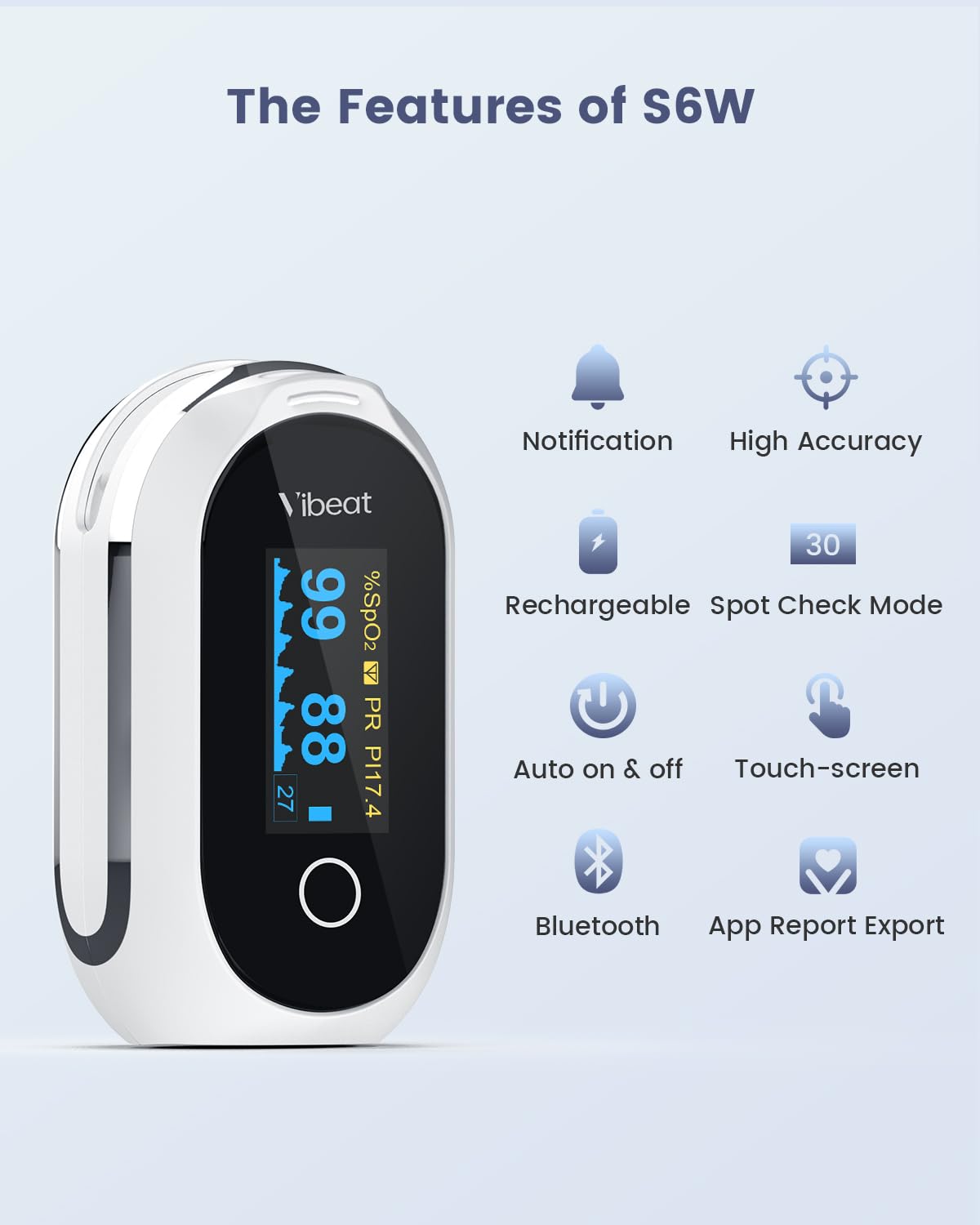
The Vibeat S6W features an OLED display, a single touchscreen button for operation, and a finger chamber for measurements. It is designed for ease of use and portability.


4. Setup
4.1 Charging the Device
Before first use, fully charge the device using the provided USB Type-C cable. A full charge provides approximately 14 hours of continuous use. The charging port is located on the device.

4.2 App Download and Bluetooth Pairing
To utilize the full features, including data tracking and report export, download the free "Vihealth" app. You can find the app by scanning the QR code in the printed manual or searching for "Vihealth" in your device's app store. Once installed, open the app and follow the on-screen instructions to pair your S6W device via Bluetooth.
A relevant link for the app is: http://app.appurl.me/79816540314

5. Operating Instructions
5.1 Taking a Measurement
- Ensure the device is charged.
- Open the clamp and place one of your fingers (preferably the index finger) into the rubber opening of the oximeter. Ensure your finger is fully inserted and resting flat on the sensor.
- Release the clamp. The device will automatically turn on and begin measuring.
- Keep your hand still during the measurement. Movement can affect accuracy.
- Readings for SpO2, PR, and PI will appear on the OLED display within a few seconds.
- To turn off the device, simply remove your finger. The device will automatically power down after a few seconds of inactivity.
5.2 Understanding the Display
- SpO2 (%): Blood Oxygen Saturation level.
- PR (bpm): Pulse Rate, measured in beats per minute.
- PI (%): Perfusion Index, indicating the strength of the pulse signal.
- Plethysmograph Waveform: A graphical representation of your pulse.
5.3 Measurement Modes
The Vibeat S6W offers two measurement modes:
- Spot Check Mode: After a stable measurement for 30 seconds, the pulse rhythm result is displayed. This mode can also provide intelligent analysis for potential pulse irregularities.
- Continuous Measurement Mode: Can be switched on via the menu for ongoing tracking.


5.4 Real-time Notifications
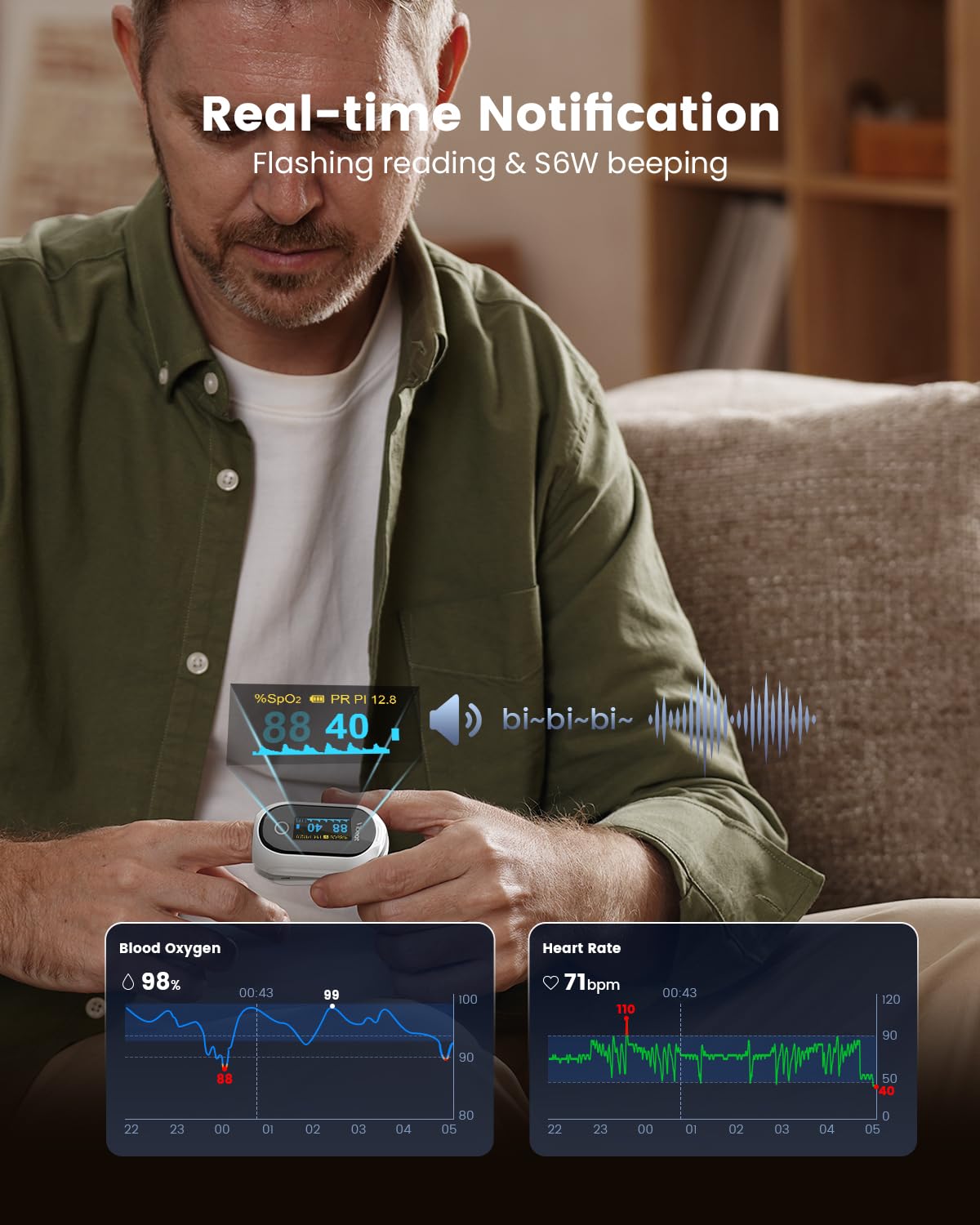
You can customize notification thresholds for blood oxygen and pulse rate. If your O2 level or PR value exceeds the set range, the oximeter will beep, and the readings on the screen will flash, providing immediate alerts.

5.5 App Features and Data Export
The "Vihealth" app allows you to observe your blood oxygen results and trends in real-time. It offers unlimited data storage and the ability to download and share comprehensive reports in PDF and CSV formats.

6. Maintenance
6.1 Cleaning the Device
Clean the device regularly with a soft cloth dampened with alcohol. Do not immerse the device in water or use abrasive cleaners. Ensure the device is dry before storage or next use.
6.2 Storage
Store the oximeter in a cool, dry place, away from direct sunlight and extreme temperatures. Keep out of reach of children.
6.3 Battery Care
The device contains a built-in rechargeable lithium battery. To prolong battery life, avoid fully discharging the device frequently. Charge it when the battery indicator is low. If storing for an extended period, charge the device every three months to prevent deep discharge.
7. Troubleshooting
| Problem | Possible Cause | Solution |
|---|---|---|
| No reading or unstable readings | Finger not properly inserted; excessive movement; low battery. | Reinsert finger correctly; remain still; charge the device. |
| Device does not turn on | Low battery; device malfunction. | Charge the device; contact customer support if issue persists. |
| Bluetooth connection issues | Bluetooth off on phone; app not open; device too far from phone. | Ensure Bluetooth is on; open Vihealth app; keep device close to phone. |
| Inaccurate readings | Cold fingers; nail polish; strong ambient light. | Warm fingers; remove nail polish; move to a less brightly lit area. |
8. Specifications
| Feature | Detail |
|---|---|
| Model Name | Vibeat S6W |
| Measuring Range (SpO2) | 70% - 100% |
| Battery Type | 1 Lithium Polymer (rechargeable, included) |
| Battery Life | Approx. 14 hours after full charge |
| Charging Port | USB Type-C |
| Connectivity | Bluetooth |
| Manufacturer | Viatomtech |
| Color | White |
| Package Dimensions | 3.74 x 2.83 x 1.65 inches |
| Weight | 2.08 ounces |
9. Important Safety Information
- This device is for sports and aviation use only. It is not a medical device and is not intended for medical use, diagnosis, treatment, or prevention of any disease.
- Consult a medical professional for any health concerns.
- Do not use the oximeter in an MRI or CT environment.
- Do not use the device on infants or individuals with very small fingers.
- Avoid using the device in environments with flammable gases or liquids.
- Keep the device away from water and moisture.
10. Warranty and Support
For warranty information, please refer to the documentation provided with your purchase or contact Vibeat customer support directly. Protection plans may be available for purchase separately.
For technical support or inquiries, please visit the Vibeat website or contact their customer service.


