1. Introduction
This manual provides instructions for the RDSJ ADF-N1 17070 Docking Station, a replacement charging base designed for various iRobot Roomba robot vacuum cleaner models. Please read this manual thoroughly before setup and operation to ensure proper use and longevity of the product.

Image 1.1: The ADF-N1 17070 Docking Station with its power cord.
2. Package Contents
Verify that all items listed below are included in your package:
- 1 x Roomba Charger Dock (ADF-N1 17070)
- 1 x US Standard Power Cable
- 1 x Screwdriver
- 1 x Cleaning Brush
- 2 x Side Brushes
- 4 x Double-Sided Adhesives
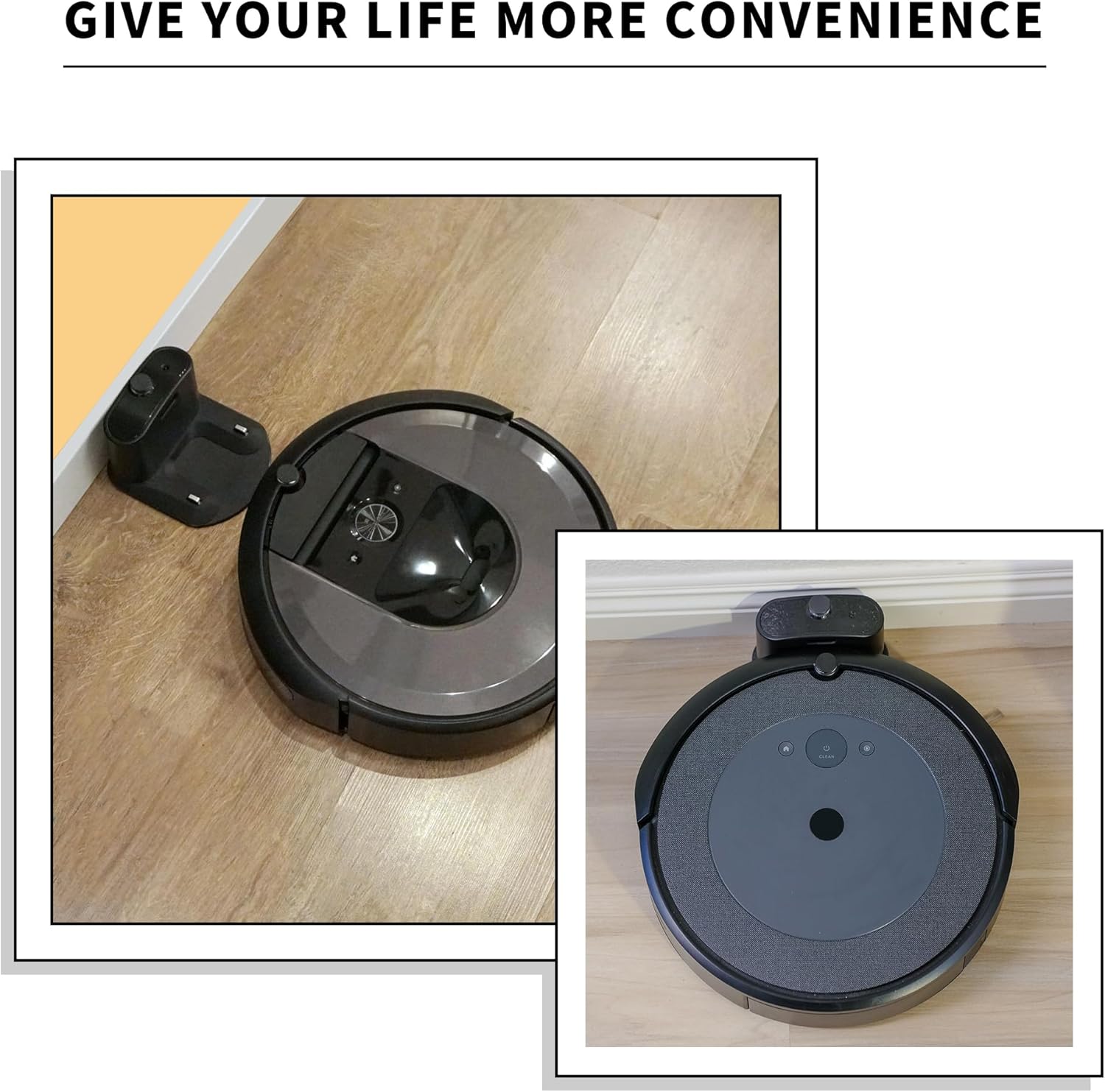
Image 2.1: All components included in the package: docking station, power cord, screwdriver, cleaning brush, two side brushes, and four adhesive pads.
3. Specifications
| Feature | Specification |
|---|---|
| Model Number | ADF-N1 |
| Replacement for | Roomba Charger Dock 4452369, 17064, 17070 |
| Input Voltage | 100-240V |
| Input Power | 33W |
| Output | 20.5V - 1.25A |
| Item Weight | 13.4 ounces (approximately 380 grams) |
| Package Dimensions | 6.26 x 6.22 x 4.88 inches |
| Color | Black |
| Special Features | Charging Indicator, Fast Charging, Multiple Protections |

Image 3.1: Detailed product parameters including input, input power, and output specifications.
4. Compatibility
The RDSJ ADF-N1 17070 Docking Station is compatible with a wide range of iRobot Roomba robot vacuum cleaner series and models:
- iRobot Roomba e Series: e5, e6
- iRobot Roomba i Series: i1, i3, i4, i5, i6, i7, i8
- iRobot Roomba j Series: j5, j7, j9
- iRobot Roomba 500 Series: 510, 521, 527, 530, 531, 532, 533, 535, 536, 540, 541, 545, 550, 551, 552, 560, 561, 562, 570, 580, 581, 582, 585, 595, 599
- iRobot Roomba 600 Series: 610, 614, 618, 620, 630, 631, 635, 650, 653, 654, 655, 660, 671, 675, 679, 680, 690
- iRobot Roomba 700 Series: 760, 761, 770, 775, 780, 790
- iRobot Roomba 800 Series: 866, 870, 871, 880
- iRobot Roomba 900 Series: 960, 980, 981

Image 4.1: A visual representation of various Roomba models compatible with this docking station.
5. Setup
- Choose a Location: Select a clear, open area for the docking station. Ensure there are no obstacles within 1.5 feet (0.5 meters) on either side and 4 feet (1.2 meters) in front of the dock.
- Connect Power: Plug the US standard power cable into the docking station's power port, then plug the other end into a standard wall outlet.
- Secure the Dock (Optional): For added stability, use the included double-sided adhesives on the bottom of the docking station to secure it to the floor. This prevents the Roomba from pushing the dock during docking maneuvers.
- Power On: Once connected, the docking station is ready. The LED indicator on the dock will illuminate to confirm power.

Image 5.1: An example of a Roomba robot vacuum successfully docking with the charging station.
6. Operation
The docking station functions as the home base and charging point for your iRobot Roomba. Your Roomba will automatically return to the docking station to recharge its battery when needed or when a cleaning cycle is complete.
- Automatic Docking: Ensure the docking station is powered on and placed in an accessible location for your Roomba to return to it.
- Charging Indicator: The docking station features an LED charging indicator. This light will typically illuminate or change color to indicate that the Roomba is properly docked and charging. Refer to your specific Roomba model's manual for details on its charging light behavior.
- Fast Charging: The docking station is designed to provide efficient charging for compatible Roomba models.
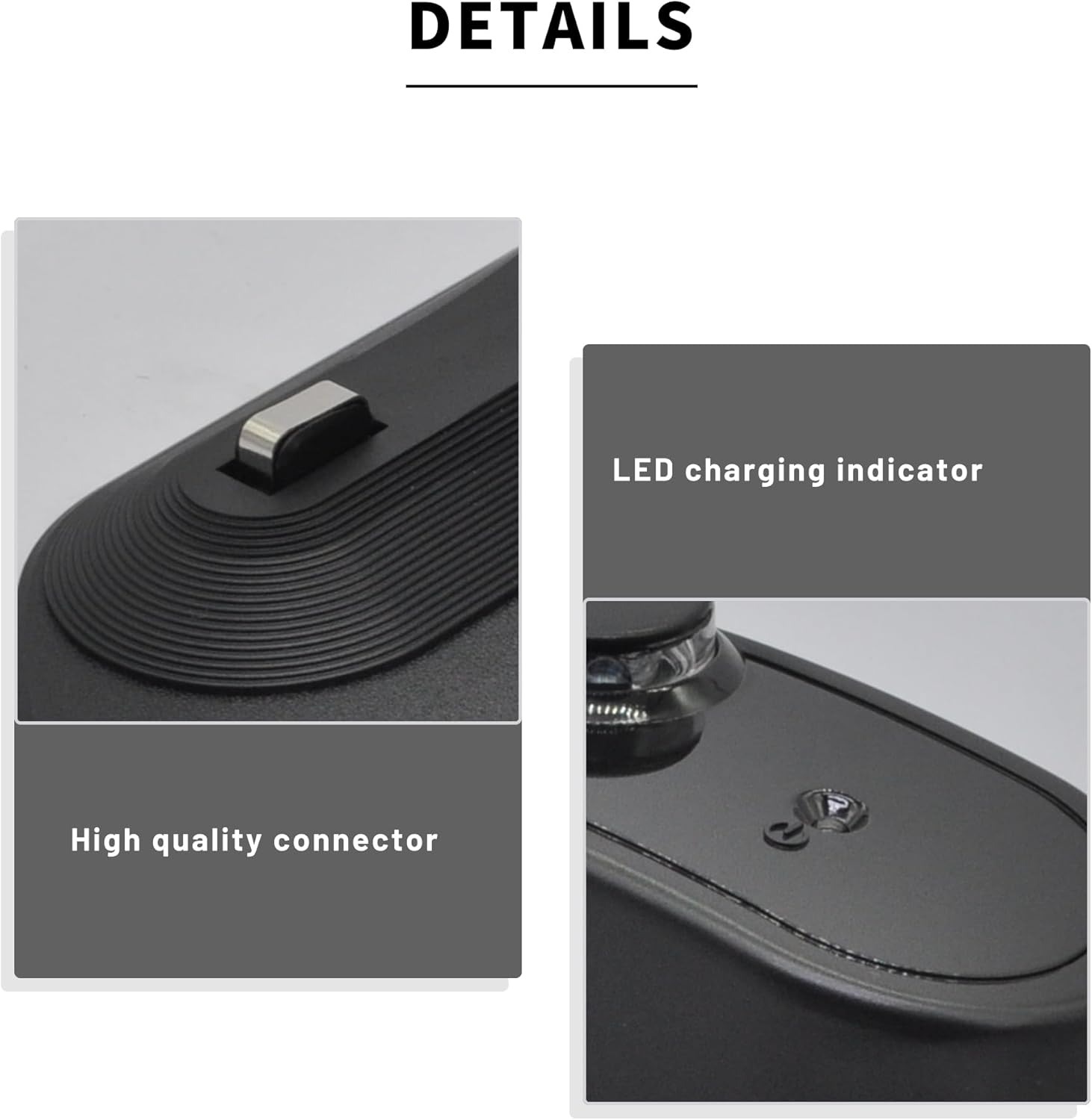
Image 6.1: A detailed view of the docking station's LED charging indicator and high-quality connector pins.
7. Maintenance
Regular maintenance ensures optimal performance of your docking station and Roomba.
- Clean Charging Contacts: Periodically inspect and clean the metal charging contacts on both the docking station and your Roomba. Use a clean, dry cloth or the included cleaning brush to gently wipe away any dust or debris. Ensure the docking station is unplugged before cleaning.
- Keep Area Clear: Ensure the area around the docking station remains free of clutter, which could obstruct the Roomba's return path.
- Side Brush Replacement: The included side brushes are replacement parts for your Roomba. Refer to your Roomba's instruction manual for specific instructions on how to replace its side brushes using the provided screwdriver.
8. Troubleshooting
If you encounter issues with your docking station, refer to the following common solutions:
- Roomba Not Charging:
- Ensure the docking station's power cable is securely plugged into both the dock and a working wall outlet.
- Verify that the charging contacts on both the Roomba and the docking station are clean and free of debris.
- Confirm that the Roomba is properly aligned with the docking station's contacts when attempting to charge.
- Docking Station Not Powering On:
- Check the power cable connection.
- Try plugging the docking station into a different wall outlet to rule out an issue with the original outlet.
- Roomba Cannot Find Dock:
- Ensure the docking station is placed in an open area with sufficient clearance (see Setup section).
- Verify that no objects are blocking the Roomba's path to the dock.
For Roomba-specific errors or behaviors not related to charging, please consult your iRobot Roomba's original instruction manual.
9. Safety and Protection Features
The RDSJ ADF-N1 17070 Docking Station incorporates multiple safety features to protect your device and ensure reliable operation:
- Over-Charge Protection: Prevents battery damage from excessive charging.
- Over-Discharge Protection: Safeguards the battery from being drained too low.
- Over-Voltage Protection: Protects against damage from voltage fluctuations.
- Over-Current Protection: Prevents damage from excessive current flow.
- Over-Temperature Protection: Monitors and regulates temperature to prevent overheating.

Image 9.1: Visual representation of the integrated safety features, including protection against over-charge, over-discharge, over-voltage, over-current, and over-temperature.
10. Warranty and Support
For warranty information or technical support regarding your RDSJ ADF-N1 17070 Docking Station, please refer to the contact information provided with your purchase or visit the manufacturer's official website. Keep your purchase receipt as proof of purchase for any warranty claims.


