
1. Product Overview
The HP 17.3 Laptop is designed for general computing tasks, offering a balance of performance and screen size. It features an Intel Core i3-N305 8-core processor, 16GB DDR4 RAM, and a 512GB PCIe SSD for efficient operation. The 17.3-inch Full HD IPS anti-glare display provides clear visuals. This laptop operates on Windows 11 Pro and includes built-in Microsoft Copilot AI for task management. Connectivity options include Wi-Fi 6, Bluetooth 5.4, HDMI, USB-C, and USB-A ports. The device is designed for portability with a battery life of up to 8 hours and HP Fast Charge capability.

Image 1.1: HP 17.3 Laptop in use, showcasing its large display and productivity features.
Video 1.1: Overview of the HP 17.3 Laptop's features and design.
2. Package Contents
Verify that all items are present in the package:
- 1 x HP 17.3" Laptop
- 1 x Power Adapter
- 1 x Accessory kit
- 1 x Instruction Manual (this document)
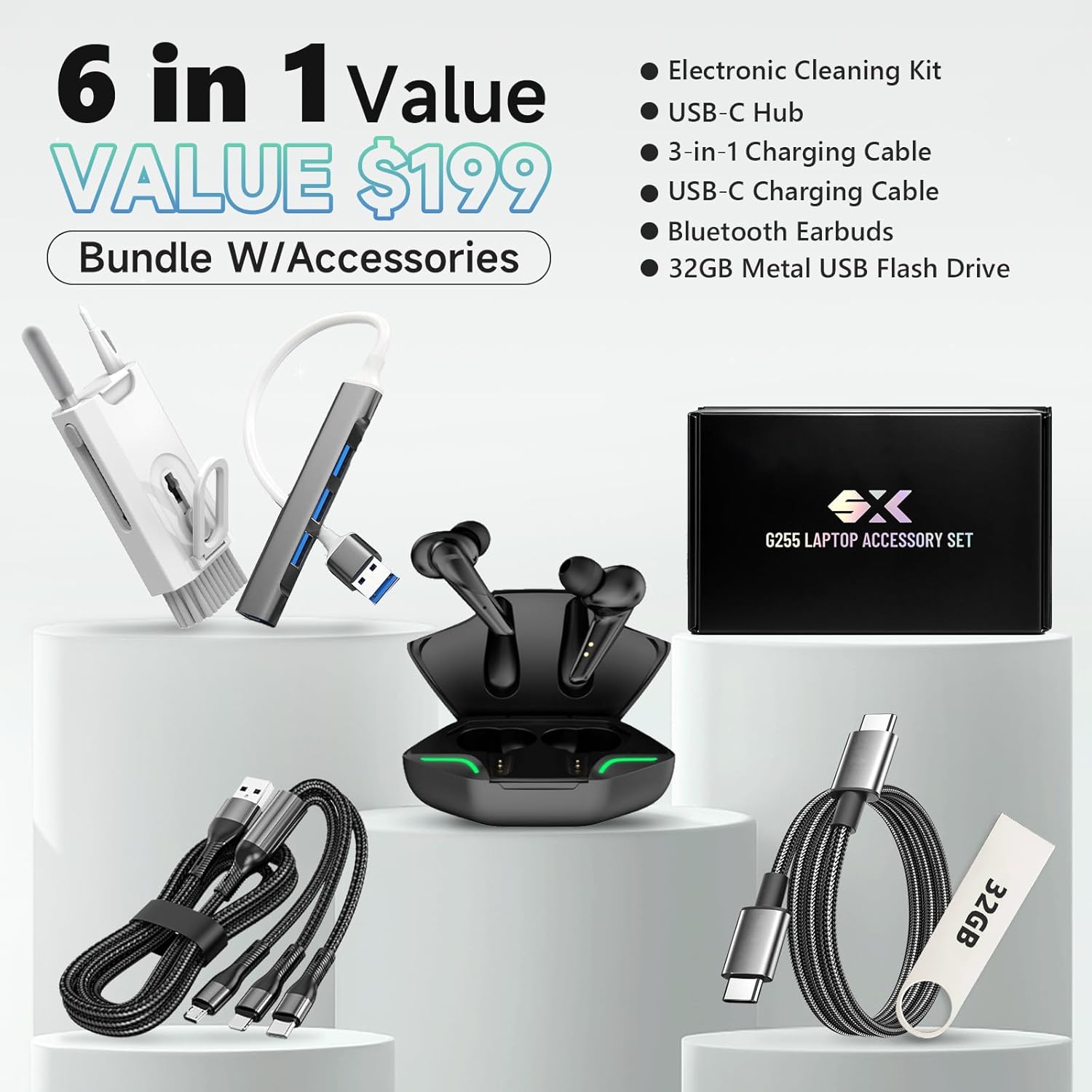
Image 2.1: The HP 17.3 Laptop and its standard accessories.
3. Setup Instructions
- Connect Power: Plug the power adapter into the laptop's power port and then into a wall outlet.
- Initial Power On: Open the laptop lid and press the power button, typically located on the keyboard deck.
- Windows Setup: Follow the on-screen prompts to complete the Windows 11 Pro setup, including language, region, network connection, and user account creation.
- Software Updates: After setup, connect to the internet and check for Windows updates to ensure optimal performance and security. Go to Settings > Windows Update.

Image 3.1: Overview of the laptop's ports for connecting peripherals and power.
4. Operating Instructions
4.1 Power Management
- Power On: Press the power button.
- Sleep Mode: Close the lid or select Start > Power > Sleep.
- Shut Down: Select Start > Power > Shut down.
- Restart: Select Start > Power > Restart.
4.2 Keyboard and Touchpad
- The laptop features a full-size keyboard with a numeric keypad.
- The touchpad supports multi-touch gestures for navigation. Refer to Windows settings for customization.
- To activate or deactivate the keyboard backlight, press the F5 key (if available on your model).
4.3 Windows 11 Pro and Copilot
This laptop comes with Windows 11 Pro, offering advanced security and productivity features. The integrated Microsoft Copilot AI assists with various tasks, including content generation, data analysis, and task automation. Access Copilot through the taskbar icon.

Image 4.1: The laptop screen showing the Windows 11 Pro interface and Microsoft Copilot.
5. Connectivity
5.1 Wireless Connectivity
- Wi-Fi 6 (802.11ax): Connect to wireless networks for internet access. Manage Wi-Fi connections via the network icon in the taskbar.
- Bluetooth 5.4: Pair with Bluetooth-enabled devices such as headphones, mice, and keyboards. Access Bluetooth settings via Settings > Bluetooth & devices.
5.2 Ports and Connectors
The laptop is equipped with various ports for external devices:
- 1 x HDMI 1.4b: For connecting to external displays or projectors.
- 1 x USB-C 3.0 (5Gbps signaling rate): For data transfer and connecting compatible USB-C devices.
- 2 x USB-A 3.0 (5Gbps signaling rate): For connecting USB-A peripherals.
- 1 x Headphone/Microphone Combo Jack: For audio input and output.
- 1 x AC Smart pin: For connecting the power adapter.
Image 5.1: Labeled diagram of the laptop's input/output ports.
6. Technical Specifications
| Feature | Specification |
|---|---|
| Model | HP 17-cn3083st |
| Processor | Intel Core i3-N305 (8 cores, up to 4.5GHz) |
| Memory (RAM) | 16GB DDR4-3200 MT/s |
| Storage | 512GB PCIe NVMe SSD |
| Graphics | Integrated Intel UHD Graphics |
| Display | 17.3" FHD (1920x1080) IPS, Anti-Glare, LED |
| Operating System | Windows 11 Pro |
| Wireless | Wi-Fi 6 (2x2) & Bluetooth 5.4 |
| Ports | 1x HDMI 1.4b, 1x USB-C 3.0, 2x USB-A 3.0, 1x Headphone/Mic Combo, 1x AC Smart pin |
| Audio | HD Stereo Speakers |
| Camera | 720p HD Webcam |
| Battery Life | Up to 7–8 hours (HP Fast Charge) |
| Dimensions (LxWxH) | 20.47 x 13.58 x 2.72 inches |
| Weight | 4.9 pounds |
| Color | Silver |
7. Maintenance
- Cleaning: Use a soft, lint-free cloth to clean the screen and exterior. Avoid harsh chemicals.
- Software Updates: Regularly check for and install Windows updates and driver updates to maintain system stability and security.
- Battery Care: To prolong battery life, avoid extreme temperatures and fully discharging the battery frequently.
- Storage Management: Periodically clear unnecessary files and applications to optimize storage space and performance.
- Ventilation: Ensure the laptop's vents are not obstructed to prevent overheating.
8. Troubleshooting
| Issue | Solution |
|---|---|
| Laptop does not power on. | Ensure the power adapter is securely connected to both the laptop and a working power outlet. Check if the power adapter's indicator light is on. Try a different outlet. |
| Screen is blank or black. | Connect an external monitor to check if the display output is working. Adjust screen brightness. Restart the laptop. |
| Wi-Fi connection issues. | Ensure Wi-Fi is enabled in Windows settings. Restart your router and modem. Update Wi-Fi drivers. |
| Slow performance. | Close unnecessary applications. Check for background processes consuming resources. Ensure sufficient free storage space. Run a disk cleanup. |
| Battery not charging. | Verify the power adapter is correctly connected. Check the power adapter for damage. Update battery drivers. |
9. Warranty and Support
This HP laptop includes a 1-year manufacturer's warranty. Lifetime technical customer support is also provided. For technical assistance, warranty claims, or further information, please visit the official HP support website or contact their customer service.
Official HP Store: HP Store on Amazon

Image 9.1: Information regarding HP's customer support and warranty.


