
1. Introduction
This manual provides comprehensive instructions for the safe and efficient operation, maintenance, and troubleshooting of your Cecotec FastTacker 4000 4V 1500mAh cordless stapler and nailer. This 2-in-1 tool is designed for various fastening tasks using both staples and nails, offering cordless convenience and durable results.
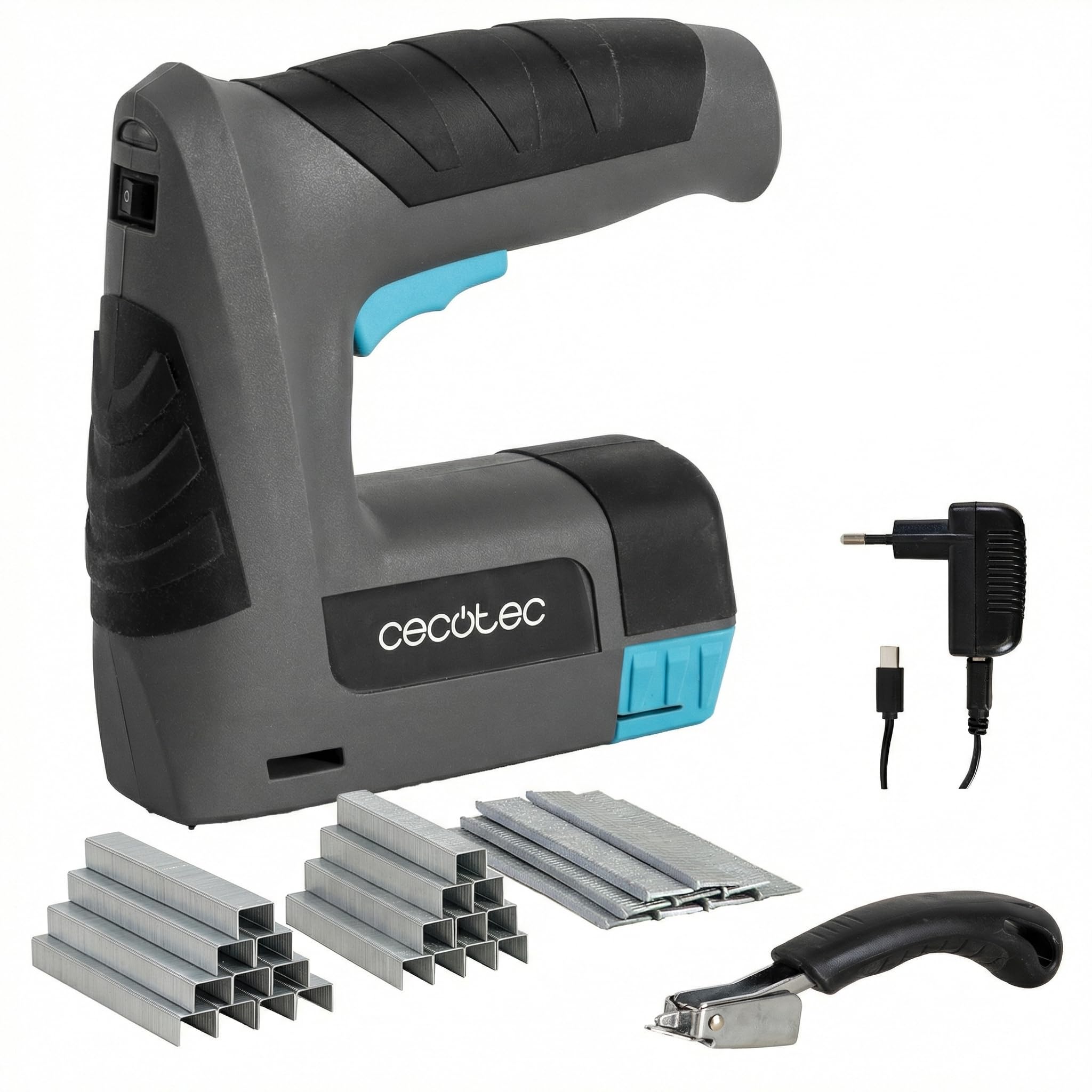
Image 1.1: The Cecotec FastTacker 4000 cordless stapler and nailer, a versatile 2-in-1 tool for various fastening applications.
2. Safety Instructions
WARNING: Read all safety warnings and instructions before using this power tool. Failure to follow the warnings and instructions may result in electric shock, fire, and/or serious injury.
- Always wear eye protection when operating the tool.
- Keep the work area clean and well-lit. Cluttered or dark areas invite accidents.
- Do not operate power tools in explosive atmospheres, such as in the presence of flammable liquids, gases, or dust.
- Keep children and bystanders away while operating a power tool. Distractions can cause you to lose control.
- Avoid accidental starting. Ensure the switch is in the off-position before connecting to battery pack, picking up or carrying the tool.
- Do not overreach. Keep proper footing and balance at all times. This enables better control of the power tool in unexpected situations.
- Always disconnect the battery pack before making any adjustments, changing accessories, or storing power tools.
- Use the power tool, accessories and tool bits etc., in accordance with these instructions, taking into account the working conditions and the work to be performed.
- Do not point the tool at yourself or others.
- Ensure the workpiece is stable before fastening.
3. Package Contents
Verify that all items are present and in good condition upon unpacking:
- Cecotec FastTacker 4000 4V 1500mAh Cordless Stapler and Nailer
- Integrated Staple Remover
- Assortment of 9000 Staples and Nails
- Charging Cable
4. Product Features
- Cordless Operation: Powered by a 4V 1500mAh battery for complete freedom of movement.
- 2-in-1 Functionality: Compatible with both staples and nails, offering versatility for various projects.
- Deep Fastening: Capable of driving fasteners up to 10 mm (0.39 inches) deep for secure and durable fixings.
- Integrated Staple Remover: Includes a built-in staple remover for easy correction of misplaced or old fasteners.
- Ergonomic and Lightweight Design: Designed for comfortable handling and reduced fatigue during extended use.
- Safety Mechanism: Features a safety system that prevents accidental firing unless the tool is properly positioned against a surface.
5. Setup
5.1 Charging the Battery
Before initial use, fully charge the tool's integrated 4V 1500mAh battery. A full charge typically takes 3 to 5 hours.
- Locate the charging port on the tool.
- Connect the charging cable to the tool and then to a suitable power source.
- The charging indicator light will show the charging status (refer to the tool's specific indicator behavior, usually red for charging, green for charged).
- Once fully charged, disconnect the charging cable.

Image 5.1: Connecting the charging cable to the tool. Ensure the battery is fully charged before use.
5.2 Loading Staples or Nails
The FastTacker 4000 is compatible with both staples and nails. Ensure you use the correct type and size for your project.
- Ensure the tool is switched off and the safety mechanism is engaged.
- Locate the magazine release mechanism, typically at the bottom or rear of the tool.
- Open the magazine.
- Insert a strip of staples or nails into the magazine, ensuring they are oriented correctly (points facing forward).
- Close the magazine securely until it clicks into place.

Image 5.2: Loading staples into the tool's magazine. Always ensure correct orientation and secure closure.
6. Operating Instructions
Follow these steps for safe and effective operation of your stapler/nailer:
- Prepare Workpiece: Ensure the material you are fastening is clean, dry, and free of obstructions.
- Position the Tool: Place the nose of the tool firmly and squarely against the surface where you intend to fasten. The tool features a safety mechanism that prevents firing if not properly positioned.
- Activate Fastening: Press the trigger to drive the staple or nail into the material.
- Check Fastening: After each fastening, inspect the staple or nail to ensure it is properly seated.
- Continuous Use: For multiple fastenings, reposition the tool and repeat the process.
- Power Off: When finished or taking a break, always switch off the tool and engage any safety locks.
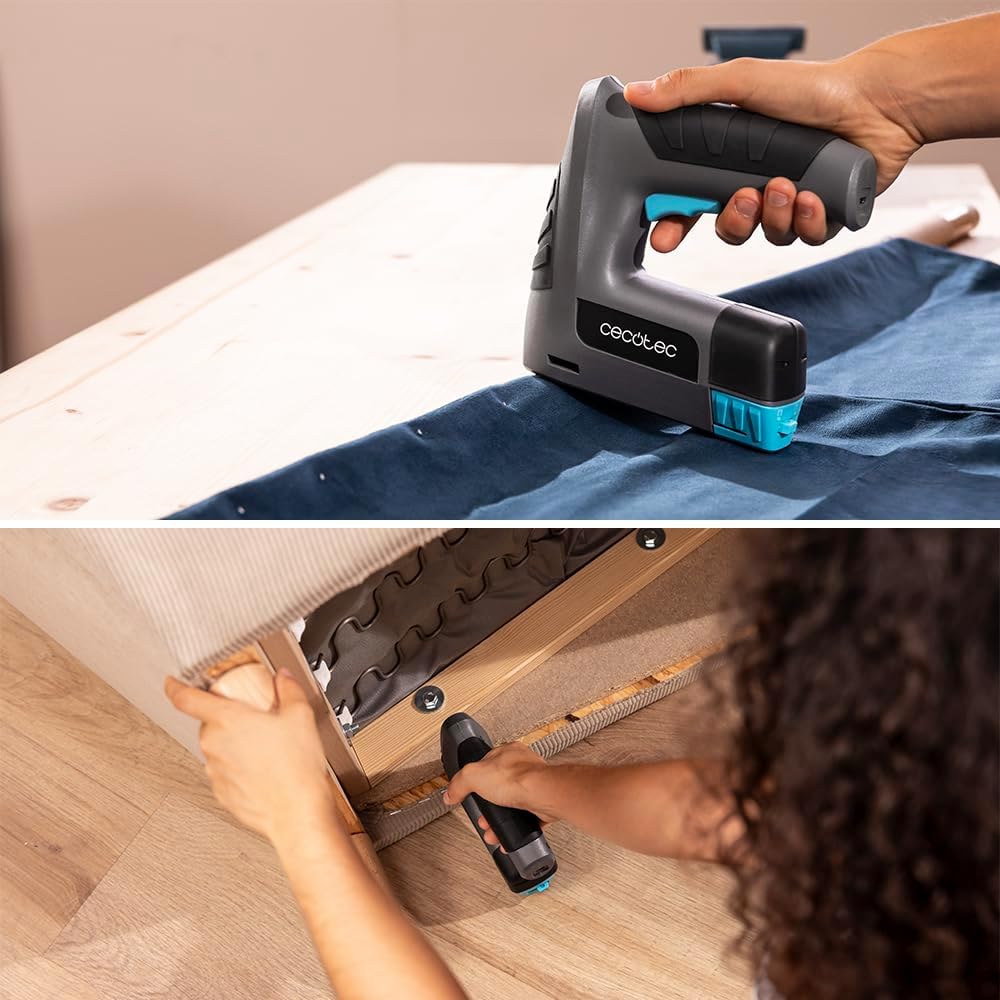
Image 6.1: Demonstrating the use of the stapler for upholstery and the integrated staple remover for corrections.

Image 6.2: Using the tool to fasten canvas to a wooden frame, showcasing its application in crafting and DIY projects.
7. Maintenance
Regular maintenance ensures the longevity and optimal performance of your FastTacker 4000.
- Cleaning: After each use, wipe down the tool with a clean, dry cloth. Do not use harsh chemicals or abrasive cleaners.
- Magazine Inspection: Periodically check the staple/nail magazine for any debris or bent fasteners that could cause jams.
- Battery Care: Store the tool with a partially charged battery in a cool, dry place. Avoid fully discharging the battery for extended periods.
- Storage: Store the tool in a secure location, out of reach of children, and away from moisture and extreme temperatures.
8. Troubleshooting
If you encounter issues with your FastTacker 4000, refer to the following common problems and solutions:
| Problem | Possible Cause | Solution |
|---|---|---|
| Tool does not fire or fires inconsistently. |
|
|
| Fasteners are not driven deep enough. |
|
|
| Fasteners jam frequently. |
|
|
8.1 Clearing a Fastener Jam
- Disconnect Power: Always ensure the tool is switched off and the battery is removed (if removable, otherwise ensure it's off).
- Open Magazine: Open the fastener magazine and remove any remaining staples or nails.
- Access Jam: Carefully inspect the firing area and the magazine track for jammed fasteners. Use pliers or tweezers to gently remove any bent or stuck fasteners. Do not force them.
- Inspect and Close: Ensure the path is clear, then close the magazine and reload with new, undamaged fasteners.
9. Specifications
| Brand | Cecotec |
| Model Number | A01_EU01_107954 |
| Battery Type | 4V 1500mAh (Integrated) |
| Material | Plastic |
| Color | Black |
| Product Dimensions (L x W) | 16L x 5l cm (approximately 6.3 x 2 inches) |
| Max. Fastening Depth | 10 mm (0.39 inches) |
| Handle Material | Plastic |
| Special Features | Ergonomic, Lightweight |
| Ambidextrous Use | Yes |
10. Warranty and Support
Cecotec provides a commitment to product quality and customer satisfaction.
- Spare Parts Availability: Spare parts for this product are available for a period of 10 years within the EU.
- Customer Support: For any questions, technical assistance, or warranty claims, please contact Cecotec customer service. Refer to the official Cecotec website or product packaging for contact details.

Image 10.1: Cecotec's commitment to customer service, indicating support is available for product inquiries.
