
1. Introduction
Thank you for purchasing the AODK B10022OKT301 Side Table. This manual provides essential information for the safe and efficient assembly, operation, and maintenance of your new furniture. Please read these instructions carefully before beginning assembly and retain them for future reference.
2. Safety Information
- Always assemble the product on a soft, clean surface to prevent scratches.
- Ensure all parts are securely fastened before use.
- Do not overload the shelves or drawers. Refer to the specifications for weight limits.
- Keep liquids away from the integrated power outlet to prevent electrical hazards.
- Do not attempt to modify the product or its electrical components.
- Keep small parts out of reach of children during assembly.
3. Package Contents
Before assembly, verify that all components are present and undamaged. If any parts are missing or damaged, please contact customer support.
- Metal Frame Components
- Wooden Shelf Panels (Top, Middle, Bottom)
- Fabric Drawers (x2)
- Integrated Power Outlet Unit with Cable
- Assembly Hardware (screws, connectors)
- Instruction Manual
4. Setup and Assembly
The AODK B10022OKT301 Side Table is designed for easy and quick assembly, often requiring no additional tools. While one person can assemble it, having two people may expedite the process.
- Unpack Components: Carefully remove all parts from the packaging and lay them out on a clean, soft surface.
- Assemble the Frame: Connect the metal frame components according to the diagrams provided in the separate assembly sheet (if included). Ensure all connections are firm.
- Attach Shelves: Secure the wooden top, middle, and bottom shelves to the assembled metal frame using the provided hardware.
- Install Power Outlet: Integrate the power outlet unit into the designated slot on the top shelf. Ensure the cable is routed safely.
- Insert Drawers: Fold and insert the two fabric drawers into their respective compartments.
- Final Check: Verify that all parts are correctly assembled and tightened.
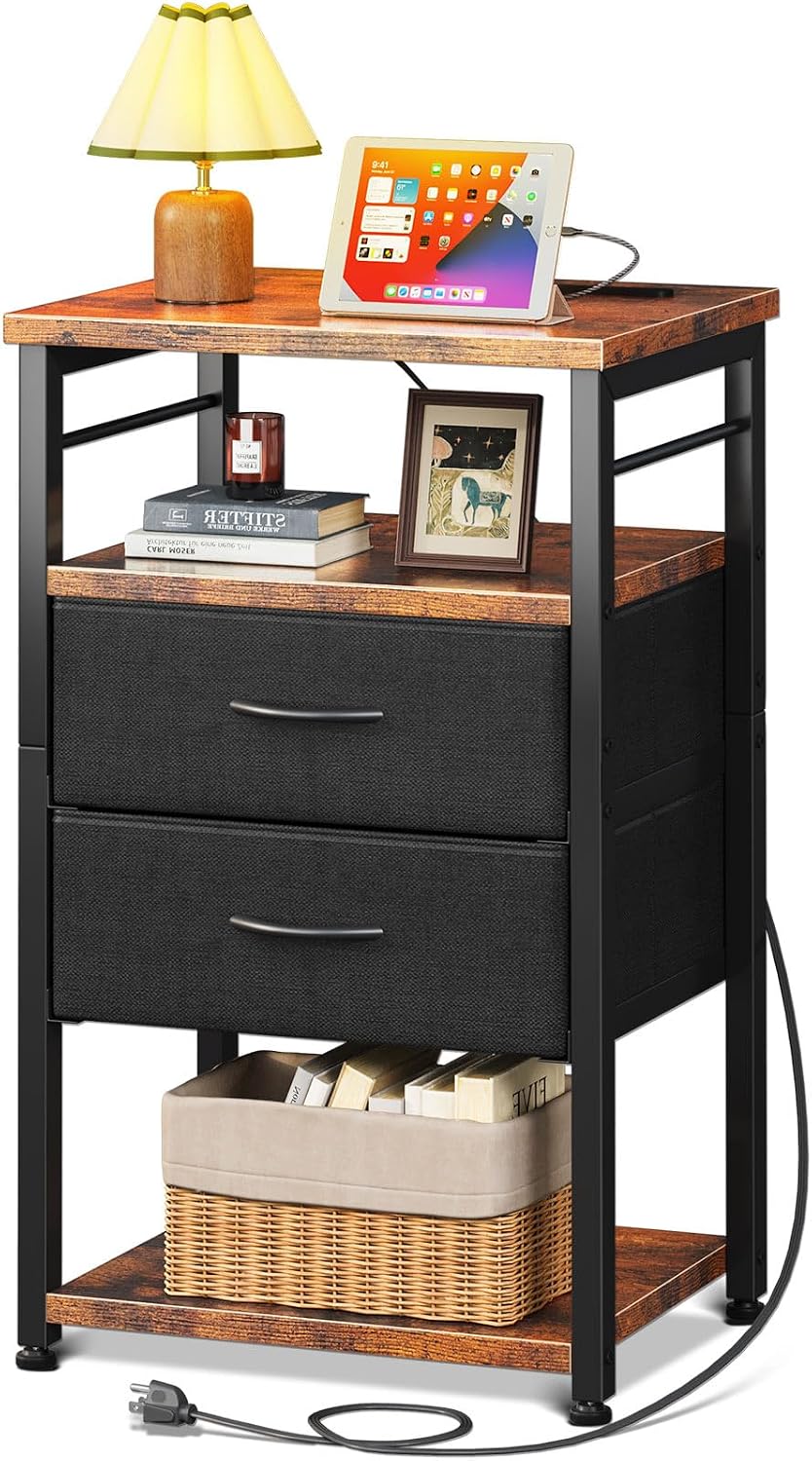
Figure 1: Assembled AODK B10022OKT301 Side Table. This image shows the complete side table with its top shelf, two fabric drawers, and a bottom open shelf, along with the integrated power outlet.

Figure 2: Product Dimensions. This diagram illustrates the compact dimensions of the side table, measuring approximately 40cm in width, 30cm in depth, and 70cm in height, suitable for various spaces.
5. Operating Instructions
5.1. Integrated Power Outlet
The side table features a built-in power outlet for convenient charging and power management.
- Power Connection: Plug the table's power cord into a standard wall outlet.
- AC Outlets: Use the two AC outlets (100-240V/15A) to power devices such as lamps, laptops, or other electronics.
- USB Port: Use the 5V/2A USB port to charge smartphones, tablets, or other USB-powered devices.
- Cable Management: The 70-inch power line allows for flexible placement. Ensure the cable is not pinched or damaged.

Figure 3: Power Outlet Functionality. This image highlights the integrated power strip on the table's surface, showing its AC outlets and USB port in use for charging devices.
5.2. Storage Drawers and Shelves
The table offers efficient 4-layer storage to help keep your space organized.
- Fabric Drawers: The two pull-out fabric drawers are ideal for storing small items, keeping them out of sight and preventing clutter.
- Open Shelves: The top and bottom open shelves provide easy access for frequently used items like books, remote controls, or decorative pieces.

Figure 4: Storage Capacity. This image demonstrates the storage capabilities of the side table, featuring the two fabric drawers and the accessible bottom shelf for various items.
6. Maintenance
- Cleaning: Wipe the wooden surfaces with a soft, damp cloth. Avoid harsh chemicals or abrasive cleaners.
- Fabric Drawers: Spot clean fabric drawers with a mild detergent if necessary. Do not machine wash.
- Electrical Components: Ensure the power outlet is unplugged before cleaning. Use a dry cloth to wipe the power strip.
- Regular Checks: Periodically check all screws and connections to ensure they remain tight.
7. Troubleshooting
- Table is Wobbly: Ensure all screws are tightened. Check that the table is on a level surface. Adjust the leveling feet if present.
- Power Outlet Not Working: Verify that the table's power cord is securely plugged into a functional wall outlet. Check if the wall outlet itself is working by plugging in another device.
- Drawers Not Sliding Smoothly: Ensure the fabric drawers are correctly assembled and inserted. Check for any obstructions in the drawer compartments.
8. Specifications
| Brand | AODK |
| Model Number | B10022OKT301 |
| Product Dimensions (L x W x H) | 30 cm x 40 cm x 70 cm |
| Package Dimensions | 43.5 x 33.4 x 13.3 cm |
| Package Weight | 5.94 kg |
| Color | Vintage & Black |
| Table Design | Nightstand |
| Style | Modern Industrial |
| Power Outlet AC Output | 100-240V/15A |
| Power Outlet USB Output | 5V/2A |
| Power Cord Length | 70 inches |
| Battery Use | No |
9. Warranty and Support
For warranty information or customer support, please refer to the purchase documentation or contact your retailer. Keep your proof of purchase for any warranty claims.
