
Wohome G91
Wohome G91 2.1 Sound Bar User Manual
Model: G91
1. Introduction
This manual provides detailed instructions for the setup, operation, and maintenance of your Wohome G91 2.1 Sound Bar. Please read this manual thoroughly before using the product to ensure proper functionality and to maximize your audio experience.
2. Package Contents
Verify that all items listed below are included in your package:
- 1 x Wohome G91 Sound Bar
- 1 x Power Adapter
- 1 x Remote Control (batteries not included)
- 1 x ARC/AUX/Optical/USB Cable
- 1 x User Manual
- 2 x Mounting Screws

Figure 2.1: Wohome G91 Sound Bar with power adapter, remote control, various cables, user manual, and mounting screws.
3. Product Overview
3.1 Sound Bar Components
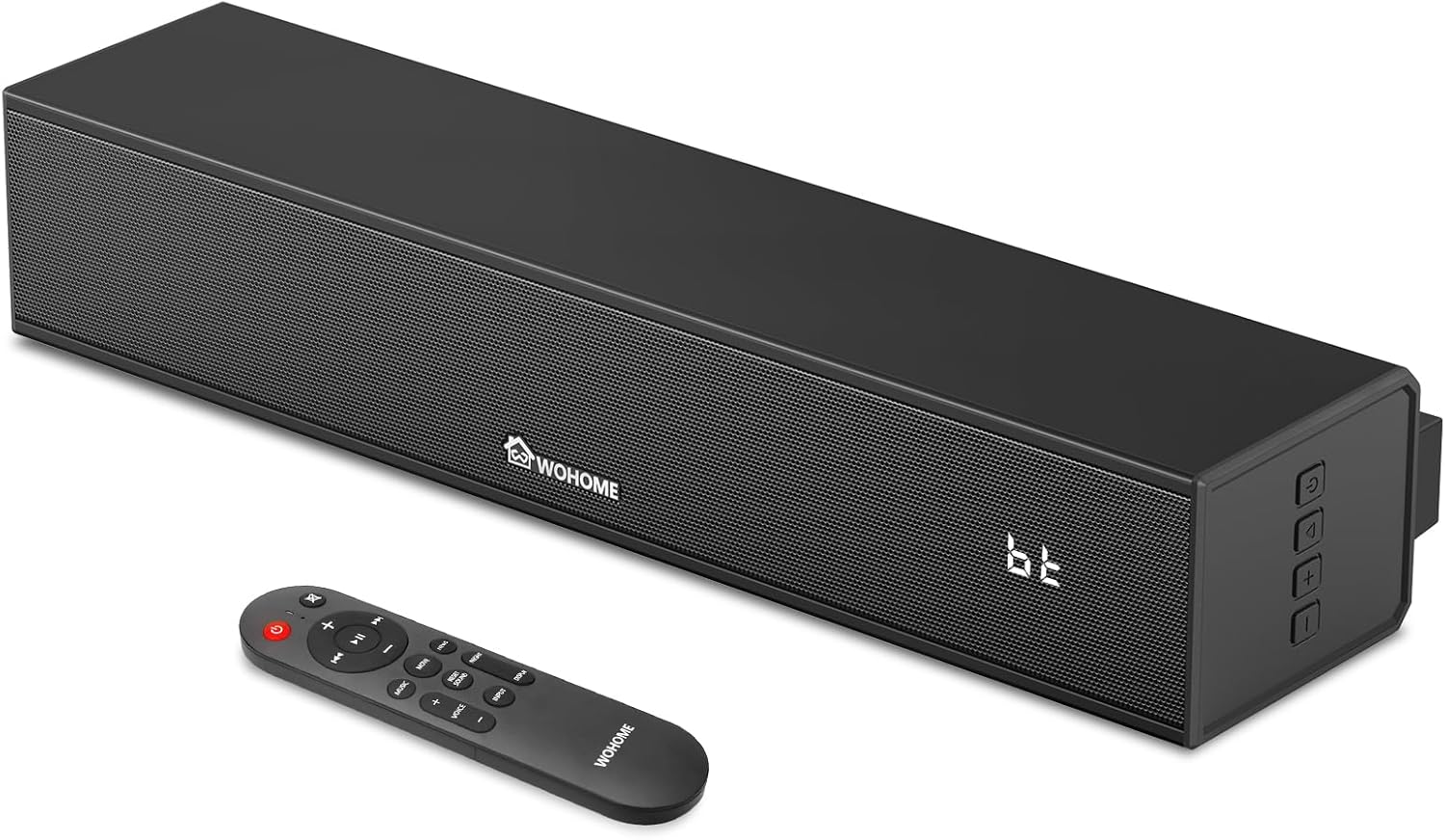
Figure 3.1: Front view of the Wohome G91 Sound Bar, showing the speaker grille, Wohome logo, LED display, and side control buttons. The remote control is also pictured.
The Wohome G91 Sound Bar features a compact design with powerful audio capabilities. It includes a built-in subwoofer for enhanced bass and a clear LED display.

Figure 3.2: Internal view of the sound bar, highlighting the two full-range speakers and the built-in subwoofer for powerful sound output.
3.2 Rear Panel Connections

Figure 3.3: Rear panel of the sound bar, displaying the DC IN, Optical, ARC, AUX, and USB input ports for various connectivity options.
The rear panel provides multiple input options for connecting to various devices:
- DC IN: Power input.
- OPTICAL: Digital audio input for high-quality sound.
- ARC (HDMI): Audio Return Channel for simplified TV connection and control.
- AUX: Analog audio input for devices with a 3.5mm jack.
- USB: For playing audio files from a USB drive.
3.3 Remote Control
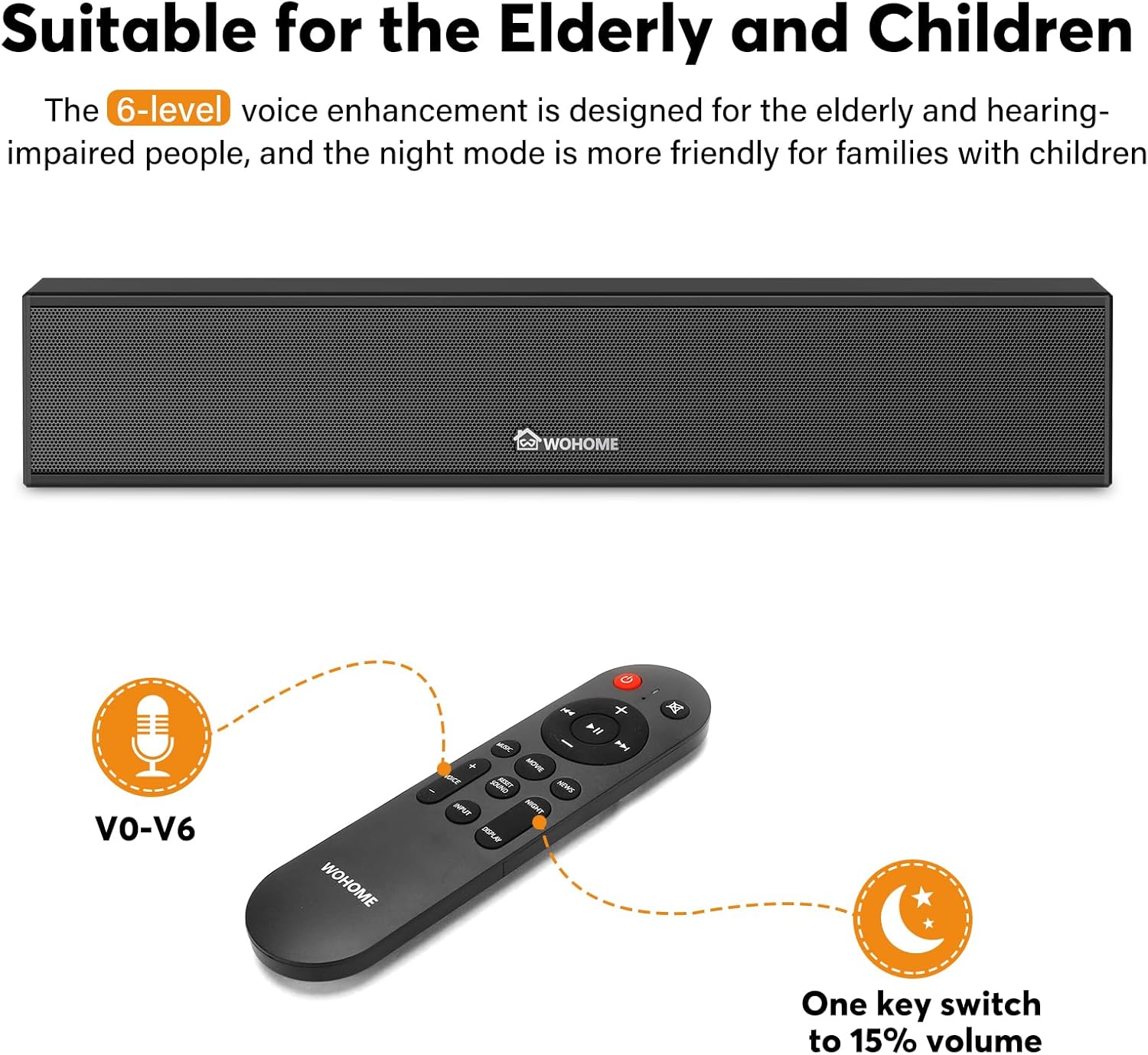
Figure 3.4: The included remote control, featuring buttons for power, volume, input selection, EQ modes, and voice enhancement levels (V0-V6).
The remote control allows full functionality of the sound bar, including power, volume, input selection, EQ modes, and voice enhancement settings.
4. Setup
4.1 Placement Options
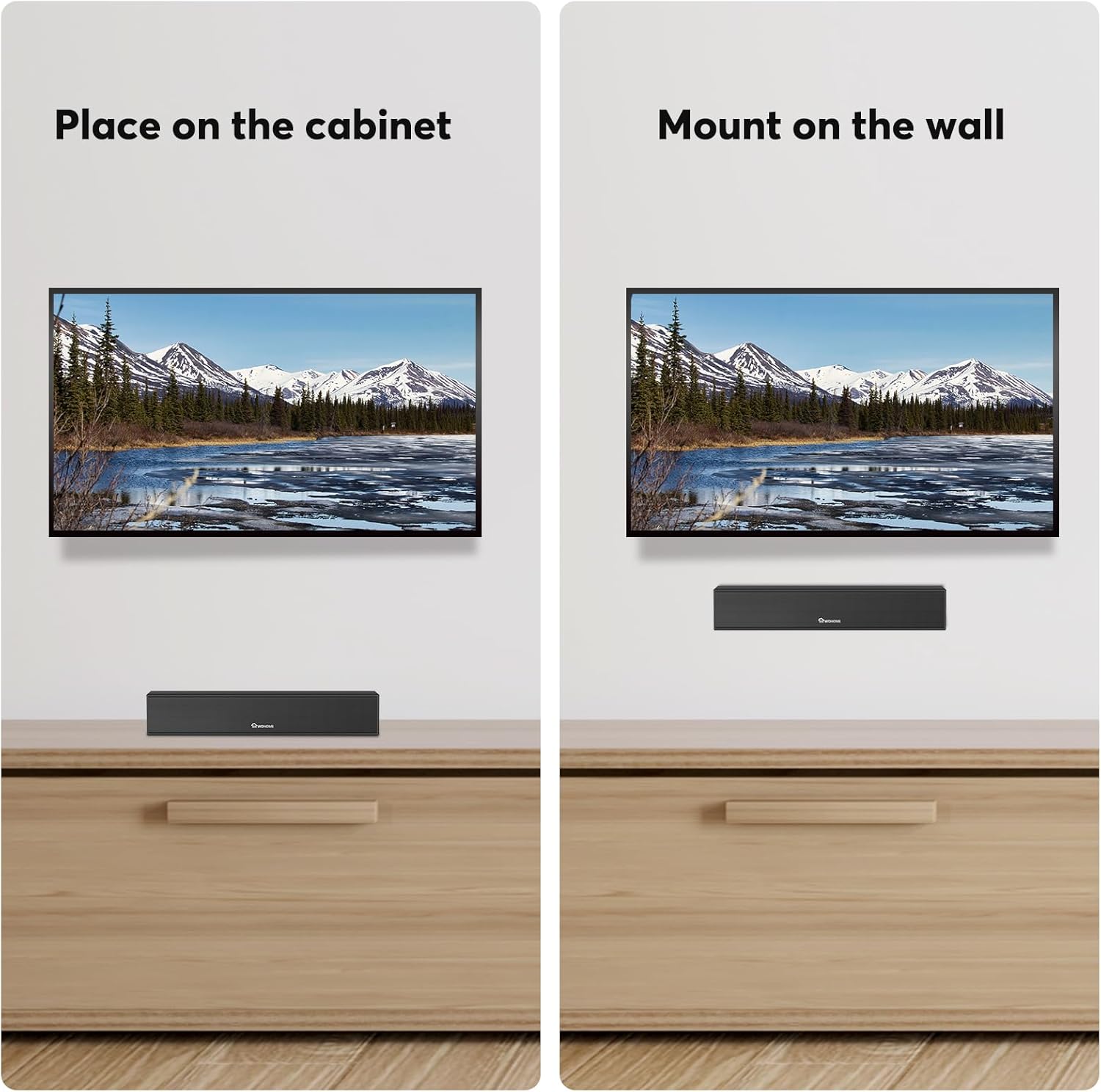
Figure 4.1: The sound bar can be placed on a cabinet below your TV or mounted on the wall using the included hardware.
The Wohome G91 Sound Bar offers flexible placement options:
- Tabletop Placement: Position the sound bar on a flat surface directly in front of your TV. Ensure it does not block the TV's IR sensor.
- Wall Mounting: Use the provided mounting screws and template to securely attach the sound bar to a wall.
4.2 Connecting to Your TV or Device
Choose one of the following connection methods based on your device's available ports:
- ARC (HDMI) Connection:
Connect one end of the ARC cable to the ARC port on the sound bar and the other end to the HDMI ARC port on your TV. This connection allows your TV remote to control the sound bar's volume and power.
- Optical Connection:
Connect one end of the optical cable to the OPTICAL port on the sound bar and the other end to the Optical Digital Audio Out port on your TV.

Figure 4.2: Steps to adjust TV settings for optical audio output. Navigate to Sound Output > Optical, then Digital Audio Output Format > PCM/Stereo Sound. Disable Dolby/DTS on your TV and streaming apps to avoid audio issues.
Important: After connecting via Optical, access your TV's audio settings. Set the Sound Output to "Optical" and the Digital Audio Output Format to "PCM" or "Stereo Sound". Disable Dolby/DTS on your TV and any streaming applications (e.g., Netflix, Amazon Prime Video) to prevent silent or noisy output.
- Bluetooth Connection:
Power on the sound bar and select Bluetooth input mode. On your device (smartphone, tablet, etc.), search for "Wohome G91" in the Bluetooth settings and pair. The LED display will show "bt" when connected.
- AUX Connection:
Connect one end of a 3.5mm audio cable (not included) to the AUX port on the sound bar and the other end to the headphone jack or audio output of your device.
- USB Connection:
Insert a USB flash drive containing audio files into the USB port on the sound bar. The sound bar will automatically switch to USB mode and begin playback.
Power Connection: After connecting your audio source, plug the power adapter into the DC IN port on the sound bar and then into a wall outlet.
5. Operation
5.1 Power On/Off
Press the Power button on the remote control or the side panel of the sound bar to turn it on or off.
5.2 Input Selection
Press the Input button on the remote control or the side panel to cycle through available input modes: Bluetooth (bt), ARC, Optical (Opt), AUX, and USB.
5.3 Volume Control
Use the Volume + and Volume - buttons on the remote control or the side panel to adjust the volume level.
5.4 Equalizer (EQ) Modes
The sound bar features three preset EQ modes to optimize audio for different content:

Figure 5.1: Visual representation of the three EQ modes: Music (balanced sound), Movie (enhanced bass), and News (clear dialogue).
- Music Mode: Provides a balanced sound profile suitable for general music listening.
- Movie Mode: Enhances bass and surround effects for an immersive cinematic experience.
- News Mode: Optimizes dialogue clarity, making voices easier to understand.
Press the corresponding EQ button on the remote control to switch between modes.
5.5 Voice Enhancement
The sound bar offers 6 levels of voice enhancement (V0-V6) to improve dialogue clarity, especially beneficial for users with hearing difficulties. Use the dedicated voice enhancement buttons on the remote to adjust this setting.
5.6 Smart LED Display

Figure 5.2: The smart LED display on the sound bar, which automatically dims after 15 seconds of inactivity and can be manually switched on or off.
The integrated LED display shows the current input mode and volume level. It automatically dims after 15 seconds of inactivity and can be toggled on/off using the remote control.
6. Maintenance
To ensure the longevity and optimal performance of your Wohome G91 Sound Bar, follow these maintenance guidelines:
- Cleaning: Use a soft, dry cloth to wipe the surface of the sound bar. Do not use liquid cleaners or abrasive materials, as they may damage the finish.
- Ventilation: Ensure the sound bar has adequate ventilation. Do not block any vents or place it in an enclosed space that could restrict airflow.
- Storage: If storing the sound bar for an extended period, disconnect it from power and store it in a cool, dry place away from direct sunlight and extreme temperatures.
- Power Cord: Regularly check the power cord for any damage. If damaged, discontinue use and contact customer support for a replacement.
7. Troubleshooting
| Problem | Possible Cause | Solution |
|---|---|---|
| No power | Power cord not connected; power outlet not active. | Ensure the power cord is securely connected to the sound bar and a working power outlet. |
| No sound | Incorrect input selected; TV volume muted; incorrect TV audio settings (for Optical/ARC). |
|
| Bluetooth pairing issues | Sound bar not in pairing mode; device too far; interference. |
|
| Remote control not working | Batteries depleted; obstruction; remote not pointed at sensor. |
|
8. Specifications
| Feature | Detail |
|---|---|
| Model Name | G91 |
| Speaker Type | Soundbar with Built-in Subwoofer |
| Surround Sound Channel Configuration | 2.1 |
| Connectivity Technology | Bluetooth 5.3, ARC, Optical, AUX, USB |
| Speaker Size | 15 Inches (Length) |
| Woofer Diameter | 2.25 Inches (Built-in) |
| Speaker Maximum Output Power | 60 Watts |
| Product Dimensions | 3.5"D x 15.2"W x 2.8"H |
| Item Weight | 4.18 pounds |
| Material | Acrylonitrile Butadiene Styrene (ABS), Metal |
| Special Features | 6-Level Voice Enhancement, 3 EQ Modes, Smart LED Display, Wall Mountable |
| Recommended Uses | For Computers, Smartphones, Tablets, Televisions |
9. Warranty and Support
Your Wohome G91 Sound Bar comes with a 1-year warranty from the date of purchase. Additionally, Wohome provides lifetime technical assistance for this product.
If you have any questions regarding the product, installation, or require technical support, please contact Wohome customer service. We aim to respond to all inquiries within 24 hours.
For support, please refer to the contact information provided in your product packaging or visit the official Wohome website.
Related documentsG91


Ask a question about this manual
Ask about setup, troubleshooting, compatibility, parts, safety, or missing instructions. Manuals+ will review the question and use this page’s manual context to help answer it.