
1. Important Safety Information
Attention: This chair requires assembly. Please read these instructions carefully before beginning the assembly process.
To ensure the stability and safety of the chair, do not exceed the maximum weight capacity of 150 kg (330 lbs).
2. Product Overview and Features
The JUMMICO Ergonomic Gaming Office Chair is designed for comfort and support during extended periods of use, whether for gaming or office work. Key features include:
- 2-in-1 Dual-Point Lumbar Massage: The integrated massage cushion helps reduce pressure on lumbar discs and alleviates lower back pain. Its vibrating function improves lumbar circulation and relaxes back muscles.
- Adjustable Backrest (90-135°): The backrest can be locked at any angle between 90° (for work) and 135° (for rest), accommodating users between 160 cm and 190 cm in height.
- Removable Headrest and Retractable Footrest: A soft, removable headrest provides neck and shoulder support. The retractable footrest offers additional comfort for relaxation.
- High-Density Sponge Seating: Ensures comfort and prevents fatigue during long sitting sessions.
- Durable BIFMA Certified Components: Features a reinforced galvanized five-star base for stability, supporting up to 150 kg. Environmentally friendly polyurethane (PU) wheels ensure smooth movement without scratching floors.
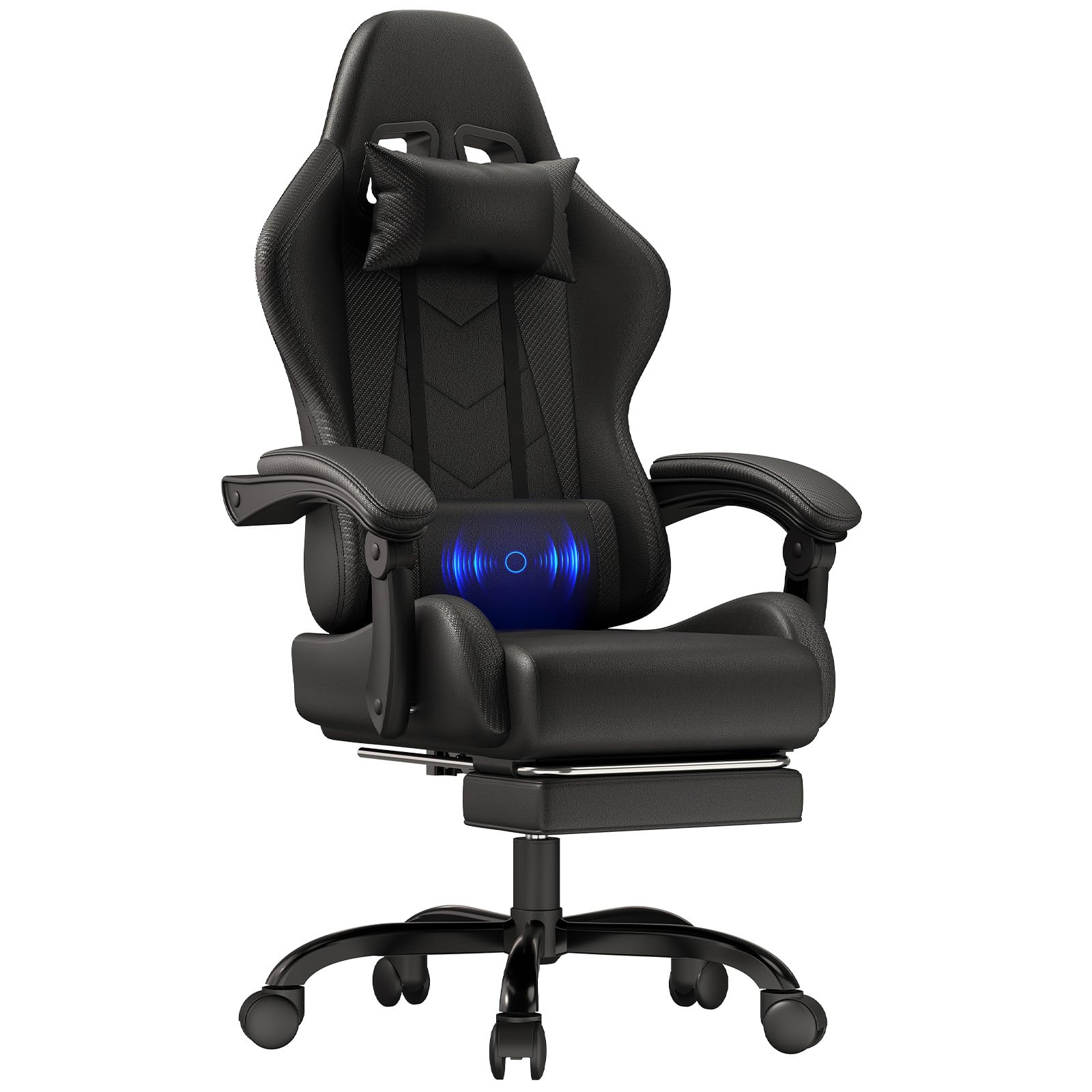
Image: The JUMMICO Ergonomic Gaming Office Chair in black, positioned in a modern home office environment.

Image: Diagram illustrating the ergonomic design, showing support for cervical spine, shoulders, back, arms, and lumbar massage function.
3. Setup and Assembly
The JUMMICO Gaming Chair requires assembly. Please ensure all components are present before beginning. Refer to the detailed assembly instructions provided in the packaging for step-by-step guidance.
General Assembly Steps (Refer to included manual for specifics):
- Unpack all components and verify against the parts list.
- Attach the wheels to the five-star base.
- Insert the gas lift cylinder into the center of the base.
- Assemble the seat and backrest components.
- Attach the assembled seat and backrest to the gas lift cylinder.
- Install the headrest and lumbar cushion.

Image: Illustration comparing the reinforced metal five-star base with standard plastic bases, emphasizing stability and durability.
4. Operating Instructions
Familiarize yourself with the chair's adjustable features to optimize your comfort.
4.1 Backrest Adjustment
To recline the backrest, locate the lever on the side of the chair (typically on the right). Pull the lever upwards, lean back to your desired angle (between 90° and 135°), and then release the lever to lock the backrest in place.

Image: Visual guide demonstrating the backrest's adjustable angles: 90° for working, 105° for reading, 120° for watching movies, and 135° for resting.
4.2 Seat Height Adjustment
To adjust the seat height, locate the lever under the seat (typically on the right, near the recline lever).
- To raise the seat: While seated, lift the lever and slightly lift your weight off the seat. The seat will rise. Release the lever at the desired height.
- To lower the seat: While seated, lift the lever and apply your weight to the seat. The seat will lower. Release the lever at the desired height.
4.3 Lumbar Massage Function
The lumbar cushion features a 2-in-1 dual-point massage function. Connect the USB cable from the lumbar cushion to a compatible USB power source (e.g., computer, power bank, USB wall adapter). The cushion will provide a gentle vibration to help relax your lower back muscles.

Image: Detailed view of the high-frequency lumbar massage cushion, illustrating its two-point vibration for back muscle relaxation.
4.4 Retractable Footrest
To use the footrest, pull it out from underneath the seat. Extend it to your preferred length for leg support. To retract, push it back under the seat until it is fully stored.

Image: Illustration of the retractable footrest extended for leg support and the armrest attachment mechanism.
5. Maintenance
Regular maintenance helps prolong the life and appearance of your chair.
- Cleaning: Wipe the chair's surface with a soft, damp cloth. For stubborn stains, use a mild soap solution and dry immediately. Avoid harsh chemicals or abrasive cleaners.
- Casters: Periodically check the wheels for hair or debris and clean as needed to ensure smooth movement.
- Fasteners: Occasionally check all screws and bolts to ensure they are tight. Retighten if necessary to maintain stability.
- Lumbar Cushion: Ensure the USB cable is not pinched or damaged.
6. Troubleshooting
If you encounter any issues with your JUMMICO Gaming Chair, refer to the following common solutions:
- Chair feels wobbly:
- Ensure all assembly screws and bolts are securely tightened.
- Verify the five-star base is correctly attached to the gas lift.
- Seat height adjustment not working:
- Check if the height adjustment lever is fully engaged.
- Ensure the gas lift cylinder is properly seated in the base and mechanism.
- Backrest does not recline or lock:
- Confirm the recline lever is functioning correctly and not obstructed.
- Ensure no foreign objects are preventing the mechanism from engaging.
- Lumbar massage not working:
- Check if the USB cable is securely connected to both the cushion and a working power source.
- Try a different USB power source to rule out power supply issues.
- Wheels not rolling smoothly:
- Inspect wheels for trapped hair, dust, or debris and clean them.
- Ensure wheels are fully inserted into the base.
7. Specifications
| Brand | JUMMICO |
| Model Name | Gaming Stuhl |
| Color | Black |
| Material | Foam (Seat), Metal (Frame) |
| Product Dimensions (D x W x H) | 48P x 52l x 125H cm (18.9 x 20.5 x 49.2 inches) |
| Item Weight | 18 kg (39.7 lbs) |
| Maximum Recommended Weight | 150 kg (330 lbs) |
| Backrest Recline Angle | 90° to 135° (3 positions) |
| Special Features | Ergonomic, Lumbar Massage, Adjustable Backrest, Retractable Footrest |
| Assembly Required | Yes |
| UPC | 788418914569 |

Image: Technical drawing displaying the various dimensions of the JUMMICO Gaming Chair, including height, width, and depth measurements.
8. Customer Support
For any questions, concerns, or assistance with your JUMMICO Gaming Chair, please contact our customer service team. We are committed to providing a satisfactory solution within 24 hours.
Please refer to your purchase documentation or the JUMMICO official website for specific contact details.


