
Introduction
This manual provides detailed instructions for the installation, operation, maintenance, and troubleshooting of your AINAVI Android Car Stereo Radio. This unit is specifically designed for Toyota Corolla models manufactured between 2009 and 2012, featuring a 9-inch touch screen display, Android operating system, and various multimedia functionalities.
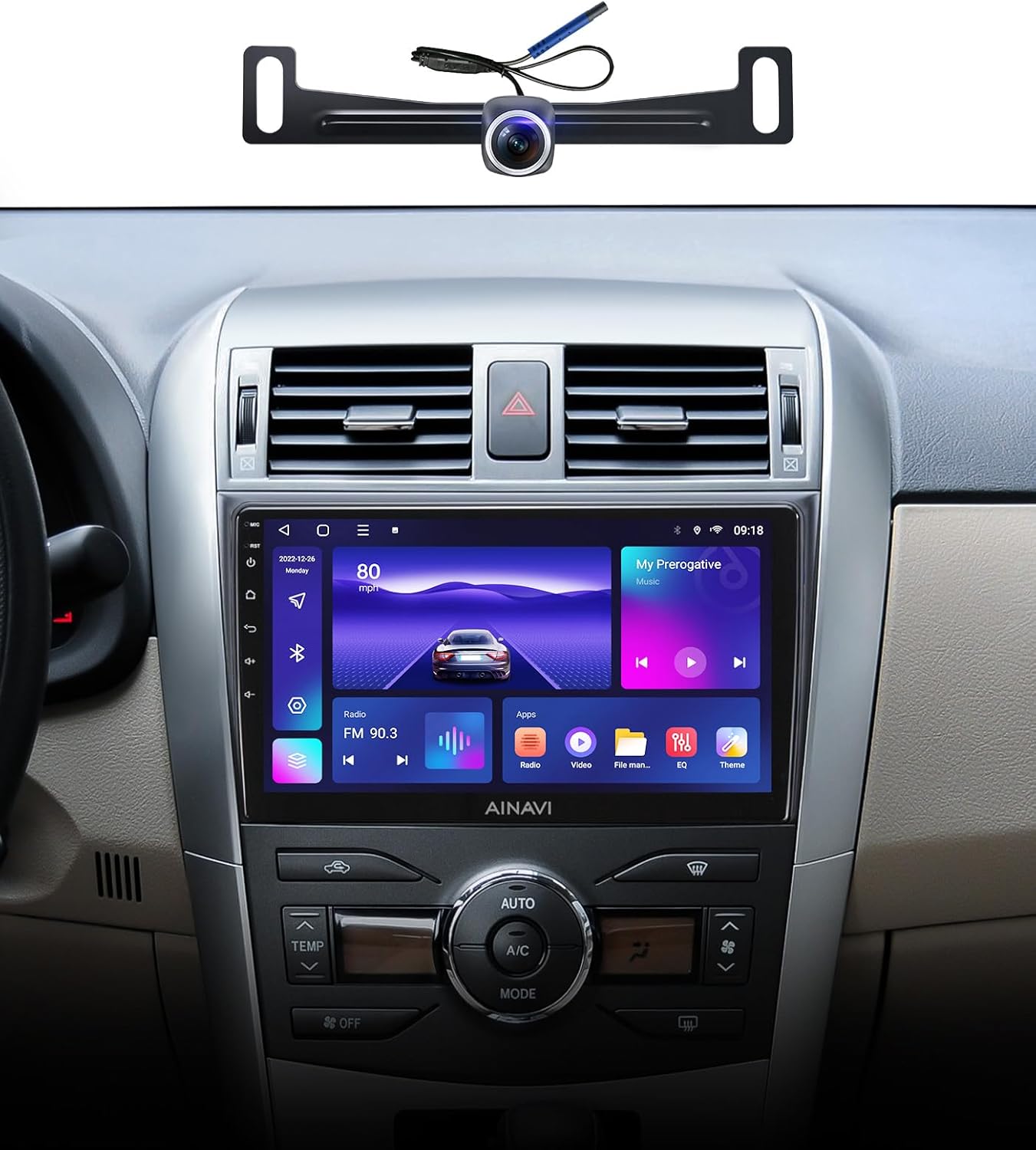
The AINAVI Android Car Stereo Radio integrated into a Toyota Corolla dashboard, showcasing the main unit and the included rearview camera.
Setup and Installation
Careful installation is crucial for optimal performance. It is recommended to consult a professional for installation if you are unfamiliar with car audio systems. Ensure the vehicle's power is disconnected before beginning installation.
Included Components
- Car Stereo Radio Head Unit (1280*720) with Frame for Toyota Corolla (2009-2012)
- Power Cable
- AHD 1080P Rear View Camera
- Microphone
- Blue Frame Removal Tool
- GPS Antenna
- USB 4Pin Cable
- USB 6Pin Cable
- User Manual
- RCA Cable
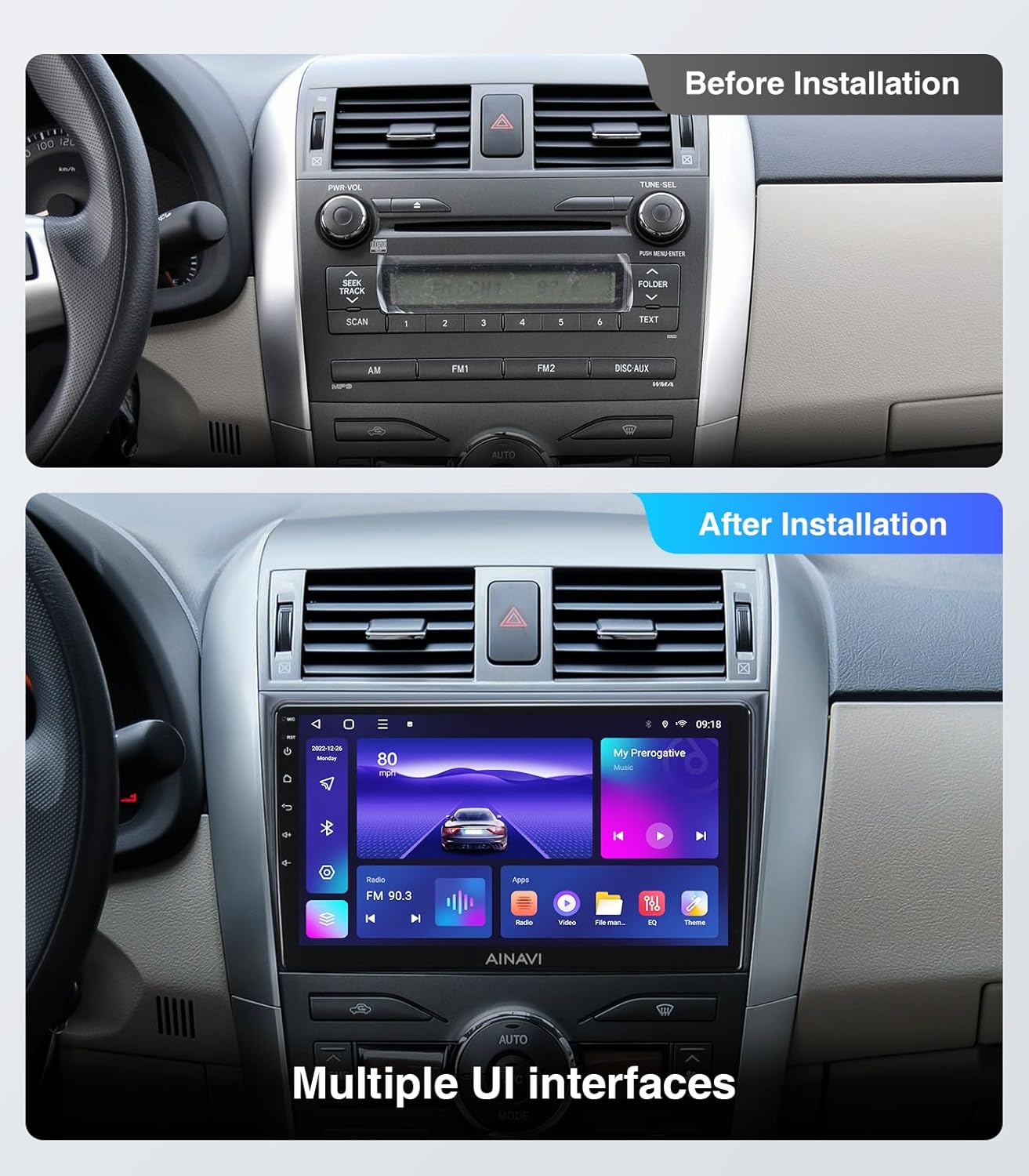
Visual comparison of the Toyota Corolla dashboard before and after the installation of the AINAVI car stereo.

A comprehensive view of all components supplied with the AINAVI car stereo system.
Operating Instructions
Display and Interface
The unit features a 9-inch HD IPS touch screen with a resolution of 1280x720 pixels, offering clear visuals and responsive touch control. The interface is designed for intuitive navigation through various functions and applications.

A detailed view of the AINAVI 9-inch HD IPS touch screen, emphasizing its clarity and vibrant display.
Wireless CarPlay & Android Auto
Connect your smartphone wirelessly via CarPlay or Android Auto for seamless access to navigation, music, calls, and messaging. This feature enhances driving safety by minimizing distractions.
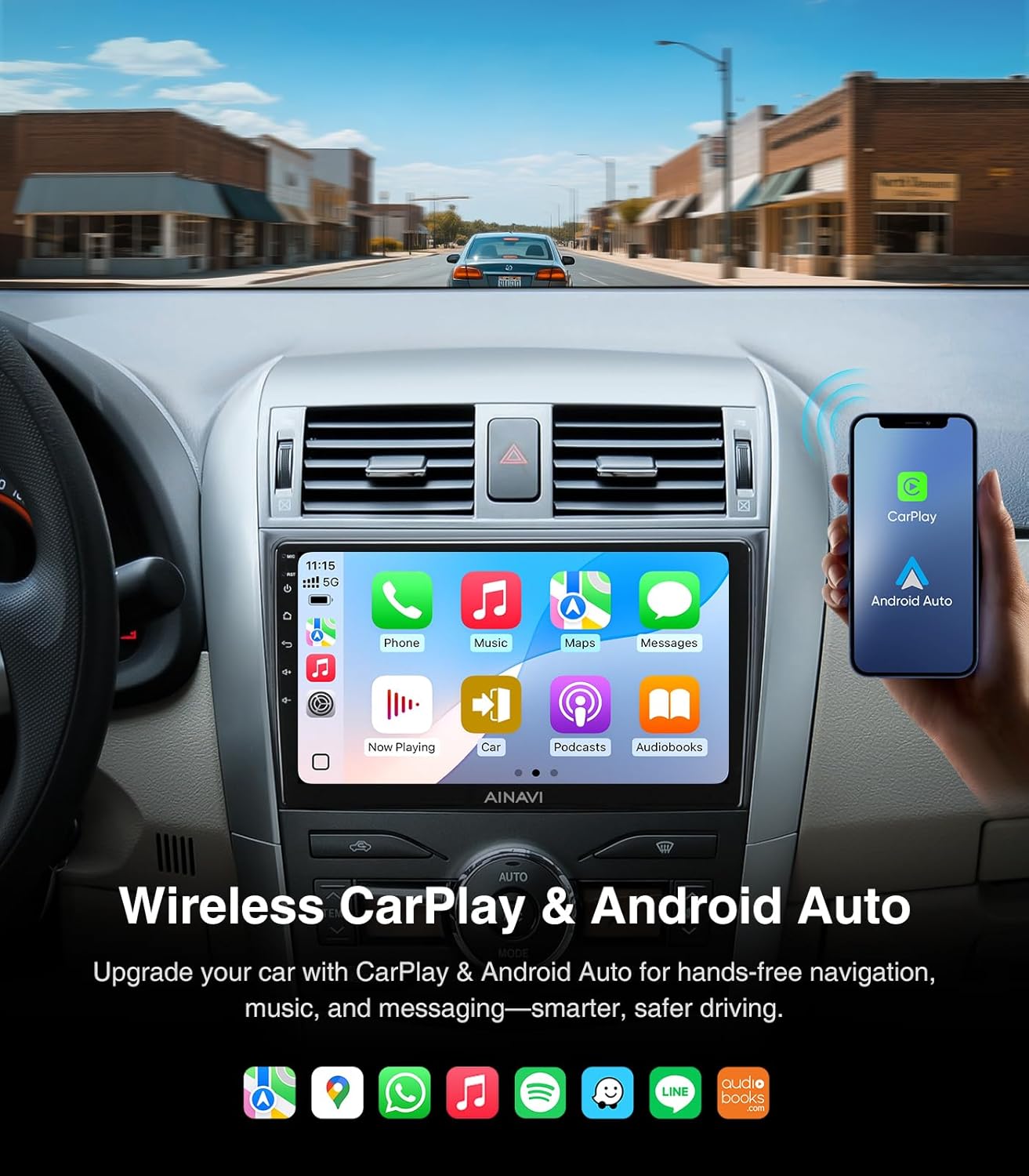
The AINAVI car stereo displaying the CarPlay interface, demonstrating wireless smartphone integration.
GPS Navigation
The unit supports various satellite services and 5G WiFi for accurate navigation. Utilize Google Maps with 2D and 3D perspectives, real-time traffic updates, and voice guidance for efficient travel.
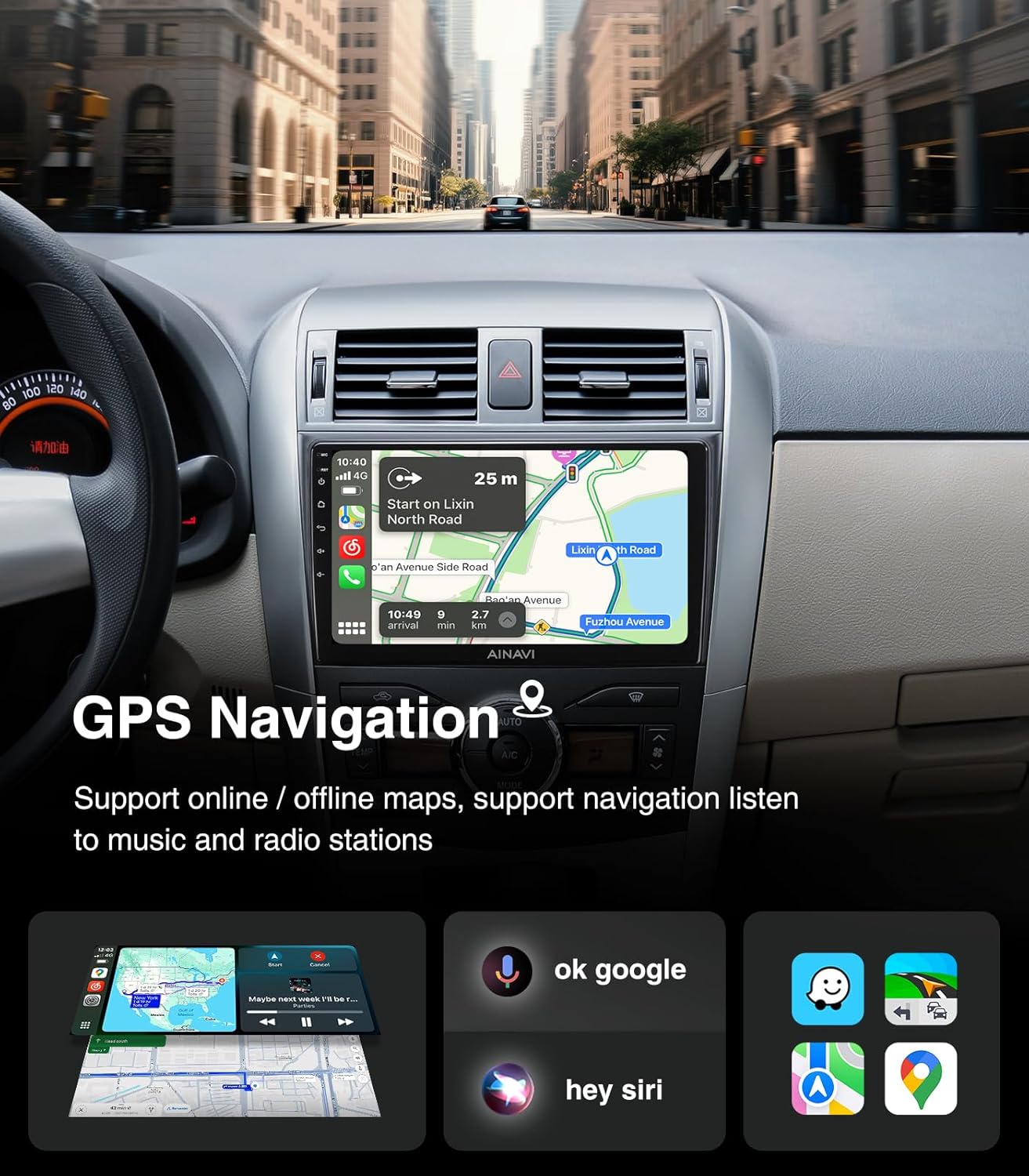
The AINAVI car stereo screen showing an active GPS navigation map with route details.
Connectivity (Bluetooth & WiFi)
Benefit from 5G WiFi for faster network speeds and a stable APP environment. Bluetooth connectivity allows for music streaming and hands-free calling, enhancing convenience and safety.

The AINAVI car stereo screen showing a phone dialer, demonstrating its Bluetooth and WiFi capabilities.
AM/FM/RDS Radio
Access a wide range of radio stations with the integrated AM/FM tuner. RDS (Radio Data System) provides additional information such as station name and song title where available.
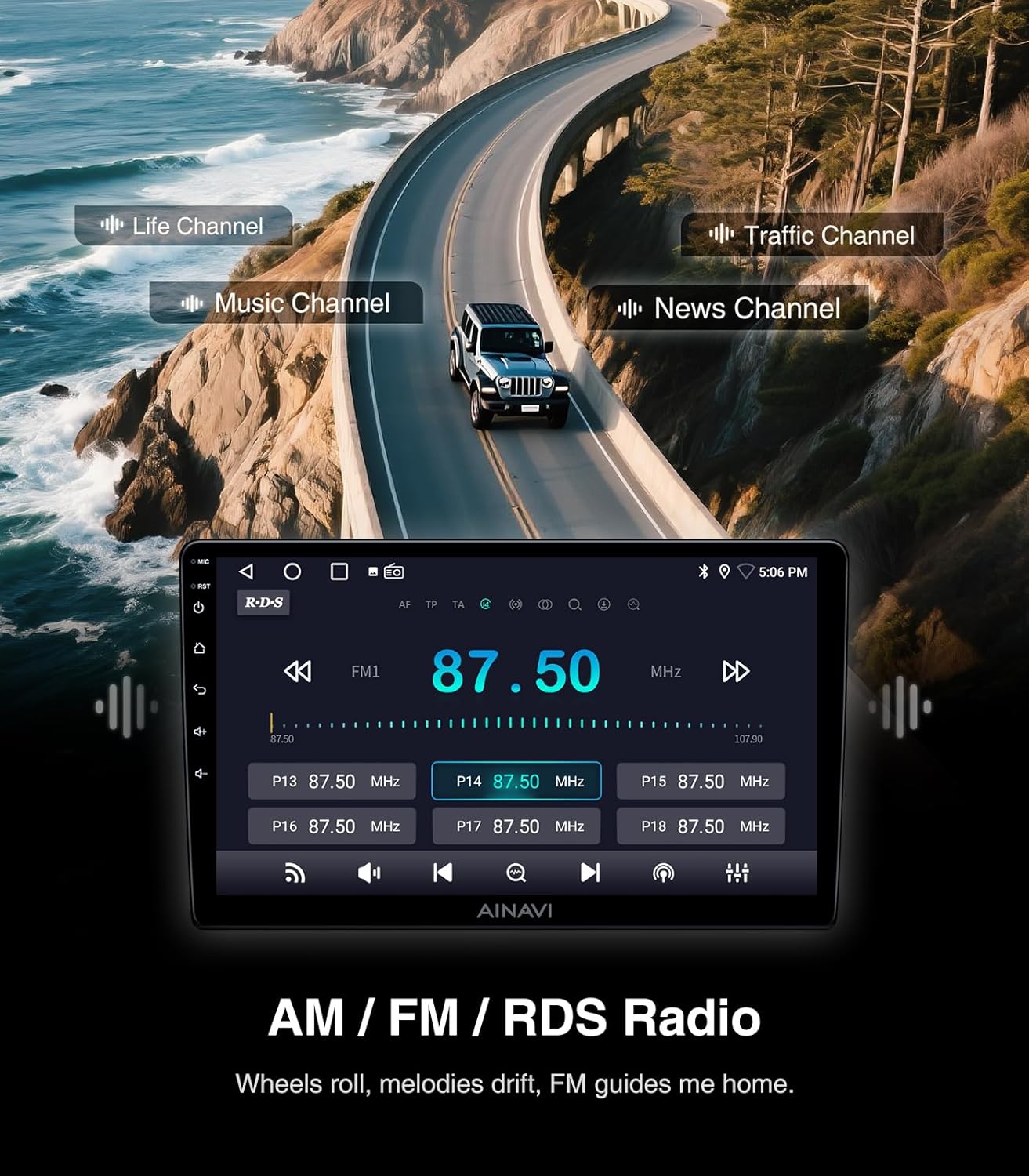
The AINAVI car stereo displaying the radio interface, showing current frequency and available channels.
Steering Wheel Control
The unit supports steering wheel controls, allowing you to manage audio playback, answer calls, and navigate menus without taking your hands off the wheel. This feature requires proper wiring during installation.

The AINAVI car stereo interface with a visual guide to steering wheel control functions.
Split Screen & Screen Mirroring
Utilize the split-screen function to run two applications simultaneously, such as navigation and music. Screen mirroring allows you to display your smartphone's screen directly on the head unit.

The AINAVI car stereo demonstrating its split-screen capability and smartphone screen mirroring feature.
Audio Equalization (DSP)
Customize your audio experience with the professional DSP (Digital Signal Processor) and 48-band equalizer. Adjust sound profiles (Normal, Jazz, Pop, Classical, Heavy Metal, Vocal, Soft), surround sound patterns, bass boost, and individual speaker volume controls.

The AINAVI car stereo displaying its multi-band audio equalization interface for precise sound tuning.
1080P Rear View Camera
The included 1080P AHD rearview camera provides a clear, wide-angle view of the area behind your vehicle, minimizing blind spots and assisting with safer reversing. Dynamic guidelines may be displayed if supported by your vehicle.

The AINAVI car stereo screen displaying the 1080P rearview camera feed with parking assistance lines.
Maintenance
To ensure the longevity and optimal performance of your AINAVI car stereo, follow these maintenance guidelines:
- Cleaning the Screen: Use a soft, lint-free cloth to gently wipe the touch screen. For stubborn smudges, slightly dampen the cloth with water or a screen-safe cleaner. Avoid harsh chemicals or abrasive materials.
- General Cleaning: Keep the unit and surrounding dashboard area free from dust and debris. Use a soft brush or compressed air for vents and crevices.
- Temperature Control: Avoid exposing the unit to extreme temperatures for extended periods.
- Software Updates: Periodically check for available software updates to ensure the system runs efficiently and has the latest features.
Troubleshooting
If you encounter issues with your car stereo, refer to the following common problems and solutions:
| Problem | Possible Cause | Solution |
|---|---|---|
| No Power | Loose power connection, blown fuse, vehicle battery issue. | Check power cables and connections. Inspect vehicle fuses. Ensure vehicle battery is charged. |
| No Sound | Volume too low, mute activated, speaker wiring issues, incorrect audio source. | Increase volume. Check if mute is active. Verify speaker connections. Select correct audio source. |
| GPS Not Working / Inaccurate | Poor GPS signal, outdated maps, GPS antenna not properly connected. | Ensure GPS antenna has a clear view of the sky. Check antenna connection. Update navigation software/maps. |
| Bluetooth Connectivity Issues | Bluetooth off on device/stereo, pairing mode not active, interference. | Ensure Bluetooth is enabled on both devices. Put stereo in pairing mode. Delete previous pairings and re-pair. |
| Touch Screen Unresponsive | Software glitch, screen calibration needed, physical damage. | Restart the unit. Perform a factory reset (if accessible). Contact support if issue persists. |
Specifications
| Feature | Detail |
|---|---|
| Model Number | 2+32 |
| Display Size | 9 Inches |
| Display Resolution | 1280x720 (HD IPS) |
| Operating System | Android |
| Memory (RAM) | 2GB |
| Storage (ROM) | 32GB |
| Processor | 8-Core CPU, Dual-Core GPU |
| Connectivity | Bluetooth, USB, Wi-Fi (2.4GHz & 5GHz), Wired, Wireless |
| Special Features | Android Auto, CarPlay, Touchscreen, RDS, Panel Light, 48-EQ (Sound Point Control), Premium DSP, Split Screen Function, Screen Mirroring, Rear View Camera Input |
| Audio Output Mode | Surround Sound Stereo |
| Map Type Support | Europe, North America, South America, Worldwide |
| Item Weight | 14.1 ounces |
| Package Dimensions | 13.82 x 10 x 5.24 inches |
Warranty
This AINAVI Android Car Stereo Radio comes with a 12 Months Manufacturer Guarantee from the date of purchase. This warranty covers defects in materials and workmanship under normal use. Please retain your proof of purchase for warranty claims.
Support
For technical assistance, installation support, or any inquiries regarding your AINAVI product, please contact our customer support team. Our professional engineers are available to assist you.
- Phone Support: +1 (833) 858-5016 (Working hours: 01:00 PM to 00:00 AM PST)
- Email Support: info@ainavi.com
- You can also seek help via your order center on the platform where you purchased the product.

Visual guide on how to access customer installation support.

A customer service representative ready to assist with inquiries.


