
1. Introduction and Overview
This DEWENWILS 300W Low Voltage Landscape Transformer is designed to safely convert 120V AC household electricity to a low 12/14V AC output, making it ideal for various outdoor landscape lighting applications. Equipped with Wi-Fi connectivity, three independent control zones, and compatibility with Amazon Alexa and Google Assistant, this transformer offers flexible and convenient control over your lighting system. Its robust and waterproof metal casing ensures reliable performance in outdoor environments.
2. What's in the Box
- DEWENWILS 300W Low Voltage Landscape Transformer
3. Specifications
| Specification | Value |
|---|---|
| Brand | DEWENWILS |
| Model Number | TD-300-12WF-2 Wi-Fi |
| Power Source | Corded Electric |
| Input Voltage | 120V AC |
| Output Voltage | 12V/14V AC |
| Maximum Power | 300W |
| Frequency | 60 Hz |
| Control Zones | 3 Independent Zones |
| Connectivity | 2.4GHz Wi-Fi, Alexa, Google Assistant |
| Mounting Type | Wall Mount |
| Casing Material | Metal (Waterproof) |
| Package Dimensions | 17.48 x 10.47 x 7.44 inches |
| Weight | 15.5 Pounds |
4. Safety Information
- Always disconnect power to the transformer before performing any installation, maintenance, or servicing.
- Ensure proper grounding of the transformer to prevent electrical hazards.
- Mount the transformer at least 1 foot (30 cm) above ground level to protect it from water and debris.
- This product is designed for outdoor use only. Do not install indoors.
- Do not overload the transformer. Ensure the total wattage of connected landscape lights does not exceed 300W.
- Do not immerse the transformer in water.
5. Setup
5.1 Mounting the Transformer
The DEWENWILS transformer is designed for secure wall mounting. Use the three pre-drilled mounting holes on the back of the unit to fix it to a sturdy vertical surface. Ensure the mounting location is at least 1 foot (30 cm) above ground and provides adequate ventilation.
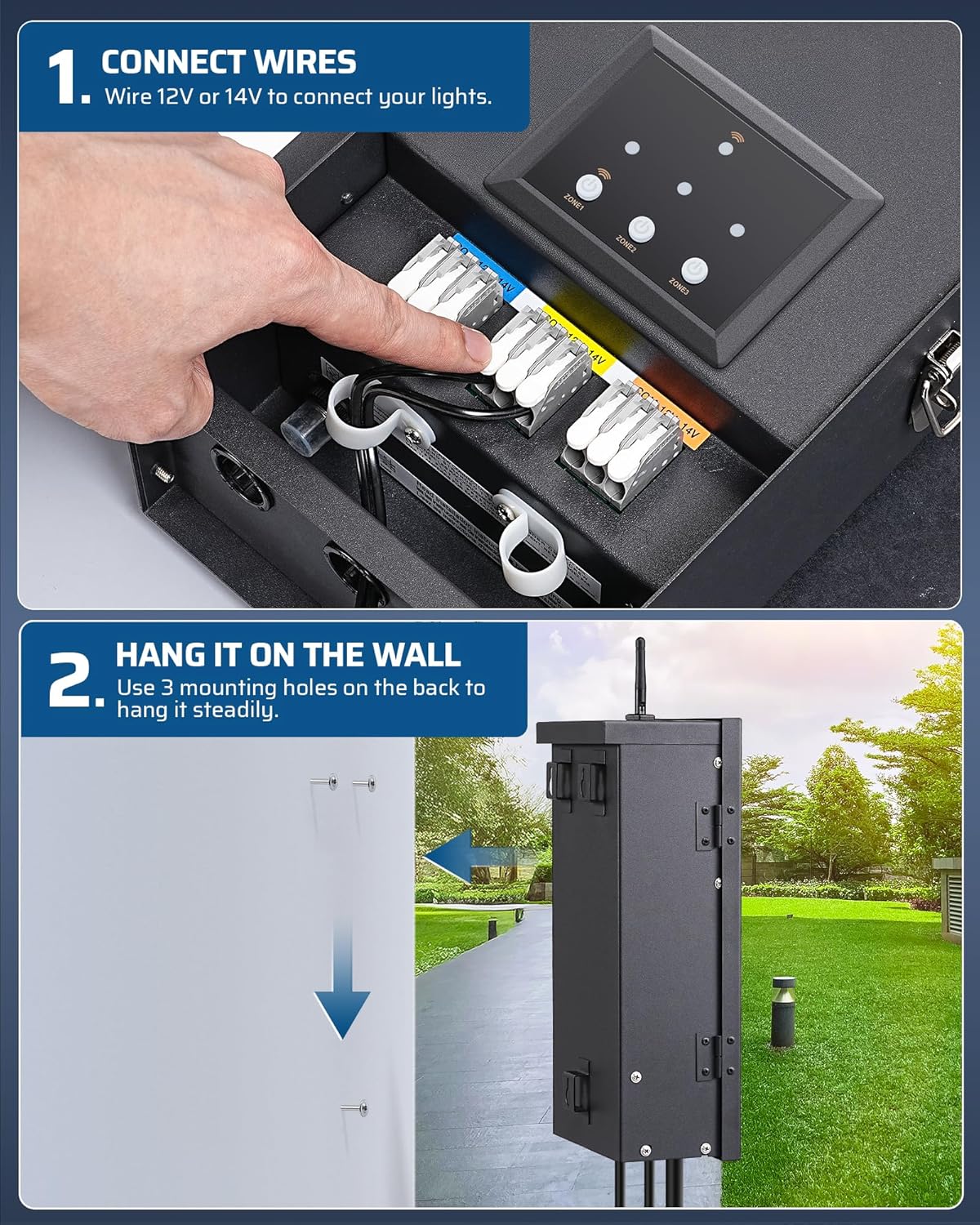
Image: Step-by-step illustration of mounting the transformer on a wall.
5.2 Wiring Connections
Connect your low voltage landscape lights to the transformer's output terminals. This transformer features upgraded push-in wire terminals, allowing for quick and tool-free installation. Simply insert the stripped ends of your landscape lighting wires into the appropriate terminals. You can select either 12V or 14V AC output for each of the three independent zones, depending on the requirements of your lighting fixtures.
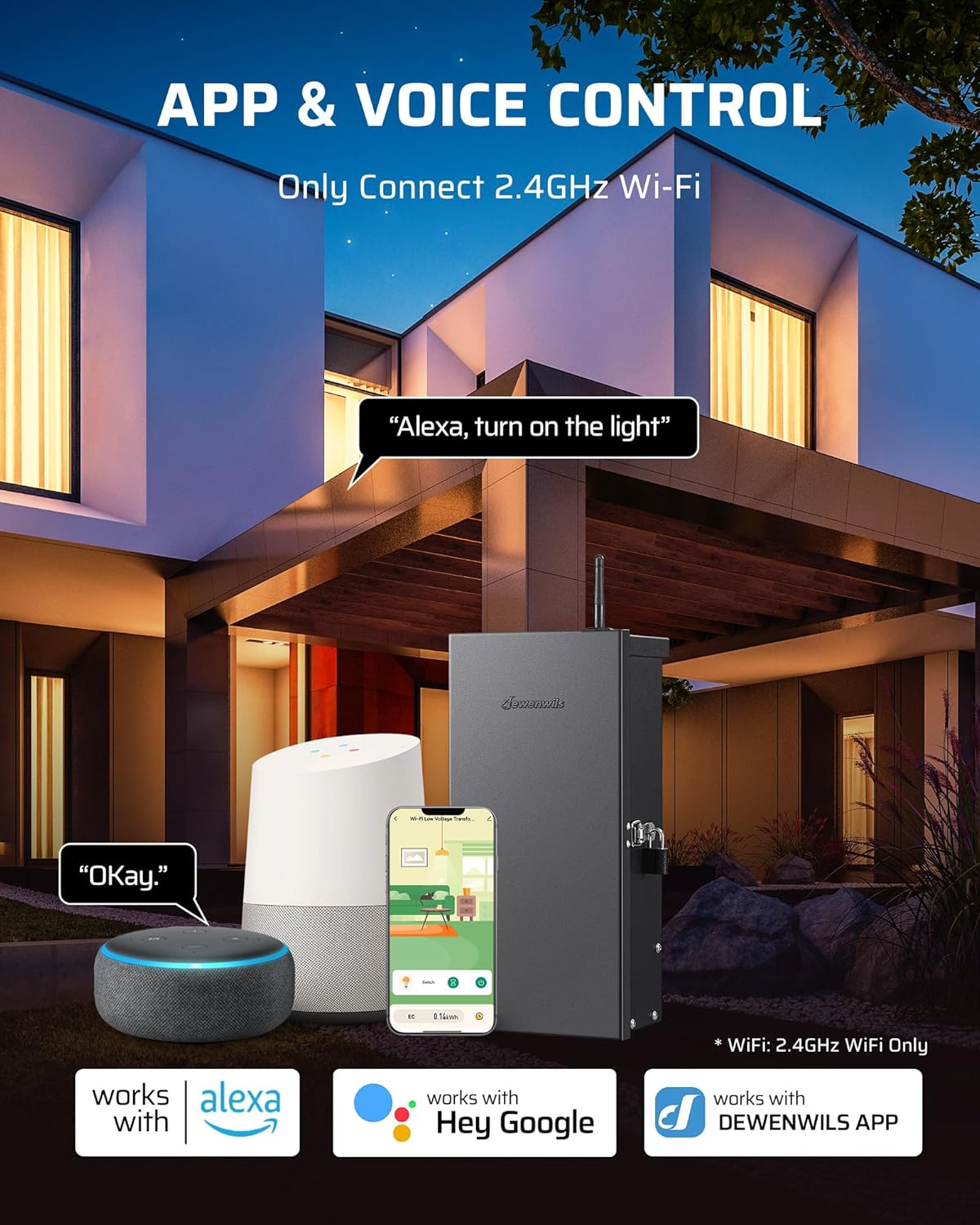
Image: Detailed view of the three independent wiring zones on the transformer.
5.3 App Installation and Wi-Fi Connection
To utilize the smart control features, download the official 'dewenwils' App from your smartphone's app store (available for iOS and Android). Ensure your home Wi-Fi network is operating on the 2.4GHz frequency, as the transformer only supports this band. Open the app and follow the on-screen instructions to pair your transformer. Typically, this involves pressing the '+' button within the app for automatic device discovery and pairing.

Image: Illustration of app and voice control capabilities, highlighting 2.4GHz Wi-Fi requirement.
6. Operating the Transformer
6.1 Control Panel Overview
The transformer features an intuitive control panel with dedicated buttons for each of the three zones. LED indicators provide visual feedback on Wi-Fi connectivity and the operational status of each zone.
6.2 Independent Zone Control
The DEWENWILS transformer allows for independent control of three separate lighting zones. You can activate or deactivate each zone individually using the physical buttons on the control panel or through the 'dewenwils' app. This flexibility enables you to customize lighting for different areas of your landscape.
6.3 Timer Modes
The 'dewenwils' app provides five versatile timer modes to automate your landscape lighting:
- Schedule: Set precise ON and OFF times for your lights on specific days of the week.
- Circulate: Program the lights to cycle ON and OFF repeatedly within a defined period, useful for intermittent lighting effects.
- Random: Lights turn on and off randomly within a set timeframe, creating the impression that someone is home for security purposes.
- Countdown: Set a countdown timer for your lights to remain on for a specified duration before automatically turning off.
- Astronomical: Utilizes your location to automatically turn lights on at dusk and off at dawn, adjusting with seasonal changes.
Additionally, you can manually turn the lights ON or OFF at any time via the app or the control panel.
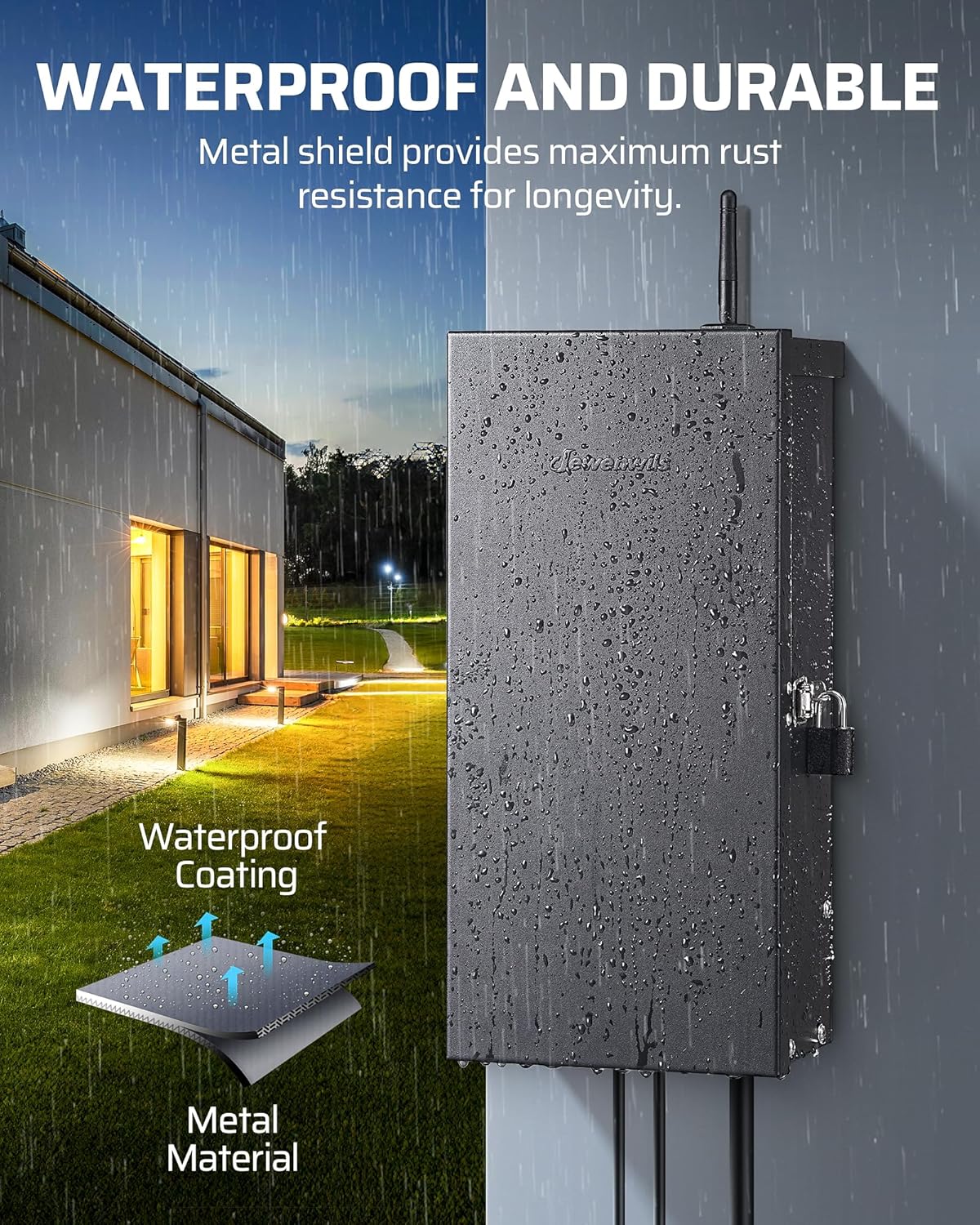
Image: Overview of the five available operating modes.
6.4 Voice Control
Integrate your DEWENWILS transformer with Amazon Alexa or Google Assistant for convenient voice control. After linking your 'dewenwils' account in the respective smart home app (Alexa or Google Home), you can use voice commands to turn your landscape lights on or off, or to activate specific zones.
7. Maintenance
The DEWENWILS 300W Low Voltage Landscape Transformer is built with a durable, waterproof metal casing designed for long-lasting outdoor use with minimal maintenance. To ensure optimal performance and longevity:
- Periodically inspect all wiring and connections for any signs of wear, fraying, or damage. Address any issues promptly.
- Keep the transformer casing clean and free from dirt, dust, and debris. A soft, damp cloth can be used for cleaning.
- Ensure that the ventilation openings on the transformer are not obstructed to prevent overheating.
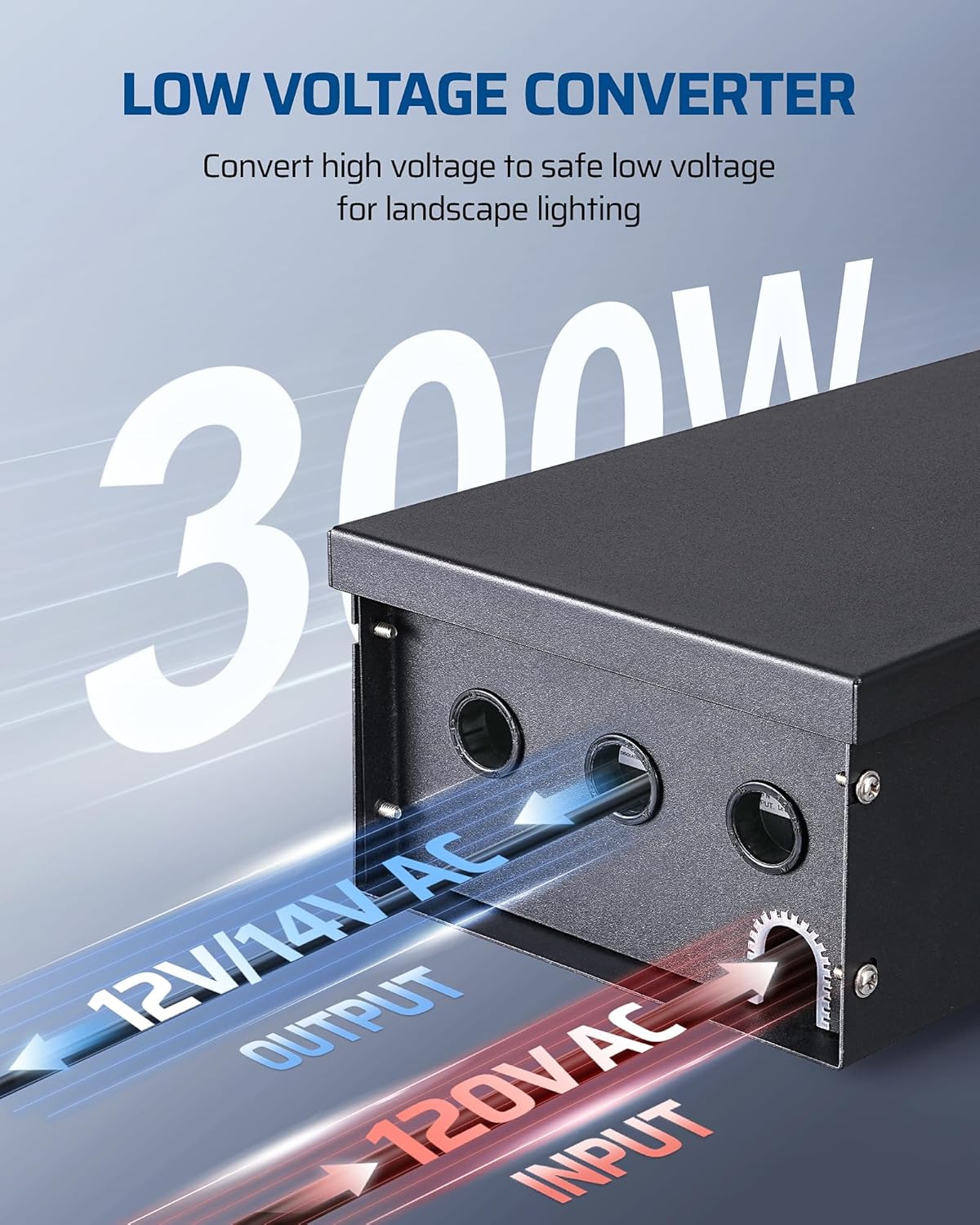
Image: The transformer's waterproof and durable design.
8. Troubleshooting
- Lights not turning on:
- Check if the transformer is receiving power and is plugged into a functional outlet.
- Verify all wiring connections are secure and properly inserted into the terminals.
- Ensure the correct zone is activated via the control panel or the 'dewenwils' app.
- Confirm that the total wattage of connected lights does not exceed the transformer's 300W capacity.
- Wi-Fi connection issues:
- Confirm that your Wi-Fi router is broadcasting a 2.4GHz signal. This transformer does not support 5GHz networks.
- Restart both the transformer and your Wi-Fi router.
- Ensure your smartphone is connected to the 2.4GHz network during the pairing process.
- Re-attempt the pairing process through the 'dewenwils' app.
- Lights flickering or dim:
- Check for any loose wire connections at the transformer or at the light fixtures.
- Ensure the transformer is not overloaded. Reduce the number of connected lights if necessary.
- Verify that the correct voltage (12V or 14V) is selected for your lights.
- Incorrect timing or schedule:
- Verify the time zone settings within the 'dewenwils' app.
- Double-check that your schedules (Schedule, Circulate, Random, Countdown, Astronomical) are correctly configured and saved in the app.
- For Astronomical mode, ensure your location services are enabled and accurate in the app.
9. Warranty
For detailed information regarding the product warranty, please refer to the warranty card included with your purchase or visit the official DEWENWILS website. Keep your proof of purchase for warranty claims.
10. Support
Should you require further assistance, technical support, or have any questions regarding your DEWENWILS 300W Low Voltage Landscape Transformer, please contact DEWENWILS customer service. You can find contact information on the product packaging or by visiting the official DEWENWILS website.
Visit the DEWENWILS Store on Amazon for more products and information.
