
1. Introduction
This manual provides essential instructions for the safe operation, maintenance, and troubleshooting of your Cecotec Conga Y50 X-Treme Robot Vacuum and Mop. Please read this manual thoroughly before using the product and retain it for future reference.
2. Safety Instructions
To ensure safe operation, always adhere to the following guidelines:
- Do not operate the robot near open flames or heat sources.
- Keep the robot and its accessories out of reach of children and pets.
- Ensure the charging base is placed against a wall on a hard, level surface, away from obstacles.
- Do not use the robot to clean liquids or wet surfaces.
- Regularly inspect the power cord and plug for damage. If damaged, contact customer support.
- Before cleaning or performing maintenance, ensure the robot is turned off and disconnected from the power supply.
- Only use original Cecotec replacement parts and accessories.
3. Package Contents
Verify that all items are present in the package:
- 1 x Cecotec Conga Y50 X-Treme Robot Vacuum Cleaner
- 1 x Self-Emptying Base
- 1 x Instruction Manual
- 1 x Multifunction Brush
- Side Brushes
- Mop Cloth
- Power Adapter

Image 3.1: Cecotec Conga Y50 X-Treme Robot Vacuum and Mop with its self-emptying base.
4. Product Overview
The Cecotec Conga Y50 X-Treme is an advanced robot vacuum and mop designed for comprehensive home cleaning. It features:
- Advanced Laser Navigation: Creates an interactive map of your home for precise and personalized cleaning, regardless of ambient light. This ensures accurate mapping and complete coverage.
- Powerful 5000 Pa Suction: The motor delivers strong suction to effectively remove dust, pet hair, and various types of dirt from your floors.
- Self-Emptying Base: Automatically empties the robot's dustbin into a 3L capacity bag, providing up to 12 weeks of autonomous cleaning. This feature is beneficial for allergy sufferers as it minimizes contact with dust and allergens.
- Multifunction All-Terrain Brush: Equipped with bristles and rubber silicone, this brush is suitable for cleaning all types of surfaces, including hard floors and carpets.

Image 4.1: Underside view of the robot, highlighting the main brush and side brushes.

Image 4.2: The robot performing sweeping, vacuuming, and mopping functions on various floor types.
5. Setup
5.1. Charging Base Placement
Place the self-emptying base against a wall in an open area, ensuring there are no obstacles within 1 meter (3 feet) to the front and 0.5 meters (1.5 feet) to the sides. Connect the power adapter to the base and plug it into a power outlet.
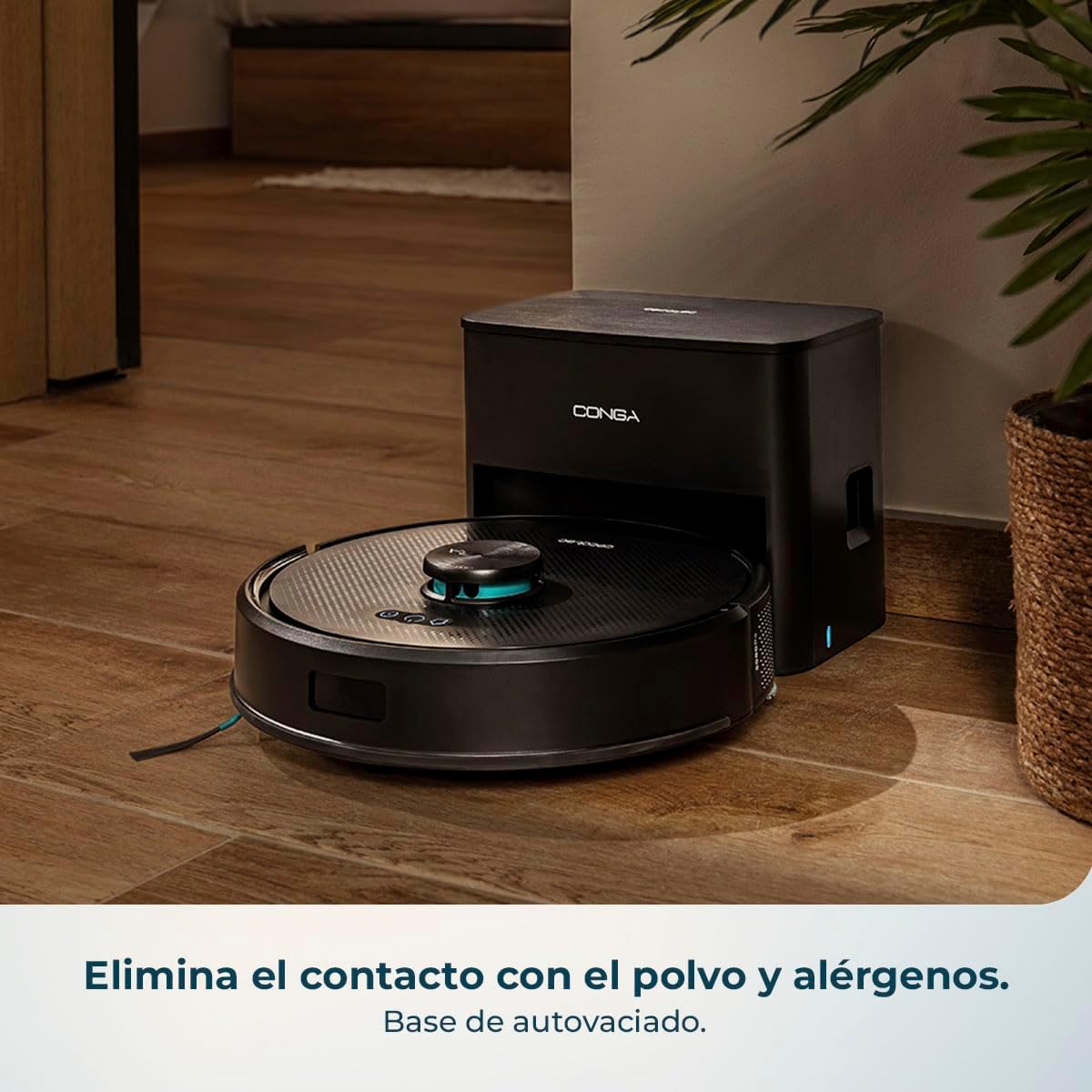
Image 5.1: The robot docking with its self-emptying base for charging and dust collection.
5.2. Initial Charging
Place the robot onto the charging base. Ensure the charging contacts on the robot align with those on the base. The robot will begin charging automatically. For first-time use, fully charge the robot before operation.
5.3. App Connection
Download the Cecotec app on your smartphone. Follow the in-app instructions to connect your robot to your home Wi-Fi network. This enables remote control, scheduling, and access to advanced features like interactive mapping.

Image 5.2: A user interacting with the Cecotec app to control the robot vacuum.
6. Operating Instructions
6.1. Starting a Cleaning Cycle
Press the power button on the robot or use the Cecotec app to start a cleaning cycle. The robot will automatically begin mapping and cleaning your home using its laser navigation system.
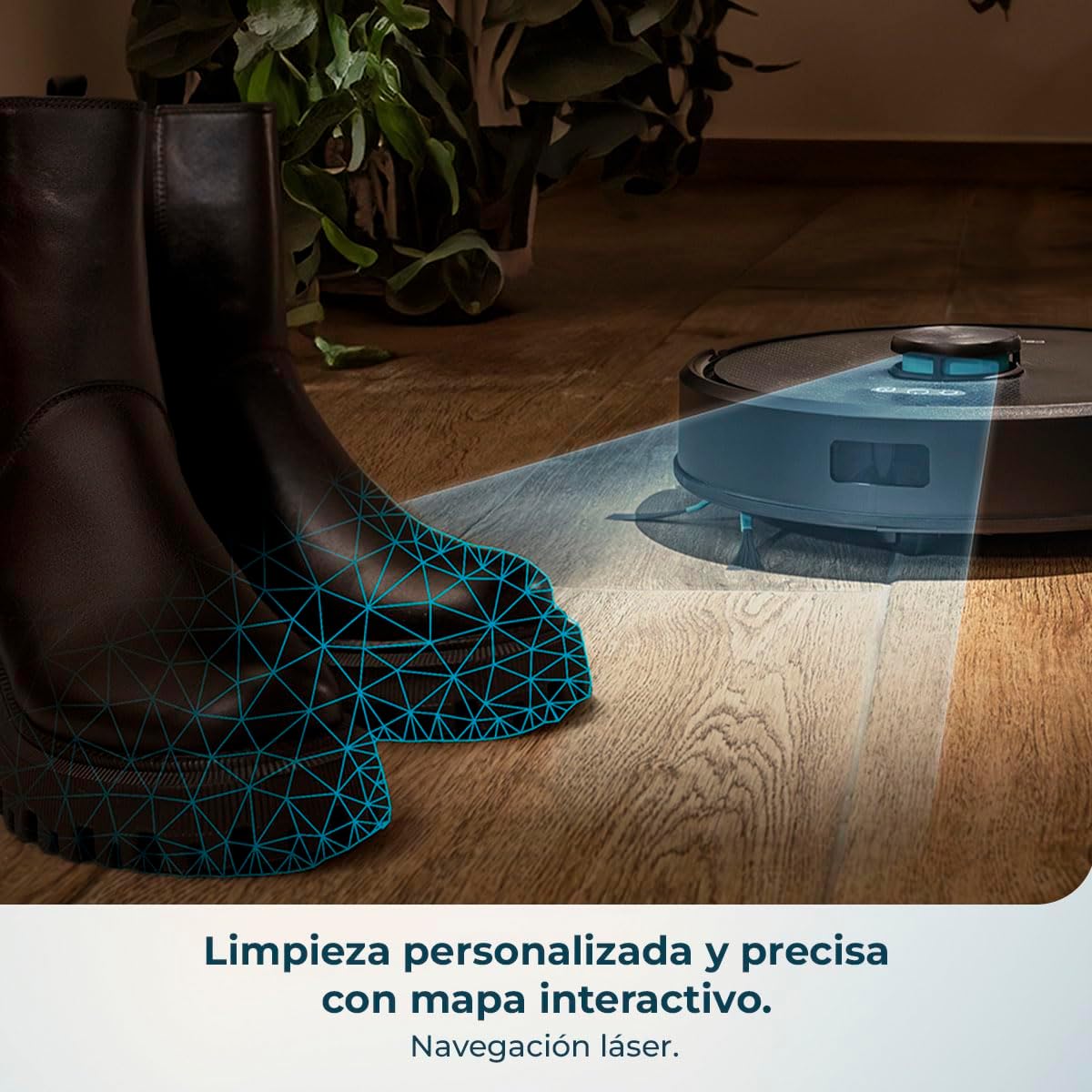
Image 6.1: The robot utilizing its laser navigation system for precise cleaning.
6.2. Cleaning Modes
The robot supports various cleaning modes, which can be selected via the app:
- Auto Mode: The robot intelligently cleans the entire area.
- Spot Cleaning: Focuses on a specific dirty area.
- Edge Cleaning: Cleans along walls and furniture edges.
- Mop Mode: Attaches the mop cloth and water tank (if applicable) for wet cleaning.

Image 6.2: The robot effectively cleaning both hard floor surfaces and carpets.
6.3. Scheduling and Zone Cleaning
Use the Cecotec app to set cleaning schedules for specific times and days. You can also define restricted areas or specific zones for cleaning on the interactive map.

Image 6.3: The robot demonstrating its mapping capabilities to cover large areas efficiently.
7. Maintenance
Regular maintenance ensures optimal performance and extends the lifespan of your robot vacuum.
7.1. Emptying the Dustbin and Self-Emptying Base
The robot automatically empties its internal dustbin into the self-emptying base. The 3L bag in the base typically requires replacement every 12 weeks, depending on usage. Check the app for notifications regarding bag replacement.

Image 7.1: Illustration of the automatic dust transfer from the robot to the self-emptying base.
7.2. Cleaning Brushes
- Main Brush: Remove the main brush cover and lift out the brush. Use the cleaning tool provided to remove hair and debris tangled around the brush. Clean weekly.
- Side Brushes: Check side brushes for wear or entanglement. Remove any hair or debris. Replace if visibly worn. Clean monthly.
7.3. Cleaning Filters
Tap the filter to remove loose dirt. For a deeper clean, rinse the filter under running water (ensure it is completely dry before reinstallation). Clean monthly.
7.4. Cleaning Sensors
Wipe all sensors (anti-drop, anti-collision, and charging contacts) with a clean, dry cloth to ensure proper functionality. Clean monthly.
8. Troubleshooting
If you encounter issues with your robot, refer to the following common problems and solutions:
| Problem | Possible Cause | Solution |
|---|---|---|
| Robot does not turn on | Low battery; Power switch off | Charge the robot; Ensure power switch is on |
| Robot cannot find charging base | Base obstructed; Robot too far | Clear area around base; Manually place robot near base |
| Poor cleaning performance | Full dustbin; Clogged brushes/filters | Empty dustbin/replace bag; Clean brushes and filters |
| Robot gets stuck frequently | Obstacles; Uneven surfaces | Clear cables/small objects; Use virtual walls in app |
| App connection issues | Incorrect Wi-Fi password; Router issues | Verify Wi-Fi credentials; Restart router and robot |
If the problem persists, please contact Cecotec customer support.
9. Specifications
| Feature | Detail |
|---|---|
| Brand | Cecotec |
| Model Name | Conga Y50 X-Treme |
| Model Number | A01_EU01_119667 |
| Color | Black |
| Product Dimensions | 21.4 x 32.5 x 32.5 cm |
| Product Weight | 3.78 kg |
| Suction Power | 5000 Pa |
| Self-Emptying Base Capacity | 3 Liters |
| Voltage | 240 Volts |
| Power Source | Battery |
| Batteries Included | Yes |
| Special Features | Bagless, Laser Navigation, App Control |
| Compatible Devices | Smartphones |
10. Warranty and Support
Your Cecotec Conga Y50 X-Treme Robot Vacuum and Mop is covered by a manufacturer's warranty. For detailed warranty terms and conditions, please refer to the warranty card included in your package or visit the official Cecotec website. For technical support, spare parts, or service inquiries, please contact Cecotec customer service through their official channels.
You can find more information and support on the Cecotec Brand Store.


