
Important Safety Instructions
Read all instructions carefully before using this appliance. Failure to follow these instructions may result in electric shock, fire, or serious injury.
- This appliance can be used by children aged 8 years and above and persons with reduced physical, sensory or mental capabilities or lack of experience and knowledge if they have been given supervision or instruction concerning use of the appliance in a safe way and understand the hazards involved.
- Children shall not play with the appliance. Cleaning and user maintenance shall not be made by children without supervision.
- Only use the original power adapter provided with the product.
- Do not operate the robot in areas with open flames or flammable materials.
- Ensure the charging base is placed on a flat, stable surface and is not obstructed.
- Do not immerse the robot or its charging base in water or other liquids.
- Before cleaning, remove any loose cables, small objects, or fragile items from the floor.
Setup Guide
1. Unpacking and Component Identification
Carefully remove all components from the packaging. Verify that all parts are present:
- Cecotec Conga X50 X-Treme Robot Vacuum and Mop
- Self-Emptying and Washing Base (Home&Wash Station)
- Power Adapter
- Side Brushes (x2)
- Mop Pads (x2)
- Dust Bags (x1)
- Cleaning Brush

2. Installing Side Brushes
Gently press the side brushes onto their respective posts on the underside of the robot until they click into place. Ensure they are securely attached.
3. Positioning the Home&Wash Station
Place the Home&Wash Station against a wall in an open area, ensuring there is at least 0.5 meters (1.6 feet) of clear space on both sides and 1.5 meters (5 feet) in front. Connect the power adapter to the station and plug it into a wall outlet. Ensure the station has access to a water supply if automatic refilling is desired (refer to advanced setup for water connection).

4. Initial Charging
Place the robot onto the Home&Wash Station. The robot will automatically align and begin charging. For first use, allow the robot to charge completely, which may take several hours. The indicator light on the robot will change to indicate a full charge.
5. App Installation and Connection
Download the "Cecotec Conga" application from your smartphone's app store. Follow the in-app instructions to connect your robot to your home Wi-Fi network. This will enable advanced features, scheduling, and remote control.

Operating Instructions
1. Starting a Cleaning Cycle
Press the power button on the robot or use the mobile application to start a cleaning cycle. The robot will automatically begin mapping its environment using its laser navigation system and proceed with cleaning.

2. Cleaning Modes
The Conga X50 X-Treme offers various cleaning modes accessible via the mobile app:
- Auto Mode: The robot intelligently cleans the entire area.
- Spot Mode: Cleans a specific area more intensely.
- Edge Mode: Focuses on cleaning along walls and furniture edges.
- Scrubbing Mode: Activates the mopping function for wet cleaning.
- Custom Area: Allows you to define specific zones for cleaning or exclusion zones.
3. Mopping Function
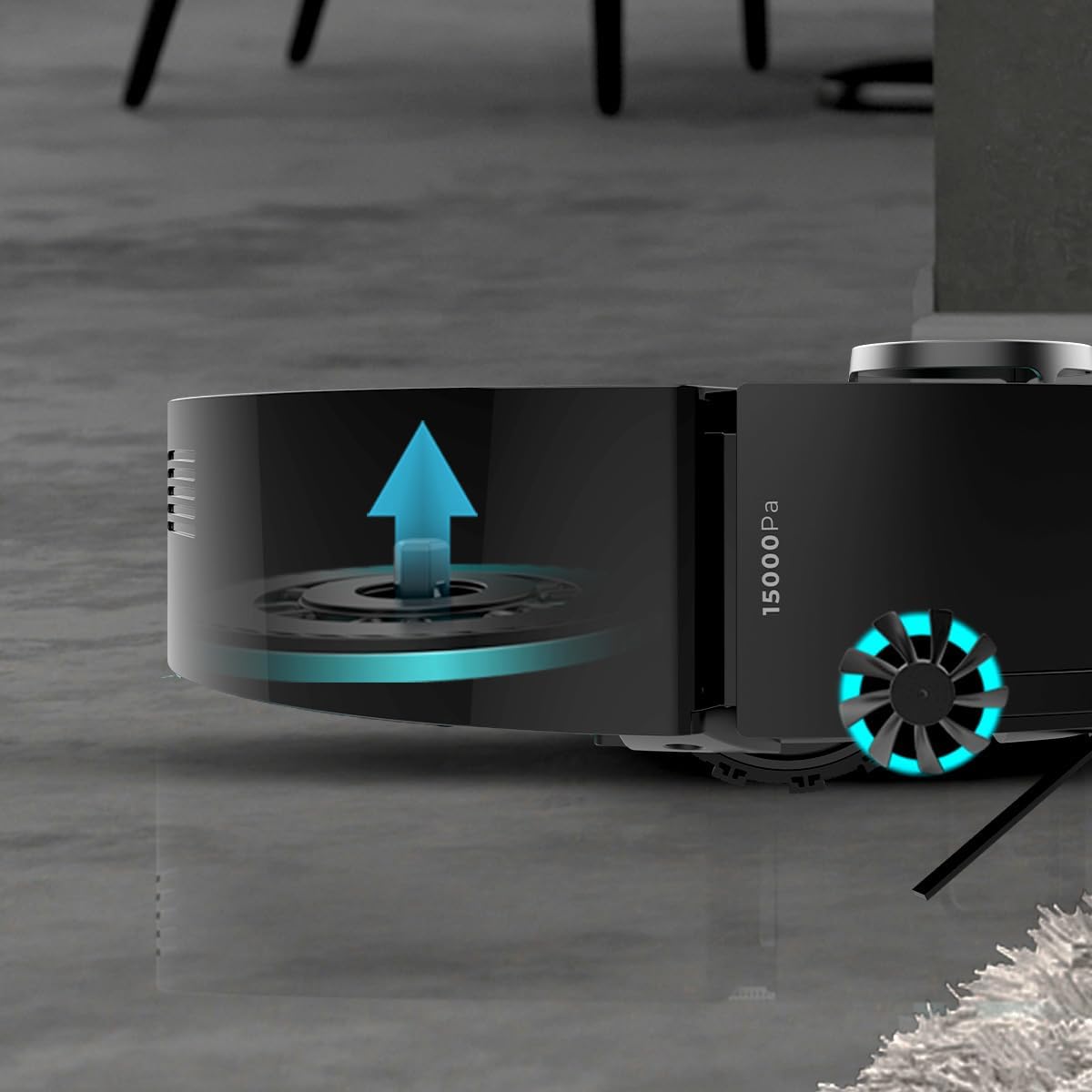
Attach the mop pads to the robot. Ensure the water tank in the Home&Wash Station is filled with clean water. The robot will automatically detect the mop pads and engage the mopping function. The mop pads are elevatable, allowing the robot to transition between hard floors and carpets without wetting the carpet.

4. Carpet Detection and Suction Power
The robot is equipped with carpet detection technology. When it encounters a carpet, it automatically increases suction power for deeper cleaning and lifts the mop pads to prevent wetting the carpet.

Maintenance
Regular maintenance ensures optimal performance and extends the lifespan of your robot vacuum.
1. Home&Wash Station Maintenance
The Home&Wash Station is designed for autonomous maintenance. It features three tanks:
- Dust Bag: The robot automatically empties its dustbin into a disposable dust bag within the station. Replace the dust bag when full.
- Clean Water Tank (4L): Fill this tank with clean water for the mopping function and mop pad washing.
- Dirty Water Tank (3.5L): This tank collects dirty water from the mop pad washing process. Empty and clean this tank regularly to prevent odors and germ buildup.
The station also dries the mop pads after cleaning to prevent mildew and odors.
2. Robot Components Cleaning
- Main Brush: Remove the main brush cover and lift out the brush. Use the provided cleaning tool to remove hair and debris. Clean weekly.
- Side Brushes: Check for tangled hair or debris. Remove and clean as needed. Replace if worn.
- Mop Pads: Remove mop pads after each mopping cycle. Wash them thoroughly and allow them to air dry.
- Filters: Tap the filter to remove dust. Do not wash the HEPA filter with water. Replace filters every 3-6 months depending on usage.
- Sensors: Wipe the cliff sensors and charging contacts on the robot and base with a clean, dry cloth.
Troubleshooting
| Problem | Possible Cause | Solution |
|---|---|---|
| Robot does not turn on. | Low battery; power button not pressed. | Place robot on charging base; press and hold power button. |
| Robot cannot connect to Wi-Fi. | Incorrect Wi-Fi password; router too far; 5GHz network. | Verify password; move robot closer to router; ensure 2.4GHz network is used. |
| Robot gets stuck frequently. | Obstacles on floor; tangled brushes. | Clear floor of cables and small objects; clean main and side brushes. |
| Poor cleaning performance. | Full dustbin/dust bag; dirty filters; worn brushes. | Empty dustbin/replace dust bag; clean/replace filters; clean/replace brushes. |
| Mop pads not getting wet or dirty. | Empty clean water tank; clogged water nozzles. | Fill clean water tank; clean water nozzles. |
Specifications
| Feature | Detail |
|---|---|
| Brand | Cecotec |
| Model Name | Conga X50 X-Treme |
| Model Number | A01_EU01_119670 |
| Navigation Type | Laser Navigation, Interactive Mapping |
| Suction Power | 15000 Pa |
| Battery Life | Up to 240 minutes (ECO mode) |
| Cleaning Area | Up to 240 m² |
| Home&Wash Station Dust Capacity | 2.5 Liters |
| Home&Wash Station Clean Water Capacity | 4 Liters |
| Home&Wash Station Dirty Water Capacity | 3.5 Liters |
| Special Features | Self-emptying, Mop pad washing and drying, Elevatable mop pads, Carpet detection, App control |
| Dimensions (L x W x H) | 35 x 43.5 x 43 cm (Robot + Base) |
| Weight | 10.34 Kilograms |
| Battery Type | Lithium-ion |
Warranty and Support
This product comes with a standard manufacturer's warranty. For specific warranty terms and conditions, please refer to the documentation included in your product packaging or visit the official Cecotec website.
For technical support, troubleshooting assistance, or to inquire about replacement parts, please contact Cecotec customer service:
- Website: www.cecotec.com
- Email: Refer to website for contact form or email address.
- Phone: Refer to website for regional contact numbers.
Please have your model number (A01_EU01_119670) and purchase date available when contacting support.


