
Cecotec Conga M10
Cecotec Conga M10 Robot Vacuum Cleaner User Manual
Model: Conga M10
1. Introduction
Thank you for choosing the Cecotec Conga M10 Robot Vacuum Cleaner. This manual provides essential information for the safe and efficient operation, maintenance, and troubleshooting of your device. Please read it thoroughly before first use and retain it for future reference.
The Conga M10 is designed to provide comprehensive floor cleaning with its gyroscopic navigation system, ensuring an organized and efficient cleaning path. It features powerful 2000Pa suction, a 120-minute battery autonomy, anti-fall sensors, and convenient app control, allowing it to sweep, vacuum, mop, and scrub simultaneously.
2. Important Safety Instructions
- This appliance can be used by children aged 8 years and above and persons with reduced physical, sensory or mental capabilities or lack of experience and knowledge if they have been given supervision or instruction concerning use of the appliance in a safe way and understand the hazards involved.
- Children should be supervised to ensure that they do not play with the appliance.
- Cleaning and user maintenance shall not be made by children without supervision.
- Use only the original power adapter and charging base provided by the manufacturer.
- Do not operate the robot in wet environments or near water sources.
- Before use, remove any loose cables, small objects, or fragile items from the cleaning area to prevent entanglement or damage.
- Ensure the charging base is placed against a wall on a flat surface, with sufficient clear space around it.
- Do not lift or move the robot while it is operating.
- The robot is equipped with anti-fall sensors. However, always exercise caution when operating near stairs or elevated surfaces.
3. Package Contents
Verify that all components are present in the package:
- 1 x Cecotec Conga M10 Robot Vacuum Cleaner
- 1 x Mop Pad
- 1 x Charging Base
- 1 x Power Adapter
- 2 x Side Brushes (pre-installed or spare)
- 1 x User Manual
4. Product Overview
Familiarize yourself with the main components of your Conga M10 robot vacuum cleaner.

Image 4.1: Top view of the Conga M10 robot vacuum cleaner, highlighting the power and home buttons for easy control.

Image 4.2: Side view of the Conga M10, illustrating the transparent water tank for mopping functionality.

Image 4.3: Bottom view of the Conga M10, detailing the dual side brushes, central suction inlet, removable mop pad, and three anti-fall sensors.
Main Components:
- Top Panel: Power button, Home button (return to charging base).
- Side Brushes: Two brushes designed to sweep dirt from edges and corners towards the suction inlet.
- Suction Inlet: Brushless design for efficient dust and hair collection, minimizing tangles.
- Water Tank & Mop Pad: Integrated system for simultaneous sweeping, vacuuming, and mopping.
- Anti-fall Sensors: Three sensors located on the bottom to detect drops and prevent falls.
- Charging Contacts: Located on the bottom of the robot and on the charging base.
- Dustbin: Collects vacuumed debris.
5. Setup
5.1 Unpacking and Initial Preparation
- Carefully remove the robot and all accessories from the packaging.
- Remove all protective films and stickers from the robot and charging base.
- Ensure the side brushes are securely installed.
5.2 Charging Base Placement
Place the charging base against a wall in an open area, ensuring:
- At least 1 meter (3 feet) of clear space in front of the base.
- At least 0.5 meters (1.5 feet) of clear space on both sides of the base.
- No direct sunlight or obstacles blocking the signal from the base.

Image 5.1: The Conga M10 robot vacuum cleaner correctly positioned at its charging base.
5.3 Initial Charging
- Connect the power adapter to the charging base and plug it into a power outlet.
- Place the robot onto the charging base, ensuring the charging contacts align. The robot will emit a sound and the indicator light will show charging status.
- Allow the robot to fully charge before its first use (approximately 4-5 hours).
5.4 App Installation and Pairing
The Conga M10 can be controlled via a mobile application for enhanced functionality.
- Download the official Cecotec Conga app from your smartphone's app store (iOS or Android).
- Register an account or log in.
- Follow the in-app instructions to add your Conga M10 device. This typically involves connecting the robot to your home Wi-Fi network.

Image 5.2: Using the mobile application to control the Conga M10 robot vacuum cleaner.
6. Operating the Robot
6.1 Starting and Stopping Cleaning
- To Start: Press the Power button on the robot or use the 'Start' function in the mobile app. The robot will begin cleaning in an organized path using its gyroscopic navigation.
- To Pause: Press the Power button again during cleaning.
- To Resume: Press the Power button again.
- To Stop/Return to Base: Press the Home button on the robot or use the 'Return to Base' function in the app. The robot will return to its charging base.
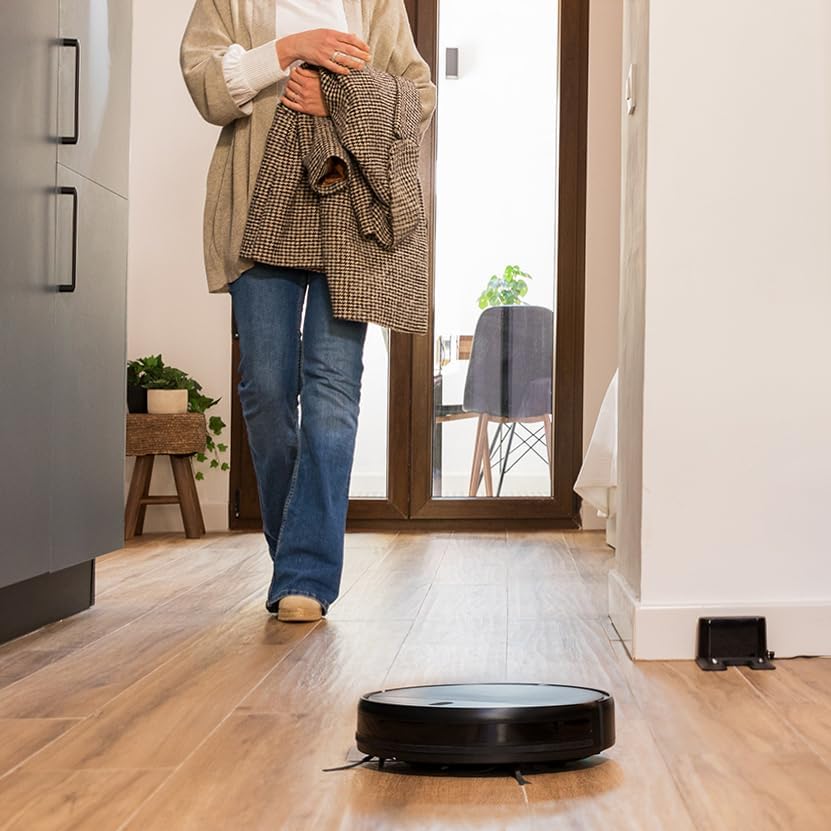
Image 6.1: The Conga M10 robot vacuum cleaner actively cleaning a floor.
6.2 Cleaning Modes
The Conga M10 offers multiple cleaning functionalities:
- Sweep & Vacuum: The robot uses its side brushes and powerful suction to collect dust, dirt, and pet hair.
- Mop & Scrub: With the water tank filled and mop pad attached, the robot can simultaneously mop and scrub the floor.

Image 6.2: The Conga M10 performing its mopping function on a hard floor.
6.3 Water Flow Control (Mopping)
When using the mopping function, you can adjust the water flow level via the mobile app to suit different floor types and cleaning needs. The Conga M10 offers 3 levels of water flow.

Image 6.3: The Conga M10's adjustable water flow for customized mopping, with 3 distinct levels.
6.4 Scheduled Cleaning
Use the mobile app to set up cleaning schedules. You can program the robot to clean at specific times and days, even when you are not home.
7. Maintenance
Regular maintenance ensures optimal performance and extends the lifespan of your robot vacuum cleaner.
7.1 Emptying the Dustbin
The dustbin should be emptied after each cleaning cycle or when full. Open the top cover of the robot, remove the dustbin, and dispose of the collected debris.
7.2 Cleaning Filters
The filters inside the dustbin should be cleaned regularly. Tap them gently to remove dust or use a small brush. Replace filters every 3-6 months, depending on usage.
7.3 Cleaning Side Brushes
Inspect the side brushes for tangled hair or debris. Carefully remove any obstructions. Replace worn or damaged side brushes to maintain effective edge cleaning.

Image 7.1: The Conga M10 features dual side brushes for thorough cleaning along edges and in corners.
7.4 Cleaning the Mop Pad and Water Tank
After mopping, remove the mop pad and wash it thoroughly. Empty any remaining water from the tank and allow it to air dry to prevent mold or odors.
7.5 Cleaning Sensors and Charging Contacts
Wipe the anti-fall sensors (located on the bottom) and the charging contacts (on the robot and base) with a clean, dry cloth to ensure proper function and charging.
8. Troubleshooting
If you encounter issues with your Conga M10, refer to the following common problems and solutions:
| Problem | Possible Cause | Solution |
|---|---|---|
| Robot does not turn on | Low battery; Power button not pressed correctly | Place robot on charging base; Press and hold power button for 3 seconds. |
| Robot does not charge | Charging contacts dirty; Charging base not powered | Clean charging contacts on robot and base; Ensure charging base is plugged in. |
| Poor cleaning performance | Dustbin full; Filters clogged; Side brushes worn | Empty dustbin; Clean/replace filters; Clean/replace side brushes. |
| Robot gets stuck frequently | Obstacles in path; Robot stuck under furniture | Clear cleaning area; Use virtual walls or physical barriers for problematic areas. |
| App connectivity issues | Incorrect Wi-Fi password; Robot too far from router | Verify Wi-Fi credentials; Move robot closer to router; Re-pair device in app. |
9. Specifications
| Feature | Detail |
|---|---|
| Brand | Cecotec |
| Model Name | Conga M10 |
| Model Number | A01_EU01_114725 |
| Color | Black |
| Product Dimensions | 36 x 14.5 x 41.8 cm |
| Product Weight | 2.76 kg |
| Voltage | 220 Volts |
| Special Features | Intelligent Mop Lifting |
| Battery Life | 120 Minutes |
| Power Source | Battery |
| Batteries Included | Yes |
10. Warranty and Support
10.1 Warranty Information
For detailed warranty information, please refer to the warranty card included with your product or the purchase documentation. The warranty period and terms may vary depending on your region and point of purchase.
10.2 Customer Support
If you have any questions, require technical assistance, or need to report a problem that cannot be resolved using the troubleshooting guide, please contact Cecotec customer support. You can typically find contact information on the official Cecotec website or through your retailer.
Related documentsConga M10


Ask a question about this manual
Ask about setup, troubleshooting, compatibility, parts, safety, or missing instructions. Manuals+ will review the question and use this page’s manual context to help answer it.