
1. Introduction
This manual provides important information for the safe operation, installation, and maintenance of your Pasapair 42-inch 1500W Infrared Tower Heater. Please read all instructions carefully before using the appliance and retain this manual for future reference.
2. Product Features
- Infrared Heating Technology: Provides rapid and efficient warmth.
- Adjustable Heat Levels: 12 heating levels, ranging from 350W to 1500W.
- Programmable Timer: Up to 9 hours.
- Remote Control: For convenient operation.
- Safety Features: Over-heat protection and tip-over protection.
- IP55 Waterproof Rating: Suitable for outdoor use.
- Quiet Operation: Operates at approximately 10dB.
- Versatile Use: Designed for both indoor and outdoor environments.
3. Package Contents
Verify that all components are present and in good condition:
- Pasapair 42-inch Infrared Tower Heater
- Remote Control
- User Manual
4. Setup
4.1 Unpacking
Carefully remove the heater and all accessories from the packaging. Inspect for any damage. If any damage is found, do not use the heater and contact customer support.
4.2 Placement
Place the heater on a firm, level surface. Ensure there is adequate clearance from combustible materials (e.g., furniture, curtains) as specified in the safety guidelines. The heater is 42 inches tall with a base of 9.5 inches by 10 inches.

This image displays the Pasapair 42-inch Infrared Tower Heater, highlighting its overall height of 42 inches and base dimensions of 9.5 inches by 10 inches. An inset detail shows the top control panel, indicating ease of movement.
The heater is suitable for indoor and outdoor use. For outdoor use, ensure it is placed in a stable location and protected from direct heavy rain, although it has an IP55 waterproof rating.

Designed for versatility, the heater can be used both indoors and outdoors. It provides comfortable warmth for gatherings on patios or for personal use in indoor living spaces.

The heater boasts an IP55 waterproof rating, making it suitable for use in various outdoor environments, including patios and porches, where it may be exposed to splashes of water.
4.3 Power Connection
Plug the power cord into a grounded electrical outlet. Ensure the voltage matches the heater's requirements (120V AC, 60Hz).
5. Operating Instructions
5.1 Power On/Off
Press the power button on the control panel or remote control to turn the heater on or off. The heater will rapidly heat in approximately 3 seconds.

Utilizing carbon infrared technology, the heater provides rapid warmth, reaching desired temperatures in approximately 3 seconds. It operates at an ultra-quiet level of 10dB, minimizing noise disruption.
5.2 Adjusting Heat Levels
The heater offers 12 heating levels, from 350W to 1500W. Use the '+' and '-' buttons on the control panel or remote to select your desired heat output.
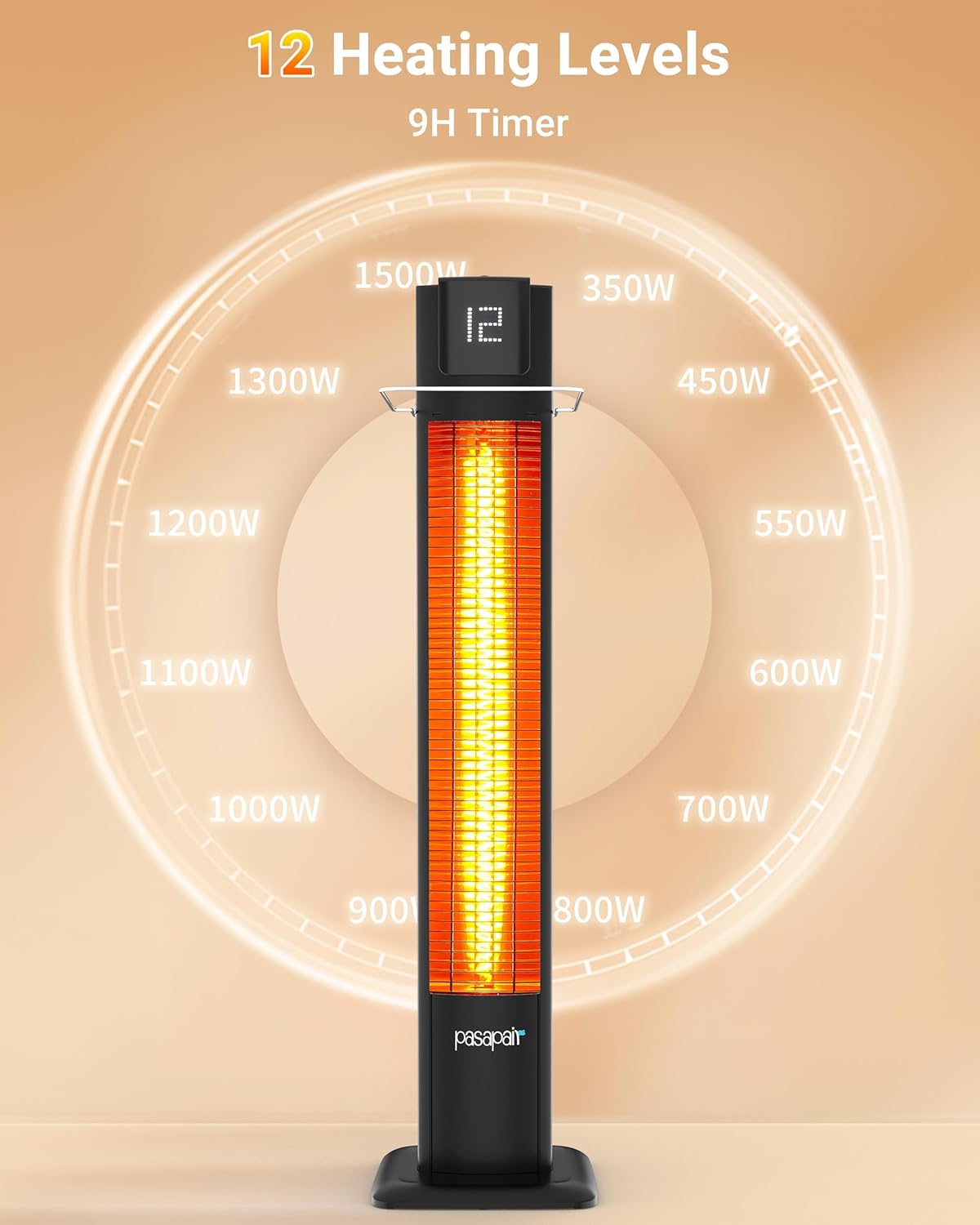
The heater features 12 adjustable heating levels, ranging from 350W to 1500W, allowing precise temperature control. It also includes a programmable 9-hour timer for convenience.
5.3 Setting the Timer
Press the timer button to set the automatic shut-off timer. The timer can be set for up to 9 hours. Each press will cycle through available hour settings.
5.4 Using the Remote Control
The remote control allows you to power on/off, adjust heat levels, and set the timer from a distance. Ensure the remote has working batteries and is pointed towards the heater's receiver.

The heater comes with a remote control, enabling convenient operation from a distance. It provides comfortable heating coverage for indoor spaces up to 162 sq. ft. and outdoor airy surroundings up to 6 sq. ft.
6. Maintenance
6.1 Cleaning
Always unplug the heater and allow it to cool completely before cleaning. Use a soft, damp cloth to wipe the exterior surfaces. Do not use abrasive cleaners or solvents. Do not immerse the heater in water.
6.2 Storage
When not in use, store the heater in a cool, dry place, preferably in its original packaging, to protect it from dust and damage.
7. Safety Information
Read and understand all safety warnings before using this heater to reduce the risk of fire, electric shock, or injury.
- Do not operate any heater with a damaged cord or plug, or after the heater malfunctions or has been dropped or damaged in any manner.
- Do not use outdoors unless specifically rated for outdoor use. This heater is IP55 rated for outdoor use.
- Keep combustible materials, such as furniture, pillows, bedding, papers, clothes, and curtains at least 3 feet (0.9 m) from the front of the heater and keep them away from the sides and rear.
- To prevent a possible fire, do not block air intakes or exhaust in any manner. Do not use on soft surfaces, like a bed, where openings may become blocked.
- Always plug heaters directly into a wall outlet/receptacle. Never use with an extension cord or relocatable power tap (outlet/power strip).
- This heater has an automatic Over-Heat Protection system that will shut off the unit if it becomes too hot.
- The heater also features Tip-Over Protection, which automatically turns off the unit if it is accidentally knocked over.
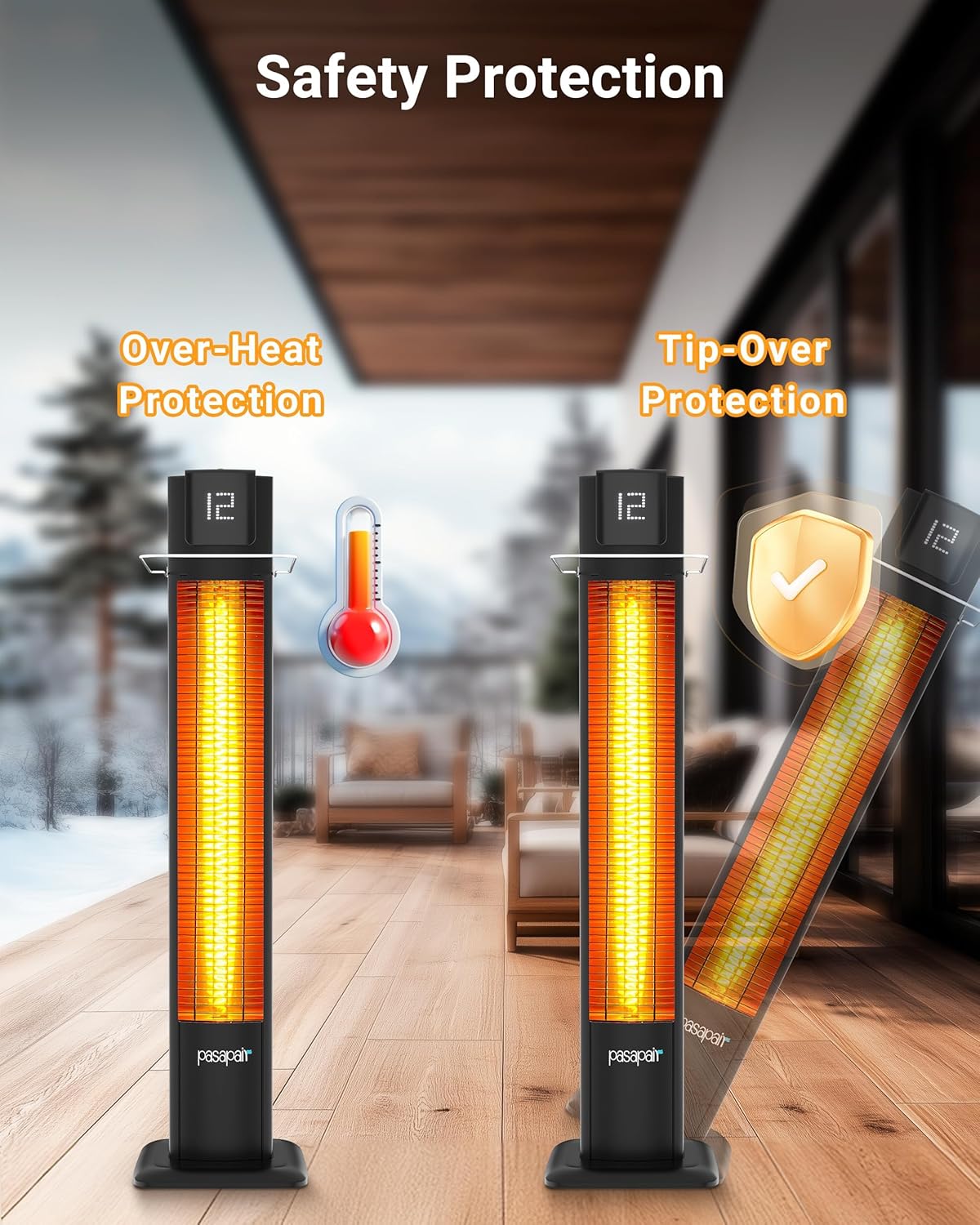
Equipped with essential safety features, the heater includes over-heat protection to prevent excessive temperatures and tip-over protection, which automatically shuts off the unit if it is accidentally knocked over.
8. Troubleshooting
| Problem | Possible Cause | Solution |
|---|---|---|
| Heater does not turn on. | No power to the unit. Tip-over switch activated. Overheat protection activated. | Ensure the power cord is securely plugged into a working outlet. Ensure the heater is on a flat, stable surface. Unplug the heater, allow it to cool for 10-15 minutes, then plug it back in. |
| Heater produces insufficient heat. | Heat level set too low. Room/area size too large. | Increase the heat level setting. For larger spaces (e.g., garages over 162 sq. ft.), consider using additional heating units. |
| Remote control not working. | Dead batteries. Obstruction between remote and heater. | Replace batteries in the remote control. Ensure a clear line of sight between the remote and the heater's sensor. |
9. Specifications
| Feature | Detail |
|---|---|
| Model | TSH-TP2-BK |
| Brand | Pasapair |
| Power | 1500W (Max) |
| Heating Levels | 12 (350W - 1500W) |
| Timer | Up to 9 hours |
| Dimensions (Product) | 109.22 x 17.78 x 25.4 cm (42 x 7 x 10 inches) |
| Item Weight | 8.55 kg (18.85 lbs) |
| Color | Rich Matte Black |
| Waterproof Rating | IP55 |
| Special Features | Adjustable Height, Remote Control, Over-Heat Protection, Tip-Over Protection |
| Heating Method | Radiant (Infrared) |
| Indoor/Outdoor Usage | Indoor, Outdoor |
| Mounting Type | Floor Mount |

This heater is suitable for heating spaces like garages, providing effective warmth for areas between 54 and 162 square feet. For larger or colder garages, multiple units may be recommended.
10. Warranty and Support
Pasapair products are manufactured to high-quality standards. For warranty information, technical support, or customer service inquiries, please refer to the contact information provided with your purchase or visit the official Pasapair website. Please have your model number (TSH-TP2-BK) and purchase details ready when contacting support.
