Introduction
The SMALLRIG Magnetic Neck Phone Holder 5127 is a versatile accessory designed for hands-free point-of-view (POV) recording with smartphones and action cameras. Its ergonomic design, strong magnetic attraction, and quick-release mechanism make it ideal for various content creation scenarios. This manual provides detailed instructions for setup, operation, and maintenance to ensure optimal performance and longevity of your device.
What's in the Box
- Neck Support x 1
- Attachable Mount x 1
- Strap x 1
- Metal Ring x 1
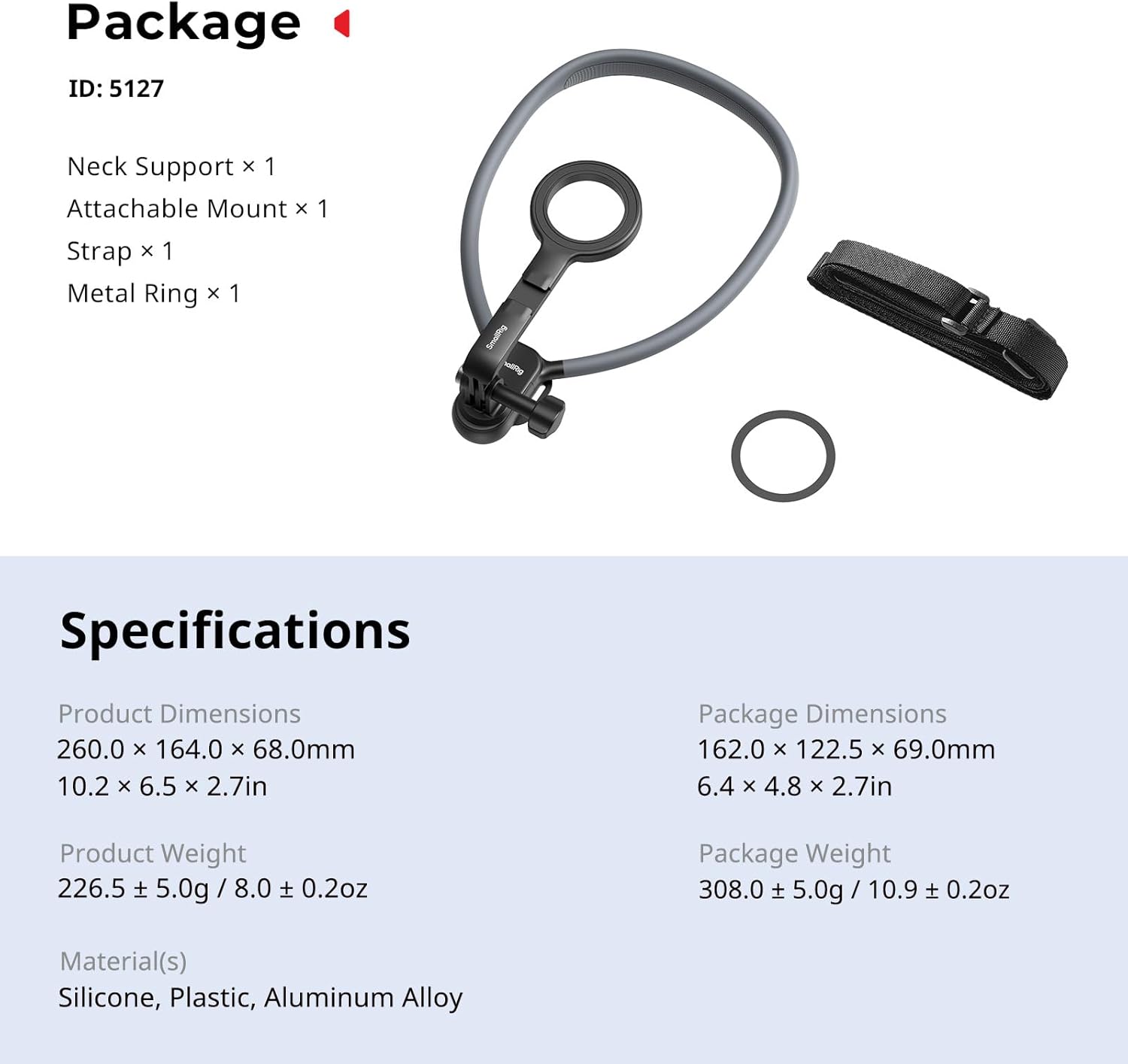
Image: All components included in the SMALLRIG Magnetic Neck Phone Holder 5127 package, laid out on a surface.
Setup
1. Attaching Your Device
The neck holder features a strong magnetic attachment for compatible smartphones (e.g., iPhone 12-17 series) and action cameras. For non-magnetic phones, use the included metal ring by adhering it to your phone case.

Image: A smartphone with a magnetic ring on its back is shown attaching to the magnetic mount of the neck holder. The image highlights the 17 powerful N52 magnets for a secure hold.
2. Wearing the Neck Holder
Place the silicone neck support around your neck. The flexible design allows for comfortable adjustment. The neck support can be opened and closed with a one-click button for quick wearing and removal.

Image: An arrow indicates pressing the 'OPEN' button to unlock the neck support, allowing it to be easily put on or taken off. The mechanism snaps until a click-lock sound is heard.
3. Attaching the Chest Strap (Optional)
For enhanced stability during dynamic activities, attach the included chest strap to the designated points on the neck holder. This reduces shaking and ensures smoother footage.

Image: A person is wearing the neck phone holder with a phone attached, and an additional chest strap is secured around their torso to minimize movement and enhance video stability.
4. Adjusting the Angle
The neck holder allows for instant angle adjustments to achieve cinematic framing for your POV footage. The flexible neckband can be molded to fit your preference.

Image: Three different scenarios are depicted: a person cooking, a person cycling, and a person hiking, all using the neck phone holder to capture POV footage, illustrating its multi-scenario versatility and adjustable angles.
Operating
1. POV Recording
Once your device is securely attached and the neck holder is comfortably worn, you can begin recording hands-free POV content. The flexible neckband and adjustable mount allow for various perspectives.
2. Using with Action Cameras
The neck holder includes an adapter compatible with most action cameras, such as GoPro Hero series, DJI Osmo Action, and Insta360 models. Simply attach your action camera to the 2-prong mount.
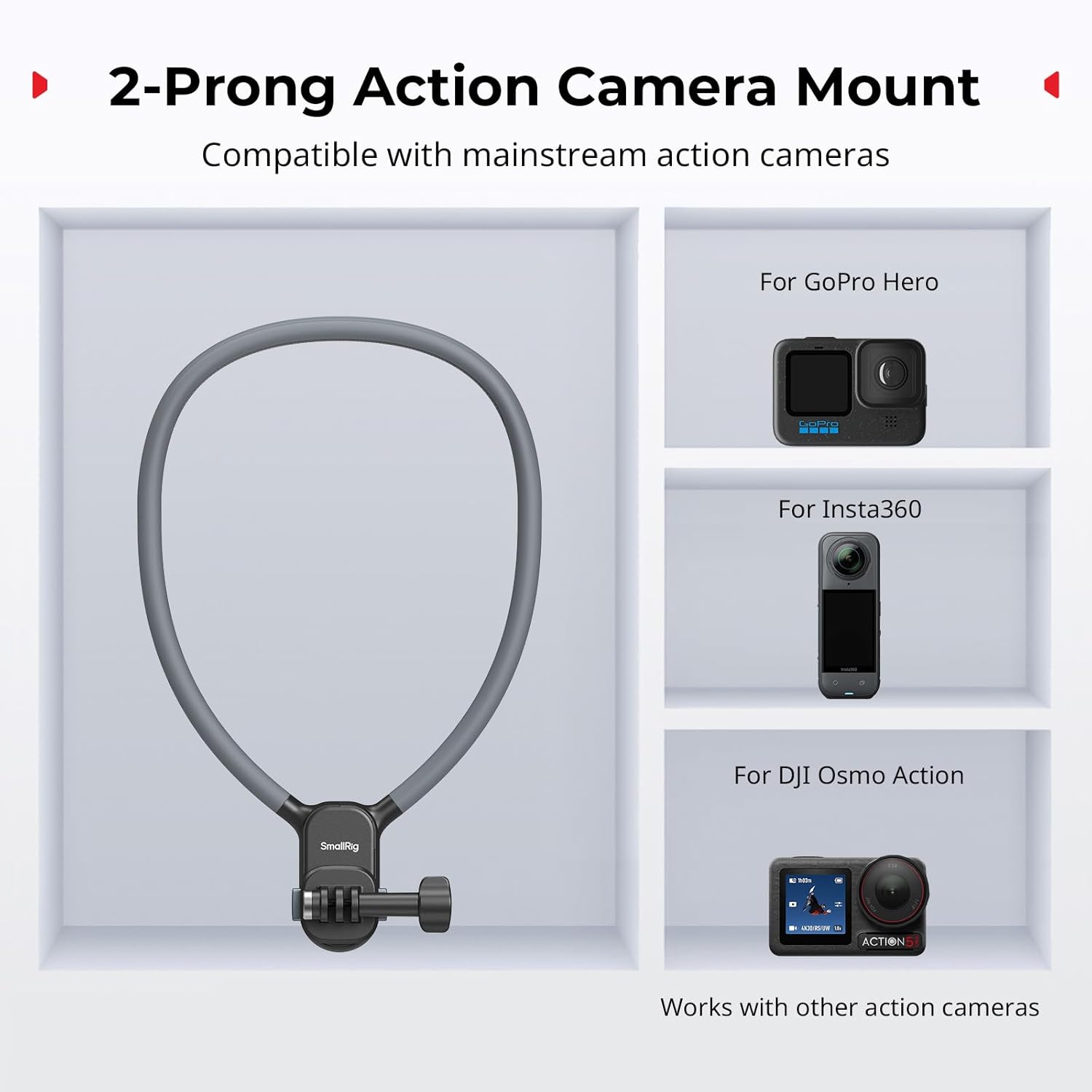
Image: The neck holder is shown alongside illustrations of a GoPro Hero, Insta360, and DJI Osmo Action camera, indicating that the 2-prong action camera mount is compatible with these and other similar devices.
3. Enhancing Your Production
The attachable mount features a built-in cold shoe mount, allowing you to add external accessories like lights or microphones for improved audio and video quality.

Image: A person is wearing the neck phone holder with a phone attached. A blue arrow points to a cold shoe mount on the device, illustrating how external lights or microphones can be added for professional video production.
Official Product Video: SMALLRIG Magnetic Neck Mount for Phones, Action Camera
Video: An official product video from SmallRig demonstrating the features and usage of the Magnetic Neck Mount for both phones and action cameras, highlighting its versatility and ease of use.
Maintenance
To ensure the longevity of your SMALLRIG Magnetic Neck Phone Holder, follow these maintenance guidelines:
- Cleaning: Wipe the silicone neckband and plastic components with a soft, damp cloth. Avoid harsh chemicals or abrasive cleaners.
- Storage: Store the neck holder in a cool, dry place away from direct sunlight. The flexible design allows it to be folded for compact storage.
- Magnetic Components: Keep the magnetic surfaces clean and free from debris to maintain strong attraction.
Troubleshooting
- Phone not holding securely: Ensure your phone or phone case has a compatible MagSafe feature. If not, apply the provided metal ring to your phone case. Check that the magnetic surfaces are clean.
- Footage is shaky: Ensure the neck holder is worn snugly. For high-movement activities, attach the chest strap for additional stability.
- Difficulty with quick release: Ensure the button is fully pressed. If the mechanism feels stiff, check for any obstructions.
Specifications
| Feature | Detail |
|---|---|
| Brand | SMALLRIG |
| Model Name | 5127 |
| Compatible Devices | Action Cameras, Smartphones (iPhone 17/16/15/14/13/12, Android, GoPro, DJI, Insta360) |
| Mounting Type | Wearable Mount |
| Weight Capacity Maximum | 10.58 Ounces (300g) |
| Item Dimensions | 10.2 x 6.2 x 2.7 inches |
| Item Weight | 8 Ounces |
| Enclosure Material | Aluminum, Plastic, Silicone |
| Additional Features | Adjustable, Ergonomic, Hand Free, Quick Release Button |
Warranty
The SMALLRIG Magnetic Neck Phone Holder 5127 comes with a 2-year manufacturer's warranty. Please retain your proof of purchase for any warranty claims. For detailed terms and conditions, refer to the official SMALLRIG website or contact customer support.
Support
For further assistance, product inquiries, or technical support, please visit the official SMALLRIG website or contact their customer service team. You can also find additional resources and FAQs on their brand store page.
Official SMALLRIG Store: Visit Store


