
Introduction
This manual provides essential information for the safe and proper use of your INFANS 12V Licensed Lamborghini Sian Kids Ride On Car. This electric toy roadster is designed to offer an engaging driving experience for children, featuring a licensed Lamborghini Sian design, dual driving modes, and integrated multimedia functions.
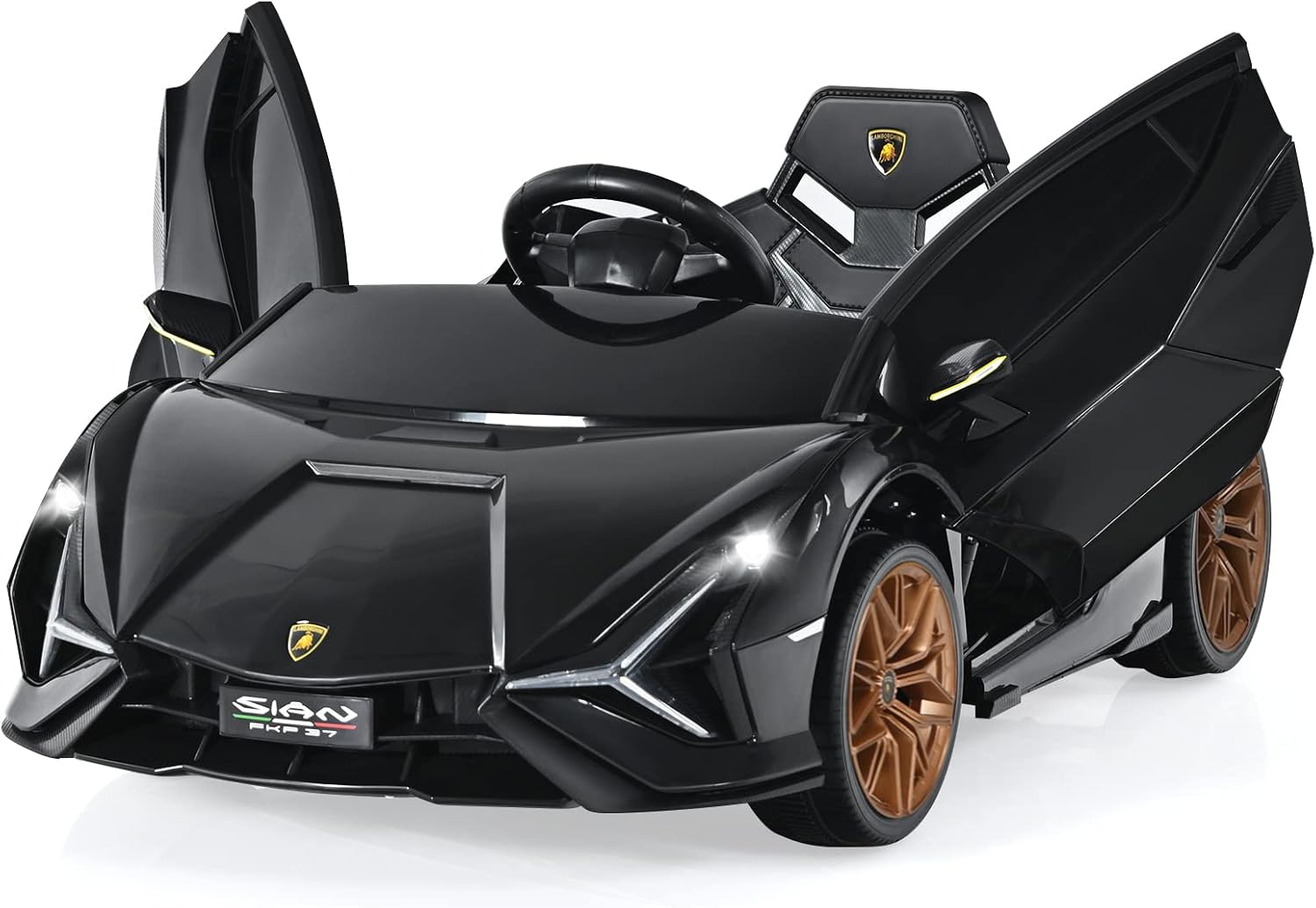
Figure 1: The INFANS 12V Licensed Lamborghini Sian Kids Ride On Car, featuring its distinctive design and open doors.
Safety Information
Prioritize safety during assembly, operation, and maintenance. This product is compliant with US CPSIA and ASTM Requirements, made from non-toxic materials, and free from harmful substances. It has passed tests for stability, asphyxiation, load, and shear.
- Adult Supervision: Always ensure an adult supervises the child during operation.
- Slow Start Technology: The vehicle incorporates slow start technology to prevent sudden acceleration, ensuring a smoother and safer start for the child.
- Spring Shock Absorption: Equipped with a spring shock absorption system for a comfortable and stable ride.
- Adjustable Seat Belts: Always secure the child with the adjustable seat belts provided.
- Parental Remote Control: For younger children, parents can use the remote control to guide the car, enhancing safety and control.
- Appropriate Age: Manufacturer recommended age is 3 years and up.
Setup
1. Assembly
The assembly process is designed to be straightforward. Refer to the included assembly guide for detailed step-by-step instructions. Typical assembly time is approximately 30 minutes.
2. Initial Charging
Before first use, fully charge the included 12V battery. Locate the charging port, typically found near the seat or dashboard, and connect the charger. Ensure the vehicle is turned off during charging.
3. Remote Control Pairing
To pair the remote control with the vehicle, turn on the car using the main power button. Then, activate the remote control. Follow the specific pairing instructions in the separate remote control manual if provided, or typically hold a pairing button on the remote until the indicator light confirms connection.
Operating Instructions
1. Driving Modes
- Child Manual Driving: The child can operate the car using the steering wheel and accelerator pedal.
- Parent Remote Control: An adult can override child control using the remote control for safety and guidance.
2. Controls and Dashboard
The dashboard features various controls for an interactive experience:

Figure 2: Detailed view of the car's simulation dashboard and controls.
- On/Off Button: Powers the vehicle on or off.
- Accelerator Pedal: Press to move forward in child manual driving mode.
- Steering Wheel: Used for directional control.
- Speed Switch: Select between high and low-speed settings.
- Forward/Stop/Back Switch: Controls the direction of movement.
- Horn Button: Activates the vehicle's horn.
- Light Switch: Controls the functional LED headlights.
3. Multimedia Player
The built-in multimedia player offers entertainment and educational content:

Figure 3: The multi-media player with USB and TF card support.
- Pre-loaded Content: Includes early education stories and music.
- Bluetooth Connectivity: Connect a mobile phone or other devices to play custom music or stories.
- USB/TF Port: Insert USB drives or TF cards for additional media playback.
4. Doors and Lights
- Lambo Doors: The car features upward-opening Lambo doors with simulation pneumatic levers for smooth operation.
- LED Lights: Functional LED lights provide a realistic driving experience.
5. Remote Control Operation
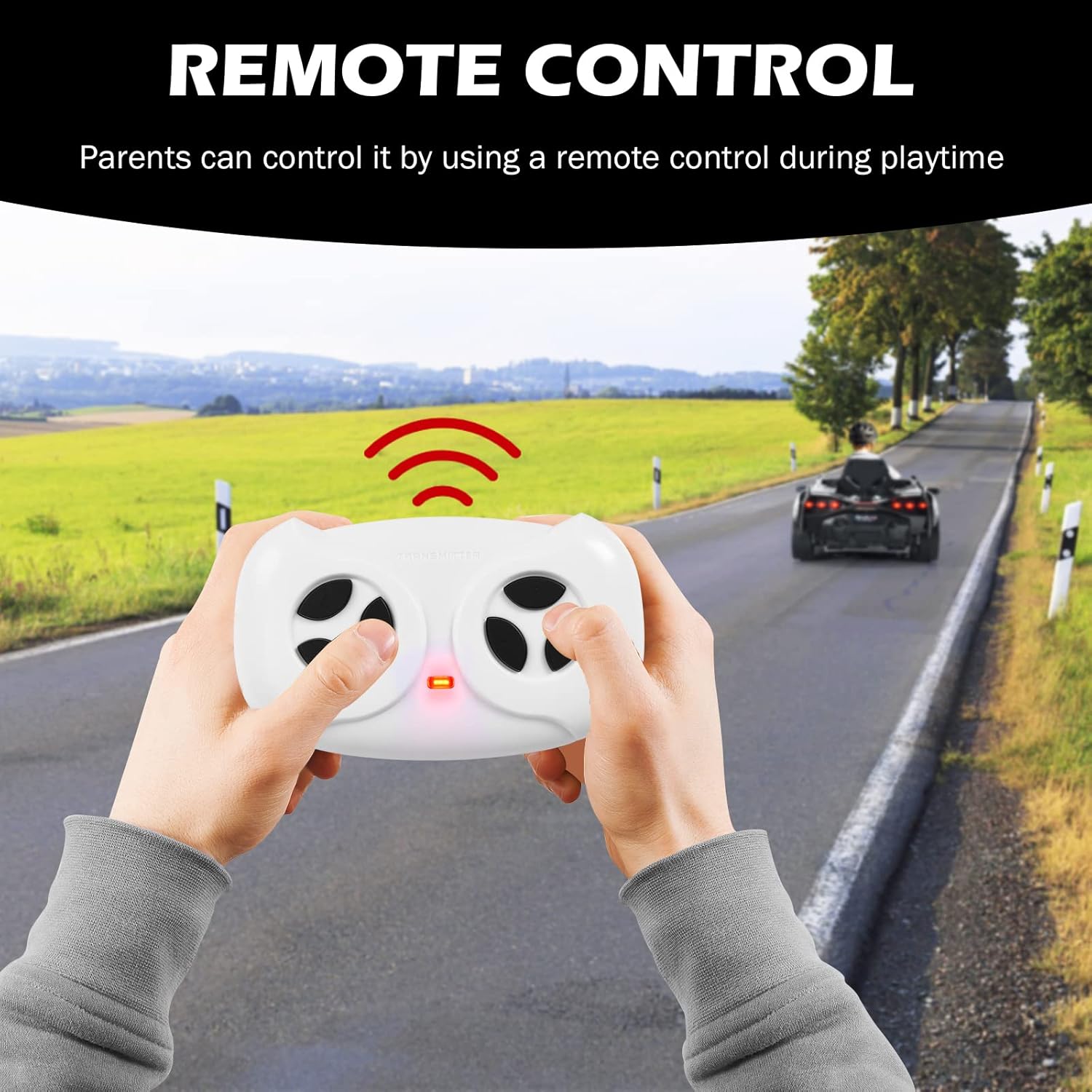
Figure 4: Parent using the remote control to operate the ride-on car.
The remote control allows parents to steer, accelerate, and reverse the car. It is a crucial safety feature for younger users.
Video 1: Demonstration of the INFANS Lamborghini Sian's driving capabilities and remote control functionality. This video highlights the car's speed and ease of control for both child and parent.
Video 2: A review showcasing the INFANS Lamborghini Sian's features, including its remote control and overall design, emphasizing its appeal to children.
Maintenance
1. Charging the Battery
The vehicle is powered by a 12V4.5AH battery. Ensure the battery is fully charged after each use and before long-term storage. Refer to the charging instructions in the assembly manual for recommended charging times.
2. Cleaning
Wipe the vehicle with a damp cloth to clean surfaces. Avoid using harsh chemicals or abrasive cleaners that could damage the finish or electronic components.
3. Storage
Store the car in a dry, protected area when not in use. The vehicle features built-in small wheels at the rear for easy movement and transport, allowing for convenient storage.

Figure 5: Utilizing the built-in small wheels for easy transportation of the car.
Troubleshooting
If you encounter any issues with your INFANS Lamborghini Sian, consider the following general troubleshooting steps:
- Vehicle Not Moving: Check if the battery is charged and properly connected. Ensure the power switch is in the 'On' position. Verify the remote control is paired and functioning.
- Remote Control Not Responding: Check the batteries in the remote control. Re-attempt the pairing process as described in the setup section.
- Reduced Performance: This may indicate a low battery charge. Fully charge the battery.
- Unusual Noises: Inspect for any obstructions in the wheels or motor area. If the issue persists, contact customer support.
For persistent problems, refer to the comprehensive troubleshooting section in your product's detailed manual or contact INFANS customer support.
Specifications
| Feature | Specification |
|---|---|
| Product Dimensions | 42.5 x 24.5 x 16 inches |
| Item Weight | 26.5 pounds |
| Battery | 12V4.5AH x 1 (included) |
| Speed | 1.9-3.1 MPH |
| Load Capacity | 66 lbs |
| Manufacturer Recommended Age | 37-95 months (3 years and up) |
| Item Model Number | TQ10069 |
Warranty and Support
For warranty information, please refer to the documentation included with your purchase or contact the manufacturer directly. INFANS is the manufacturer of this product.
For customer support, technical assistance, or to inquire about replacement parts, please visit the official INFANS website or contact their customer service department using the contact information provided in your product packaging.


