
Introduction
Thank you for choosing the Etekcity Rechargeable Smart Scale (Model EFS-E661). This smart scale is designed to help you track your body composition with precision, providing 13 essential body metrics. By connecting to the VeSync app, you can monitor your progress, receive personalized insights, and integrate your data with other popular health platforms. Please read this manual thoroughly before use to ensure safe and optimal operation.
Important Safety Information
- Medical Devices: Consult a healthcare professional before using this smart scale if you use medical electronic equipment such as a pacemaker. The scale's bio-electrical impedance analysis (BIA) technology sends a small electrical current through your body. Alternatively, you can activate the Zero-Current Mode to measure only weight and BMI without electrical current.
- Professional Athletes: This scale is not intended for use by professional athletes, as their unique body composition may affect the accuracy of certain metrics.
- Pregnancy: Pregnant individuals should use the Zero-Current Mode to measure weight and BMI only, avoiding BIA measurements.
- Slippery Surface: The scale's glass surface can be slippery when wet. Ensure the scale and your feet are dry before stepping on.
- Placement: Always place the scale on a hard, flat surface. Using it on carpet or uneven flooring may result in inaccurate readings.
What's in the Box
- 1 x Etekcity Smart Fitness Scale
- 1 x USB Type-C Charging Cable
- 1 x Quick Start Guide (QSG)
Product Overview
The Etekcity Smart Scale features a sleek black tempered glass surface with integrated electrodes and a clear LED display for easy reading. Its compact design ensures it fits seamlessly into your home environment.
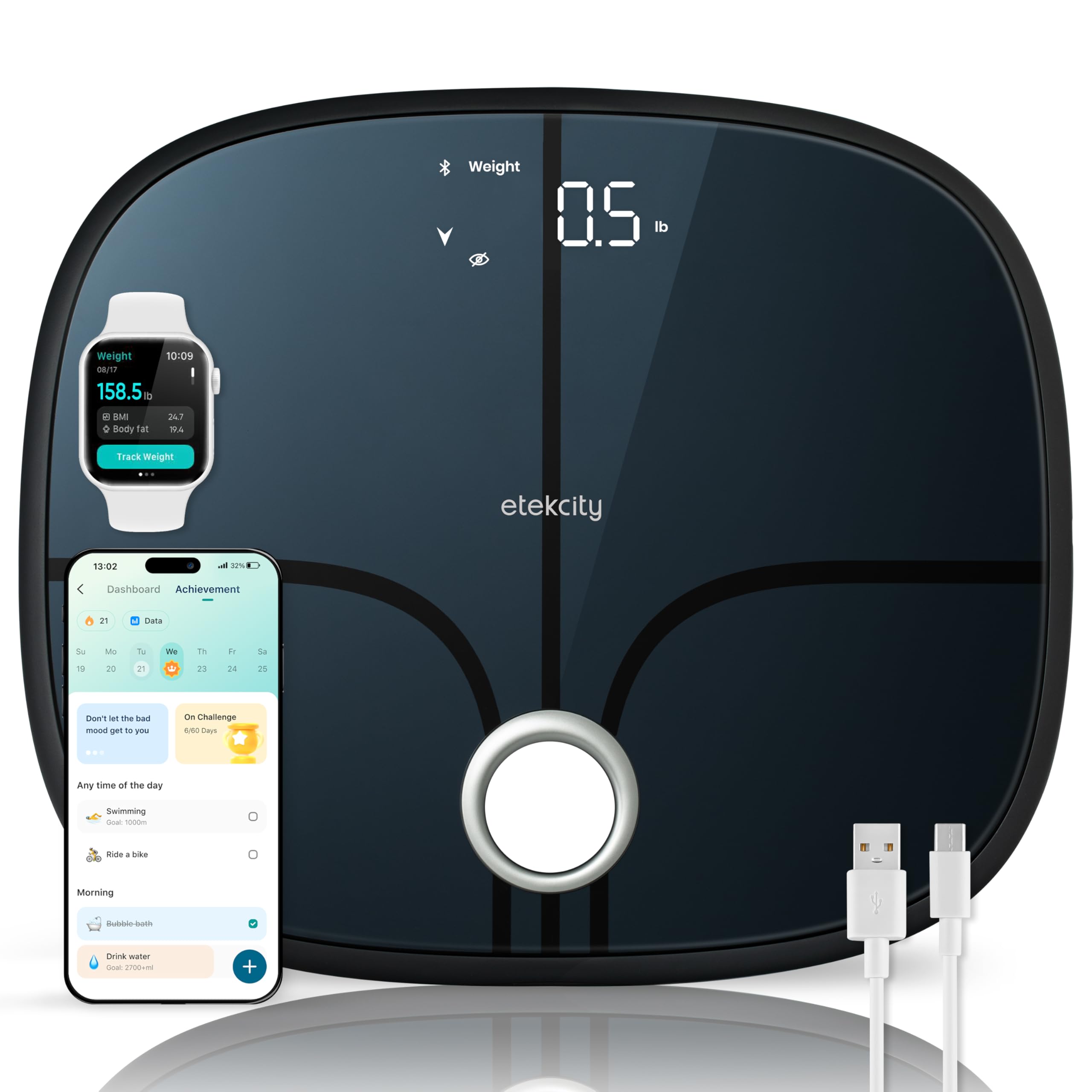
The Etekcity Smart Scale features a sleek black tempered glass surface with integrated electrodes and a clear LED display.
Setup
- Charge the Scale: Before first use, fully charge the scale using the provided USB Type-C charging cable. The charging port is typically located on the side or back of the scale. The LED display may indicate charging status.
- Download the VeSync App: Search for 'VeSync' in the Apple App Store or Google Play Store and download the application to your smartphone.
- Create an Account: Open the VeSync app and follow the on-screen instructions to create a new user account or log in if you already have one.
- Pair the Scale:
- Ensure your phone's Bluetooth is enabled.
- Open the VeSync app and tap the '+' icon to add a new device.
- Select 'Smart Scale' from the device list.
- Step on the scale briefly to turn it on and activate Bluetooth pairing.
- Follow the app's instructions to complete the pairing process.
- Set Up Your Profile: Enter your personal information (gender, age, height) in the VeSync app. This data is crucial for the accurate calculation of body composition metrics.
Operation
- Taking a Measurement:
- Place the scale on a hard, flat surface (e.g., tile, hardwood). Avoid carpets or uneven floors.
- Step onto the scale with bare, dry feet, ensuring your feet are positioned on the electrode pads.
- Stand still until your weight is displayed and the measurement process is complete. The scale will automatically send data to the VeSync app if it's open and connected.
- Understanding Body Metrics: The Etekcity Smart Scale tracks 13 key body composition metrics:
- Weight
- BMI (Body Mass Index)
- Body Fat (%)
- Muscle Mass
- BMR (Basal Metabolic Rate)
- Visceral Fat
- Body Water (%)
- Protein (%)
- Skeletal Muscle
- Fat-Free Body Weight
- Metabolic Age
- Bone Mass
- Subcutaneous Fat

This image illustrates the comprehensive body composition analysis provided by the Etekcity Smart Scale, including weight, BMI, body fat percentage, muscle mass, and other detailed metrics.
- Using Special Modes:
- Baby Mode: Use this mode in the VeSync app to weigh your infant. First, weigh yourself, then hold your baby and step on the scale again. The app will calculate the baby's weight.
- Zero-Current Mode: Activate this mode in the VeSync app settings if you have a pacemaker, other medical electronic implants, or are pregnant. This mode measures only weight and BMI, disabling the electrical current used for other body composition analyses.
- Secret Mode: This feature, enabled in the VeSync app, allows you to hide your exact weight on the scale's display. Instead, it will show only the progress (e.g., weight change) from your previous check-in, ideal for sharing your journey without revealing specific numbers.

The Etekcity Smart Scale offers versatile features including Baby Mode, a portable design, convenient USB-C recharging, and Zero-Current Mode for safe measurements.

Secret Mode allows you to share your progress privately, displaying only the change from your last weigh-in rather than your exact weight.
- Syncing with Health Apps: The VeSync app supports one-tap synchronization with popular fitness and health applications, including Apple Health, Google Fit, Fitbit, Samsung Health, and MyFitnessPal. Connect these apps within the VeSync settings to consolidate your health data.
- Interpreting Data in VeSync: The VeSync app provides detailed graphs to track your body metrics daily, weekly, and monthly. It also offers professional advice based on your readings, including dietary recommendations and exercise suggestions to help you achieve your health goals.

The VeSync app provides personalized insights based on your body metrics, offering dietary recommendations and exercise advice.

Monitor your health journey with the VeSync app's detailed graphs, tracking trends for weight, BMI, and body fat over time.
Maintenance
- Cleaning: Wipe the scale's surface with a soft, damp cloth. Do not use abrasive cleaners or harsh chemicals, as they may damage the glass or electronic components.
- Storage: Store the scale in a cool, dry place. Avoid extreme temperatures or direct sunlight.
Troubleshooting
- Scale Not Turning On: Ensure the scale is sufficiently charged. Connect it to a power source using the USB-C cable.
- Inaccurate Readings:
- Ensure the scale is placed on a hard, flat, and level surface.
- Step on the scale with bare, dry feet, centered on the electrodes.
- Verify that your personal profile information (height, age, gender) in the VeSync app is correct.
- Avoid moving the scale between measurements.
- App Not Connecting/Syncing:
- Ensure your phone's Bluetooth is enabled and the scale is within range.
- Make sure the VeSync app is updated to the latest version.
- Try restarting your phone and the VeSync app.
- If issues persist, try unpairing and re-pairing the scale in the VeSync app.
- Ensure the VeSync app has necessary permissions (e.g., Bluetooth, location) enabled in your phone's settings.
- Body Composition Data Not Displaying: Ensure you are stepping on the scale with bare, dry feet. If you are wearing socks or shoes, only weight will be measured.
Specifications
| Model: | EFS-E661 |
| Increments: | 0.1 lb / 0.05 kg |
| Weight Units: | lb / kg / st |
| Battery: | Rechargeable |
| Dimensions: | 13.4 x 11.5 x 1.1 inches (34 x 29 x 2.8 cm) |
| Weight Capacity: | 330 pounds (150 kg) |
| Material: | Tempered Glass |
Customer Support
For any questions, concerns, or assistance with your Etekcity Rechargeable Smart Scale, please contact Etekcity customer support. Refer to the Quick Start Guide or the VeSync app for specific contact details or visit the official Etekcity website.