
1. Introduction
Thank you for choosing the FENNIO 23" x 18" LED Vanity Mirror. This mirror is designed to enhance your makeup and grooming routine with its adjustable lighting and versatile placement options. Please read this manual carefully before use to ensure proper installation and operation.
2. Key Features
- Adjustable Brightness & 3-Color Lighting Modes: Features cold light (6000K), daylight (5000K), and warm light (4000K) settings. Each mode's brightness can be adjusted to simulate various lighting conditions for optimal makeup application.
- Optimal Viewing Area: The 23"W x 18"H mirror provides a comprehensive upper body view, ideal for detailed grooming.
- Versatile Placement: Designed for both tabletop use with an included base and wall-mounting with provided accessories.
- Safety Tempered Glass: Constructed with enhanced impact resistance and a shatter-resistant coating to prevent dangerous glass fragmentation.
- Intuitive Touch Controls: Easy-to-use touch buttons for power, light mode selection, and brightness adjustment.
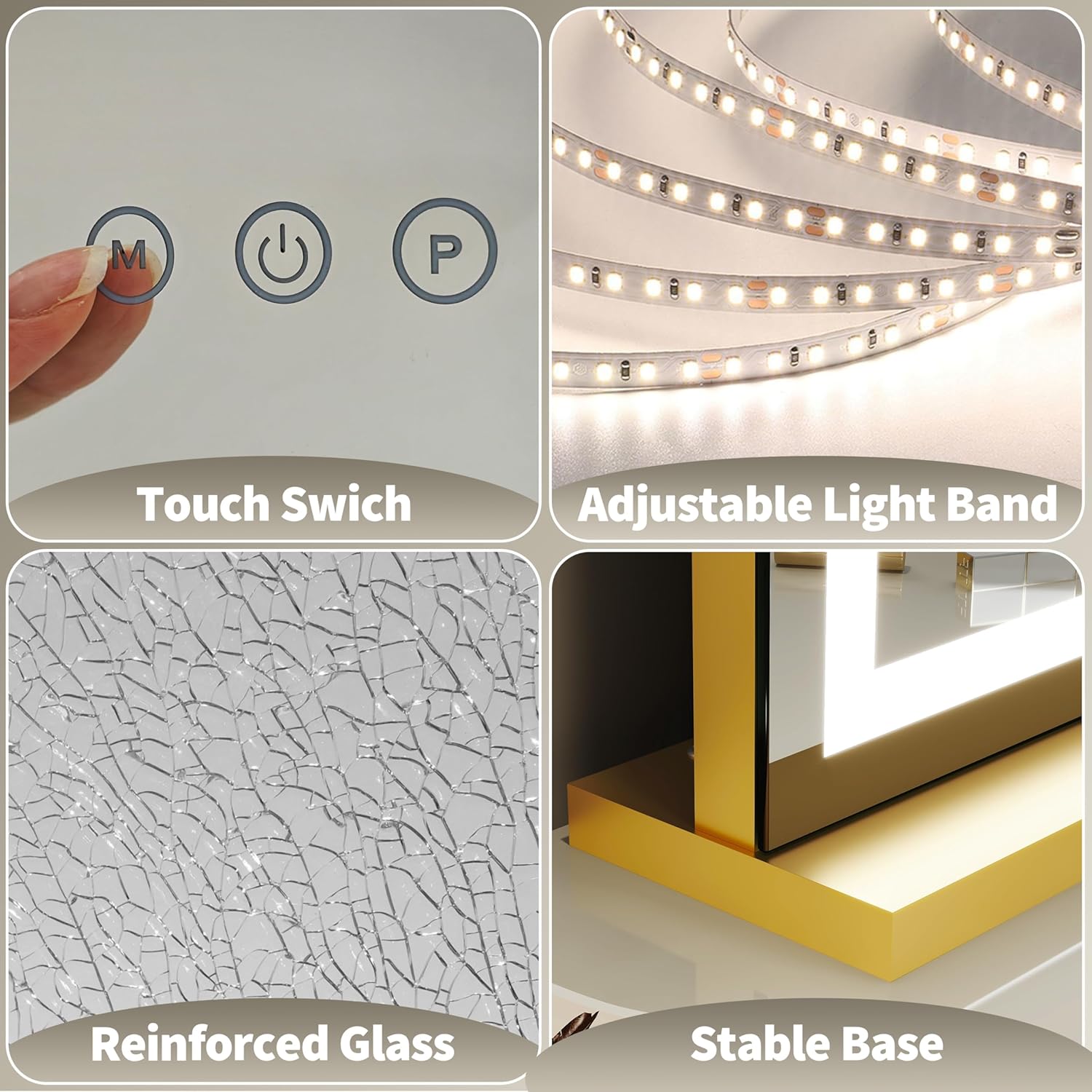
Image: Touch controls, adjustable light band, reinforced glass, and stable base.
3. Setup and Installation
3.1 Tabletop Placement
- Unpack the mirror and all components carefully.
- Attach the provided base to the bottom of the mirror. Ensure it is securely fastened according to the assembly instructions included in the packaging.
- Place the mirror on a stable, flat surface such as a vanity or dresser.
- Connect the power adapter to the mirror's power input and then plug it into a standard electrical outlet.
3.2 Wall-Mounted Installation
- Identify the two back holes on the mirror designed for wall hanging.
- Using appropriate wall anchors and screws (provided), securely mount the mirror to a sturdy wall. Ensure the mounting hardware is suitable for your wall type and the weight of the mirror.
- Connect the power adapter to the mirror's power input and then plug it into a standard electrical outlet.
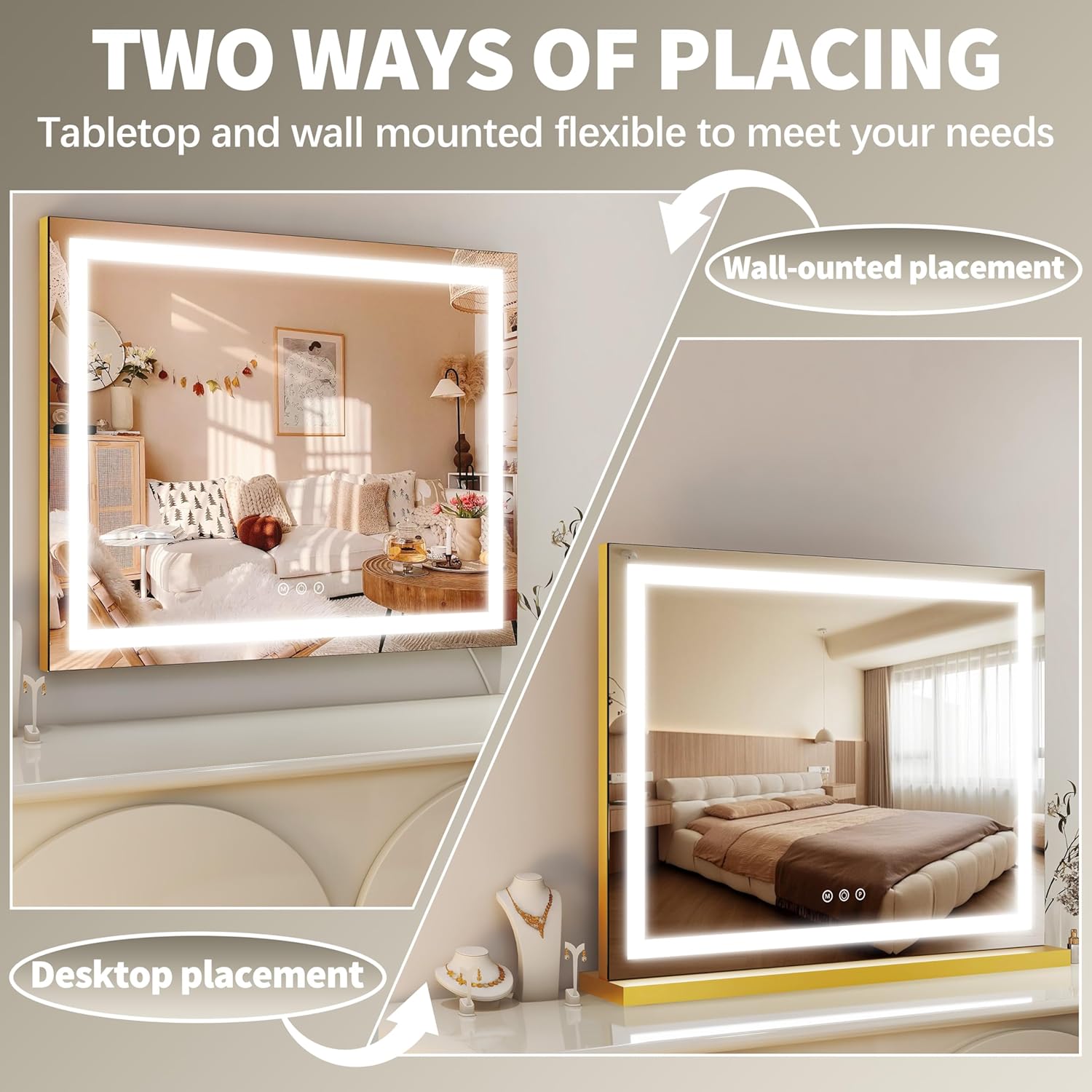
Image: Two ways of placing the mirror: tabletop and wall-mounted.
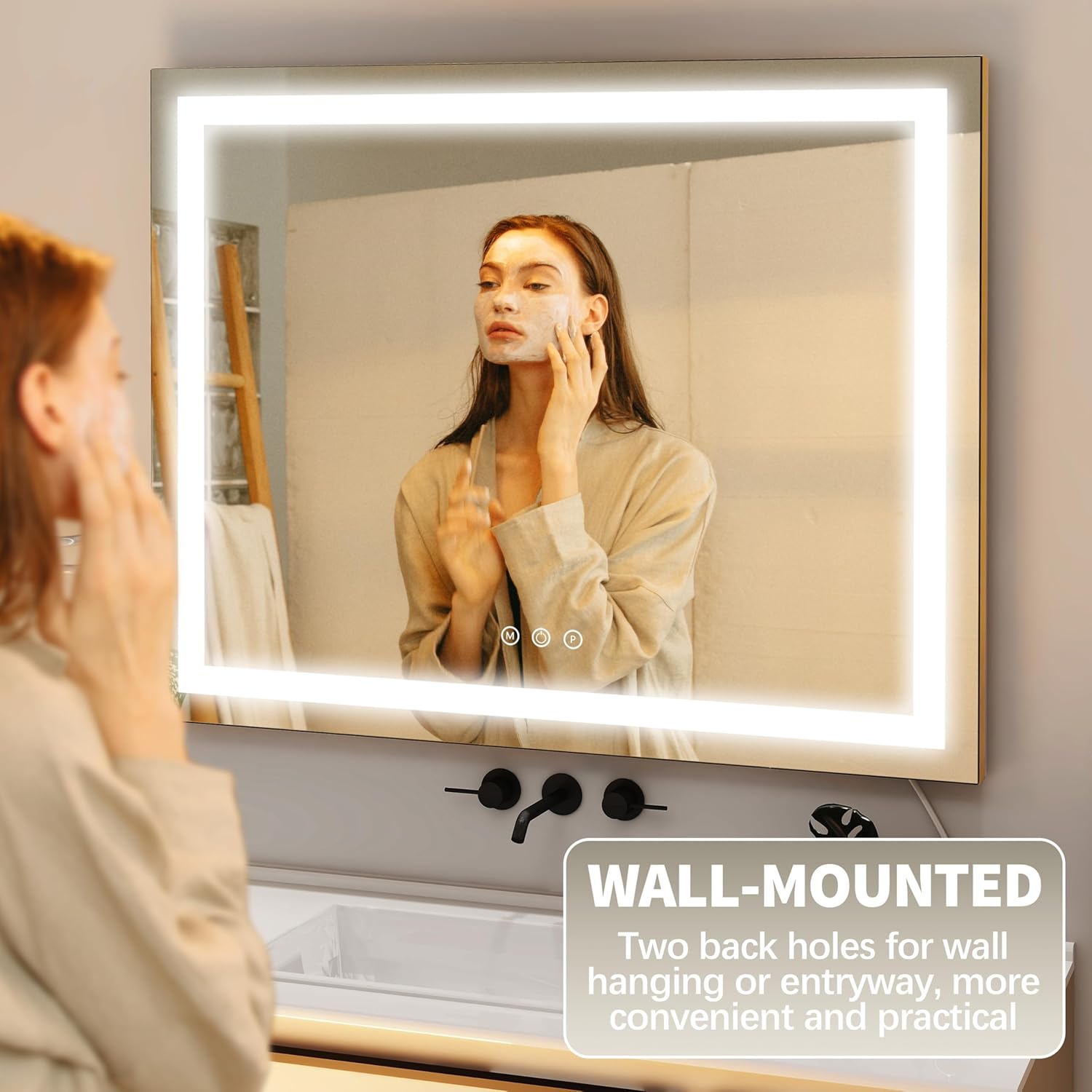
Image: Wall-mounted installation of the mirror.
4. Operating Instructions
4.1 Power On/Off
To turn the mirror on or off, gently touch the middle power button (represented by a circle with a vertical line) located on the mirror's surface.
4.2 Changing Lighting Modes
The "M" button on the left side of the touch controls is used to cycle through the three color modes: Cool Light (6000K), Natural Light (5000K), and Warm Light (4000K). Tap the "M" button to switch between modes.

Image: Demonstrating the three color lighting modes.
4.3 Adjusting Brightness
To adjust the brightness, long-press the "P" button on the right side of the touch controls. The brightness will gradually increase or decrease. Release the button when the desired brightness level is reached.
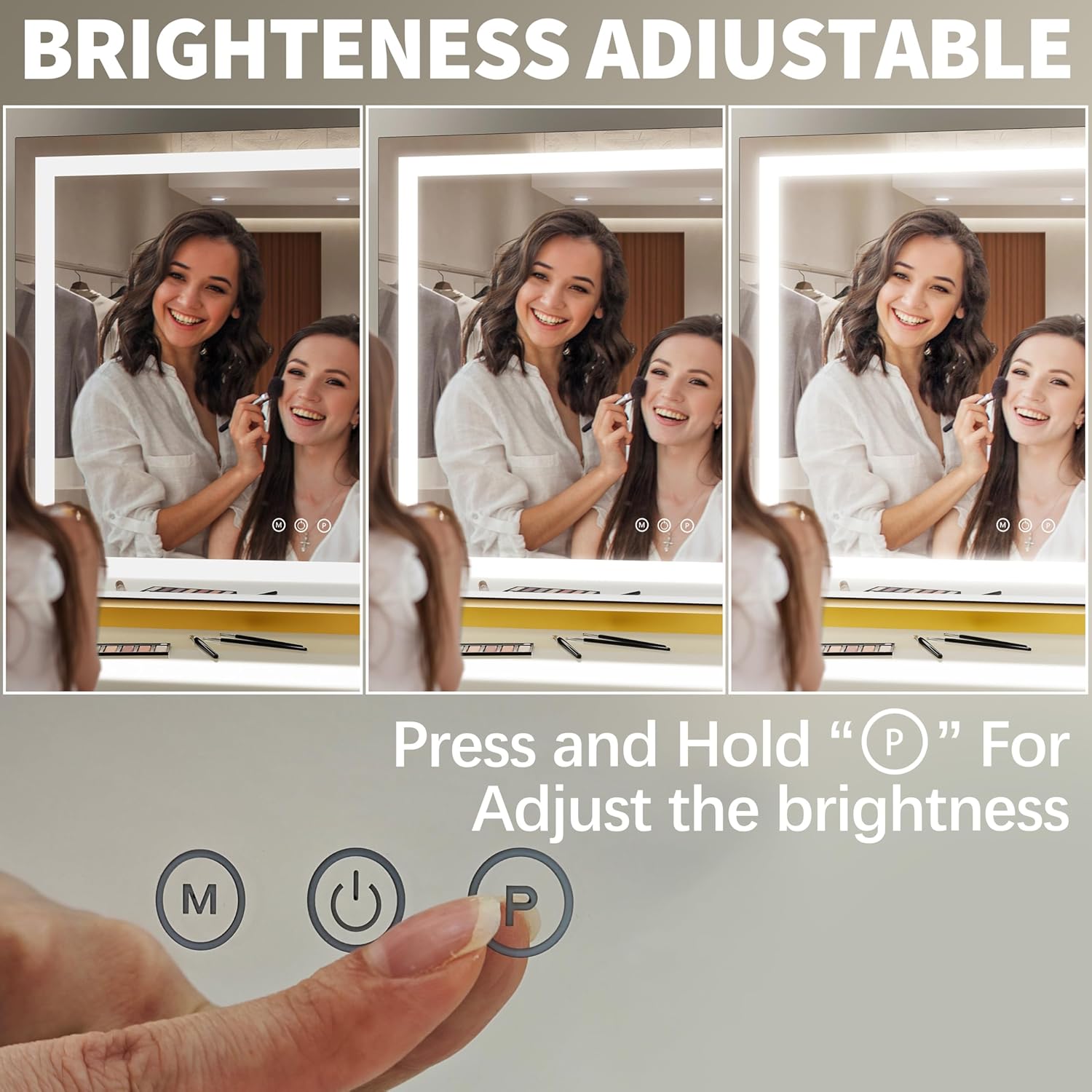
Image: Adjusting the mirror's brightness.
4.4 Video Demonstrations
Video: Demonstration of changing light modes and adjusting brightness on the FENNIO Gold Makeup Mirror with Lights.
Video: Demonstration of light mode and brightness adjustments on the FENNIO Makeup Mirror with Lights.
Video: Demonstration of various lighting features on the FENNIO vanity mirror with lights.
5. Maintenance
5.1 Cleaning the Mirror
- Always unplug the mirror from the power source before cleaning.
- Use a soft, lint-free cloth and a non-abrasive glass cleaner to wipe the mirror surface.
- Avoid spraying cleaner directly onto the mirror; instead, apply it to the cloth first.
- Do not use harsh chemicals or abrasive materials, as these can damage the mirror's surface or frame.
5.2 Frame Care
- Wipe the frame with a soft, dry cloth to remove dust.
- For stubborn marks, a slightly damp cloth can be used, followed by immediate drying.
5.3 Safety Precautions
- The mirror features tempered glass with a shatter-resistant coating. While designed for durability, avoid dropping or striking the mirror to prevent damage.
- Keep the mirror away from excessive moisture or direct water exposure.
6. Troubleshooting
- Lights not turning on: Ensure the power adapter is securely plugged into both the mirror and a working electrical outlet. Check if the outlet is receiving power.
- Inconsistent brightness or flickering lights: Unplug the mirror, wait for a few seconds, and then plug it back in. If the issue persists, ensure the power adapter is not damaged.
- Touch controls unresponsive: Ensure your fingers are clean and dry when operating the touch controls. If the issue continues, try resetting the mirror by unplugging and re-plugging the power.
If you encounter any issues not listed here or if troubleshooting steps do not resolve the problem, please contact customer support for assistance.
7. Specifications
| Feature | Detail |
|---|---|
| Brand | FENNIO |
| Colour | Gold |
| Product Dimensions | 58.4L x 45.7W Centimetres (Approx. 23"L x 18"W) |
| Item Weight | 1.81 kg |
| Frame Material | Glass |
| Style | Modern |
| Mounting Type | Dresser Mount / Wall Mount |
| Special Feature | Corded, 3 Color Modes, Adjustable Brightness |
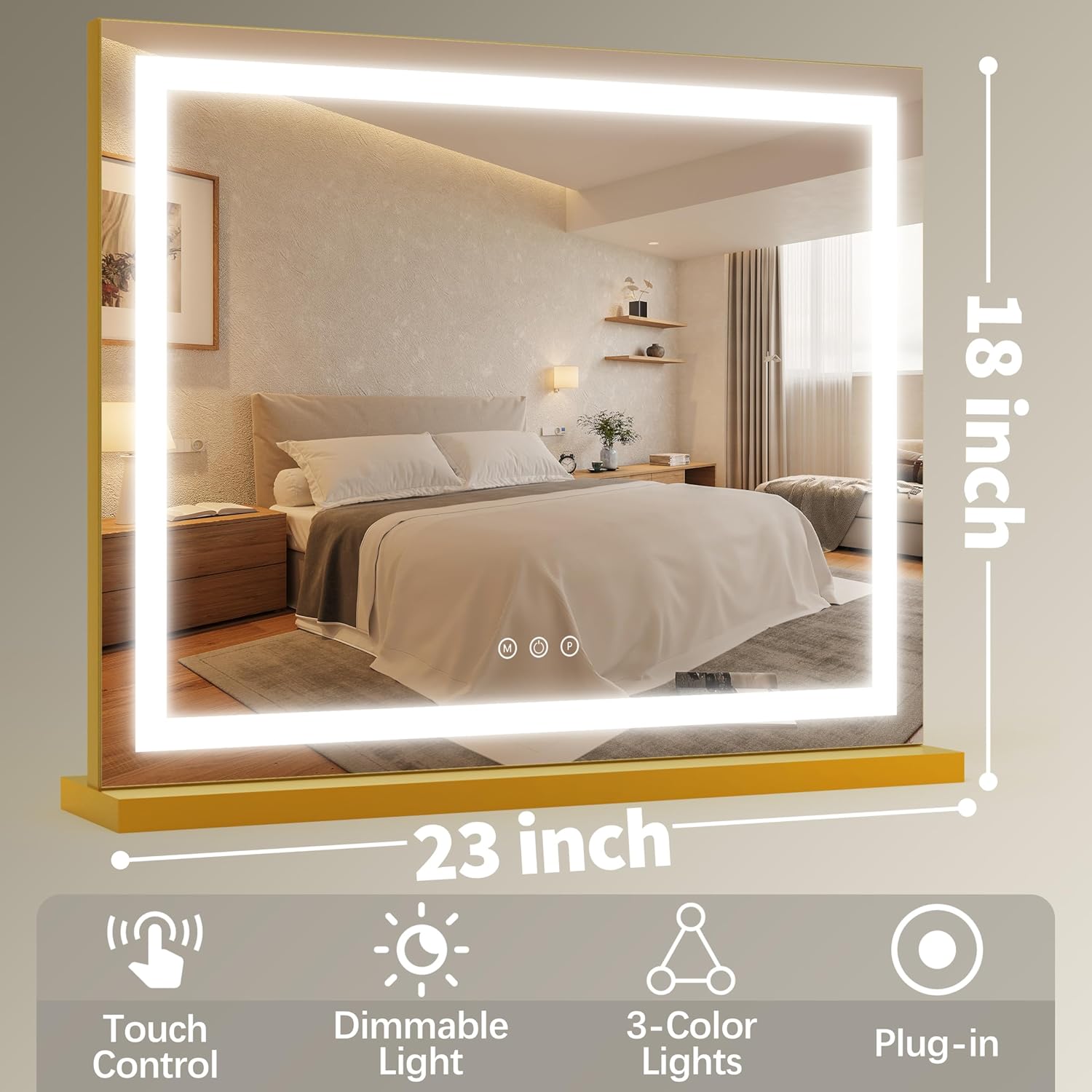
Image: Mirror dimensions and key features.
8. Warranty and Support
For warranty information or technical support, please refer to the contact details provided with your purchase or visit the official FENNIO website. Our customer service team is available to assist you with any questions or concerns regarding your product.