Introduction
Thank you for choosing the KESIEME YYK-Q16 Open Ear Bluetooth 5.4 Headphones. These headphones are designed to provide a comfortable listening experience while maintaining situational awareness. Featuring an open-ear design, Bluetooth 5.4 connectivity, and a durable, waterproof construction, they are ideal for various activities including sports and daily use.
This manual will guide you through the setup, operation, and maintenance of your new headphones to ensure optimal performance and longevity.
Product Overview
Product Components
The KESIEME YYK-Q16 package includes the following items:
- Open Air Conduction Earphones (Left and Right)
- Charging Case
- User Manual
- Type-C Charging Cable
- Product Box

Image: Contents of the KESIEME YYK-Q16 product box, including earphones, charging case, user manual, and Type-C charging cable.
Key Features
- Open Ear Design: Provides comfort and maintains environmental awareness.
- Bluetooth 5.4: Ensures stable, fast, and efficient wireless connection.
- 14.2mm Dynamic Drivers: Delivers clear audio with impactful bass.
- IPX7 Waterproof Rating: Resistant to sweat and rain, suitable for sports.
- LED Power Display: Digital display on the charging case shows battery levels.
- Extended Playtime: Up to 10 hours on a single charge, 50 hours total with charging case.
- Ergonomic Ear Hooks: Secure and comfortable fit for active use.
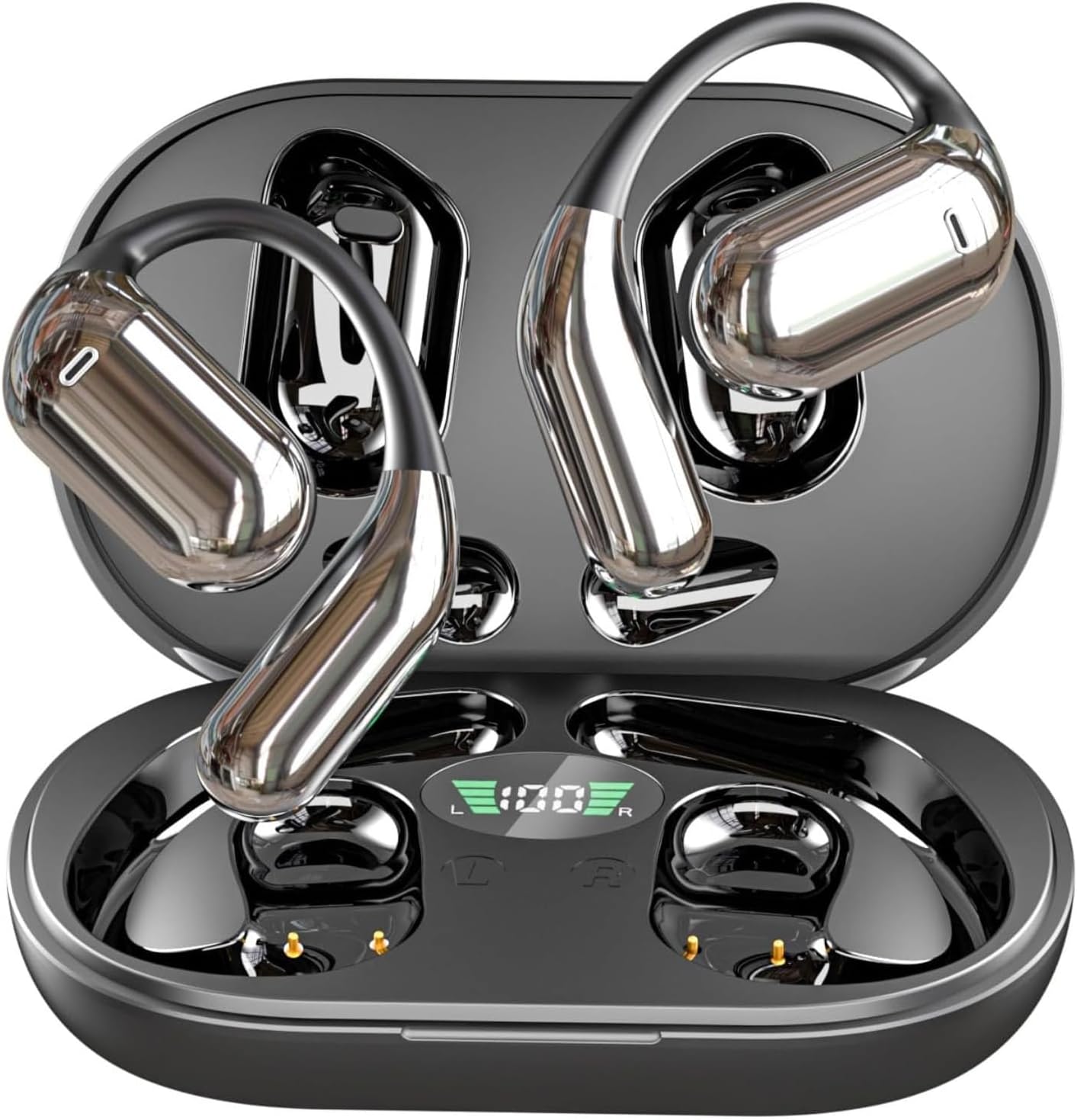
Image: KESIEME YYK-Q16 Open Ear Bluetooth Headphones in their charging case with LED display.

Image: Diagram illustrating the ergonomic open-ear design of KESIEME headphones compared to traditional in-ear designs, highlighting comfort and reduced ear strain.

Image: Close-up diagram of the 14.2mm dynamic speaker inside the KESIEME open-ear headphone, emphasizing premium sound quality.
Initial Setup
Charging the Earbuds and Case
Before first use, fully charge the headphones and charging case. The charging case features an LED display that shows the remaining battery percentage in real-time.
- Place the earbuds into the charging case. Ensure they are properly seated to initiate charging.
- Connect the Type-C charging cable to the charging port on the case and to a USB power source.
- A full charge for the case typically takes about 1 hour.
- The earbuds provide up to 10 hours of playtime on a single charge. The fully charged case can recharge the earbuds multiple times, providing up to 50 hours of total playtime.

Image: KESIEME open-ear headphones in their charging case, displaying the LED power indicator and indicating 10 hours single playtime and 50 hours total playtime.
Pairing with a Device
The headphones are designed for automatic pairing:
- Open the charging case and remove both earbuds. They will automatically power on and enter pairing mode.
- On your device (smartphone, tablet, computer), enable Bluetooth and search for available devices.
- Select "YYK-Q16" from the list of found devices to connect.
- Once connected, you will hear a confirmation tone, and the earbuds will be ready for use.
The Bluetooth 5.4 technology ensures a stable connection up to 33 feet (10 meters).

Image: Diagram showcasing the upgraded Bluetooth 5.4 technology of KESIEME headphones, highlighting stable connection, lower latency, and power consumption.

Image: Diagram illustrating the wide compatibility of KESIEME open-ear headphones with various devices like notebooks, desktops, watches, TVs, phones, and tablets.
Wearing Instructions
For optimal comfort and sound quality, follow these steps to properly wear your KESIEME open-ear headphones:
- Step 1: Take out both earphones from the charging case.
- Step 2: Gently hang the end of each earphone over your ear, resting it on the ear bone.
- Step 3: Turn the earphones and slide them behind your ear, ensuring the main body sits comfortably outside your ear canal.
- Step 4: Adjust the ear hook and pull it down slightly for a secure and stable fit.

Image: Four-step visual guide on how to properly wear the KESIEME open-ear headphones, showing placement and adjustment.

Image: A person wearing KESIEME open-ear headphones, demonstrating their comfortable and secure fit during use.
Operating Instructions
Touch Controls
The KESIEME YYK-Q16 headphones feature intuitive touch controls on each earbud. Refer to the table below for specific functions:
| Action | Left Earbud (L) | Right Earbud (R) |
|---|---|---|
| Volume Up | Double Tap (x2) | |
| Volume Down | Double Tap (x2) | |
| Play/Pause | Single Tap (x1) on either L or R | |
| Answer Call | Single Tap (x1) on either L or R | |
| Previous Song | Long Press (1s) | |
| Next Song | Long Press (1s) | |
| Reject Call / Hang Up | Long Press (1s) on either L or R | |
| Activate Voice Assistant (Siri, etc.) | Triple Tap (x3) on either L or R | |
| Reset Earbuds (Unpairing) | Double Tap + Long Press (2s) on both L & R simultaneously | |
Reset Tip: To reset the earbuds, disconnect them from your phone's Bluetooth settings, then quickly press the touch button on the left earbud 5 times simultaneously with the right earbud.

Image: Visual guide to the touch controls for KESIEME open-ear headphones, detailing single tap, double tap, and long press functions.
Care and Maintenance
Proper care will extend the life of your KESIEME YYK-Q16 headphones:
- Cleaning: Use a soft, dry cloth to wipe the earbuds and charging case. Avoid using harsh chemicals or abrasive materials.
- Water Resistance: The headphones are IPX7 waterproof, meaning they can withstand sweat and splashes. Do not submerge them in water or expose them to heavy rain for extended periods. Ensure they are dry before placing them back in the charging case.
- Storage: Store the headphones in their charging case when not in use to protect them from dust and damage.
- Temperature: Avoid exposing the headphones to extreme temperatures (hot or cold) or high humidity.
- Charging: Use only the provided Type-C cable or a certified equivalent for charging.
Troubleshooting Guide
If you encounter issues with your headphones, refer to the following common problems and solutions:
| Problem | Possible Cause | Solution |
|---|---|---|
| Earbuds not pairing with device | Bluetooth is off on device; earbuds not in pairing mode; previously paired with another device. | Ensure Bluetooth is enabled. Place earbuds in case, then remove to re-enter pairing mode. Forget "YYK-Q16" from your device's Bluetooth list and re-pair. |
| Only one earbud working | Earbuds not properly paired with each other; low battery on one earbud. | Place both earbuds back in the charging case, close the lid, then open and remove them together. Ensure both are charged. Perform a full reset (see Touch Controls section). |
| No sound or low volume | Volume too low on device or earbuds; earbuds not connected; audio source issue. | Increase volume on both your device and the earbuds. Check if earbuds are properly connected. Try playing audio from a different source. |
| Charging case not charging | Faulty cable or power adapter; dirty charging port. | Try a different Type-C cable and USB power adapter. Clean the charging port gently with a dry cotton swab. |
| Uncomfortable fit | Improper wearing. | Refer to the "Wearing Instructions" section for proper placement and adjustment of the ear hooks. |
Technical Specifications
| Feature | Specification |
|---|---|
| Model Name | Open Ear Earbuds |
| Item Model Number | YYK-Q16 |
| Brand | KESIEME |
| Connectivity Technology | Wireless |
| Wireless Communication Technology | Bluetooth 5.4 |
| Audio Driver Type | Dynamic Driver |
| Audio Driver Size | 14.2 Millimeters |
| Controller Type | Touch |
| Ear Placement | Open Ear |
| Form Factor | Open Ear |
| Waterproof Rating | IPX7 |
| Material | Plastic, Rubber, Silicone |
| Item Weight | 4 ounces |
| Recommended Uses | Cycling, Exercising, Running |
| Compatible Devices | Desktops, Laptops, Tablets, Mobile Phones |
| Manufacturer | KESIEME |
| Noise Control | Active Noise Cancellation |

Image: Comparison table highlighting the features of Air-Conduction (KESIEME), Bone-Conduction, and Traditional TWS headphones.
Warranty and Customer Support
KESIEME products are manufactured to high-quality standards. For information regarding warranty coverage, please refer to the warranty card included in your product packaging or visit the official KESIEME website.
If you experience any issues or have questions not covered in this manual, please contact KESIEME customer support through the retailer where you purchased the product or via the contact information provided on the official KESIEME website.


