
1. Introduction
The HABOTEST HT65 is a compact, pen-type digital moisture meter designed for quick and accurate measurement of moisture content in various materials. It is suitable for detecting moisture in wood, building materials like drywall and concrete, and other porous substances. This manual provides essential information for the safe and effective use of your device.
2. Safety Information
- Always handle the device with care. The measurement probes are sharp.
- Do not attempt to measure live electrical circuits.
- Keep the device dry and clean. Avoid exposure to extreme temperatures or humidity.
- Remove batteries if the device will not be used for an extended period.
- Do not disassemble or modify the device. Refer all servicing to qualified personnel.
3. What's in the Box
- 1 x HABOTEST HT65 Moisture Meter
- 1 x User Manual
- 2 x AAA Batteries
4. Product Overview

The HT65 is a pen-type moisture meter featuring a high-strength probe, compact size, and high precision for multifunctional use. It includes a backlight, low battery indication, auto power off, and MAX measurement function.

This image illustrates the main components and controls of the HT65 moisture meter, including the cell cover, display screen, power on/off button, type selection button for measured material, maximum measurement button, and closure door.
Key Features:
- Digital Display with Backlight for clear readings.
- Embedded Probe for convenient and accurate measurements.
- Multi-material measurement capability (wood, concrete, drywall, etc.).
- MAX measurement mode.
- Automatic power off function.
- Low battery indication.
5. Setup
5.1 Battery Installation
- Locate the battery compartment cover, typically at the top or bottom of the device.
- Open the cover.
- Insert two (2) 1.5V AAA batteries, ensuring correct polarity (+/-).
- Close the battery compartment cover securely.
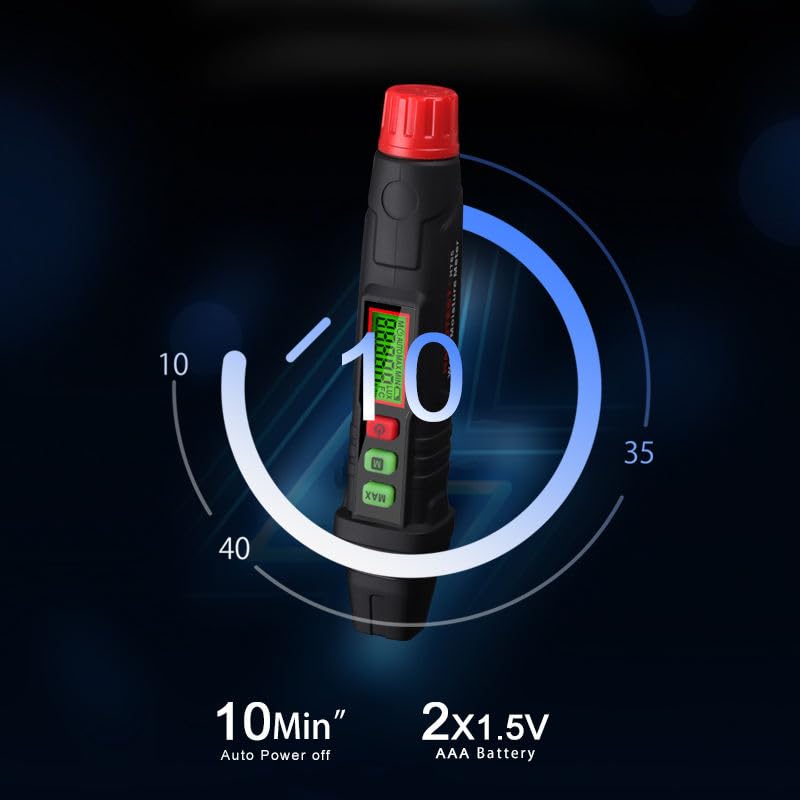
The device operates on two 1.5V AAA batteries and features an automatic power-off function after 10 minutes of inactivity to conserve battery life.
6. Operating Instructions
6.1 Power On/Off
- To power on the device, press the red Power button. The display will illuminate.
- To power off, press and hold the red Power button for a few seconds, or allow the device to auto power off after 10 minutes of inactivity.
6.2 Material Selection
- Press the green M button to cycle through the different material types (Material 1 to Material 7).
- Select the material type that best matches the object you are measuring. Refer to the 'Material Comparison Table' section for details on each material group.
6.3 Taking a Measurement
- Ensure the device is powered on and the correct material type is selected.
- Carefully remove the protective cap from the probes.
- Firmly press the embedded probes into the surface of the material you wish to measure. Ensure both probes make good contact.
- Read the moisture content percentage displayed on the screen.
- After measurement, remove the probes and replace the protective cap.
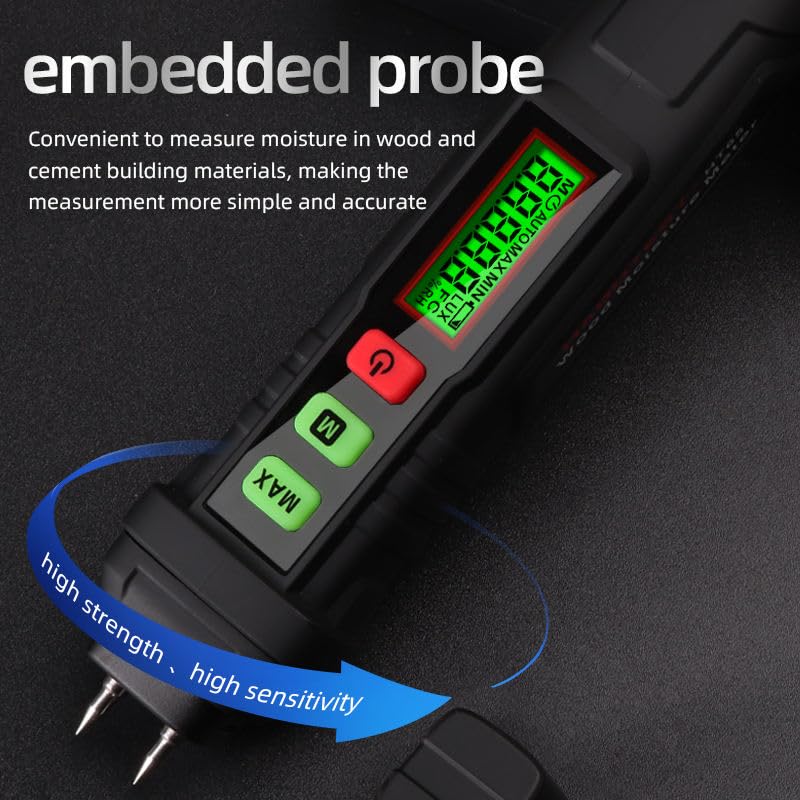
The embedded probes allow for convenient and accurate moisture measurement in wood and cement building materials.

The device facilitates easy detection of moisture in objects through direct probe contact measurement.
6.4 MAX Measurement Mode
- Press the green MAX button to activate the maximum measurement mode.
- In this mode, the display will show the highest moisture reading detected during the current measurement session.
- Press the MAX button again to exit this mode.
7. Material Comparison Table
The HT65 moisture meter is calibrated for different material groups. Select the appropriate material setting for accurate readings.
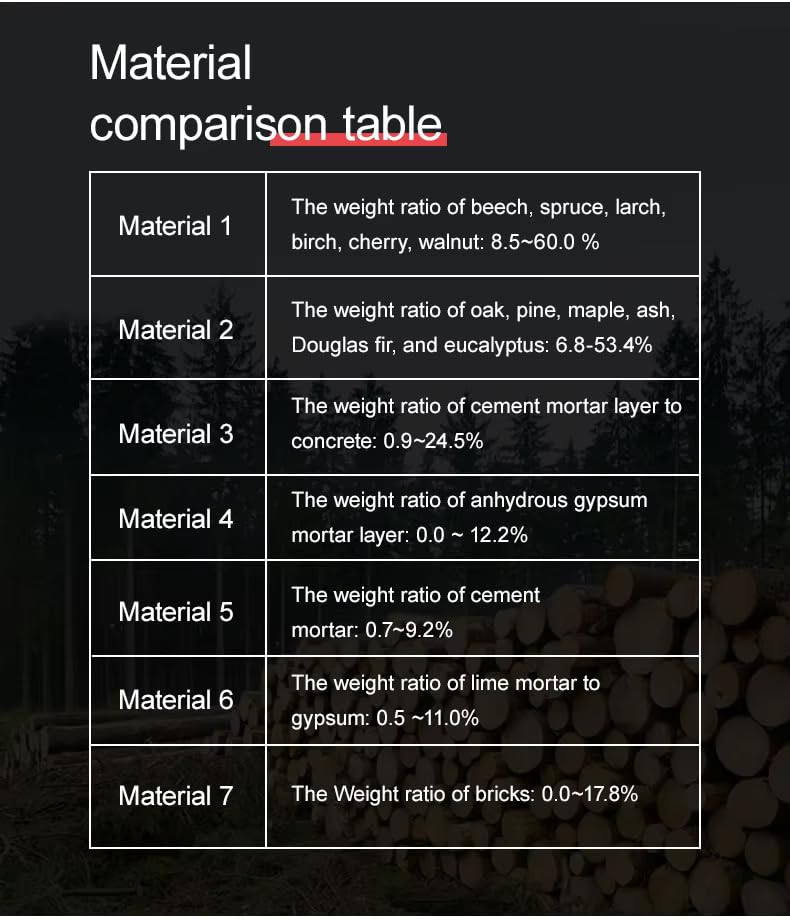
This table provides a comparison of different material types and their corresponding moisture measurement ranges for the HT65 device.
| Material Group | Description / Range |
|---|---|
| Material 1 | Beech, Spruce, Larch, Birch, Cherry, Walnut: 8.5 ~ 60% |
| Material 2 | Oak, Pine, Maple, Ash, Douglas Fir, Eucalyptus: 6.8 ~ 53.4% |
| Material 3 | Cement mortar layer, Concrete: 0.9 ~ 24.5% |
| Material 4 | Anhydrous gypsum mortar layer: 0.0 ~ 12.2% |
| Material 5 | Cement mortar: 0.7 ~ 9.2% |
| Material 6 | Lime mortar, Gypsum: 0.5 ~ 11% |
| Material 7 | Bricks: 0.0 ~ 17.8% |
8. Application Scenarios
The HABOTEST HT65 is a versatile tool applicable in various fields for moisture detection.

The HT65 is widely used for detecting moisture in wood, concrete, lime mortar, and for carton moisture detection.
9. Maintenance
- Cleaning: Wipe the device with a dry, soft cloth. Do not use abrasive cleaners or solvents.
- Storage: Store the device in a cool, dry place away from direct sunlight and extreme temperatures. Always replace the protective cap over the probes when not in use.
- Battery Replacement: Replace batteries when the low battery indicator appears on the display.
10. Troubleshooting
- Device does not power on: Check if batteries are installed correctly and have sufficient charge. Replace batteries if necessary.
- Inaccurate readings: Ensure the probes are fully inserted into the material and making good contact. Verify that the correct material type is selected. Clean probes if they appear dirty.
- Display is dim or flickering: This usually indicates low battery. Replace the batteries.
11. Specifications
| Feature | Specification |
|---|---|
| Wood Moisture Measurement Range | 0.0 ~ 58% |
| Accuracy | ±2.0% |
| Power Supply | 2 x 1.5V AAA Battery |
| Auto Power Off | Yes (after 10 minutes of inactivity) |
| Low Battery Indication | Yes |
| Product Dimensions (LxWxH) | 16.2 x 3.2 x 3.1 cm |
| Item Weight | 63 g |
| Included Components | Moisture Meter, User Manual, AAA Batteries |
12. Warranty and Support
For warranty information or technical support, please refer to the documentation provided with your purchase or contact your retailer. Keep your purchase receipt as proof of purchase.


