
1. Introduction
This manual provides detailed instructions for the safe and effective use of your WEP 927-IV 110W Soldering Iron Kit and the accompanying WEP S200 Soldering Wire Holder. Please read this manual thoroughly before operation and retain it for future reference.
Package Contents:
- WEP 927-IV 110W Soldering Station with Digital Display
- WEP S200 Gray Soldering Wire Holder
- 5 Soldering Tips (I, B, 3C, 3.2D, 5.2D)
- 30g Lead-Free Solder Wire
- Desoldering Pump
- ESD-Safe Tweezers
- Brass Wool Tip Cleaner
- Cleaning Sponge
- Helping Hands
- LED Magnifier
- Detachable Tip Storage Block

Image 1.1: All components included in the WEP 927-IV 110W Soldering Iron Kit Bundle.
2. Safety Information
Always observe the following safety precautions to prevent injury or damage to the equipment:
- Electrical Safety: This product is rated for 110-127V USA specifications. Do not connect this iron to a 220V power socket. Ensure the power outlet is properly grounded.
- Heat Hazard: The soldering iron tip and heating element reach very high temperatures. Avoid direct contact with skin. Use caution when handling the iron and allow it to cool completely before storing.
- Fumes: Soldering produces fumes. Work in a well-ventilated area or use a fume extractor to avoid inhaling fumes.
- Fire Hazard: Keep flammable materials away from the soldering area. Always place the soldering iron in its designated holder when not in use.
- Eye Protection: Always wear safety glasses to protect your eyes from solder splashes or flying debris.
- Children and Pets: Keep the soldering station and all accessories out of reach of children and pets.
- Maintenance: Disconnect the power before cleaning or performing any maintenance.
3. Setup Instructions
Follow these steps to set up your WEP 927-IV Soldering Iron Kit:
- Unpack Components: Carefully remove all items from the packaging and verify against the package contents list.
- Position the Station: Place the WEP 927-IV soldering station on a stable, heat-resistant workbench.
- Connect Soldering Iron: Insert the soldering iron's connector securely into the designated port on the soldering station.
- Install Soldering Tip: Select a desired soldering tip and securely screw it onto the heating element of the soldering iron. Ensure it is tightened but do not overtighten.
- Prepare Tip Cleaner: Place the brass wool into the designated compartment on the WEP S200 holder. Dampen the cleaning sponge with water and place it in its tray on the soldering station.
- Assemble Accessories: Attach the helping hands and LED magnifier to the soldering station as needed for your workspace.
- Power Connection: Connect the power cord to the soldering station and then plug it into a 110-127V AC grounded power outlet.
Image 3.1: Overview of the soldering station setup with accessories.
4. Operating Instructions (WEP 927-IV Soldering Station)
4.1 Power On/Off
To power on the station, flip the 'POWER' switch to the 'ON' position. The digital display will illuminate. To power off, flip the switch to 'OFF'.
4.2 Temperature Adjustment
The WEP 927-IV features dual digital displays showing both the actual and set temperatures. The temperature range is 90°C to 480°C (194°F to 896°F).
- Use the UP and DOWN buttons to adjust the desired temperature.
- The display will show the set temperature, and the actual temperature will quickly rise to match it.

Image 4.1: Precision numerical display for actual and set temperatures.
4.3 Preset Channels (CH1, CH2, CH3)
The station allows you to store and recall three frequently used temperature settings:
- Setting a Preset: Adjust the temperature to your desired value. Press and hold one of the channel buttons (CH1, CH2, or CH3) until the display flashes, indicating the temperature is saved.
- Recalling a Preset: Briefly press the desired channel button (CH1, CH2, or CH3) to instantly recall the saved temperature.

Image 4.2: Customizing temperature settings with 3 channels.
4.4 Sleep Mode
The WEP 927-IV features an adjustable sleep mode (0-99 minute timer) to reduce wear on the soldering tip and extend its lifespan. If the iron is inactive for the set duration, it will automatically lower its temperature to a safe standby level. Moving the iron will reactivate it to the last set temperature.
5. Using the WEP S200 Soldering Wire Holder
The WEP S200 is a heat-resistant silicone stand designed to securely hold wires during soldering operations.
- Wire Placement: The holder features 6 precision V-shaped grooves that can accommodate wire sizes from 32AWG to 7AWG. Place the wires into the grooves to hold them steady for soldering. Multiple wires can be held simultaneously.
- Heat Resistance: The silicone material withstands temperatures up to 500°C (932°F), providing a safe and stable platform.
- Tip Cleaning: A built-in compartment holds brass wool for cleaning your soldering iron tip during use.
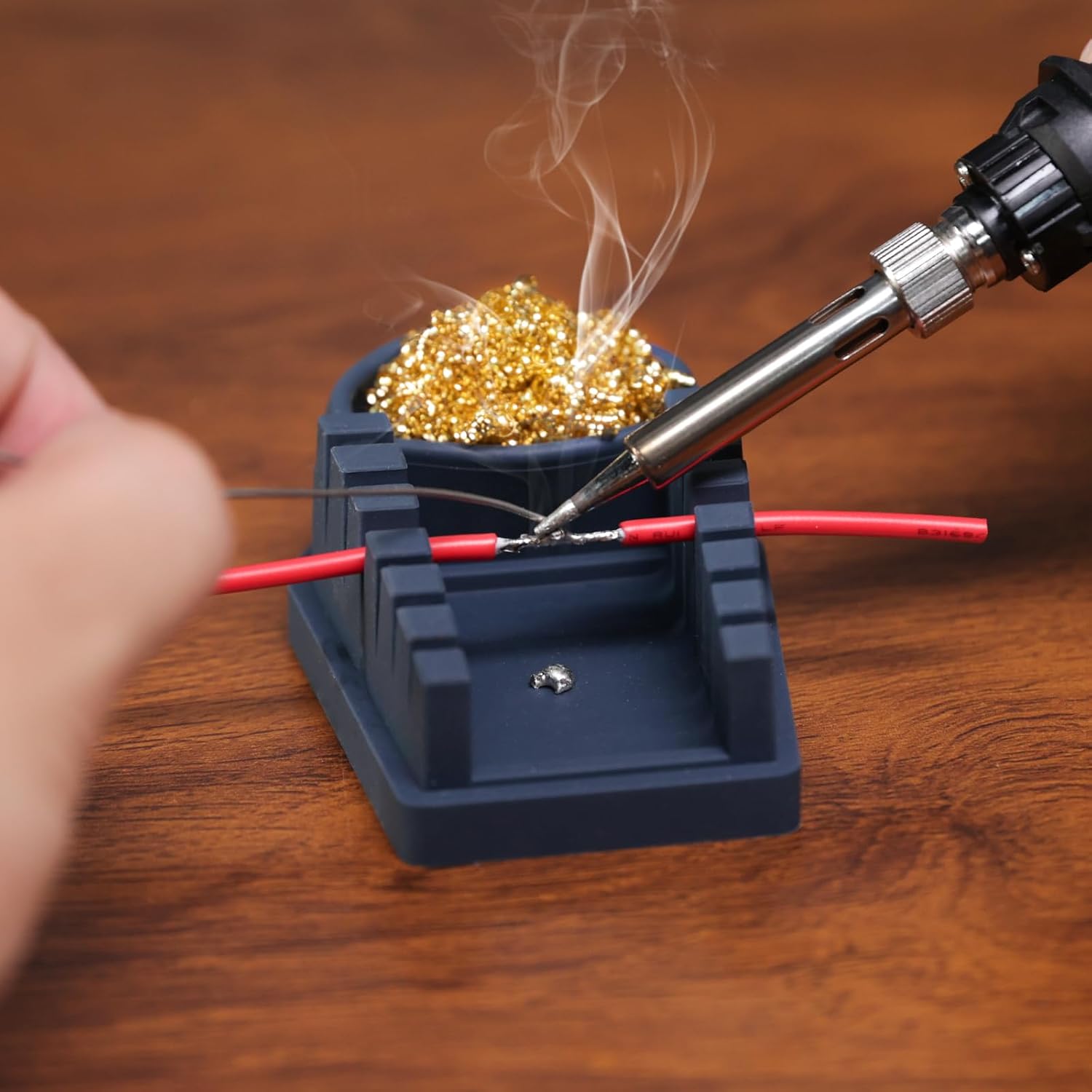
Image 5.1: Soldering wires using the WEP S200 holder.
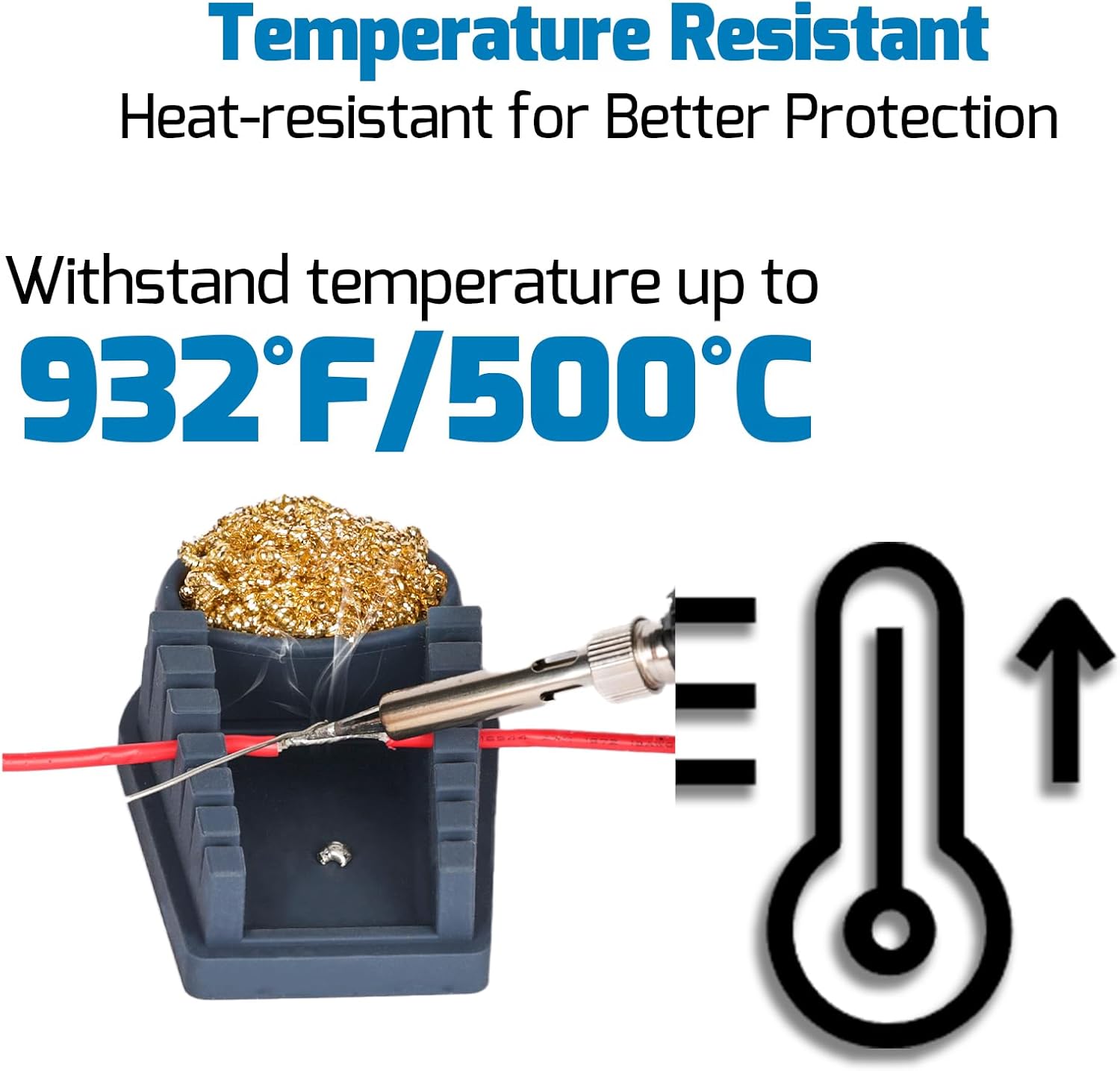
Image 5.2: WEP S200 heat resistance capability.

Image 5.3: WEP S200 adapting to various wire diameters.

Image 5.4: Cleaning the soldering tip using the integrated brass wool.
6. Maintenance
6.1 Soldering Tip Care
- Cleaning: Regularly clean the soldering tip using the brass wool or damp sponge to remove excess solder and oxidation. A clean tip ensures efficient heat transfer.
- Tinning: After cleaning and before storing, always tin the tip with a small amount of fresh solder. This protects the tip from oxidation and prolongs its life.
- Replacement: Replace tips when they become pitted, corroded, or no longer hold solder effectively. Ensure the station is off and cooled before changing tips.
6.2 Station and Holder Cleaning
- Ensure the station is unplugged and cooled.
- Wipe the station and wire holder with a soft, damp cloth. Do not use abrasive cleaners or solvents.
- The silicone WEP S200 holder can be easily cleaned with soap and water if needed.
7. Troubleshooting
- Iron Not Heating:
- Check if the power switch is ON.
- Ensure the power cord is securely plugged into a 110-127V outlet.
- Verify the soldering iron connector is fully inserted into the station. - Temperature Display Error:
- Turn the station off and then on again.
- Ensure the soldering iron tip is correctly installed. - Poor Solder Flow:
- Clean and re-tin the soldering tip.
- Increase the set temperature if necessary.
- Ensure you are using appropriate solder for your application.
8. Specifications
| Brand | WEP |
| Model | 927-IV |
| Wattage | 110 Watts |
| Voltage | 110-127 Volts (AC) |
| Temperature Range | 90°C - 480°C (194°F - 896°F) |
| Display Type | Digital |
| WEP S200 Heat Resistance | Up to 500°C (932°F) |
9. Warranty and Support
This WEP product bundle is covered by our exclusive 1-year USA technical support. For assistance, please contact our dedicated team. We offer 24-hour support to address any questions or issues you may encounter.