
1. Introduction
The Soundcore C50i Open-Ear Headphones are designed for comfort and high-quality audio, allowing you to stay aware of your surroundings. Featuring a FlexiClip design and 12mm custom drivers, these earbuds provide powerful bass and clear calls with AI enhancement. With Bluetooth 6.0, they offer stable connectivity and extended playtime.

Image: Soundcore C50i Open-Ear Headphones.
2. What's in the Box
Ensure all components are present upon unboxing:
- Soundcore C50i Earbuds
- Charging Case
- USB-C Cable
- Quick Start Guide & Safety Card

Image: All items included in the Soundcore C50i product package.
3. Product Overview
3.1. Design and Comfort
The C50i features an open-ear design for breathable comfort, reducing pressure and allowing awareness of surroundings. The FlexiClip design, crafted with memory titanium and a skin-friendly coating, ensures a secure and adaptive fit for various ear shapes, even during activity.

Image: Detail of the FlexiClip design on the Soundcore C50i earbud.
3.2. Audio Performance
Equipped with 12mm custom drivers, the C50i delivers powerful bass and clear audio with up to 86 dB output. This ensures an immersive sound experience for music and calls.

Image: Illustration of the 12mm custom driver for enhanced audio.
3.3. Call Clarity
AI-enhanced clear call technology utilizes advanced algorithms to accurately pick up your voice while filtering out background noise, ensuring crystal-clear conversations.
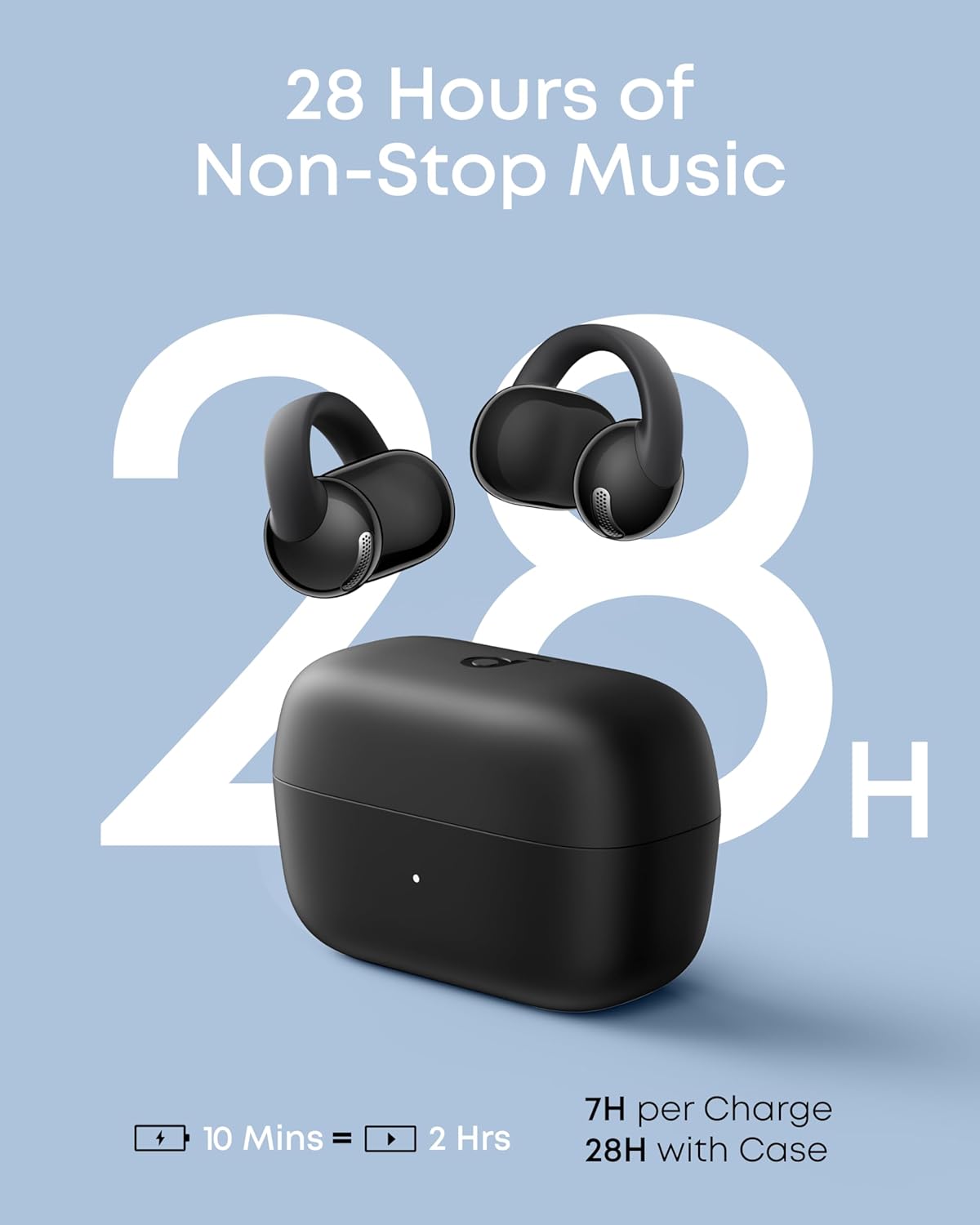
Image: User making a clear call with AI-enhanced Soundcore C50i.
4. Setup
4.1. First-time Pairing
To pair your Soundcore C50i for the first time:
- Take the earbuds out of the charging case and remove any protective film.
- Place the earbuds back into the case, then take them out again and wear them.
- Turn on Bluetooth on your device (e.g., phone).
- Find "soundcore C50i" in the device list and tap to connect.
4.2. Wearing the Earbuds
For optimal sound and comfort, ensure the earbuds are worn correctly:
- Identify the left (L) and right (R) earbuds.
- Gently position the earbud against your outer ear, ensuring the speaker faces forward.
- Adjust the earbud up or down for a comfortable and secure fit. The speaker should sit in your ear, and the battery component should rest behind it, with the button facing upward.

Image: Visual guide for correct earbud placement.
5. Operating Instructions
5.1. Connecting to a Second Device
To connect your Soundcore C50i to an additional device:
- While wearing the earbuds, press both earbud buttons for 3 seconds until you hear a prompt tone.
- On the new device, find "soundcore C50i" in the Bluetooth list and tap to connect.
5.2. Soundcore App Control
For enhanced control and customization, download the Soundcore app. Ensure the app is updated to version 4.0.1 or later for C50i compatibility.

Image: Soundcore app interface for managing earbuds.
5.3. Tactile Button Controls
The earbuds feature physical multi-functional buttons for accurate and responsive control, preventing accidental touches. Refer to the Quick Start Guide for specific button functions (e.g., play/pause, skip track, answer call).

Image: Tactile button on the earbud.
6. Charging and Battery Indicators
The charging case provides visual cues for its battery status:
- When earbuds are placed in the case, the indicator light turns on.
- A red light for 2 seconds indicates the case battery is below 20% and requires charging.
- A white light for 2 seconds indicates the case battery is above 20%.
- When the charging cable is connected, the indicator displays a breathing white light.
- Once fully charged, the light remains on for 10 seconds and then turns off. Disconnect the cable when charging is complete.
The earbuds offer up to 7 hours of playtime on a single charge, extending to 28 hours with the charging case. A 10-minute charge provides 2 hours of listening time.

Image: Battery life and quick charge details.
7. Maintenance
7.1. Water Resistance
The Soundcore C50i earbuds are IP55 water-resistant, meaning they are protected against dust and low-pressure water jets. This makes them suitable for use during commutes, workouts, and outdoor activities. However, they are not designed for submersion in water.

Image: IP55 Water-Resistant feature of the earbuds.
8. Troubleshooting
8.1. Resetting the Earbuds
If you experience issues such as no sound output from one earbud or pairing problems, try resetting the earbuds:
- Remove the earbuds from the case and press both buttons for 6 seconds to power them off.
- Press and hold both buttons for another 6 seconds. When you hear the power-on prompt, continue holding.
- After 10 more seconds, you will hear the power-on prompt again. Release the buttons. The earbuds are now reset.
9. Specifications
| Feature | Detail |
|---|---|
| Model Name | C50i |
| Connectivity Technology | Wireless (Bluetooth 6.0) |
| Ear Placement | Open Ear |
| Audio Driver Type | Custom Driver (12mm) |
| Battery Life | 28 Hours (with charging case) |
| Charging Time | 2 Hours |
| Water Resistance Level | IP55 (Waterproof) |
| Control Type | Button Control |
| Item Weight | 44.5 Grams (total) / 1.57 ounces |
| Product Dimensions | 2.46 x 1.22 x 1.63 inches |
| Manufacturer | Anker |
| Color | Black |
| Frequency Response | 20 KHz |
| Sensitivity | 38 dB |
| Impedance | 14 Ohm |
10. Warranty and Support
For warranty information, technical support, or further assistance, please visit the official Soundcore website or contact Soundcore customer service. Keep your purchase receipt for warranty claims.
You can find more information and support resources at the Soundcore Store on Amazon.


