
Introduction
Thank you for choosing the FENNIO Vanity Mirror with Lights. This manual provides essential information for the safe and efficient use of your new mirror. Please read it thoroughly before setup and operation, and retain it for future reference.
Safety Information
- Handle the mirror with care to avoid breakage.
- Ensure the mirror is placed on a stable, flat surface.
- Keep the mirror away from water or excessive moisture.
- Use only the provided USB cable for power.
- Do not attempt to disassemble or repair the mirror yourself. Contact customer support if issues arise.
Setup
Follow these steps to set up your FENNIO Vanity Mirror:
- Unboxing: Carefully remove all components from the packaging. You should find the mirror unit, the detachable base, a USB power cable, and a small magnifying mirror.
- Base Assembly: Attach the mirror unit to the base by aligning the pivot points and securing them with the provided screws. Ensure the base is firmly attached for stability.
- Power Connection: Insert the small end of the USB power cable into the 5V port located on the back of the mirror. Plug the larger USB end into a compatible USB power adapter (not included) or a USB port.
- Placement: Place the assembled mirror on your desired vanity or tabletop.
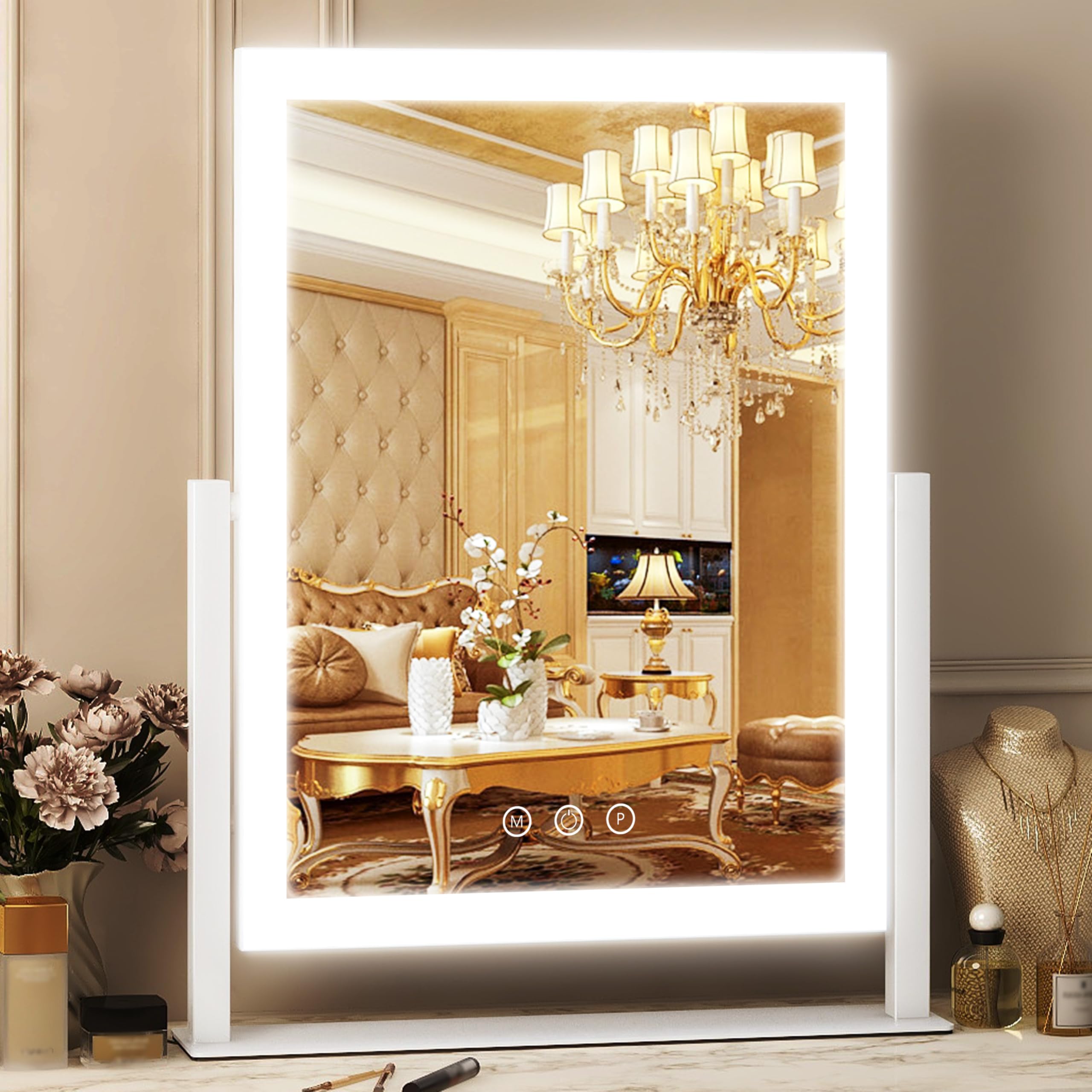
Figure 1: Assembled FENNIO Vanity Mirror with Lights.
Operating Instructions
Your FENNIO Vanity Mirror features intuitive touch controls for lighting and a versatile design.
Touch Controls
- Power Button (Middle): Short press to turn the mirror lights ON or OFF.
- Mode Button (M - Left): Short press to cycle through the three color lighting modes: Cool Light (7500K), Natural Light (4500K), and Warm Light (3500K).
- Brightness Button (P - Right): Long press to adjust the brightness level of the selected light mode. Release when the desired brightness is achieved.

Figure 2: Three Color Lighting Modes and Touch Controls.

Figure 3: Adjustable Brightness Function.
360° Rotation
The mirror unit can be rotated 360 degrees on its stand, allowing you to adjust the viewing angle to your preference. Simply hold the mirror frame and gently rotate it to the desired position.

Figure 4: 360° Rotation Feature.
Magnifying Mirror
A small magnifying mirror is included for detailed tasks. This mirror can be attached to the main mirror surface using its suction cups, providing enhanced magnification for precise makeup application or grooming.
Video 1: Demonstration of the FENNIO Vanity Mirror's light settings and rotation by the seller SIMOER.
Maintenance
Proper maintenance ensures the longevity and optimal performance of your mirror.
- Cleaning: Use a soft, lint-free cloth to clean the mirror surface and frame. Avoid abrasive cleaners, solvents, or harsh chemicals that may damage the finish or glass.
- Storage: When not in use for extended periods, store the mirror in a dry, cool place, protected from dust and direct sunlight.
- Handling: Always handle the mirror by its frame or base. Avoid applying excessive force to the mirror surface or the rotating mechanism.
Troubleshooting
If you encounter any issues with your FENNIO Vanity Mirror, refer to the following common problems and solutions:
| Problem | Possible Cause | Solution |
|---|---|---|
| Lights do not turn on. | No power supply or loose connection. | Ensure the USB cable is securely plugged into both the mirror and a working power adapter/port. Check if the power outlet is functional. |
| Touch controls are unresponsive. | Temporary software glitch or power interruption. | Unplug the mirror from the power source, wait 10 seconds, then plug it back in. Try the touch controls again. |
| Mirror is unstable on its base. | Base not securely attached. | Ensure the screws attaching the mirror to the base are tightened properly. Place on a flat, even surface. |
Specifications
Detailed technical specifications for the FENNIO Vanity Mirror Model 1001-W:
- Brand: FENNIO
- Model Number: 1001-W
- Product Dimensions: 12.5"L x 16.5"W
- Frame Material: Aluminum
- Color: White
- Mounting Type: Dresser Mount
- Special Feature: Corded, Touch Screen, 3-Color Lighting, Dimmable, 360° Rotation
- Light Source: LED
- Color Temperature: 7500K (Cool), 4500K (Natural), 3500K (Warm)
- Item Weight: 4.29 pounds
- Assembly Required: No (minor base attachment)

Figure 5: Mirror Dimensions (Note: Product dimensions are 12.5"L x 16.5"W, image shows 13" x 16.2").
Warranty and Support
For warranty information or technical support, please refer to the product packaging or contact FENNIO customer service directly. Keep your purchase receipt as proof of purchase.
