1. Introduction
Thank you for choosing the RAVEMEN FR500 Bike Light. This manual provides detailed instructions for the proper setup, operation, and maintenance of your new bike light. Please read this manual thoroughly before use to ensure optimal performance and safety.
1.1 Package Contents
The RAVEMEN FR500 package includes the following items:
- 1 x FR500 Bike Front Light
- 1 x QTM04 Adapter (Engraved with the letter "B") for Bryton bike computer compatibility
- 1 x USB-C Charging Cable
- 1 x User Manual

Image 1.1: The RAVEMEN FR500 bike light shown with the included QTM04 adapter for Bryton bike computers.
2. Product Features
The FR500 bike light is designed to enhance your cycling safety and experience with its advanced features.
2.1 Night Riding Illumination
Equipped with two high-brightness LEDs, the FR500 provides up to 500 lumens in solid mode, offering a stable light source for road cycling, daily commuting, and city rides. It supports lighting while charging, ensuring your needs are met from dusk till dawn.
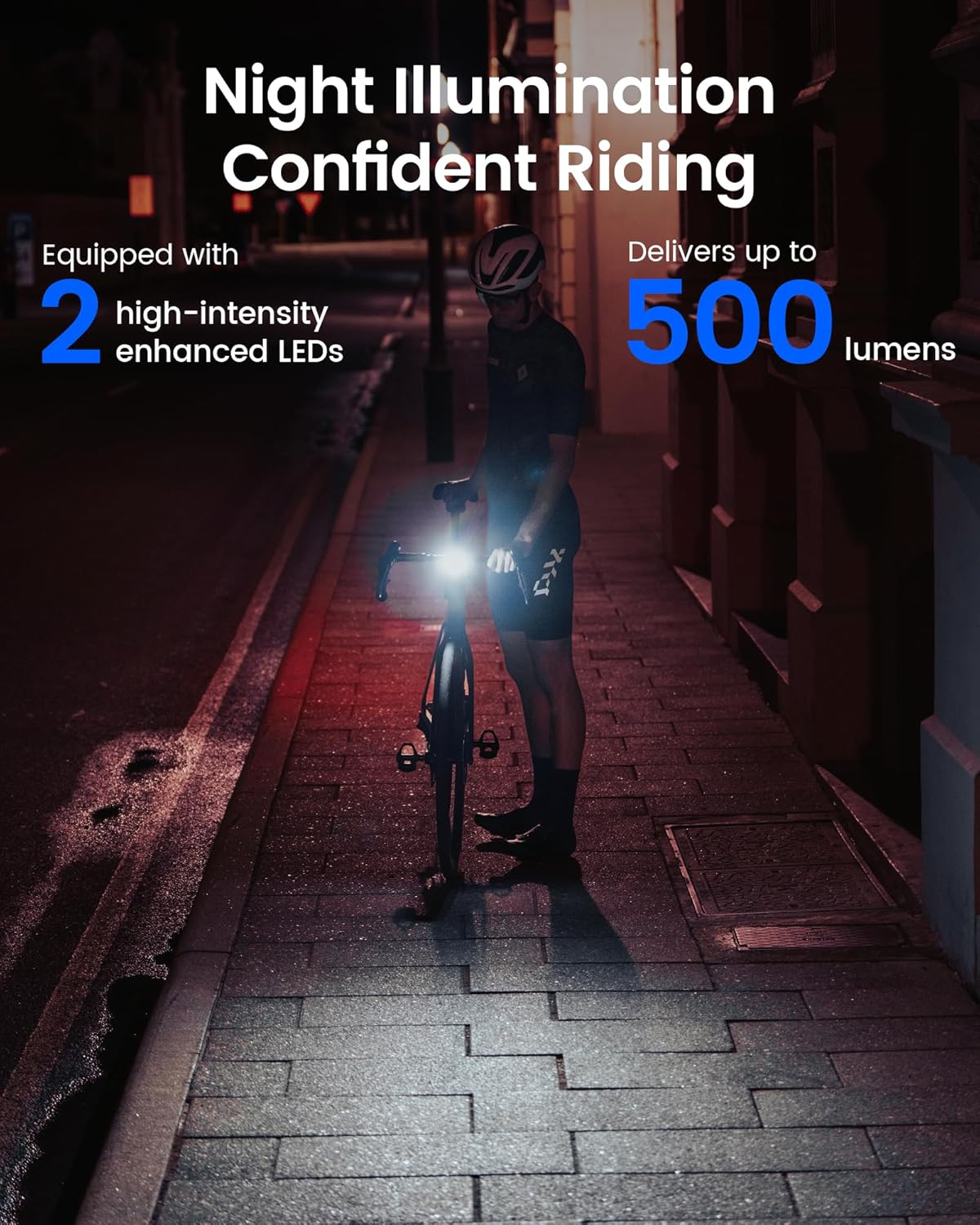
Image 2.1: The FR500 bike light illuminating the path during night cycling, demonstrating its 500-lumen output from two LEDs.
2.2 Daytime Visibility and Warning Flash
For daytime safety, the FR500 features six lighting modes, including three flashing options. These modes provide up to 500 lumens with a wide 270-degree viewing angle. This design ensures you remain visible to vehicles and pedestrians from the front and sides, with high lumen penetration helping you get noticed even in bright sunlight.
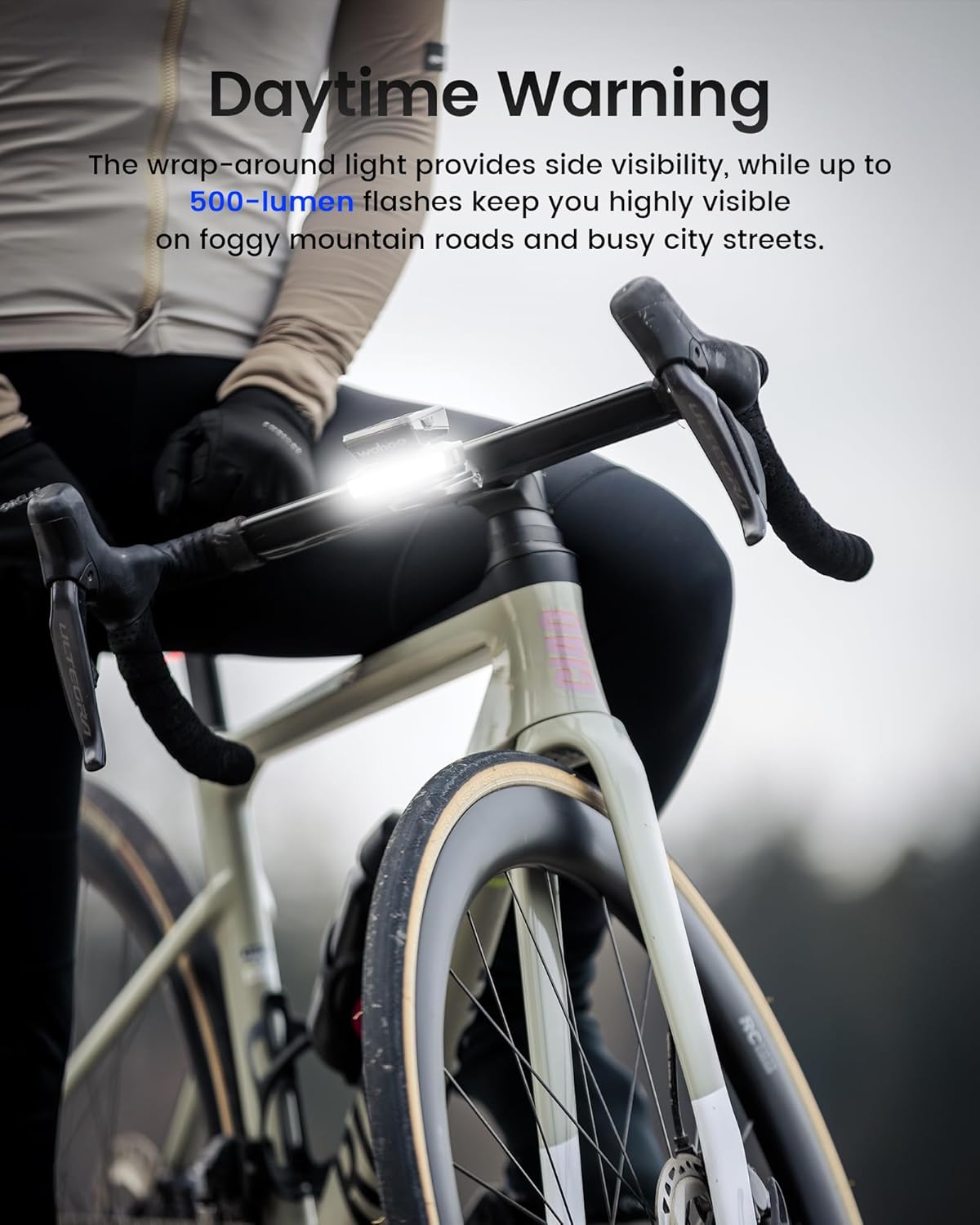
Image 2.2: A cyclist using the FR500 bike light during the day, highlighting its side visibility and warning flash capability.
2.3 Auto Sleep & Wake Up Function
The FR500 includes an intelligent auto sleep and wake-up feature. The light will automatically turn off after 2 minutes of stillness and reactivate with the slightest movement, conserving battery power efficiently.

Image 2.3: Visual representation of the FR500's auto sleep mode activating after 2 minutes of inactivity and waking up upon movement.
2.4 Efficient Heat Dissipation Design
The light features an aluminum alloy heat-dissipation design with 6 deep cooling fins. This design helps maintain optimal operating temperature, ensuring consistent performance and extending the lifespan of the light during prolonged use.
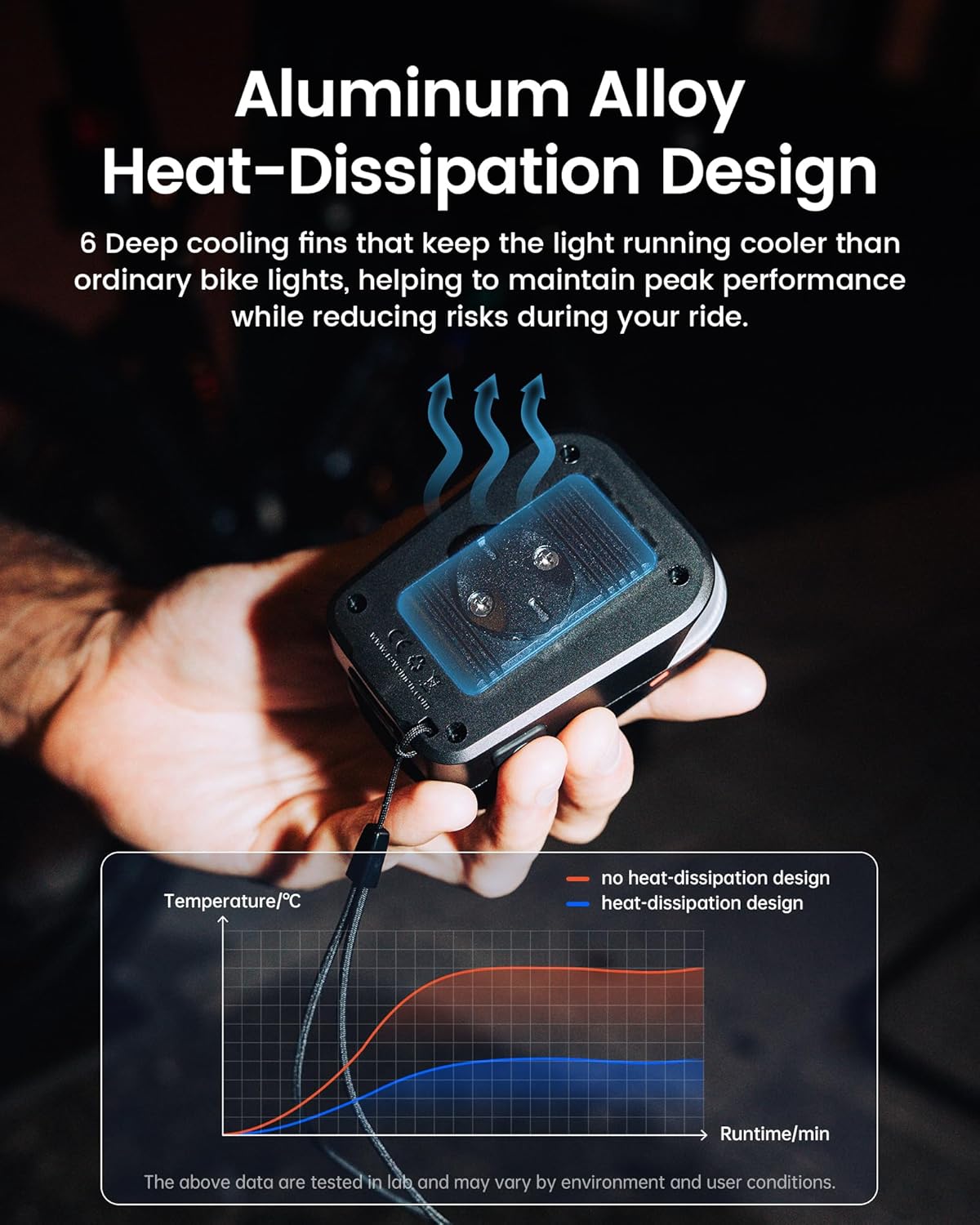
Image 2.4: Close-up view of the FR500's underside, showing the aluminum alloy heat-dissipation fins and a graph illustrating temperature management.
2.5 USB-C Rechargeable Battery
The FR500 is equipped with a 2000mAh battery and features a convenient USB-C charging port. A full charge provides extended runtime, supporting up to 36 hours of use depending on the selected mode.

Image 2.5: The FR500 bike light connected via USB-C for charging, highlighting its 2000mAh battery capacity and potential 36-hour runtime.
3. Setup and Installation
3.1 Attaching the QTM04 Adapter (for Bryton Compatibility)
If you intend to use the FR500 with a Bryton bike computer, you must replace the original mounting tab with the included QTM04 adapter. The QTM04 adapter is engraved with the letter "B" for identification.
- Carefully unscrew and remove the original mounting tab from the FR500 bike light.
- Align the QTM04 adapter (engraved with "B") with the mounting slot on the FR500.
- Securely screw the QTM04 adapter into place. Ensure it is firmly attached before use.
Image 3.1: The FR500 bike light with the QTM04 adapter and original mounting tab detached, illustrating the replacement process.
3.2 Mounting the Light to Your Bicycle
The FR500 is designed for frame mounting. Attach the light securely to your bicycle's handlebar or a compatible mount point using the appropriate bracket (sold separately or included with your bike computer mount). Ensure the light is positioned to provide optimal forward visibility without obstructing your view or controls.
4. Operating Instructions
4.1 Power On/Off
- To turn the light ON: Press and hold the power button located on the side of the light for approximately 1-2 seconds.
- To turn the light OFF: Press and hold the power button for approximately 1-2 seconds until the light extinguishes.
4.2 Changing Lighting Modes
Once the light is on, short press the power button to cycle through the available lighting modes. The FR500 features 6 distinct lighting modes, including solid and flashing options, to suit various riding conditions.
- Solid Modes: Provides continuous illumination for night riding.
- Flashing Modes: Designed for increased visibility during daytime or in low-light conditions.
4.3 Charging the Battery
To charge the FR500 bike light:
- Locate the USB-C charging port on the light.
- Connect the provided USB-C cable to the light and the other end to a USB power source (e.g., computer, wall adapter).
- The charging indicator light will illuminate during charging and change color or turn off when charging is complete.
- The light supports operation while charging.
5. Maintenance
Proper maintenance ensures the longevity and optimal performance of your FR500 bike light.
- Cleaning: Wipe the light body with a soft, damp cloth. Do not use abrasive cleaners or solvents.
- Storage: Store the light in a cool, dry place when not in use. Avoid extreme temperatures.
- Battery Care: For long-term storage, charge the battery to approximately 50% every 3-6 months to maintain battery health.
- Water Resistance: Please note that this product is Not Water Resistant. Avoid exposing the light to rain or moisture to prevent damage.
6. Troubleshooting
If you encounter issues with your FR500 bike light, please refer to the following common solutions:
- Light not turning on:
- Ensure the battery is charged. Connect the light to a USB power source to charge.
- Press and hold the power button for 1-2 seconds to ensure it's properly activated.
- Light not charging:
- Check the USB-C cable for damage and ensure it's securely connected to both the light and the power source.
- Try a different USB power source or cable.
- Light flickering or dim:
- The battery may be low. Recharge the light.
- Ensure the light is clean and free from debris.
If the issue persists, please contact customer support.
7. Specifications
| Feature | Detail |
|---|---|
| Model | FR500 |
| Brand | Ravemen |
| Light Output Maximum | 500 Lumens |
| Number of Settings | 6 (Solid and Flashing Modes) |
| Power Source | Battery Powered (2000mAh) |
| Charging Port | USB-C |
| Material | Plastic (with Aluminum Alloy Heat-Dissipation) |
| Mounting Type | Frame Mount (compatible with Bryton via QTM04 adapter) |
| Water Resistance Level | Not Water Resistant |
| Color | Black |
8. Warranty and Support
8.1 Warranty Information
RAVEMEN products are manufactured to high-quality standards. For specific warranty terms and conditions, please refer to the warranty card included with your product or visit the official Ravemen website. Keep your proof of purchase for warranty claims.
8.2 Customer Support
If you have any questions, require technical assistance, or need to report an issue, please contact Ravemen customer support through their official website or the contact information provided in your product packaging. Please have your product model (FR500) and purchase details ready when contacting support.


