
1. Product Overview
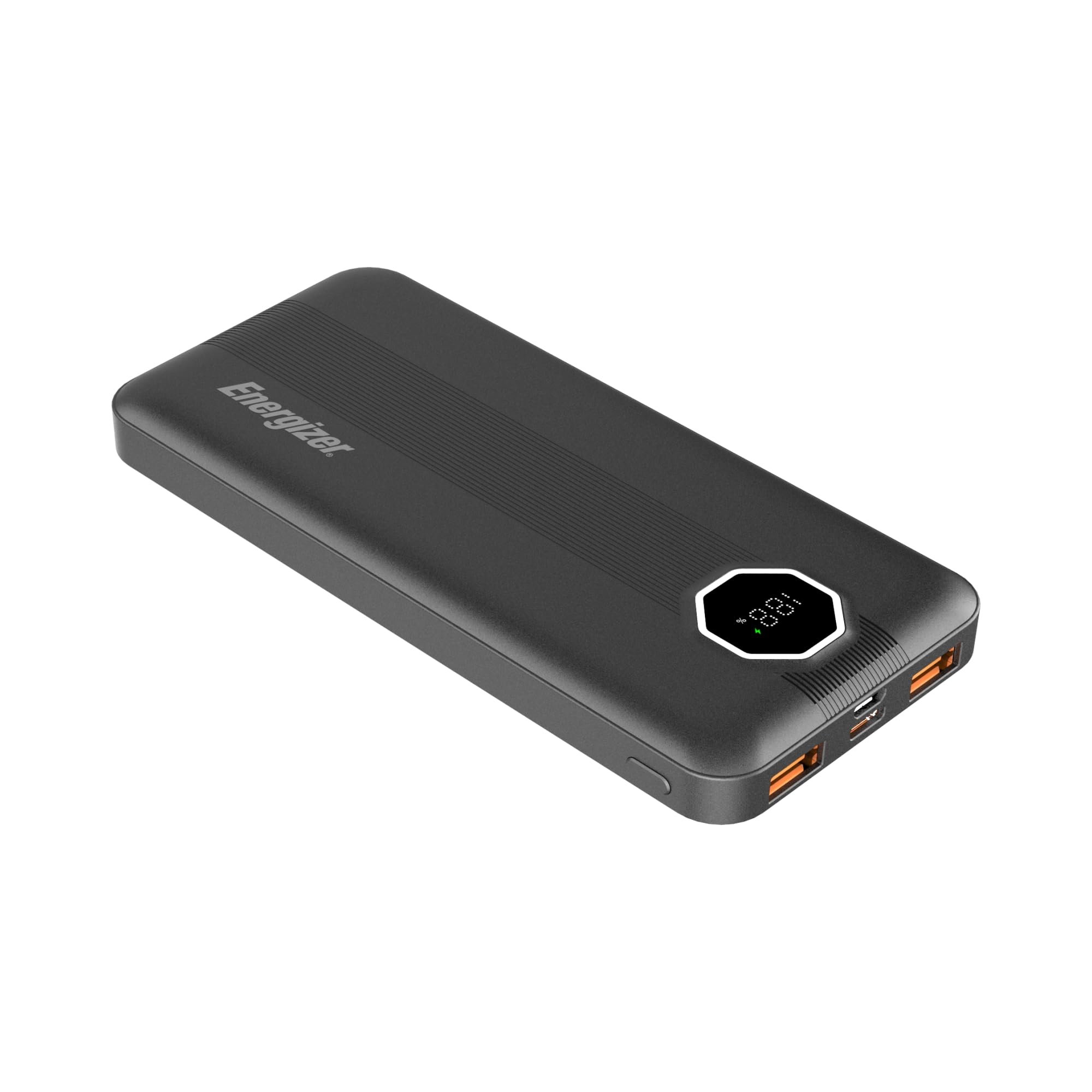
The Energizer 10000mAh Power Bank, model UE10029PQ, is a portable charging device designed to provide power to various electronic devices. It features a 10,000mAh battery capacity, multiple output ports for simultaneous charging, and an LCD display for battery status.
Key Features:
- High Capacity: 10,000mAh battery provides multiple charges for smartphones and extends tablet usage.
- Fast Charging Outputs: One USB-A port with 22.5W output and one USB-C port with 20W Power Delivery (PD 3.0) for rapid charging.
- Triple Outputs: Charge up to three devices simultaneously using the two USB-A ports and one USB-C port.
- Dual Inputs: Recharge the power bank via either the USB-C port or the Micro-USB port.
- LCD Display: Digital screen shows the exact percentage of remaining battery life and fast charging indicators.
- PowerSafe Management: Built-in protection against over-current, temperature fluctuations, overcharging, and short circuits.
- Portable Design: Compact and lightweight (approximately 230g), suitable for travel and airline carry-on.
2. Setup
2.1 Initial Charging of the Power Bank
Before first use, fully charge your Energizer UE10029PQ Power Bank. This ensures optimal battery performance.
- Connect a USB-C cable to the power bank's USB-C input port or a Micro-USB cable to the Micro-USB input port.
- Connect the other end of the cable to a compatible USB wall adapter (not included) or a computer's USB port.
- The LCD display will show the charging progress. A blinking percentage indicates charging, and a solid 100% indicates a full charge.

2.2 Connecting Devices for Charging
Use appropriate charging cables for your devices.
- For USB-A devices, use a standard USB-A to device-specific cable.
- For USB-C devices, use a USB-C to device-specific cable.
3. Operating Instructions
3.1 Charging Your Devices
The power bank can charge up to three devices simultaneously.
- Connect your device's charging cable to one of the power bank's output ports (USB-A or USB-C).
- Connect the other end of the cable to your device.
- The power bank will automatically begin charging. The LCD display will show the remaining battery percentage.
- If fast charging is active, a lightning bolt icon will appear on the LCD display.

3.2 Understanding the LCD Display
The integrated LCD screen provides real-time information about the power bank's status.
- Battery Percentage: Displays the remaining charge level from 0-100%.
- Fast Charging Indicator: A lightning bolt icon appears when fast charging or fast recharging is active.

4. Maintenance and Safety
4.1 General Care
- Keep the power bank in a cool, dry place away from direct sunlight and extreme temperatures.
- Clean the exterior with a soft, dry cloth. Do not use liquid cleaners or aerosols.
- Avoid dropping or subjecting the power bank to strong impacts.
4.2 Safety Precautions
- Do not disassemble, modify, or repair the device yourself.
- Keep away from water, moisture, and flammable materials.
- Do not expose to fire or high temperatures.
- Dispose of the power bank according to local regulations for electronic waste.

5. Troubleshooting
| Problem | Possible Cause | Solution |
|---|---|---|
| Power bank not charging devices. | Low battery on power bank; faulty cable; device not compatible. | Recharge power bank; try a different cable; ensure device is compatible. |
| Power bank not recharging. | Faulty input cable; power adapter not working; port damage. | Try a different USB-C or Micro-USB cable; use a different wall adapter; contact support if ports appear damaged. |
| Slow charging. | Non-fast charging cable/adapter; device not supporting fast charge; multiple devices charging. | Use a fast charging compatible cable and adapter; check device specifications; try charging one device at a time. |
| LCD display not working. | Device malfunction. | If persistent, contact customer support. |
6. Specifications
| Feature | Detail |
|---|---|
| Model Number | UE10029PQ |
| Battery Capacity | 10000 Milliamp Hours (mAh) |
| Product Dimensions | 5.78 x 2.71 x 0.65 inches |
| Item Weight | 0.317 ounces (approximately 9 grams, note: this weight seems unusually low for a 10000mAh power bank, typically they are around 200-250g) |
| Connector Type | USB Type A, USB Type C |
| Voltage | 5 Volts |
| Special Features | Digital Display, Fast Charging, Over Charging Protection, Short Circuit Protection |
| Manufacturer | Tennrich International Corp. |
7. Warranty Information
For detailed warranty information, please refer to the official Energizer website or the warranty card included with your product. Keep your purchase receipt as proof of purchase for any warranty claims.
8. Customer Support
If you encounter any issues or have questions regarding your Energizer 10000mAh Power Bank UE10029PQ that are not covered in this manual, please contact Energizer customer support through their official website or the contact information provided in your product packaging.


