
1. Introduction
Thank you for choosing the DOEL Automatic Cleaning Cat Litter Box. This device is designed to provide a clean and hygienic environment for your cat while simplifying litter management for you. Featuring smart app control, advanced safety sensors, and an efficient cleaning mechanism, this litter box offers convenience and peace of mind. Please read this manual thoroughly before use to ensure proper setup, operation, and maintenance.
2. Safety Information
- Integrated Barrel and Waste Bin Design: The innovative design prevents cats from getting trapped, even when the bin compartment is not equipped with sensors.
- Infrared Radar and Gravity Sensors: The base is equipped with infrared radar and four gravity sensors. These sensors immediately stop the machine if a cat approaches or enters the litter box during operation, ensuring the safety of your feline companion.
- Ensure the litter box is placed on a stable, level surface.
- Keep the power cord away from water and out of reach of pets.
- Do not allow children to play with or operate the litter box without adult supervision.
- Use only the provided power adapter.

Image: Integrated Barrel and Waste Bin Design. This illustration highlights the internal structure designed to prevent cat entrapment during operation.
3. Package Contents
Please check the package for the following items:
- DOEL Automatic Cleaning Cat Litter Box Main Unit
- Power Adapter
- Litter Mat (19.6 x 15.7 inches)
- User Manual (this document)
4. Product Overview
Familiarize yourself with the main components of your DOEL Automatic Cleaning Cat Litter Box:
- Main Unit: Houses the rotating barrel, motor, and control systems.
- Rotating Barrel: The primary compartment where the cat uses the litter.
- Waste Bin: Located within the barrel, it collects waste. Features an automatic flip door.
- Control Panel: Located on the front base, typically includes power and mode buttons.
- Litter Mat: Placed at the entrance to collect scattered litter.
- Sensors: Infrared radar and gravity sensors for safety and operation.
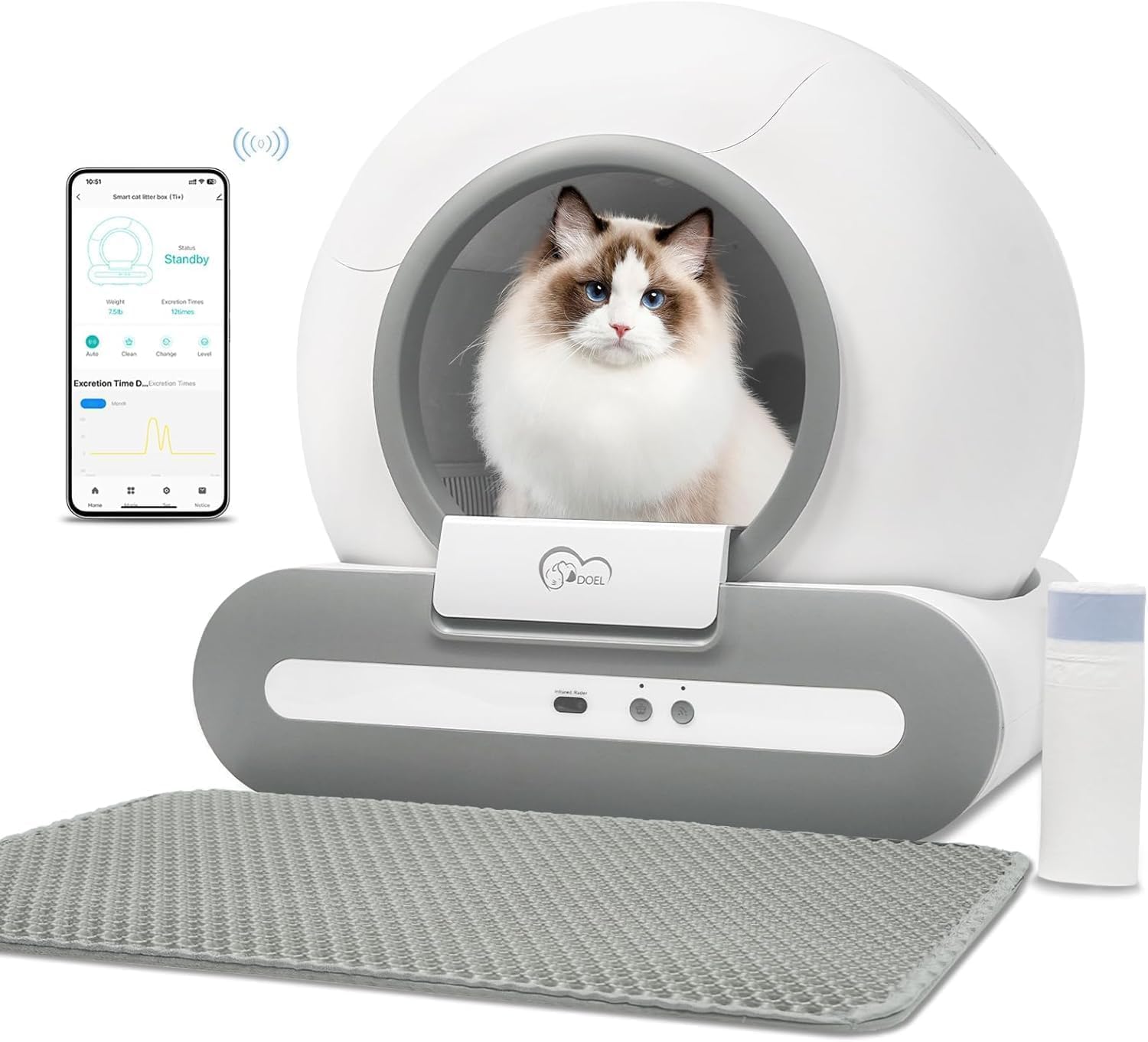
Image: DOEL Automatic Cleaning Cat Litter Box. This image displays the main unit, the integrated app interface on a smartphone, and the accompanying litter mat.
5. Setup
- Unpack: Carefully remove all components from the packaging. The power cord and instruction manual are located in the waste bin on top of the litter box.
- Placement: Place the litter box on a firm, level surface in a suitable location. Ensure there is enough space around it for proper ventilation and access.
- Connect Power: Plug the power adapter into the litter box and then into a wall outlet.
- Add Litter: Fill the rotating barrel with your preferred cat litter. Ensure the litter level is between the minimum and maximum fill lines.
- Install Litter Mat: Position the provided litter mat at the entrance of the litter box to help contain scattered litter.
- App Download and Connection:
- Download the DOEL smart app from your device's app store.
- Ensure your smartphone is connected to a 2.4G WIFI network (5G WIFI is not supported).
- Follow the in-app instructions for automatic network connection searching and device pairing.
6. Operating Instructions
6.1 App Control
The DOEL smart app provides comprehensive control and monitoring features:
- Automatic Cleaning: Initiate cleaning cycles remotely.
- Remote OTA Upgrade: Update the device firmware for improved performance and new features.
- Timing Cleaning: Schedule cleaning cycles at specific times.
- Sand Type Selection: Select the appropriate litter mode in the app for optimal cleaning and litter conservation based on your litter type.
- Health Monitoring: The app provides statistics on toilet frequency, allowing you to track your cat's health status.
- Settings: Adjust clean up waiting time, clean up interval time, and other preferences.
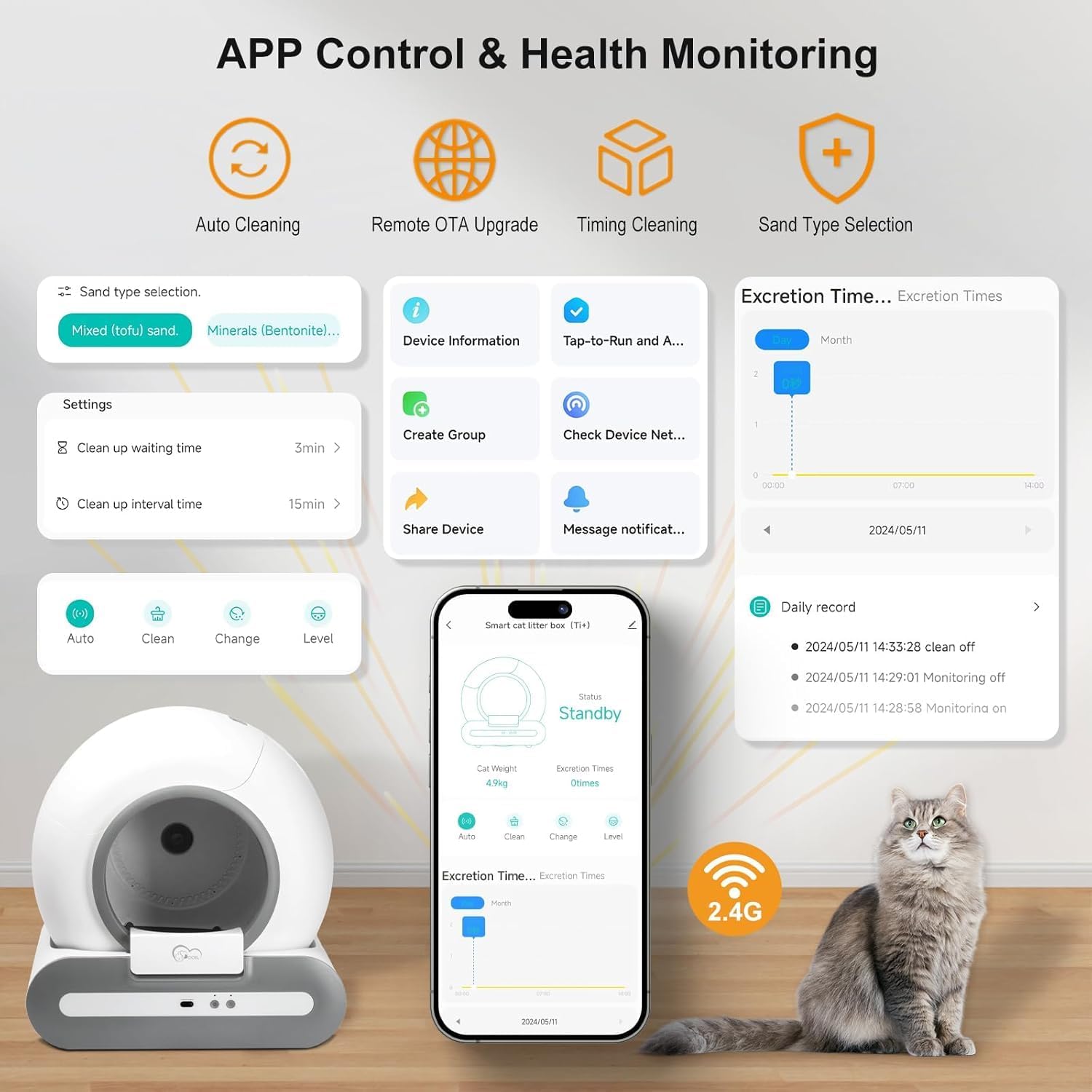
Image: DOEL App Interface for Control and Monitoring. This image illustrates the various functions available through the smartphone application, including auto cleaning, health monitoring, and settings.
6.2 Manual Control
The litter box also features physical buttons on the front panel for basic operations. Refer to the specific button icons for their functions (e.g., Power On/Off, Manual Clean Cycle).
6.3 Compatible Litter Types
The DOEL Automatic Cleaning Cat Litter Box is suitable for various types of cat litter. Select the corresponding litter mode in the app for optimal performance:
- Tofu cat litter
- Mixed cat litter
- Bentonite cat litter
- Mineral cat litter

Image: Compatible Litter Types for DOEL Litter Box. This image visually represents the different types of cat litter that can be used with the automatic litter box.
7. Maintenance and Cleaning
Regular cleaning is essential for hygiene and optimal performance. The DOEL litter box is designed for effortless disassembly and cleaning.
- Empty Waste Bin: Regularly check and empty the waste bin. The automatic flip door helps contain odors.
- Disassemble for Cleaning:
- Remove the pedal at the entrance.
- Open the buckle at the back of the unit.
- The entire bucket compartment can then be easily detached.
- Clean Components: The bottom tray features a tool-free detachable TPE design, and the filter is a larger, detachable T-shaped filter. These components, along with the barrel, can be washed with water.
- Drainage: Two drainage holes at the bottom of the bucket compartment facilitate draining residual water after cleaning.
- Dry Thoroughly: Ensure all components are completely dry before reassembly to prevent electrical issues and mold growth.
- Leak Prevention: The 360° leak-proof rim design prevents urine leakage, and the litter mat helps collect scattered litter, keeping your floor clean.

Image: Detachable Components for Easy Cleaning. This image highlights the various parts of the litter box that can be easily removed for thorough cleaning.

Image: Quick Disassembly for Thorough Cleaning. This image demonstrates the simple process of disassembling the main unit for maintenance.

Image: Washing Detachable Components. This image shows the ease with which the individual parts of the litter box can be cleaned under running water.
8. Troubleshooting
If you encounter issues with your DOEL Automatic Cleaning Cat Litter Box, please refer to the following common solutions:
- Device Not Responding: Check if the power adapter is securely connected and the unit is powered on.
- App Connection Issues: Ensure your smartphone is connected to a 2.4G WIFI network. Restart the app and the litter box, then attempt to reconnect.
- Cleaning Cycle Not Starting: Verify that no cat is currently inside or near the litter box, as safety sensors will prevent operation. Check for any obstructions in the rotating barrel.
- Odor Issues: Ensure the waste bin is emptied regularly and the automatic flip door is functioning correctly. Clean the entire unit thoroughly as per Section 7.
- Litter Spillage: Ensure the litter mat is properly positioned. Check that the litter level is not overfilled.
For persistent issues, please contact customer support.
9. Specifications
| Feature | Specification |
|---|---|
| Brand | DOEL |
| Model | Automatic Cleaning Cat Litter Box |
| Color | White |
| Product Dimensions (L x W x H) | 20.88" x 18.99" x 19.95" |
| Item Weight | 7.17 Kilograms |
| Material | Acrylonitrile Butadiene Styrene (ABS), Polypropylene (PP), Polystyrene (PS) |
| Litter Box Type | Automated Self-Cleaning Litter Box |
| Pet Type | Cat |
| App Connectivity | 2.4G WIFI Only |
Image: DOEL Automatic Cleaning Cat Litter Box Dimensions. This image provides a visual representation of the product's size and proportions.
10. Warranty and Support
For warranty information and customer support, please refer to the documentation included with your purchase or visit the official DOEL website. If you have any questions or require assistance with your DOEL Automatic Cleaning Cat Litter Box, please do not hesitate to contact our customer service team.


