
1. Introduction
This manual provides essential information for the safe operation, assembly, maintenance, and troubleshooting of your Gyroor H40 Electric Scooter. Please read this manual thoroughly before first use to ensure proper function and to prevent injury. Keep this manual for future reference.
2. Safety Warnings
Operating an electric scooter carries inherent risks. Always prioritize safety.
- Always wear a helmet and appropriate protective gear (knee pads, elbow pads) when riding.
- Ensure the scooter is fully charged before each use.
- Do not ride in wet conditions, on uneven surfaces, or in heavy traffic.
- Maintain a safe speed and distance from others.
- Children should always be supervised by an adult.
- The maximum weight capacity is 60 kg (132 lbs). Do not exceed this limit.
- This scooter is recommended for children aged 6-12 years.
- Regularly inspect the scooter for any damage or loose parts before each ride.
- Adhere to all local traffic laws and regulations.
3. Package Contents
Verify that all items are present in the package:
- Gyroor H40 Electric Scooter
- Power Adapter/Charger
- User Manual (this document)
- Necessary tools for assembly (e.g., Allen wrench)
4. Setup and Assembly
4.1 Unfolding the Scooter
- Carefully remove the scooter from its packaging.
- Locate the folding mechanism near the base of the handlebar stem.
- Release the locking lever and lift the handlebar stem until it clicks securely into the upright position.
- Ensure the locking mechanism is fully engaged before use.
4.2 Adjusting Handlebar Height
The handlebar height is adjustable to three levels (35.4 – 39.4 inches / 90-100 cm) to suit riders aged 6-12 years.
- Loosen the quick-release clamp on the handlebar stem.
- Adjust the handlebar to the desired height. Ensure the handlebar is at a comfortable level for the rider, allowing them to maintain proper posture and control.
- Tighten the quick-release clamp firmly to secure the handlebar in place.
- Verify that the handlebar is stable and does not wobble.
4.3 Initial Charging
Before first use, fully charge the scooter's battery.
- Locate the charging port, typically on the side of the deck.
- Connect the charger to the scooter's charging port, then plug the charger into a standard wall outlet.
- The LED indicator on the charger will change color (e.g., red to green) when charging is complete.
- Do not overcharge the battery.

Image: Charging port with indicator light during charging.
5. Operating Instructions
5.1 Power On/Off
- To power on: Press and hold the power button on the handlebar display until the screen illuminates.
- To power off: Press and hold the power button until the display turns off.
5.2 Riding the Scooter
- Place one foot firmly on the scooter deck.
- Push off with your other foot to gain initial momentum.
- Once moving, gently press the electronic throttle on the handlebar to engage the motor.
- Place your second foot on the deck.
- To slow down or stop, use the electronic brake lever or the rear foot brake.

Image: Child riding the Gyroor H40 electric scooter.
5.3 Handlebar Controls and Display
The handlebar features an LED digital display and controls for easy operation.
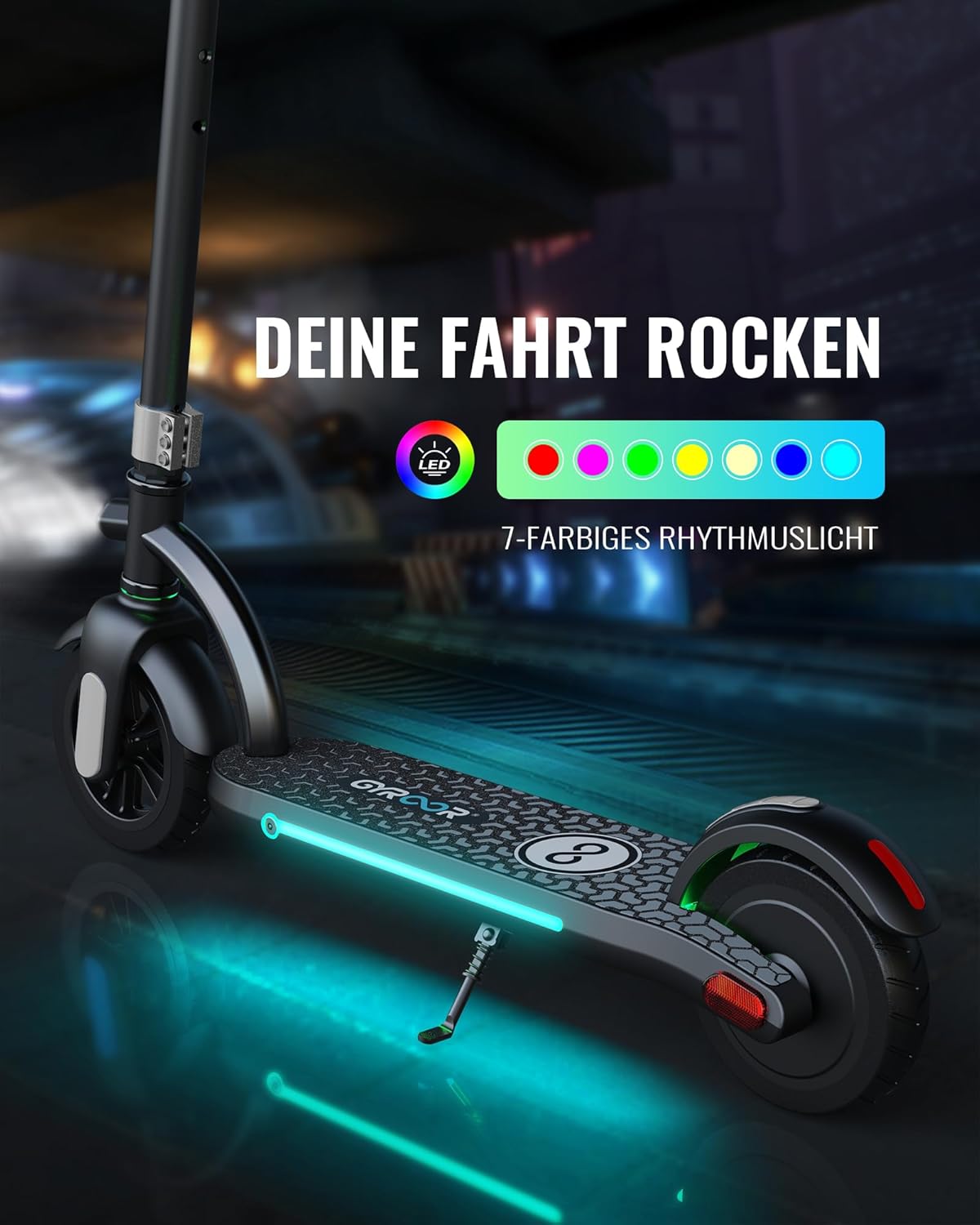
Image: Handlebar controls and LED display.
- LED Digital Display: Shows real-time speed, current gear mode, and battery level.
- Electronic Throttle: Controls acceleration.
- Electronic Brake: Provides instant stopping power.
- Bell: For alerting pedestrians and other riders.
- Headlight: Activates the front light for improved visibility.
5.4 Braking System
The Gyroor H40 is equipped with a dual braking system for enhanced safety.
- Electronic Brake: Activated by the lever on the handlebar for quick stops.
- Rear Foot Brake: Press down on the rear fender with your foot for consistent braking, especially useful in wet or muddy conditions.
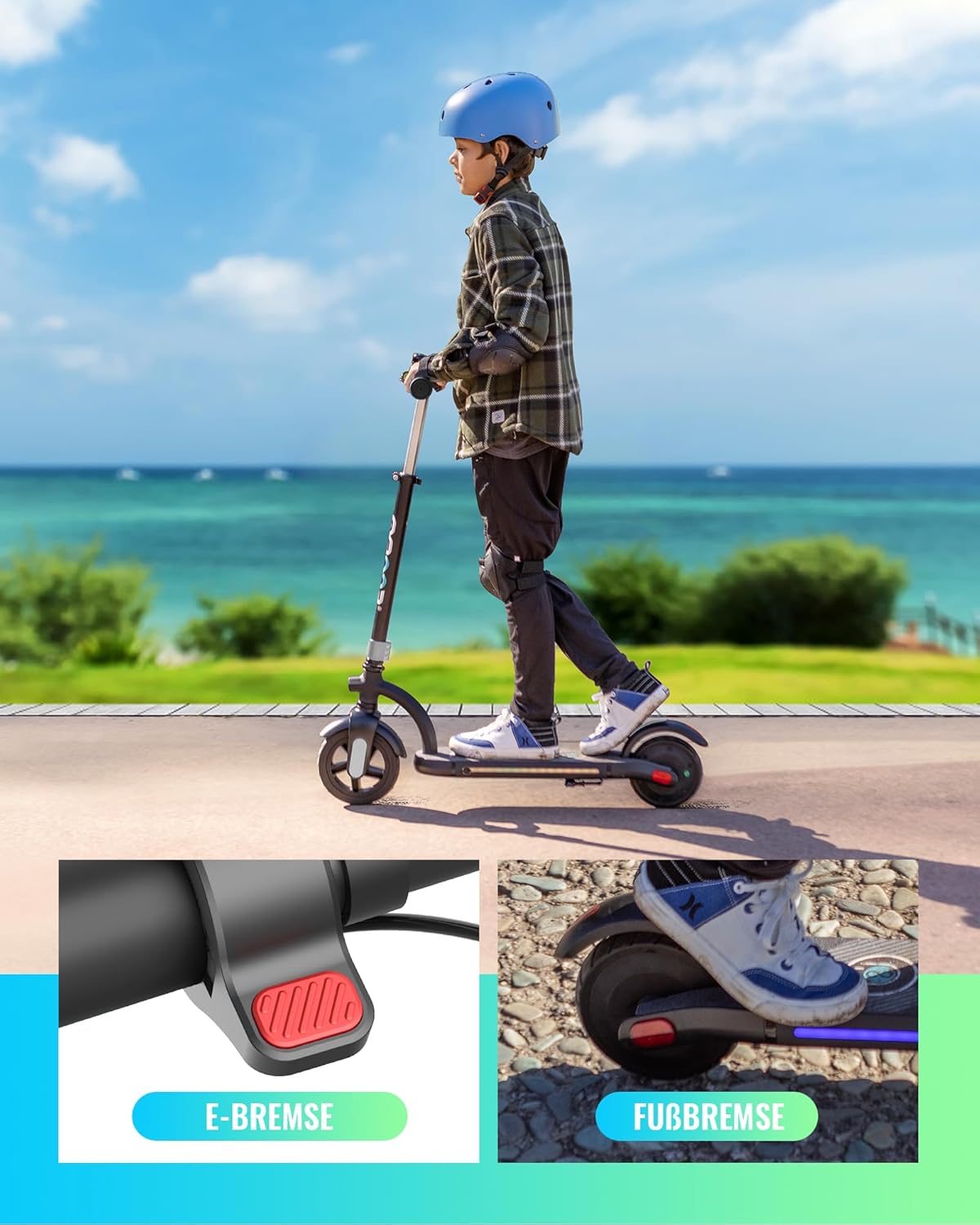
Image: Dual braking system details.
5.5 LED Lights
The scooter features colorful LED lights under the deck that change with movement, and a bright front headlight for night visibility. Reflective stickers further enhance safety after dark.

Image: Gyroor H40 with illuminated LED deck lights.
6. Maintenance
6.1 Cleaning
- Wipe the scooter with a damp cloth. Do not use harsh chemicals or abrasive cleaners.
- Avoid spraying water directly onto electrical components.
6.2 Battery Care
- Charge the battery regularly, even if the scooter is not in use, to maintain battery health.
- Store the scooter in a cool, dry place away from direct sunlight and extreme temperatures.
- If the scooter will not be used for an extended period, charge it to approximately 50-70% before storage.
6.3 General Inspection
- Before each ride, check for loose screws, bolts, or damaged parts.
- Ensure the brakes are functioning correctly.
- Inspect the tires for wear or damage. The H40 uses solid tires, so inflation is not required.
7. Troubleshooting
| Problem | Possible Cause | Solution |
|---|---|---|
| Scooter does not power on. | Low battery; loose connections; power button issue. | Charge the battery fully. Check all visible connections. Contact customer support if the issue persists. |
| Scooter does not accelerate. | Throttle not engaged; low battery; motor issue. | Ensure the throttle is pressed correctly. Check battery level. Push off to gain initial speed before engaging throttle. |
| Brakes are not effective. | Brake mechanism issue; worn brake pad (rear foot brake). | Inspect brake levers and cables. For the rear foot brake, check the fender for wear. Contact customer support for repair. |
| LED display is not working. | Loose connection; display damage. | Ensure the scooter is powered on. Check for visible damage. Contact customer support. |
8. Specifications
| Feature | Detail |
|---|---|
| Model | H40 |
| Motor Power | 180 W |
| Max Speed | Up to 10 mph (16 km/h) |
| Battery | 21.6 V, 2600 mAh |
| Max Load Capacity | 60 kg (132 lbs) |
| Recommended Age | 6-12 years |
| Handlebar Height | Adjustable (35.4 – 39.4 inches / 90-100 cm) |
| Tire Type | Solid (7-inch front, 6.5-inch rear) |
| Braking System | Electronic brake + Rear foot brake |
| Frame Material | Aluminum |
| Product Dimensions | 83.82 x 15.24 x 100.08 cm (L x W x H) |
| Product Weight | 8 kg |
| Certifications | UL2272 |

Image: Product label with specifications and certifications.
9. Warranty and Support
9.1 Warranty Information
- Scooter Warranty: 1-year full warranty from the date of purchase.
- Battery Warranty: 6-month warranty from the date of purchase.
- Returns: 30-day hassle-free return policy.
- The warranty covers manufacturing defects. It does not cover damage caused by misuse, accidents, or unauthorized modifications.
9.2 Customer Support
For any questions, concerns, or warranty claims, please contact Gyroor customer support.
- Contact Information: Refer to the product packaging or the official Gyroor website for the most up-to-date contact details.
- Friendly customer service is available to assist you.


