
1. Introduction
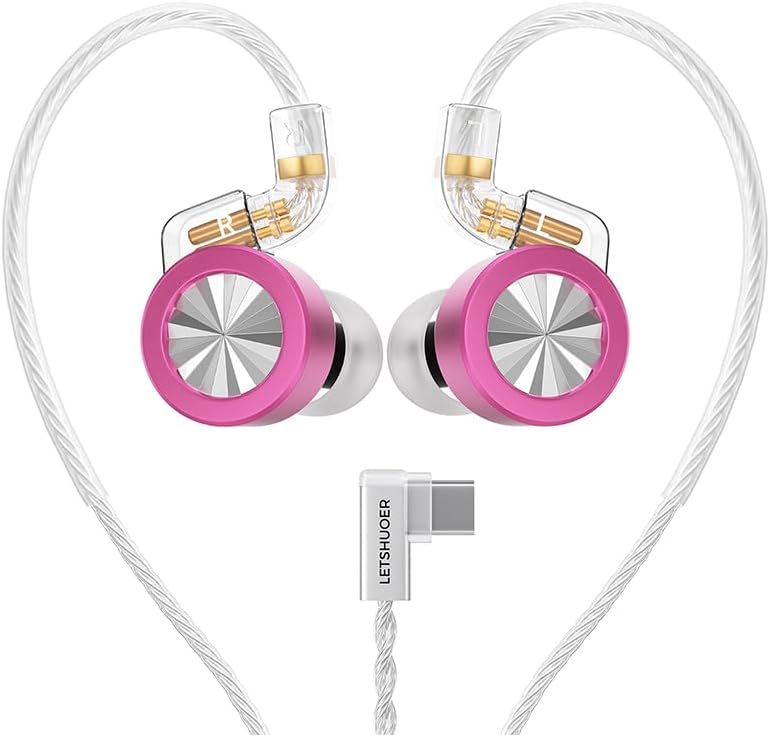
Thank you for choosing the Letshuoer D02 Hi-Fi Type-C In-Ear Monitors. These earphones are designed to deliver high-fidelity audio with a focus on clarity, detail, and comfort. This manual provides essential information for setting up, operating, and maintaining your D02 IEMs to ensure optimal performance and longevity.
2. What's in the Box
- D02 Earphones (1 pair)
- Detachable Cable (1)
- Ear Tips (6 pairs)
- Earphone Storage Case (1)
- User Manual (1)
- Warranty Card (1)
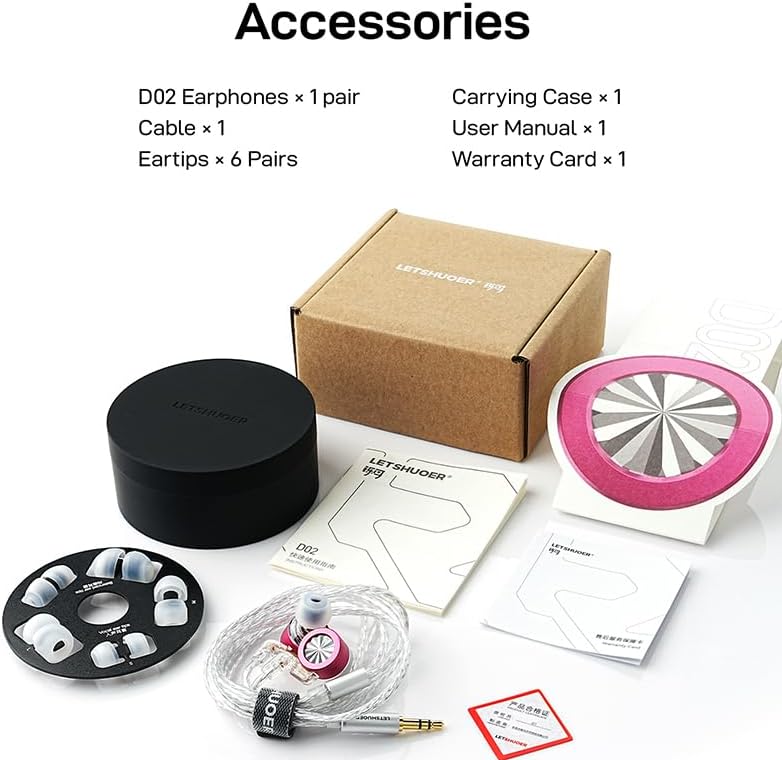
Image: All included accessories for the Letshuoer D02 IEMs.
3. Product Features
- Premium Material and Design: Features an aluminum alloy faceplate and polycarbonate shell for durability and aesthetic appeal.
- 11mm Dual Magnetic Circuit Dynamic Driver: Equipped with a 0.03mm ultra-thin cicada-wing diaphragm and wax-sealed ultralight design for fast transients, high resolution, clear vocals, and precise imaging. German-imported PU suspension provides deep, elastic bass and crisp, extended highs.
- Built-in High-Performance DAC (Type-C Version): The Type-C version includes an independent DAC chip supporting 32Bit/384KHz high-resolution digital audio decoding, enabling direct connection to phones and other devices without an extra source.
- Detachable Silver-Plated Copper Cable: Audiophile-grade cable with high-purity OFC core for efficient signal transmission and minimal loss. Features a 2-pin connector for secure and long-lasting connection.
- High-Sensitivity Directional Microphone: The Type-C version includes an in-line silicone MEMS mic that reduces ambient noise and captures voice clearly, ideal for calls, meetings, or gaming.
- Ergonomically Optimized for Comfort: Designed based on extensive ear canal modeling data for a secure, pressure-free fit. The lightweight body and over-ear design ensure lasting comfort and stability.

Image: Key features and highlights of the D02 In-Ear Monitors.
4. Setup and Wearing Guide
4.1 Connecting the Cable
The D02 IEMs feature a detachable 2-pin cable. To connect:
- Identify the left (L) and right (R) earpieces and cable connectors.
- Align the pins on the cable with the sockets on the earpieces.
- Gently push the connectors until they are securely in place. Do not force them.
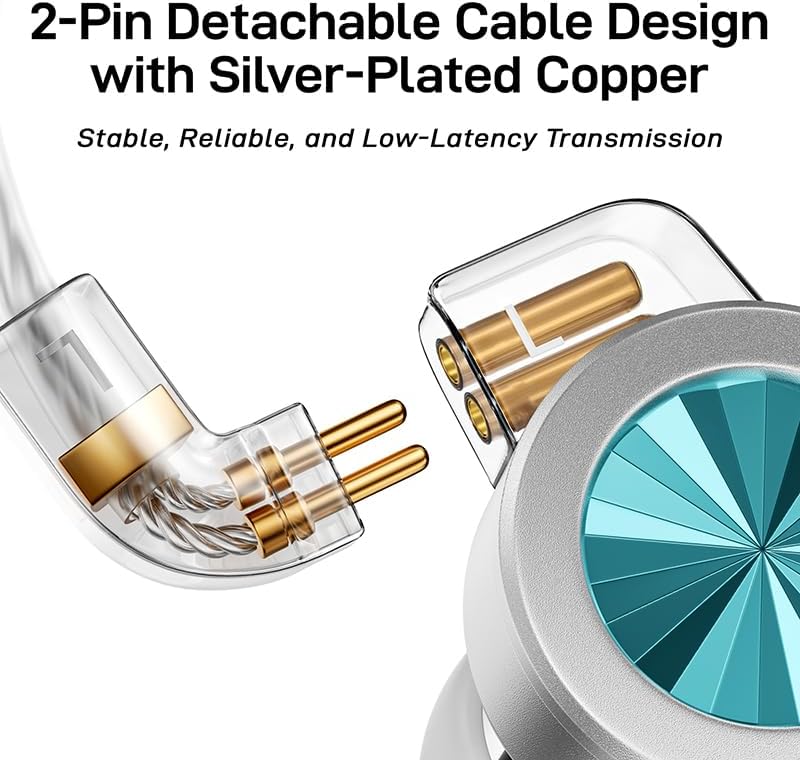
Image: Detachable 2-pin cable design with silver-plated copper.
4.2 Wearing the IEMs
For optimal sound and comfort, follow these steps to wear your D02 IEMs:
- Identify L/R: Match the "L" and "R" markings on the earphones with your left and right ears.
- Select Eartips: Choose the right size for a comfortable in-ear fit. Experiment with the included 6 pairs of ear tips to find the best seal.
- Over-Ear Fit: Wrap the cable securely behind your ears.
- Ensure Seal: Gently press the earphones for a tight seal and better sound isolation.
- Connect Device: Lower the volume on your audio source before connecting to protect your hearing.

Image: Quick steps for wearing the D02 IEMs.

Image: Ergonomically optimized design for comfort.
5. Operating Instructions
5.1 Audio Playback
Once properly connected and worn, the Letshuoer D02 IEMs are ready for audio playback. The Type-C version, with its built-in DAC, offers high-resolution digital audio directly from compatible devices. Adjust the volume on your connected device to your preferred listening level.
5.2 Microphone Usage (Type-C Version)
The in-line microphone on the Type-C cable allows for clear communication. Position the microphone appropriately for optimal voice pickup during calls, online meetings, or gaming sessions. The directional pickup helps reduce ambient noise.

Image: High-sensitivity directional microphone for clear communication.
5.3 Device Compatibility
The D02 IEMs offer wide compatibility across various devices. Choose the appropriate version (Type-C or 3.5mm) based on your device's available ports.

Image: System and device compatibility notes for D02.
Video: Official product video showcasing the D02 Hi-Fi Type-C In-Ear Monitors IEM Earphones.
6. Maintenance
- Clean Eartips: Regularly remove and clean the silicone ear tips with mild soap and water. Ensure they are completely dry before reattaching.
- Wipe Earphones: Use a soft, dry cloth to wipe the earpieces and cable to remove any dust or debris. Avoid using harsh chemicals.
- Store Properly: When not in use, store your D02 IEMs in the provided earphone storage case to protect them from dust, moisture, and physical damage.
- Handle Cable with Care: Avoid sharp bends or excessive pulling on the cable to prevent internal damage.
7. Troubleshooting
- No Sound:
- Ensure the cable is securely connected to both the earpieces and the audio source.
- Check the volume level on your audio device.
- Test with another audio device to rule out source issues.
- For Type-C version, ensure your device supports digital audio output via USB-C.
- Poor Sound Quality / Muffled Sound:
- Ensure the ear tips provide a proper seal in your ear canal. Try different sizes if necessary.
- Clean any debris from the eartips or nozzle of the IEMs.
- Check if the audio source is playing high-quality audio files.
- Microphone Not Working (Type-C Version):
- Ensure the microphone is not obstructed.
- Check your device's audio settings to confirm the external microphone is selected.
- Test the microphone with another application or device.
- Intermittent Connection:
- Check for loose connections at the 2-pin interface or the audio jack.
- Inspect the cable for any visible damage.
8. Specifications
| Feature | Detail |
|---|---|
| Model Name | LETSHUOER D02 |
| Connectivity Technology | Wired |
| Material | Aluminum, Polycarbonate (PC) |
| Audio Driver Type | Dynamic Driver (11mm Dual Magnetic Circuit, Dual-Chambered) |
| Earpiece Shape | In-Ear |
| Input Device Interface | Type-C (with built-in DAC) |
| Special Feature | Ultra-thin Diaphragm, Built-in DAC, Noise-reducing Mic |
| Compatible Devices | Smartphones, Laptops, Desktops, Tablets, Gaming Consoles, Smart Speakers, Televisions, Car Audio Systems, Cellphones |
| Item Weight | 5.6 ounces |
| Color | Berry |
9. Warranty and Support
The Letshuoer D02 In-Ear Monitors come with a 1-year warranty on the IEMs themselves. The included cable is covered by a 3-month warranty.
For support, warranty claims, or further inquiries, please contact the Letshuoer Official Store or refer to the warranty card included in your package.
