
AOHI 240W Laptop Power Bank
AOHI 240W Laptop Power Bank (27600mAh) and USB 4 2.0 Cable
User Manual
Introduction
Thank you for choosing the AOHI 240W Laptop Power Bank and the accompanying 240W USB 4 2.0 Cable. This product is designed to provide high-speed charging for a wide range of devices and advanced data transfer and display capabilities. This manual provides essential information for safe and efficient use, including setup, operation, maintenance, and troubleshooting.
Safety Instructions
Please read all safety instructions carefully before using the product. Failure to follow these instructions may result in fire, electric shock, damage to the product, or property damage.
- Do not expose the power bank to water, moisture, or extreme temperatures.
- Avoid dropping, puncturing, or disassembling the device.
- Use only original or certified cables and chargers with the power bank.
- Keep the power bank away from children and pets.
- Do not use the power bank if it is damaged or shows signs of swelling.
- Dispose of the product according to local regulations for electronic waste.
Package Contents
- AOHI 240W Laptop Power Bank (27600mAh / 99.3Wh)
- 240W USB-C to USB-C Cable (6.6FT / 2m)
- User Manual
Product Overview
The AOHI 240W Laptop Power Bank features multiple ports for versatile charging and a smart digital display for real-time status monitoring. The included USB 4 2.0 cable supports high-speed data transfer and advanced display configurations.

The image displays the AOHI 240W Laptop Power Bank and the accompanying 240W USB 4 2.0 cable.
Power Bank Components:
- USB-C1 Port: Input/Output, up to 140W PD 3.1
- USB-C2 Port: Input/Output, up to 140W PD 3.1
- USB-A Port: Output, up to 22.5W
- Digital Display: Shows battery percentage, input/output wattage, and charging mode indicators.
USB 4 2.0 Cable Features:
- Data Transfer: Up to 80Gbps bidirectional.
- Video Bandwidth: Up to 120Gbps.
- Power Delivery: Up to 240W PD 3.1.
- Length: 6.6 feet (2 meters).
Setup
- Unpack: Carefully remove the power bank and cable from the packaging.
- Initial Charge: For optimal performance, fully charge the power bank before its first use. Connect a 140W PD charger (not included) to either USB-C port using the provided USB-C cable.
Operating Instructions
Charging the Power Bank
To recharge the power bank, connect a compatible USB-C power adapter (up to 140W recommended for fastest charging) to either USB-C1 or USB-C2 port using the included 240W USB-C cable. The digital display will show the input wattage and battery percentage increasing.
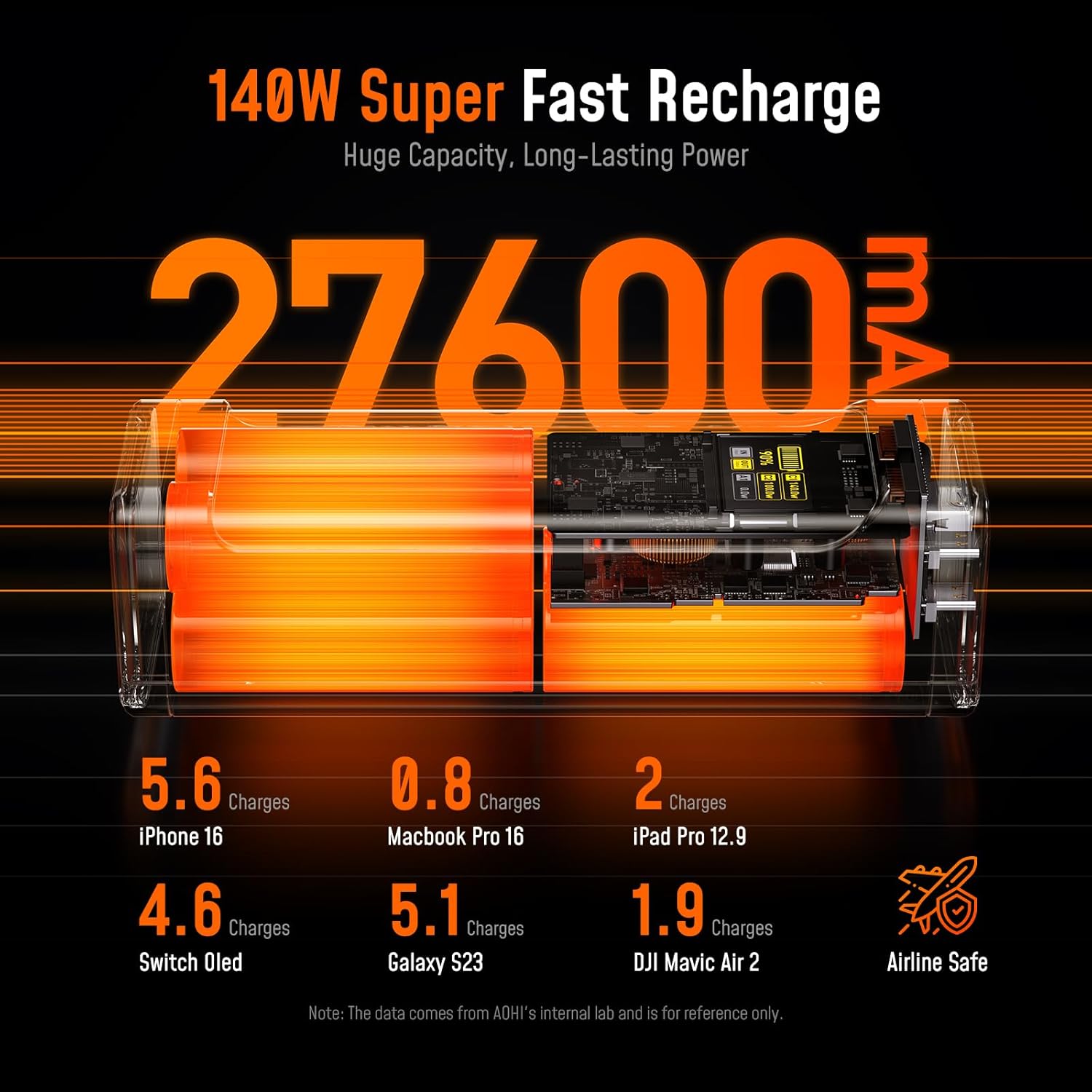
The image highlights the 140W super fast recharge capability and the 27600mAh capacity of the power bank, with examples of device charges.
Charging Devices with the Power Bank
Connect your device to the appropriate port on the power bank using a compatible charging cable. The power bank supports simultaneous charging of multiple devices.
- USB-C Ports (C1/C2): Ideal for laptops, tablets, and smartphones requiring high power delivery (up to 140W per port).
- USB-A Port: Suitable for smartphones and other smaller devices (up to 22.5W).

This image illustrates the intelligent power distribution of the AOHI power bank, showing 140W from USB-C1 and 100W from USB-C2 charging two laptops simultaneously.

This image shows the AOHI power bank charging a MacBook Pro 16 inch via a USB-C port, indicating 140W PD3.1 output.

The image demonstrates PPS fast charging up to 100W, supporting Samsung devices and compatibility with over 1000 devices including laptops, drones, and gaming consoles.
Understanding the Digital Display
The smart digital display provides real-time information:
- Battery Percentage: Indicates the remaining charge of the power bank.
- Input/Output Wattage: Shows the power being drawn by the power bank (input) or delivered to devices (output) for each active port.
- LED Indicators:
- Amber Breathing Light: Fast Charging Mode.
- Blue Solid Light: Standard Charging Mode.
- Green Solid Light: Trickle Charging Mode.

This image details the real-time smart digital display of the power bank, showing battery percentage, input/output power, and the 3-stage smart charging LED indicators.
USB 4 2.0 Cable Usage
The included USB 4 2.0 cable is designed for high-performance data transfer and video output.
- High-Speed Data Transfer: Connect compatible devices for bidirectional data transfer speeds up to 80Gbps. This is ideal for large file transfers, external SSDs, and other high-bandwidth peripherals.
- Advanced Display Setups: Use the cable to connect to external monitors for various display configurations:
- Single 8K display at 165Hz or 4K display at 540Hz.
- Dual 8K displays at 60Hz.
- Triple 4K displays at 144Hz.

The image illustrates the AOHI USB4 2.0 cable's capability for 80Gbps bidirectional data transfer and up to 120Gbps unidirectional bandwidth, comparing it to older USB standards.

This image showcases various display configurations supported by the USB4 2.0 cable, including single 8K@165Hz, dual 8K@60Hz, and triple 4K@144Hz setups.
Maintenance
- Cleaning: Wipe the power bank and cable with a soft, dry cloth. Do not use liquid cleaners or aerosols.
- Storage: Store the product in a cool, dry place away from direct sunlight and extreme temperatures.
- Battery Care: To prolong battery life, avoid fully discharging the power bank frequently. Recharge it periodically if not used for extended periods.
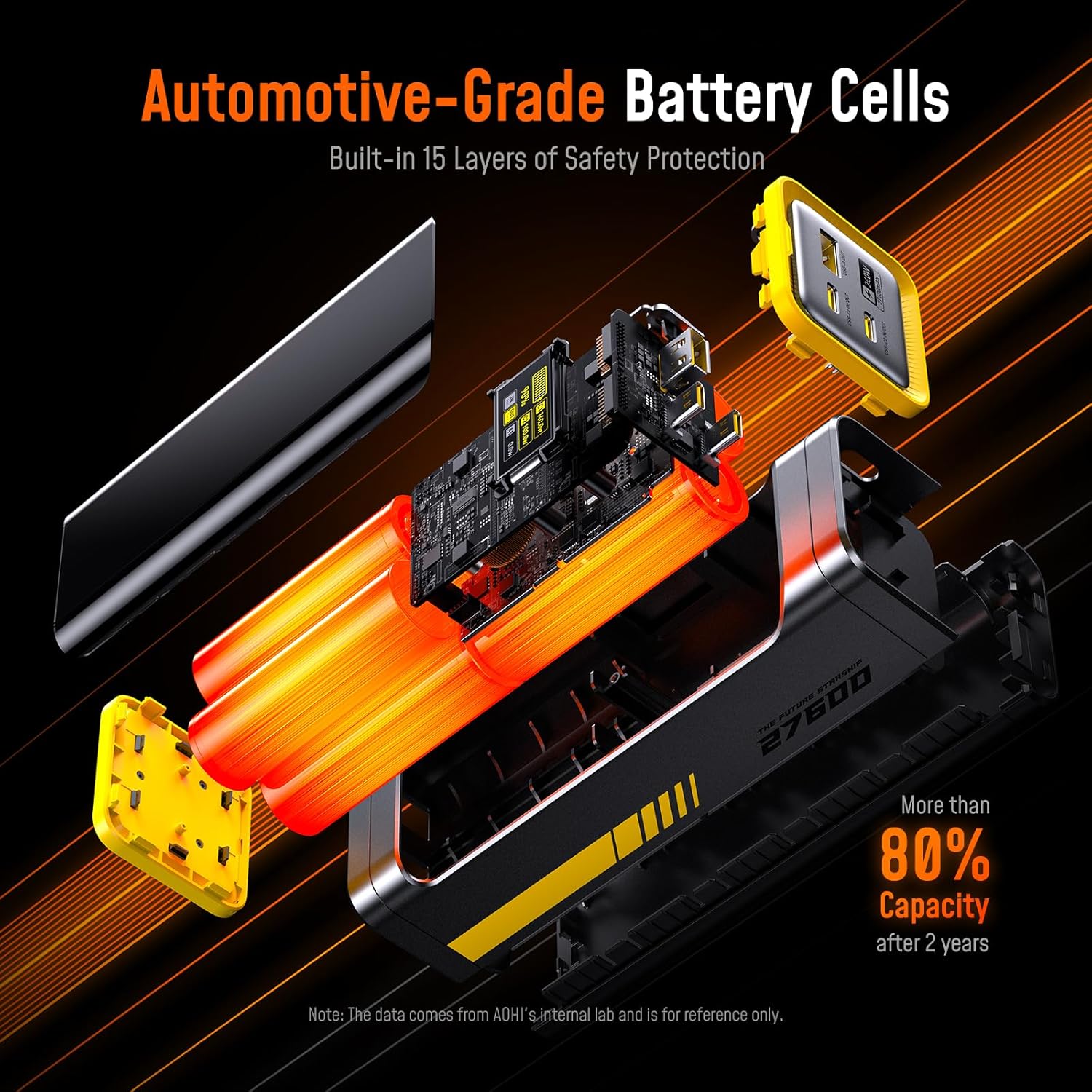
The image provides an internal view of the AOHI power bank, highlighting its automotive-grade battery cells and 15 layers of safety protection, ensuring over 80% capacity after 2 years.
Troubleshooting
- Power Bank Not Charging:
- Ensure the charging cable is securely connected to both the power bank and the wall charger.
- Verify that the wall charger is functioning correctly and plugged into a live outlet.
- Try a different USB-C port or cable.
- Device Not Charging from Power Bank:
- Check if the power bank has sufficient charge.
- Ensure the charging cable is securely connected to both the power bank and your device.
- Try a different port on the power bank or a different charging cable.
- Confirm your device is compatible with the power bank's output specifications.
- Slow Charging:
- Ensure you are using a Power Delivery (PD) compatible charger and cable for fast charging the power bank or your devices.
- Check your device's charging input requirements. Some devices may not support the maximum output of the power bank.
Specifications
| Model | AOHI 240W Laptop Power Bank |
| Capacity | 27600mAh / 99.3Wh |
| USB-C1 Input/Output | PD 3.1, 5V≈3A, 9V≈3A, 12V≈3A, 15V≈3A, 20V≈5A, 28V≈5A (140W Max) |
| USB-C2 Input/Output | PD 3.1, 5V≈3A, 9V≈3A, 12V≈3A, 15V≈3A, 20V≈5A, 28V≈5A (140W Max) |
| USB-A Output | 4.5V≈5A, 5V≈4.5A, 9V≈2A, 12V≈1.5A (22.5W Max) |
| Total Output | 240W Max |
| USB 4 2.0 Cable Length | 6.6 feet (2 meters) |
| USB 4 2.0 Cable Data Transfer | 80Gbps Bidirectional |
| USB 4 2.0 Cable Video Bandwidth | 120Gbps Unidirectional |
| USB 4 2.0 Cable Power Delivery | 240W PD 3.1 |
Warranty and Support
For warranty information, technical support, or customer service inquiries, please refer to the official AOHI website or contact their customer support directly. Keep your purchase receipt for warranty claims.
AOHI Official Website: www.aohi.com
Ask a question about this manual
Ask about setup, troubleshooting, compatibility, parts, safety, or missing instructions. Manuals+ will review the question and use this page’s manual context to help answer it.